















Content ITV PRO
This is Itvedant Content department
Learning Outcome
4
Learn to integrate tools like TestNG and Selenium through dependencies
3
Configure groupId, artifactId, and version (GAV coordinates)
2
Learn how to define and manage project dependencies
1
Understand the role of pom.xml as the heart of a Maven project
5
Improve project maintainability using centralized configuration management
We know:
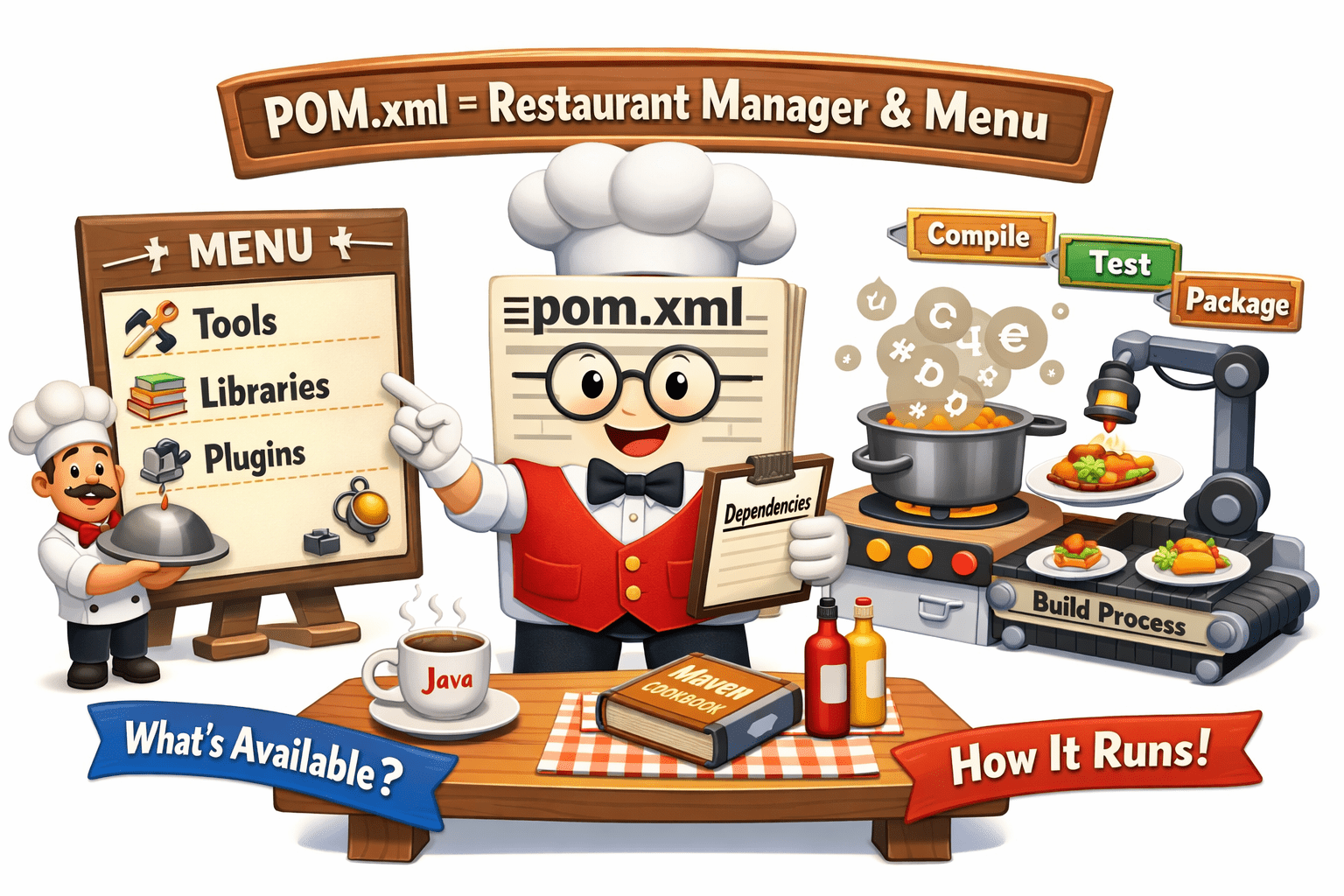
Think of pom.xml as a restaurant menu + manager system
It decides what items (tools/libraries) are available and how the restaurant runs.
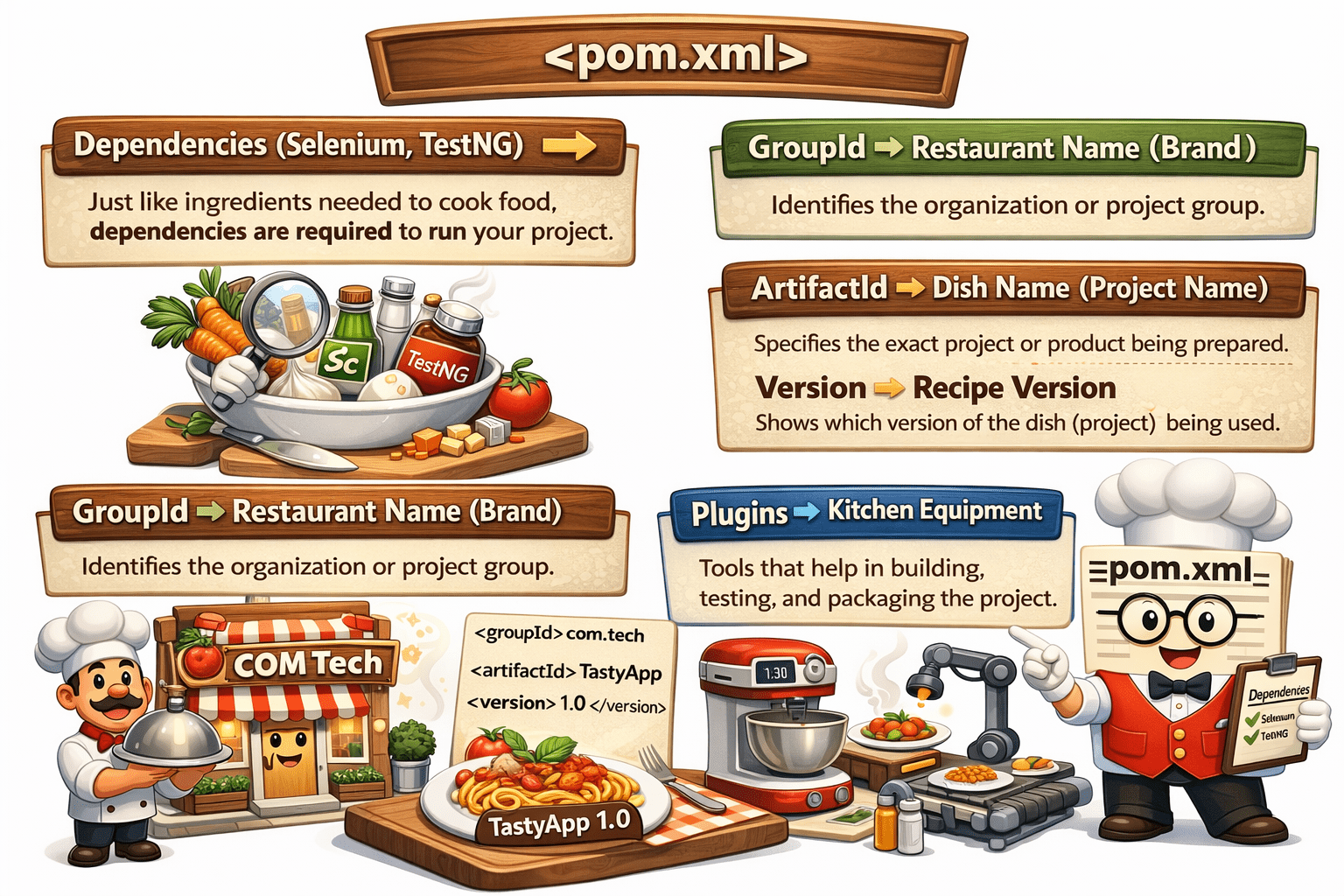
pom.xml is like a smart restaurant manager that decides:
what ingredients are needed
how the dish (project) is prepared
and ensures everything runs smoothly without confusion
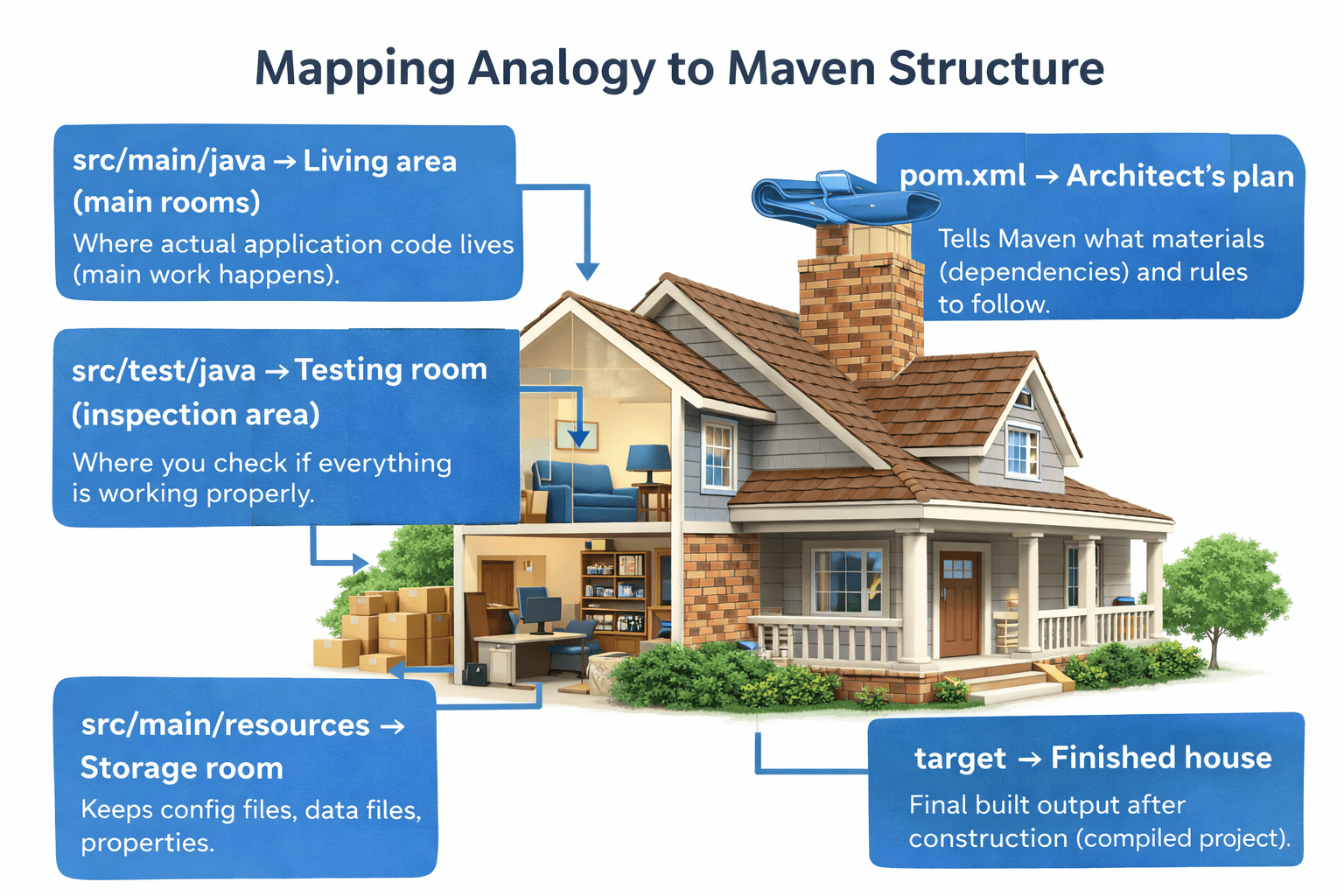
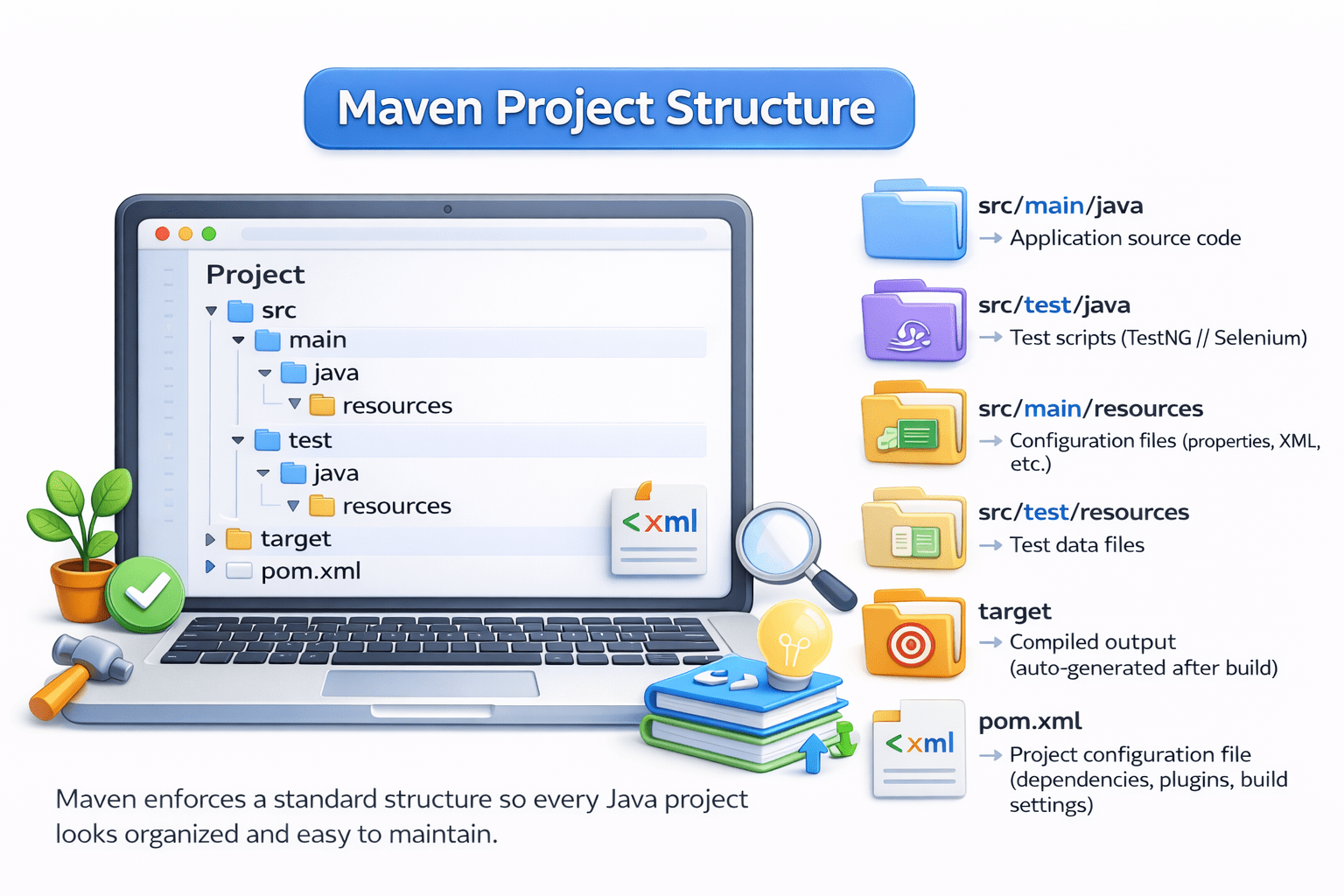
Maven ensures your project is organized like a well-planned house, where every file has a proper place and nothing is scattered randomly.
Mapping Analogy to Maven Structure:
Why do we use Maven
To automate the build process (compile, test, package, deploy)
To manage project dependencies efficiently
To maintain a standard and organized project structure
To run and manage test cases easily (TestNG/Selenium integration)
To simplify project configuration using pom.xm
To support CI/CD integration with tools like Jenkins
Maven brings automation, structure, and consistency to Java project development.
What is Maven?
Maven is a build automation and dependency management tool used for Java projects.
Maven makes Java project development faster, organized, and easier to manage.
It helps in:
Managing project dependencies automatically
Standardizing project structure
Automating build processes like compile, test, and package
Simplifying project configuration using pom.xml
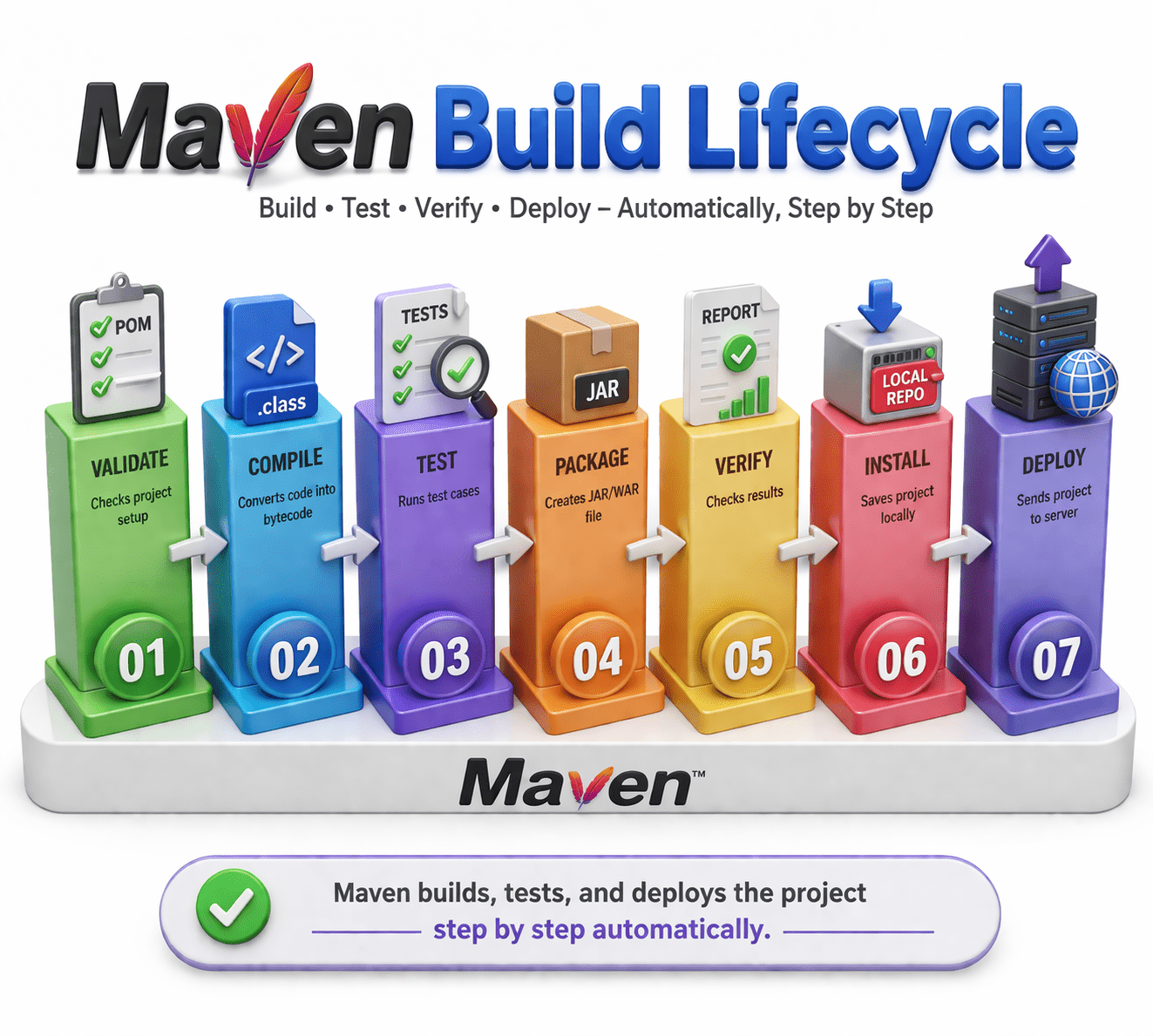
The Maven Build Lifecycle is a structured sequence of phases that defines how a Java project is built, tested, verified, and deployed in an automated way
Maven builds, tests, and deploys the project step by step automatically.
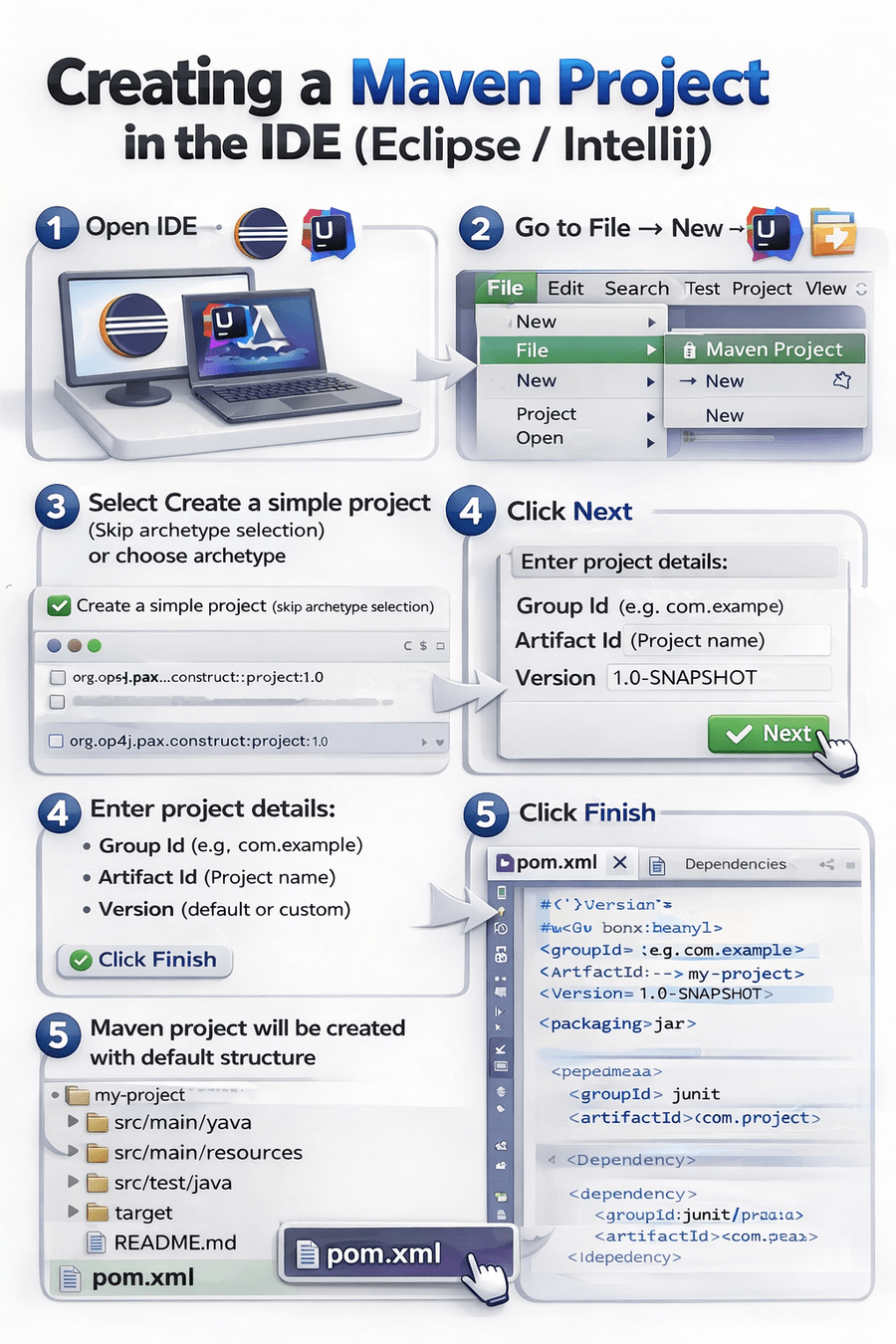
Steps to Create a Maven Project
Add Dependencies in pom.xml
Add required libraries (TestNG, Selenium, etc.)
Save file → Maven automatically downloads dependencies
Right-click project → Run As → Maven test
Use command: mvn clean test
Run Maven Project
OR
Maven Commands
mvn clean test
Cleans and runs all tests
mvn clean install
Cleans, tests, and installs project
mvn clean
Removes target folder (old build files)
mvn compile
Compiles source code
mvn test
Runs test cases (TestNG/JUnit)
mvn package
Creates JAR/WAR file
mvn install
Saves build in local repository (.m2)
mvn deploy
Uploads build to remote repository
Maven commands are used to build, test, package, and manage Java projects automatically.
Summary
4
Supports build lifecycle phases like compile, test, and package
3
Manages dependencies using pom.xml
2
Used to automate Java project setup and execution
1
Maven is a build and dependency management tool
Quiz
Which file is used to manage dependencies in Maven?
A.config.xml
B.build.xml
C.pom.xml
D.settings.xml
Quiz-Answer
Which file is used to manage dependencies in Maven?
A.config.xml
B.build.xml
C.pom.xml
D.settings.xml
By Content ITV