

















Content ITV PRO
This is Itvedant Content department
Use this slide if there is no Heading
Note - Create Content inside Red Layout
[Delete Red Outline After creating slide]
Learning Outcome
5
Understand how Selenium supports cross-browser testing
4
Recognize the advantages of Selenium in testing
3
Explain how Selenium controls a browser
2
Identify different components of the Selenium suite
1
Understand the purpose of Selenium in automation testing
Topic Name-Recall(Slide3)
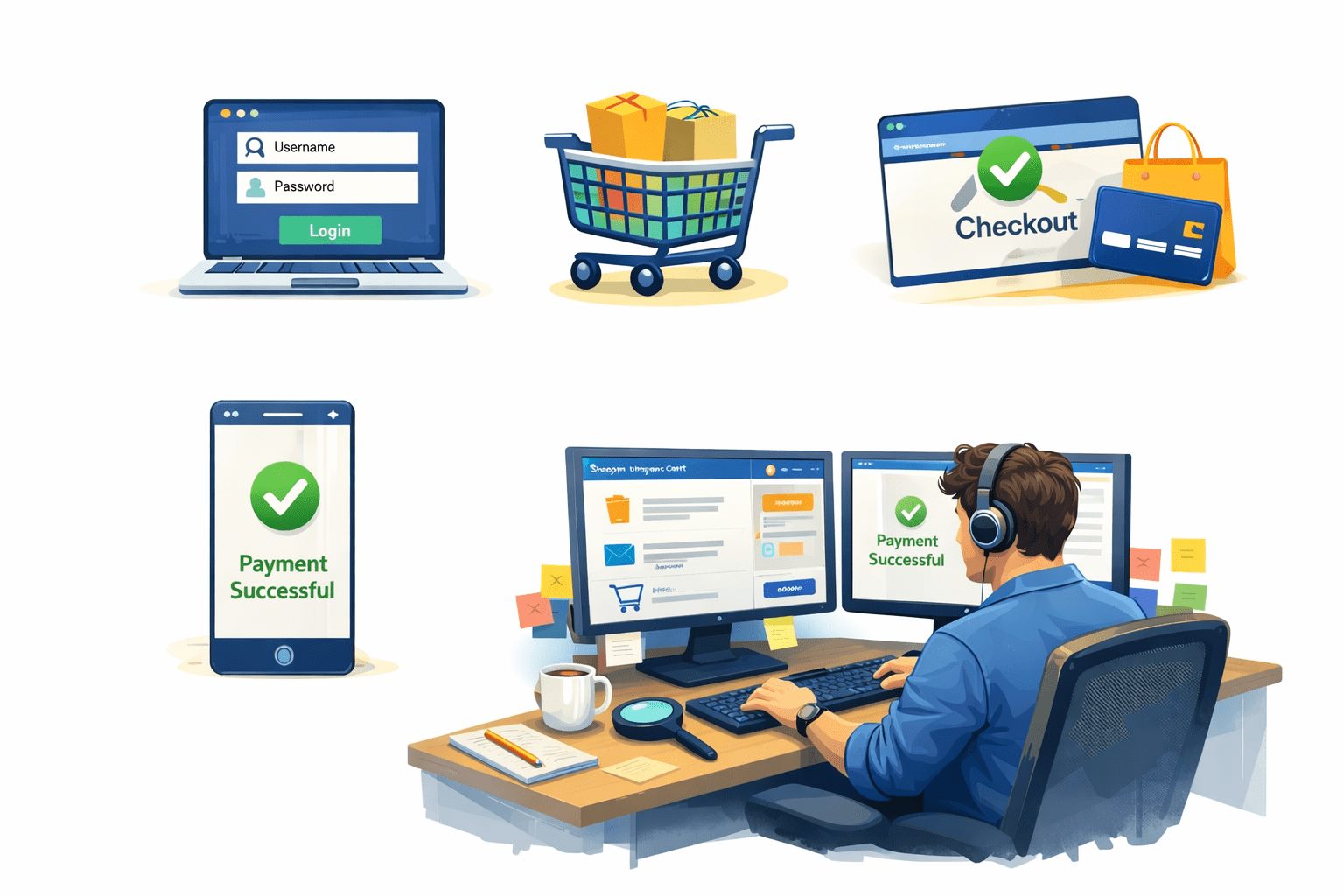
Imagine a tester working on an e-commerce website
The tester repeats the same steps again and again for every new build
Every day the tester must check:
Payment confirmation
Login functionality
Add product to cart
Checkout process
Imagine a tester working on an e-commerce website
The tester wishes there was a way to run these tests automatically instead of repeating them manually
After several hours of testing:
Some steps might be skipped accidentally
The tester becomes tired
Bug may remain unnoticed
Transition from Analogy to Technical Concept(Slide 5)
This is where Selenium is used.
Repeating the same steps every day → Automation scripts
Tester getting tired → Automated execution
Missing bugs due to repetition → Consistent test execution
Testing across multiple browsers → Cross-browser automatio
Selenium is an automation testing tool that helps testers automatically execute test cases on web applications across different browsers and environments.
Why Bugs Escape After Manual Testing
Some test scenarios might be missed accidentally
Testing on multiple browsers takes a lot of time
Manual testing cannot easily run thousands of test cases quickly
With Selenium automation:
Tests run faster and consistently
Thousands of tests can run in minutes
Testing can be performed across multiple browsers and devices
Manual testing has some limitations:
Automation helps solve these problems:
Types of Selenium
Selenium IDE
Selenium WebDriver
Selenium Grid
Selenium RC
What is Selenium IDE?
Browser extension that records and plays back user interactions in real-time, generating reusable test scripts automatically
Point-and-click recording of browser interactions
Export tests to WebDriver code (Java, Python, etc.)
Control flow commands for conditional testing
Debug and breakpoint functionality
Only supports Chrome and Firefox browsers
Cannot handle complex authentication scenarios
Limited cross-browser testing capabilities
Not suitable for large-scale test suites
Key FeaturesLimitationsWhat is Selenium RC?
DefinitionUsed Client-Server ArchitectureWhat It Is WebDriver
DefinitionMulti-language: Java, Python, C#, JavaScript, Ruby
Simulates precise user interactions like clicks, typing, and gestures
Supports headless execution for CI/CD pipelines
BenefitsParallel Testing with Selenium Grid
Central Hub:
Routes JSON test commands to appropriate nodes based on browser/OS requirements and manages the test queue for optimal resource allocation
Multiple Nodes:
Execute tests across Chrome, Firefox, Safari, and Edge on Windows, macOS, and Linux environments simultaneously, supporting cross-browser compatibility testing
Time Savings:
Reduce 10-hour sequential test suites to just 12 minutes by running 50 tests in parallel, cutting regression testing time by up to 95%
How Does Selenium Talk to the Browser?
Test Script
Selenium code in Java, Python, C#, or JavaScript sends browser control commands
WebDriver API
Converts language-specific code to JSON wire protocol messages
Protocol
W3C WebDriver protocol transmits HTTP requests with browser instructions
Browser
Browser driver receives commands and manipulates DOM elements accordingly
Why the Name “Selenium”?
The name “Selenium” was coined humorously as a joke
Fun Fact
The name stuck and became a symbol of open-source alternatives to expensive test automation tools
The Story Behind the Name
At the time, a competing proprietary tool was Mercury QuickTest Professional (QTP).Since selenium is a chemical element known to counteract mercury poisoning, the open-source tool was named Selenium to mock Mercury
Why Selenium Still Rules Automation
IDE:
WebDriver:
Selenium RC:
Grid:
CI/CD:
Summary
5
4
3
2
1
Selenium is an open-source framework used for web automation testing
It provides multiple tools called the Selenium Suite
Selenium IDE helps record and replay user actions
Selenium WebDriver enables advanced automation using programming languages
Selenium Grid allows running tests across multiple browsers and machines simultaneously
Quiz
What architecture did Selenium RC use?
A. Peer-to-peer architecture
B. Client-server architecture
C. Layered architecture
D. Microservice architecture
Quiz-Answer
What architecture did Selenium RC use?
A. Peer-to-peer architecture
B. Client-server architecture
C. Layered architecture
D. Microservice architecture
By Content ITV