





Content ITV PRO
This is Itvedant Content department
Learning Outcome
5
Connect fallbacks to if/else logic.
4
Apply routing patterns to real workflows.
3
Recognize how bundles move through routes.
2
Identify the parts of a Router setup.
1
Understand what a Router does.
The Hospital Reception Desk
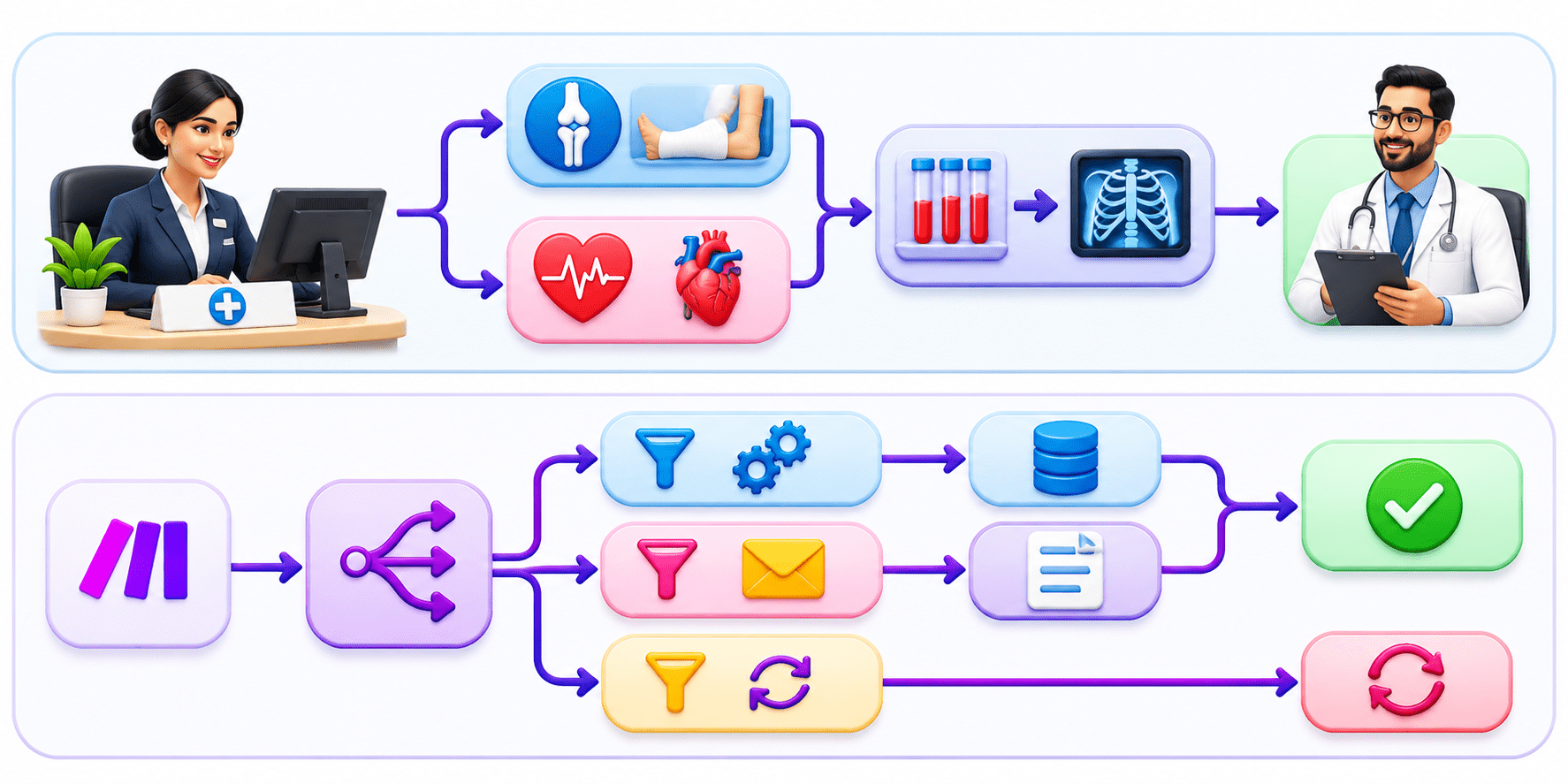
Fracture? Orthopaedics. Chest pain? Cardiology.
A hospital receptionist reads each patient’s case.
Needs a blood test and an X-ray? Both, one after the other.
If nothing matches, the patient sees the general physician, so nobody leaves unseen.
How does the receptionist decide where each patient goes?
One desk sends each case down the right path, and nobody is left out.
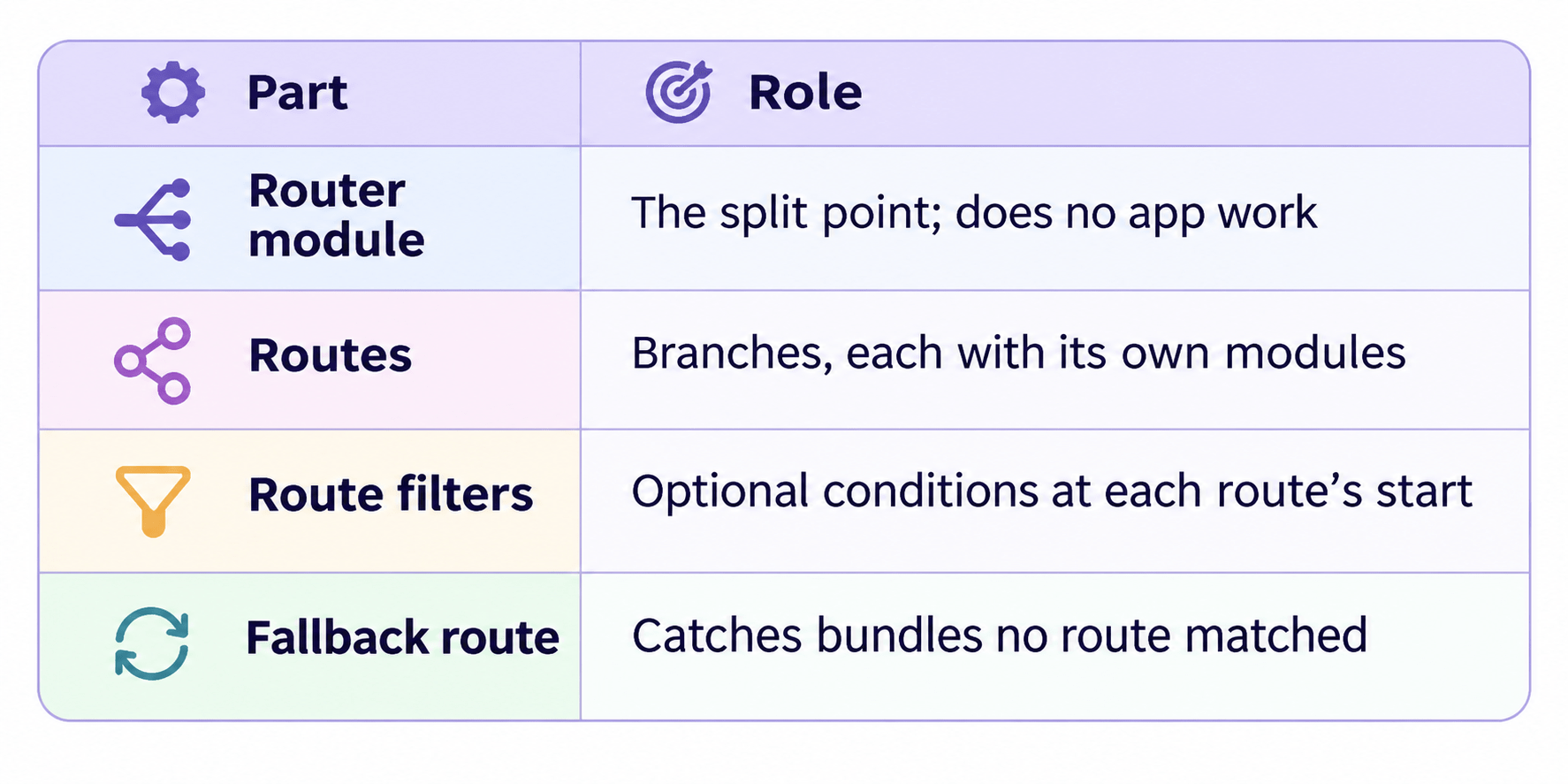
Similarly, a Router in Make splits one scenario into several routes. Each route has its own filter, like each department’s reason for seeing a patient, and one record can take more than one route.
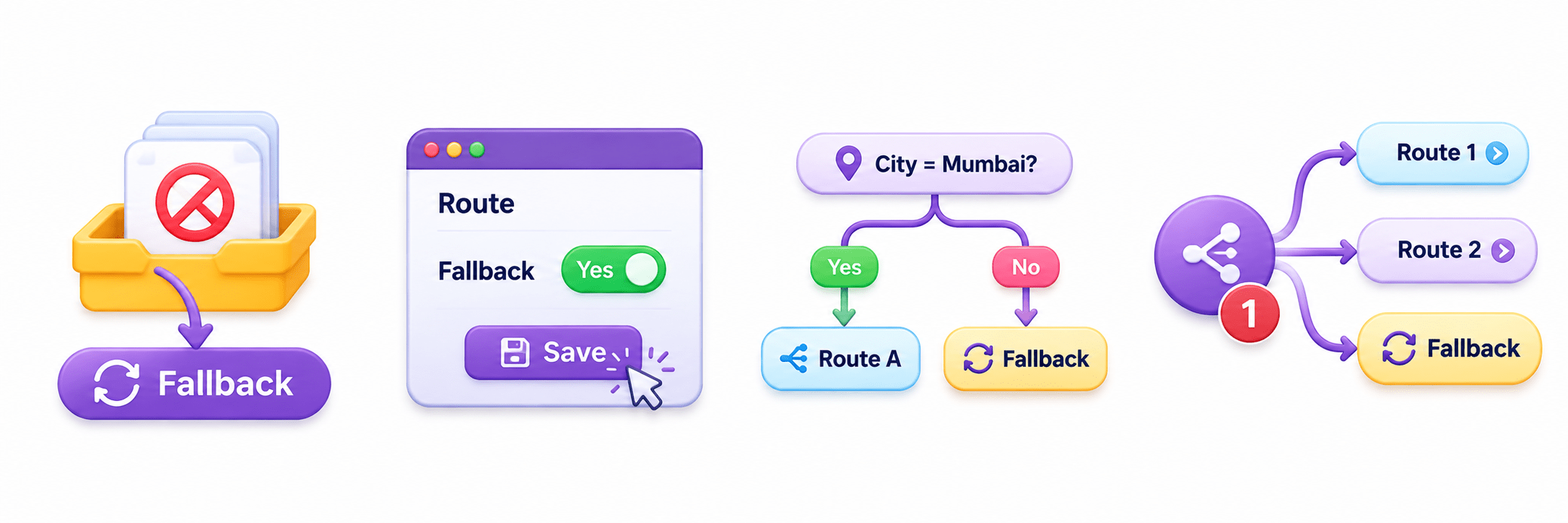
Records that match no route go to the fallback route, so every record is handled.
This is called Routers and Multi-Path Workflows.
What is a Router?
A flow-control module that splits a scenario into two or more routes. Add it from Flow controls, or right- click a line → Add a router.
How a Router Processes Bundles
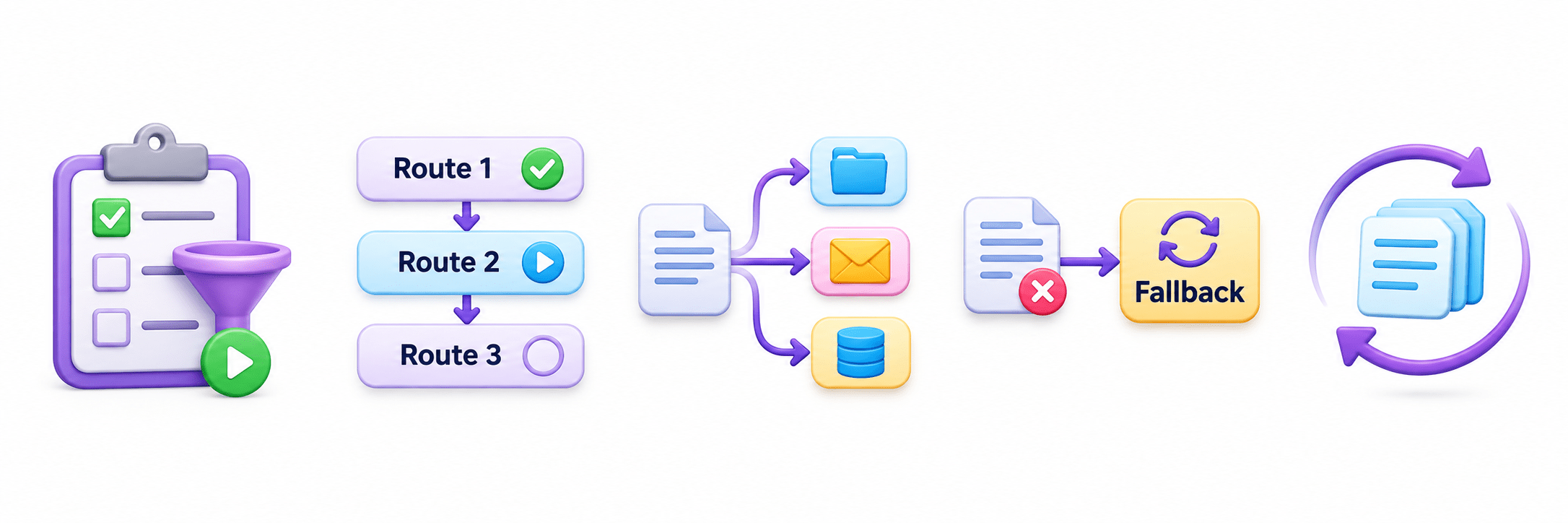
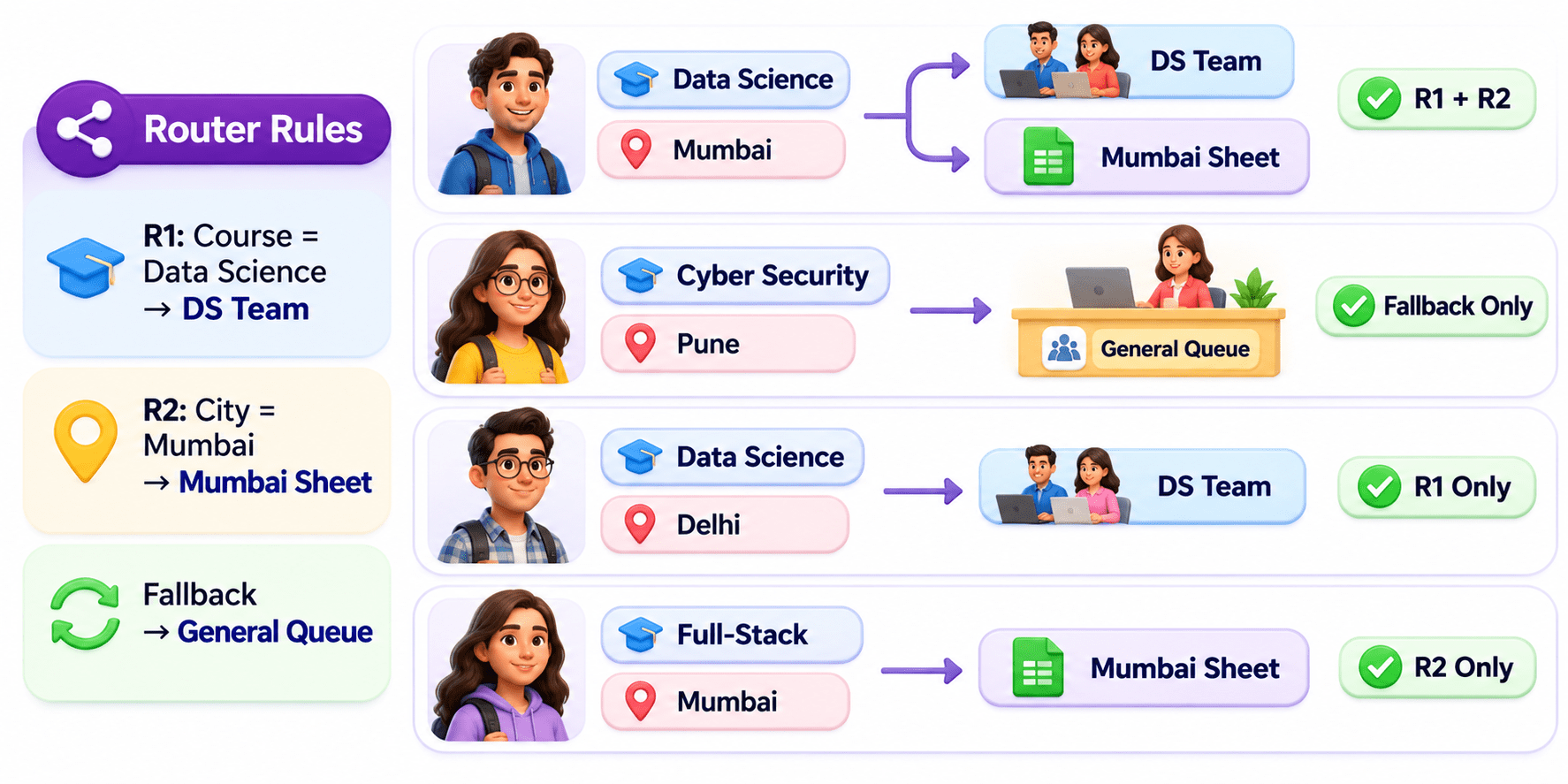
3. Checks every route: a bundle can take 0, 1, or several routes
1. Checks route 1: if the bundle passes (or there’s no filter), it runs every module on that route
2. Moves to the next route: routes run one after another
How a Router Processes Bundles
4. Fallback last: only if no other route matched
5. Repeats for each bundle
Key Point: A router doesn’t stop at the first match. Use Order routes when one route depends on another.
The Fallback Route
The Fallback Route
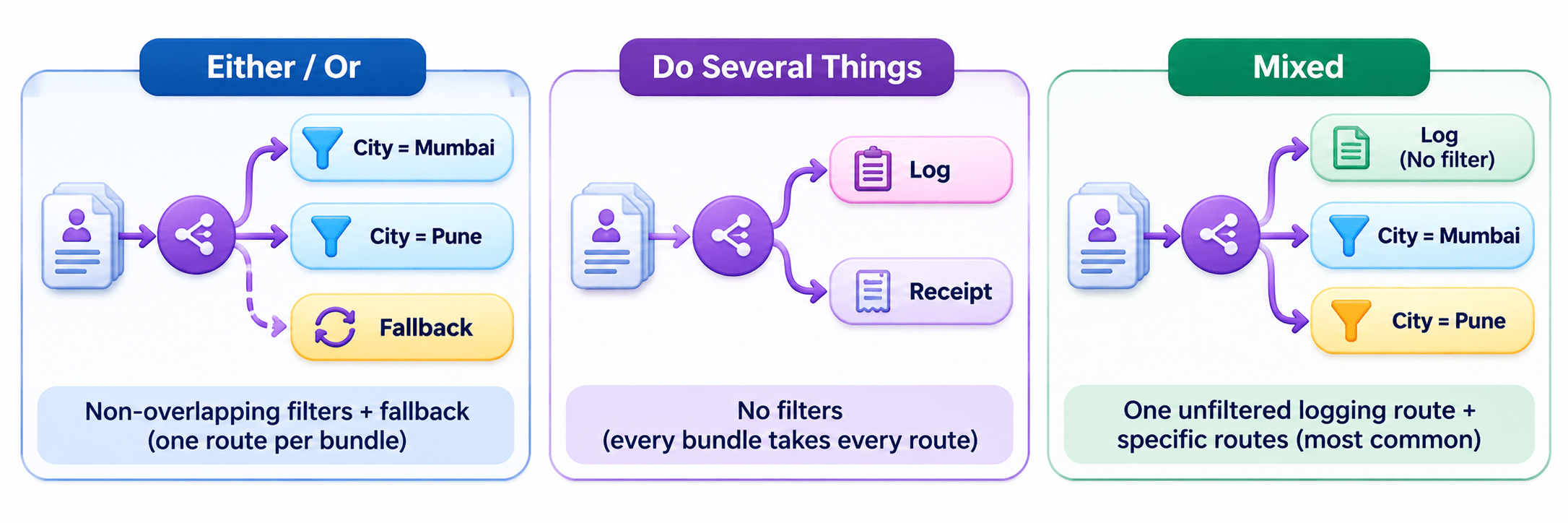
Common Multi-Path Patterns
Key Point: The Router uses no credits, but modules on each route do, per bundle. An error on one route can stop the later routes.
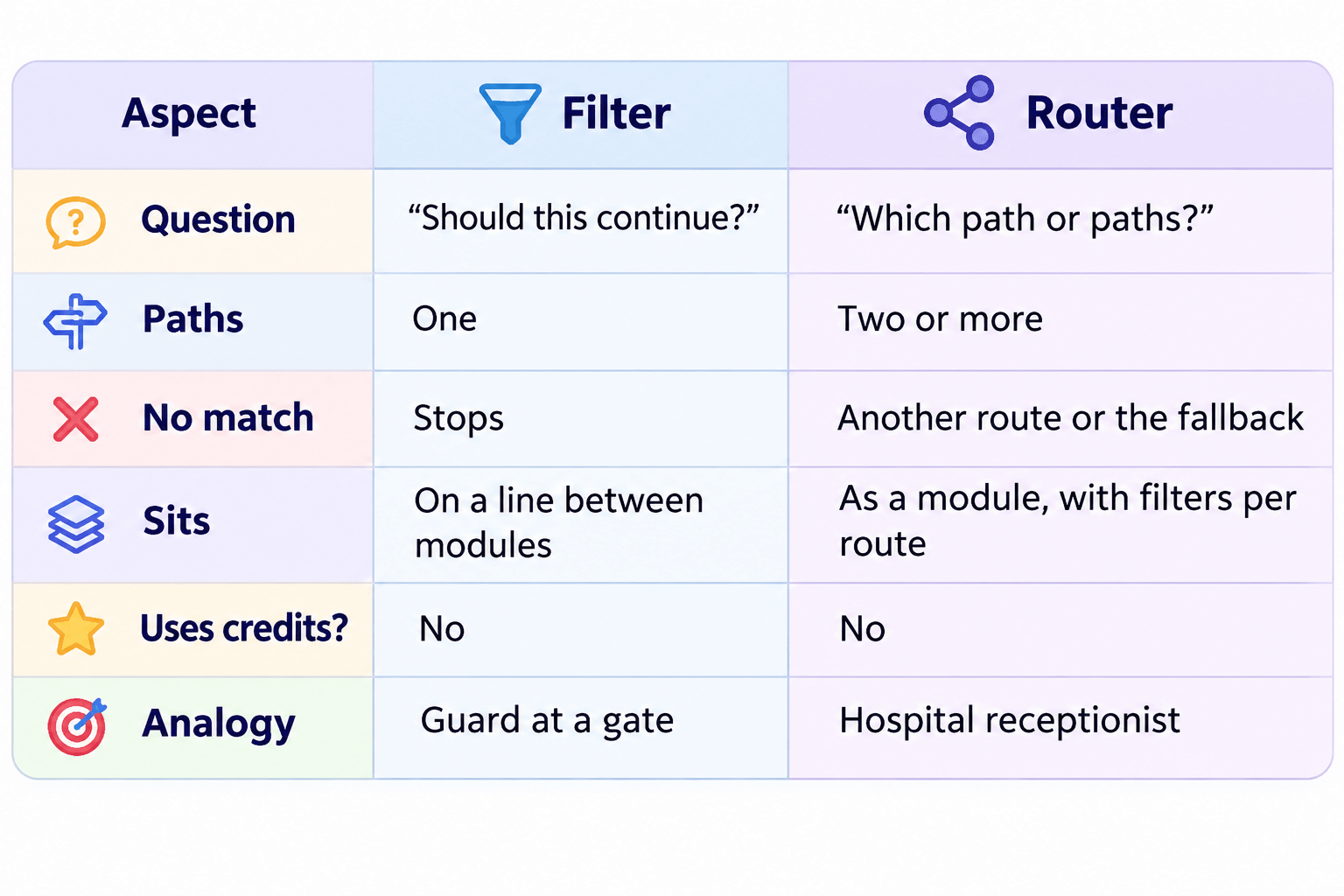
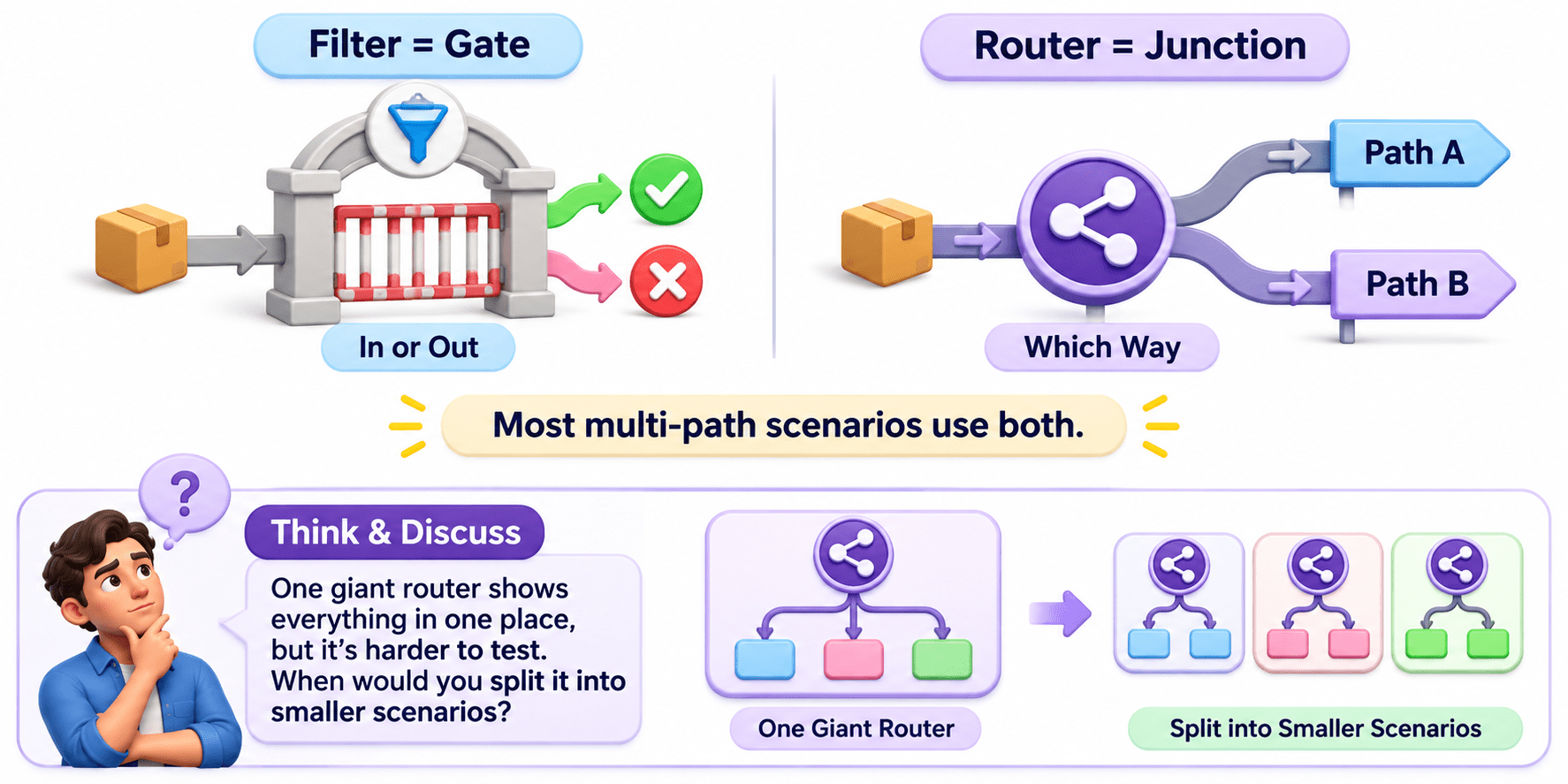
Filter vs Router (Comparison)
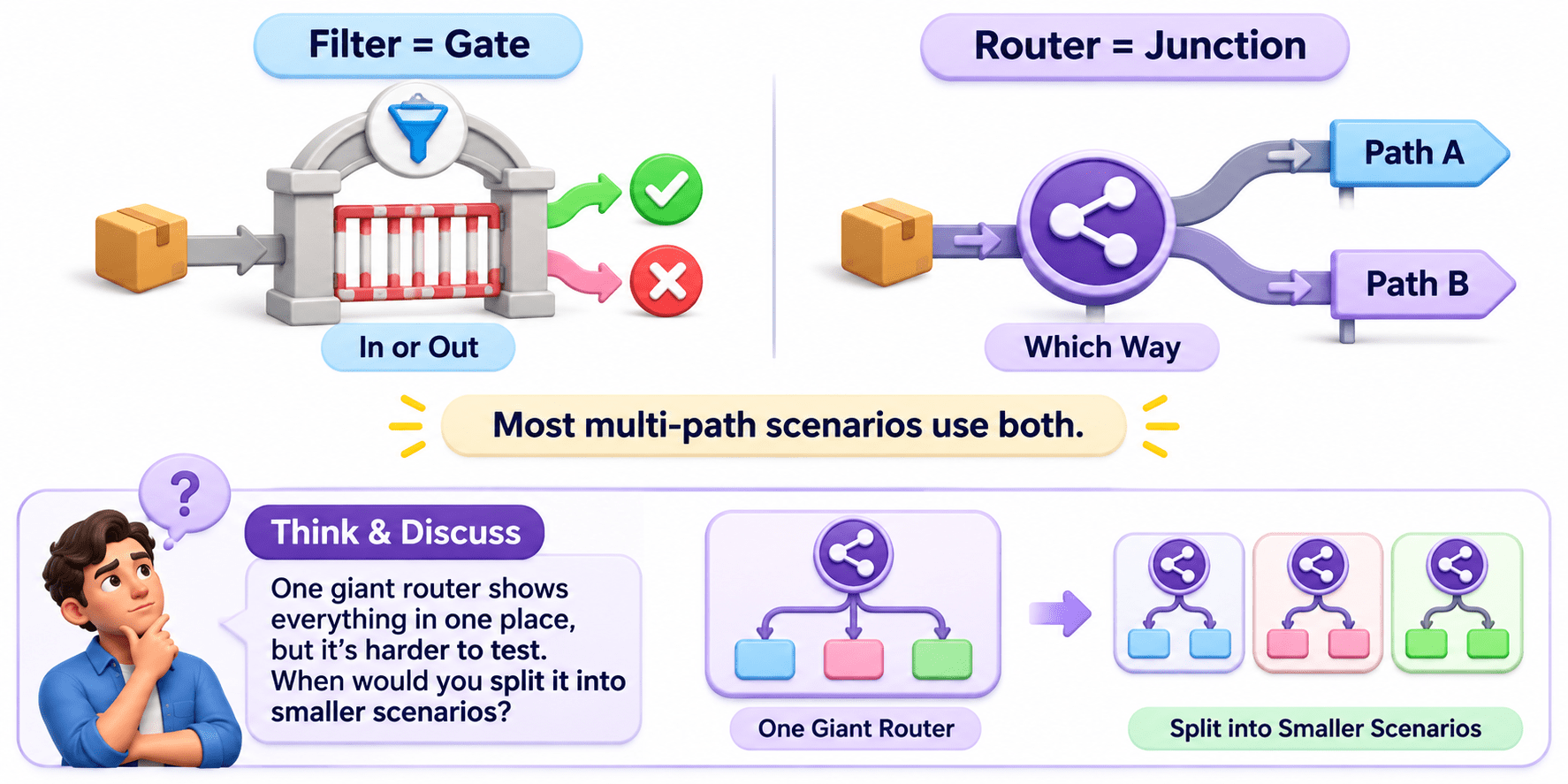
A Simple Way to Remember
A router is a junction: which way.
A filter is a gate: in or out.
Real-World Applications: Which Route Does the Lead Take?
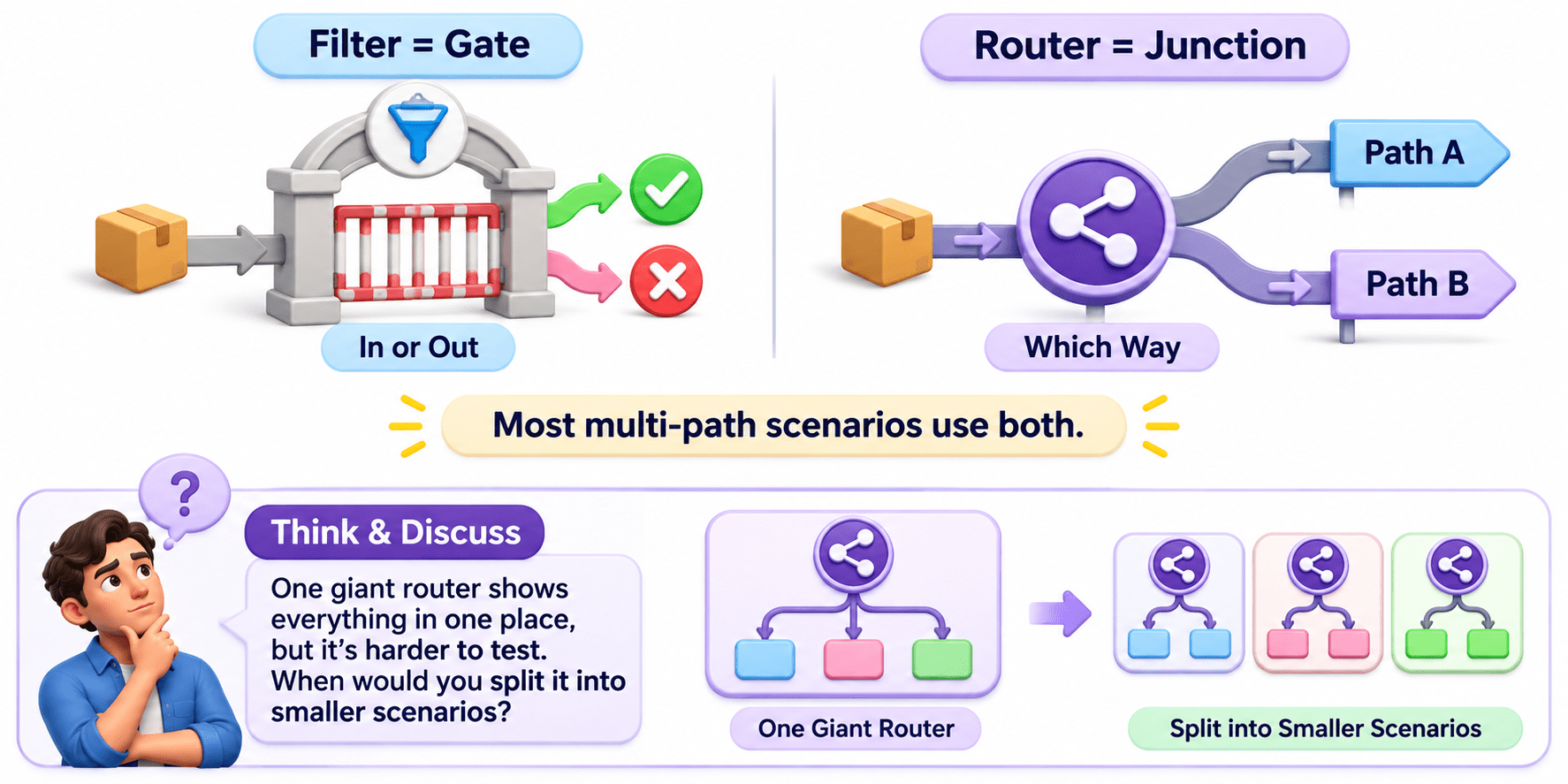
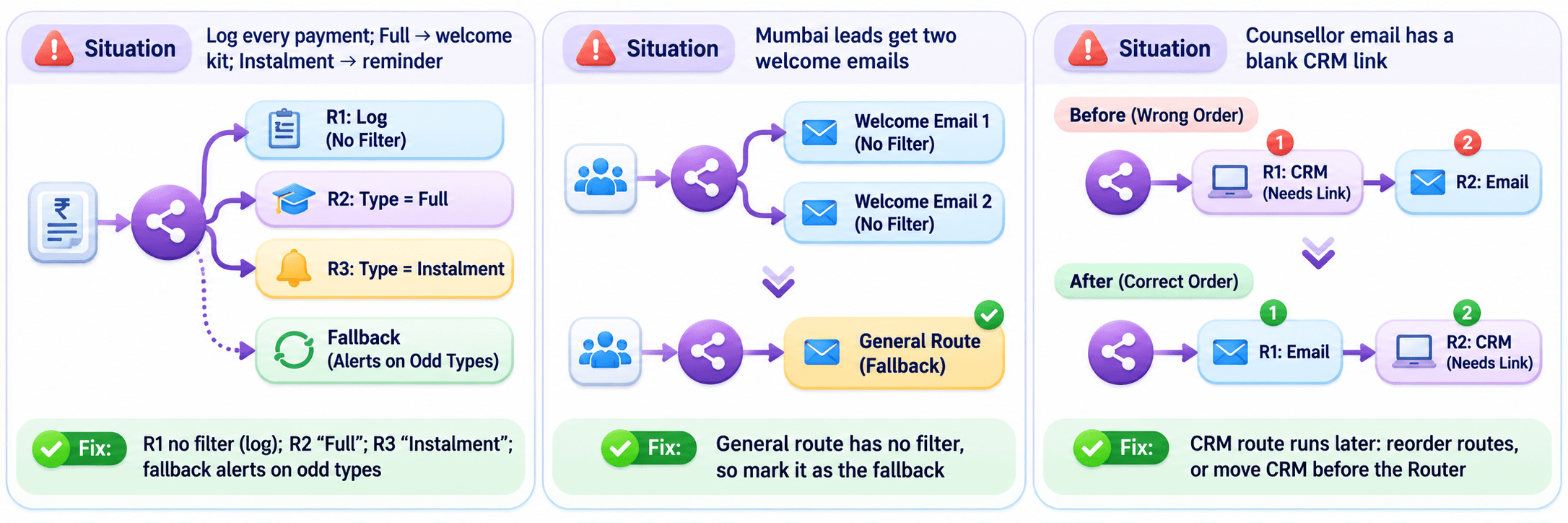
Designing and Fixing Routers
Designing and Fixing Routers
Summary
5
A filter is a gate; a router is a junction.
4
The fallback catches bundles no route matched.
3
Routes run in order, and a bundle can take several.
2
Each route can have its own filter.
1
A Router splits one scenario into several routes.
Quiz
Mumbai leads get both the Mumbai and the general welcome emails. What is the fix?
A. Delete the Mumbai route
B. Mark the general route as the fallback
C. Reorder the routes
D. Add a second router
Mumbai leads get both the Mumbai and the general welcome emails. What is the fix?
A. Delete the Mumbai route
B. Mark the general route as the fallback
C. Reorder the routes
D. Add a second router
Quiz-Answer
By Content ITV