
Content ITV PRO
This is Itvedant Content department
Implementing Doctor Module using Service Layer
Business Scenario
This Doctor module supports:
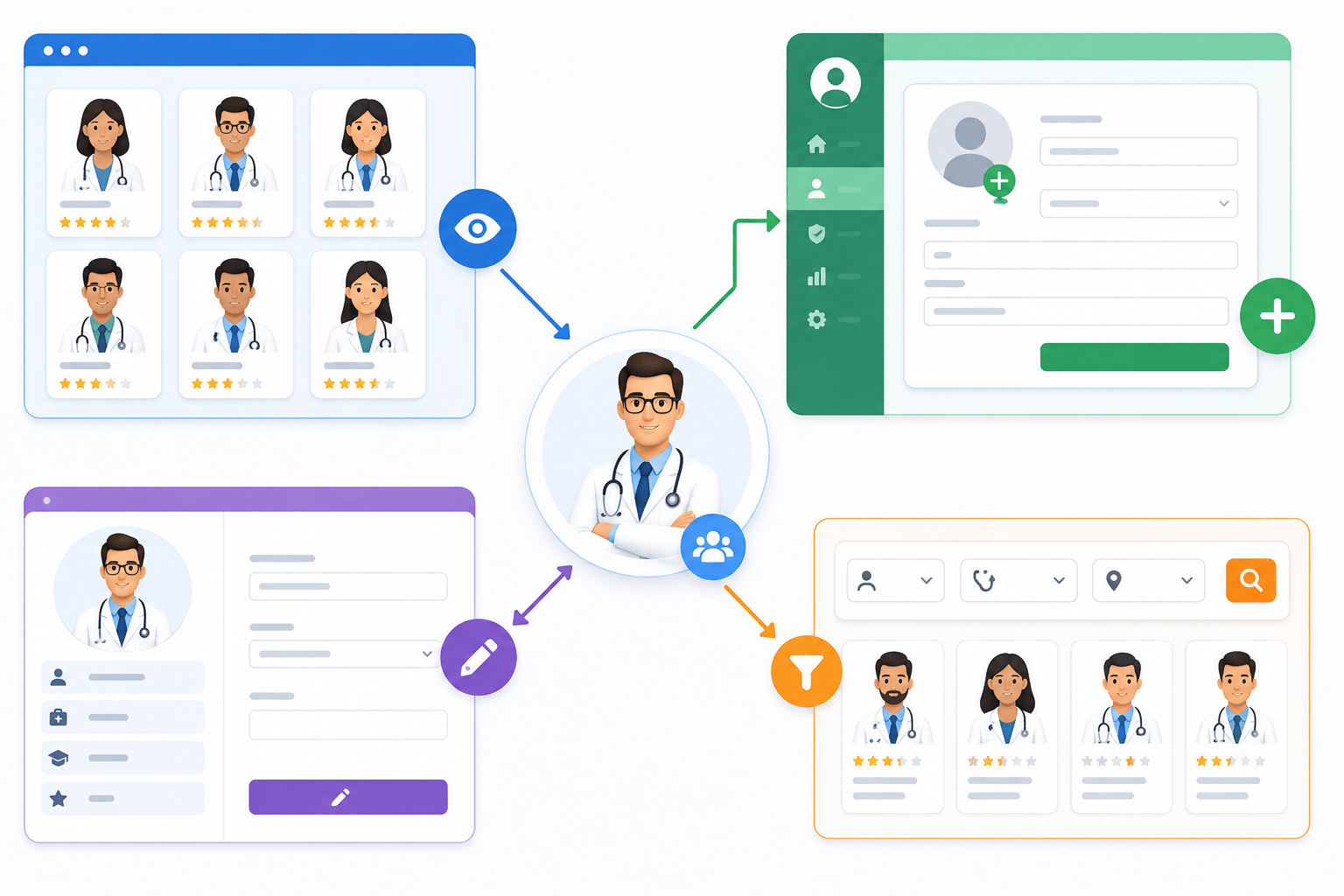
Listing doctors on UI (GET API)
Adding doctors via admin panel (POST API)
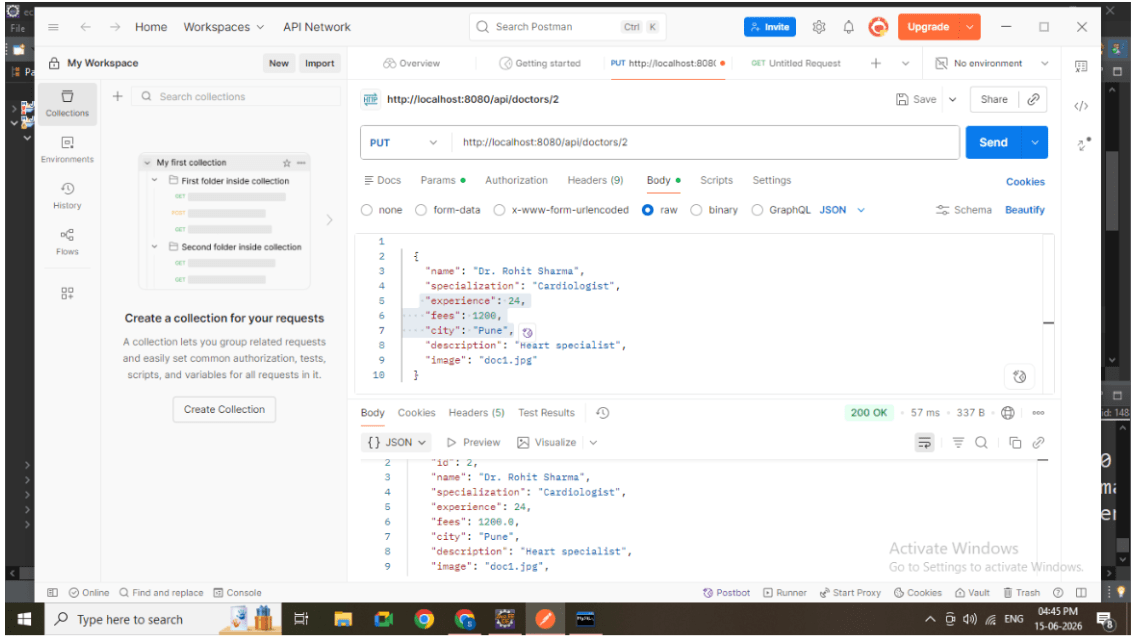
Updating doctor details (PUT API)
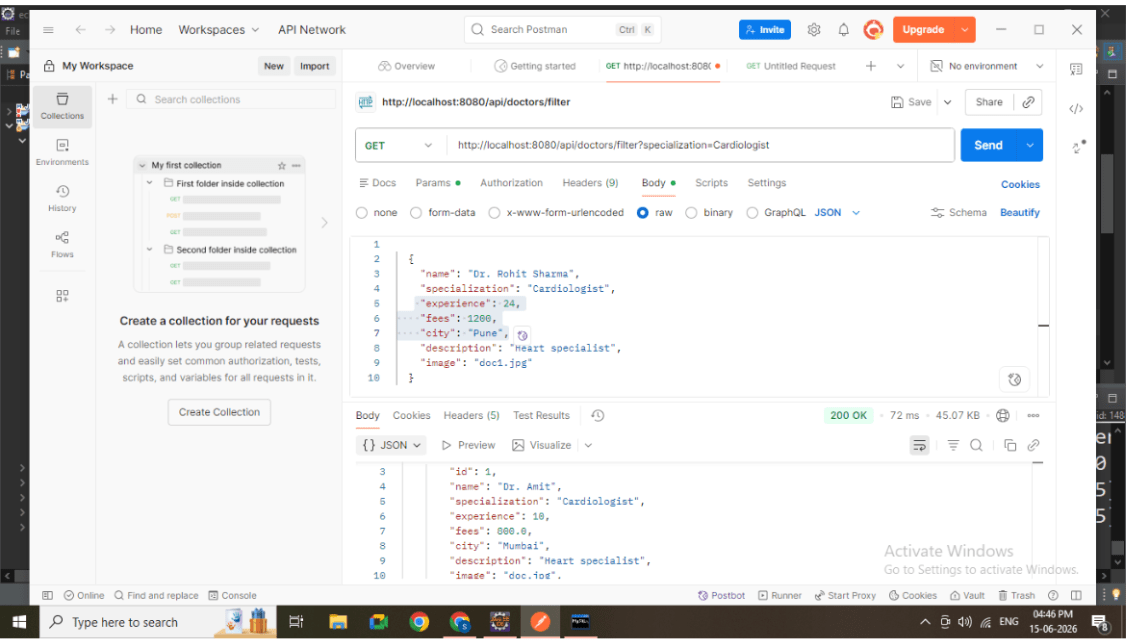
Filtering doctors based on specialization (FILTER API)
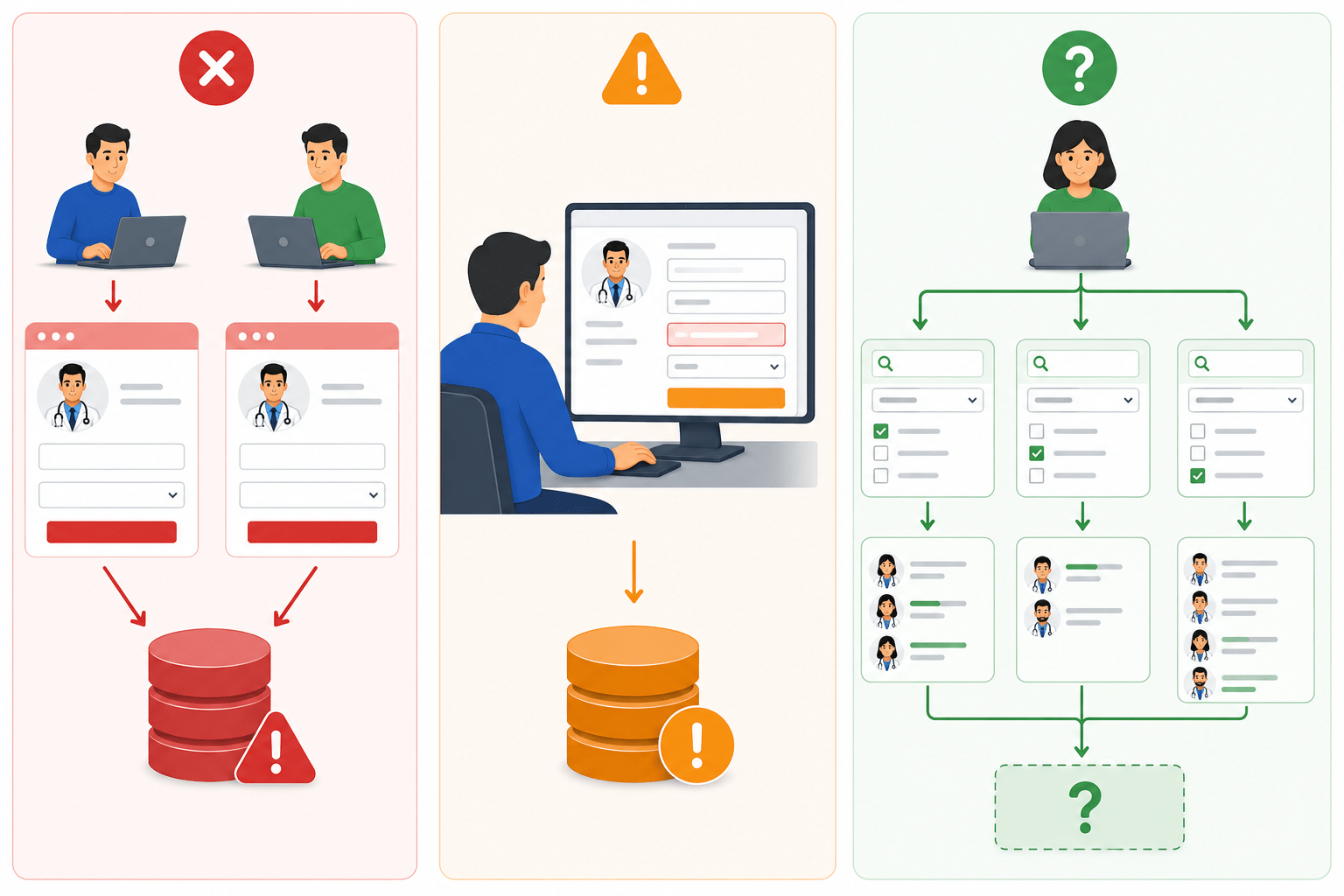
Without a proper service layer:
Duplicate data may occur
Invalid updates may happen
Filtering logic becomes inconsistent
Pre-Lab Preparation
1
Service Layer Design (Core Focus)
The service layer acts as the brain of the application.
Responsibilities:
Apply business rules
Validate incoming data
Prevent duplicate entries
Control update operations
Process filtering logic
2
Implement DoctorService
Key Functionalities
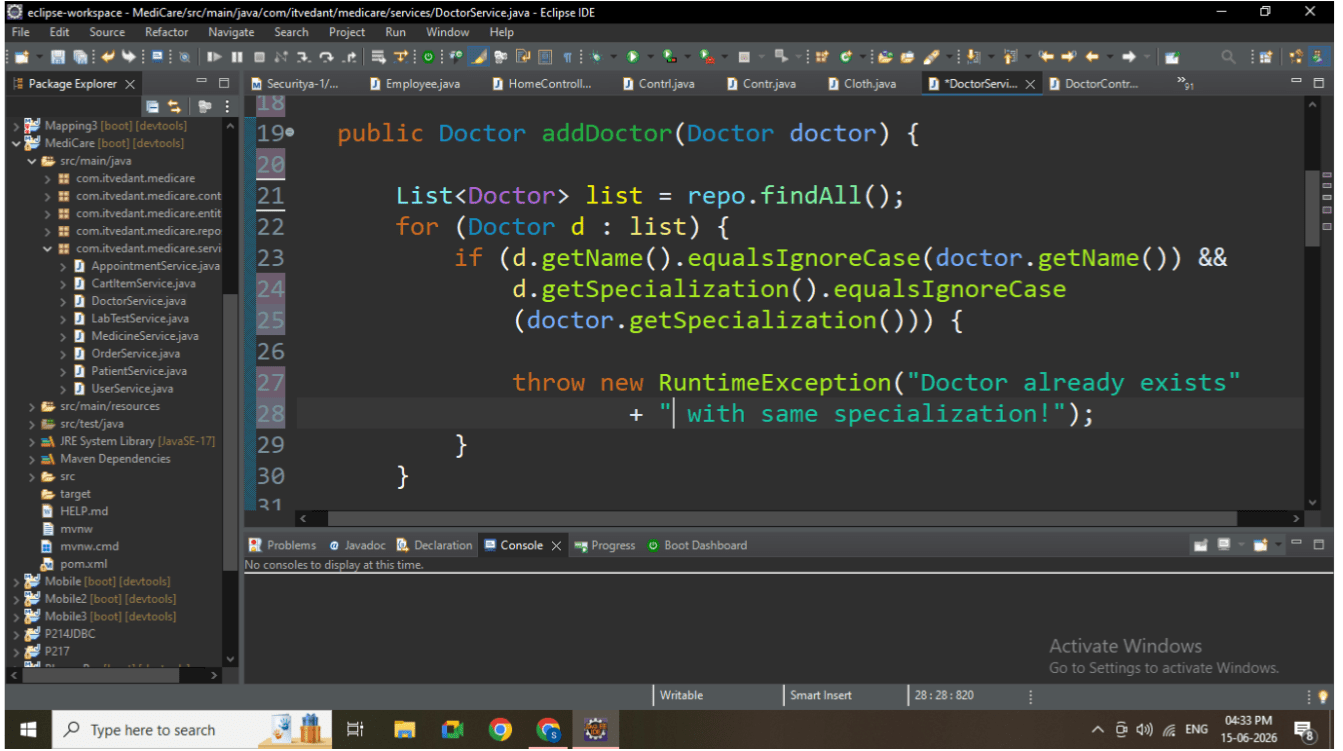
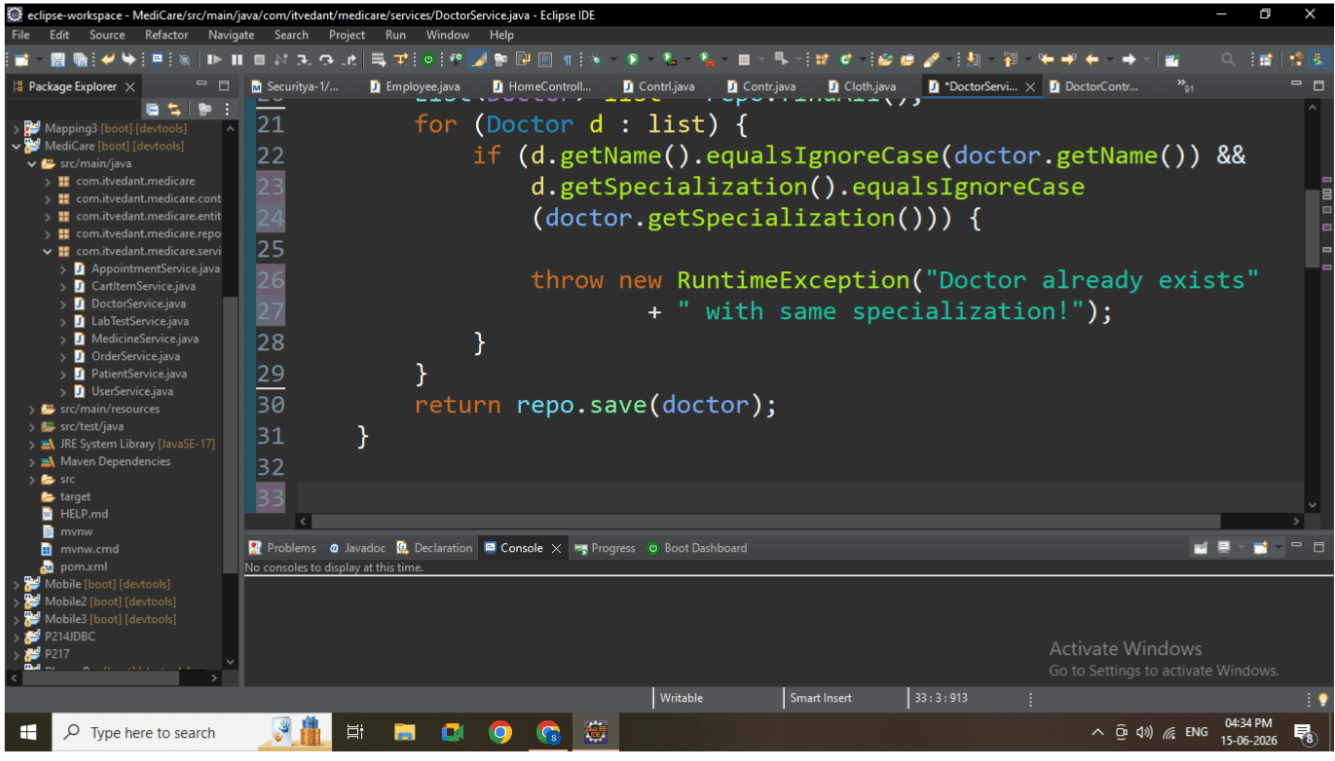
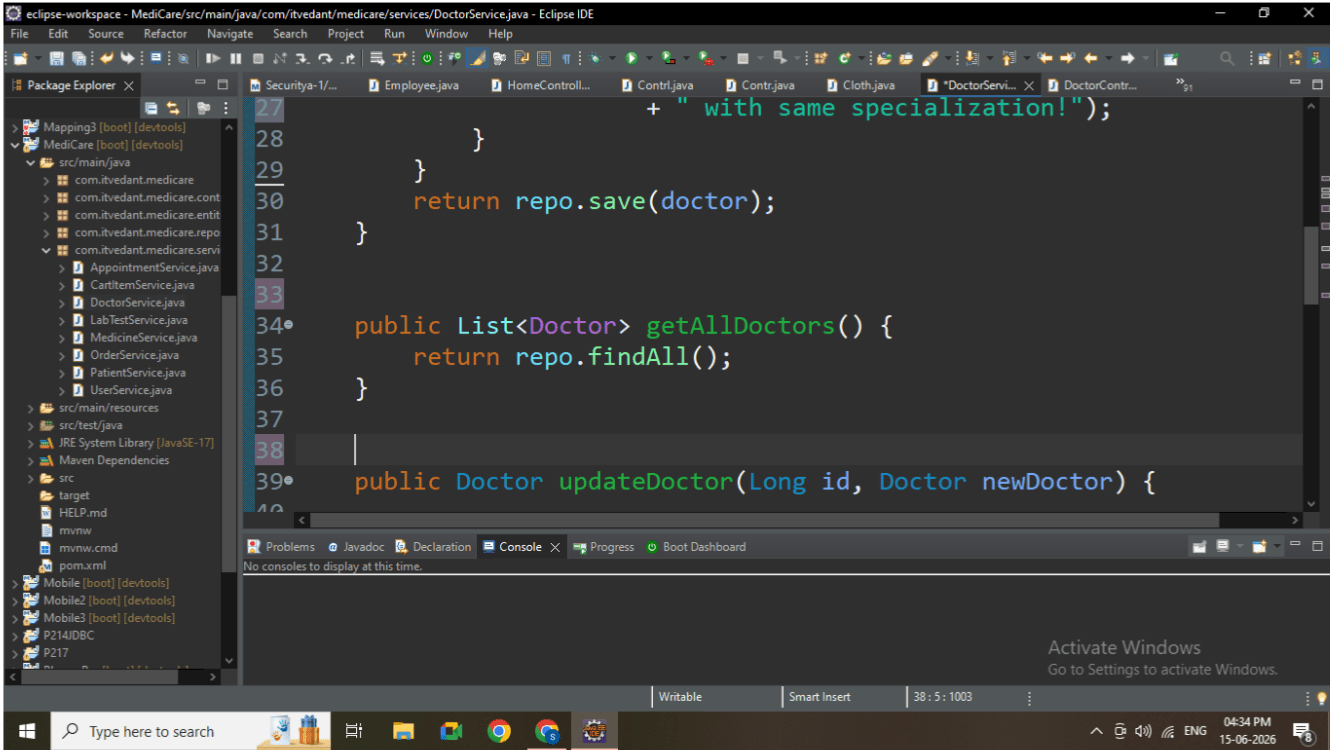
1. Add Doctor (POST Logic)
Prevent duplicate doctor (same name + specialization)
Normalize data before saving
Logic:
Fetch all doctors
Compare existing records
Throw exception if duplicate found
2. Get All Doctors (GET Logic)
Retrieve complete doctor list
Used for frontend dashboard display
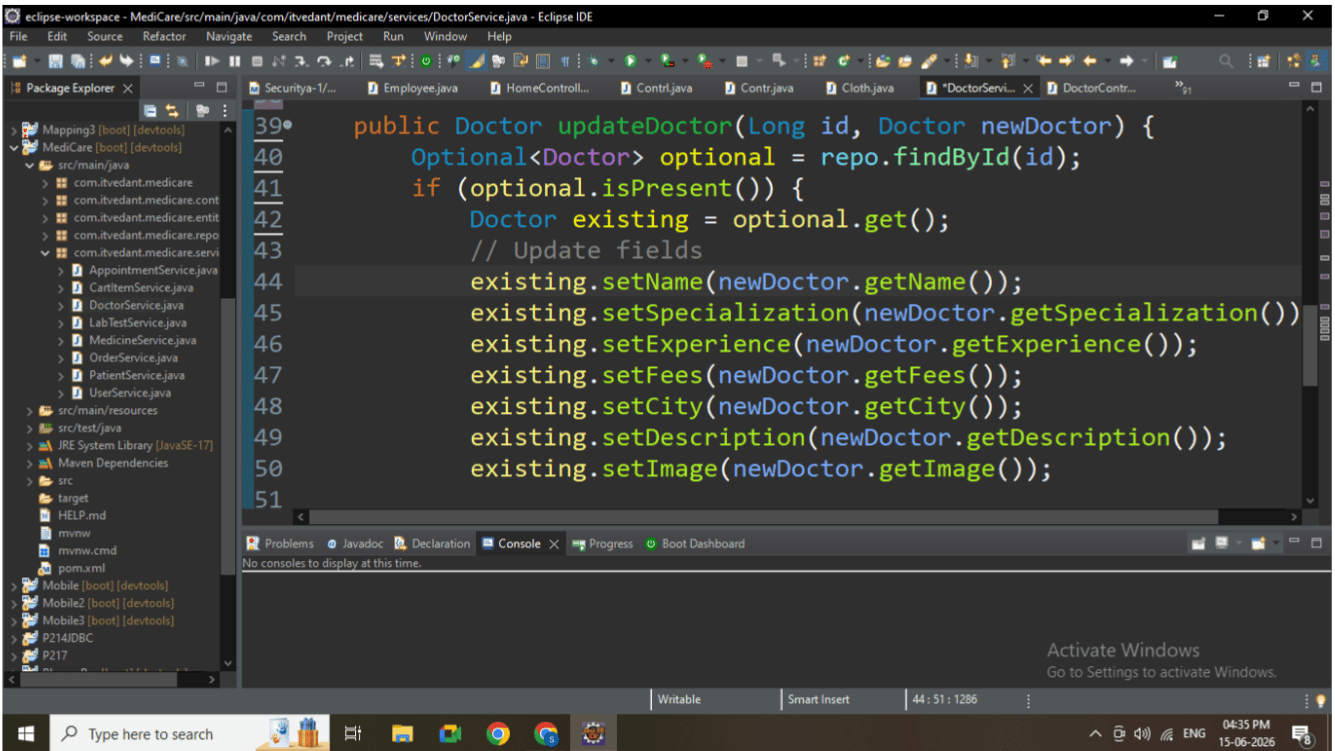
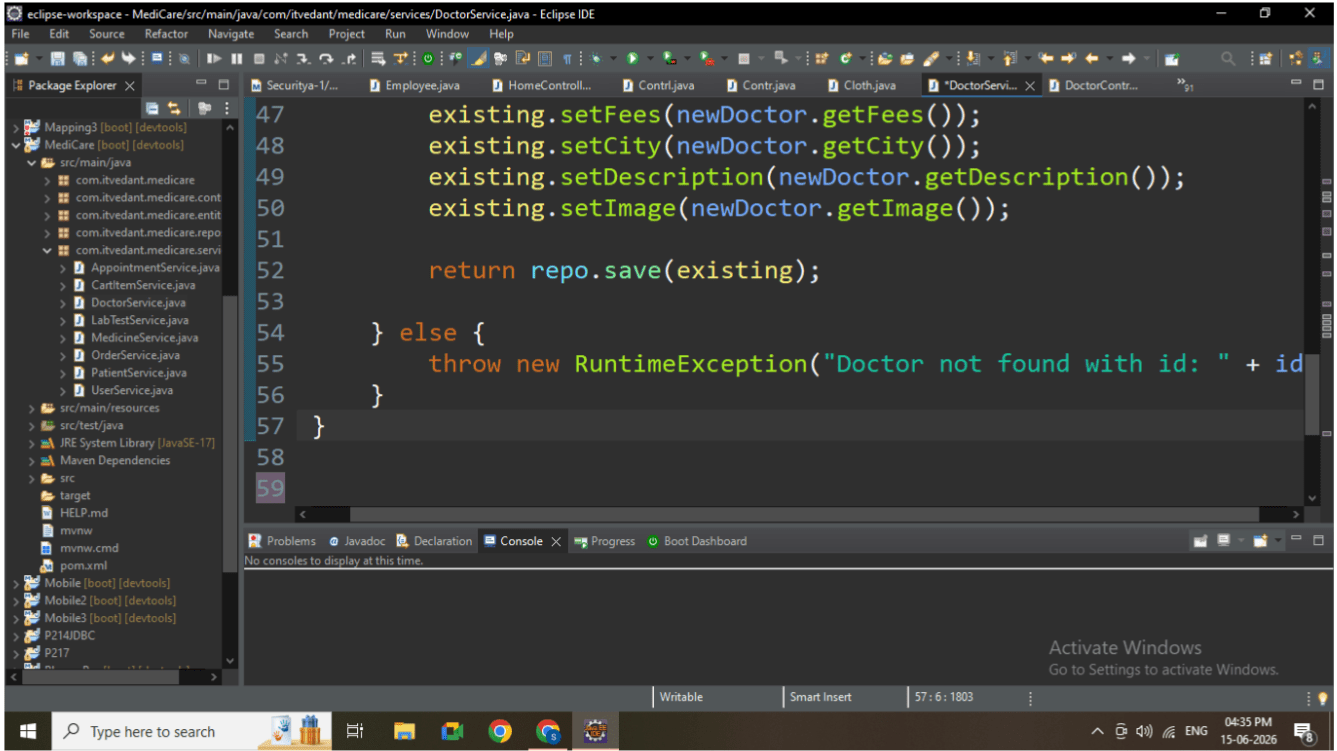
3. Update Doctor (PUT Logic)
Check if doctor exists using ID
Update only valid fields
Prevent updating non-existing records
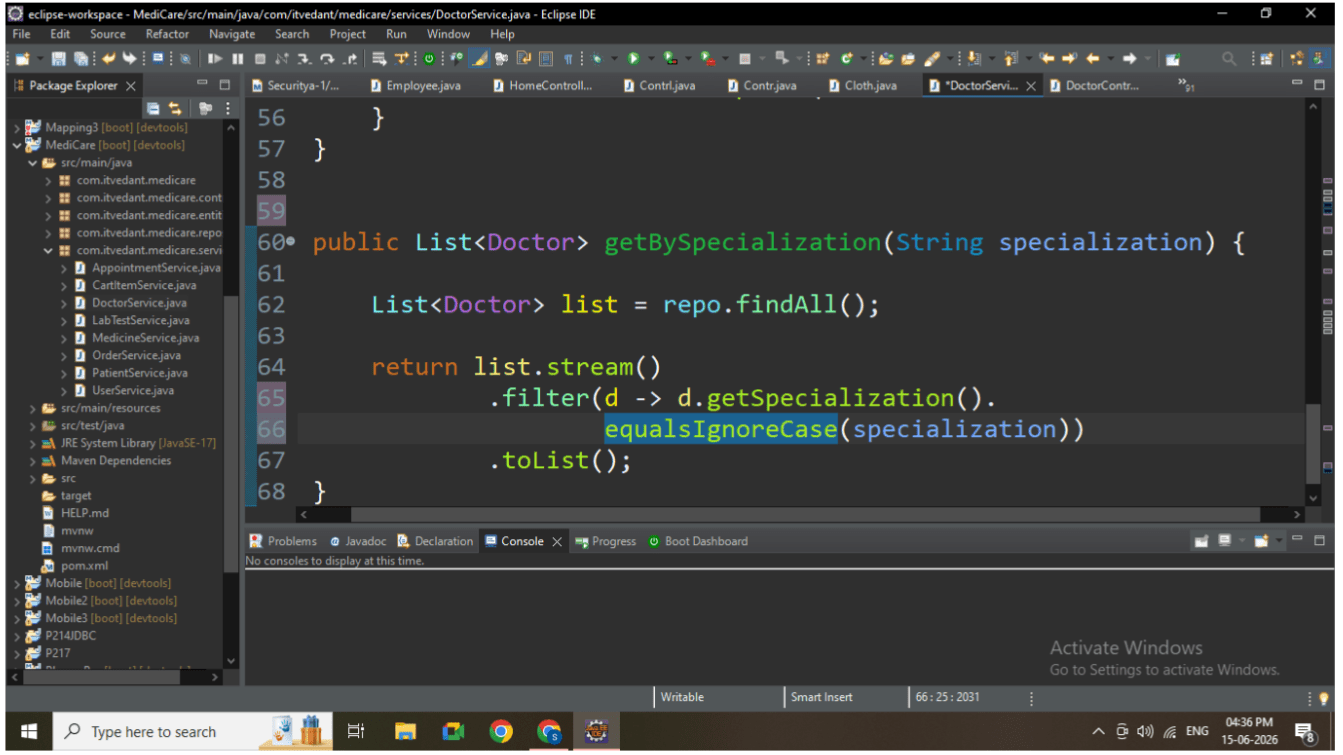
4. Filter Doctors (SEARCH Logic)
Filter based on specialization
Case-insensitive comparison
Can be optimized using database query
3
Business Logic Explanation
Duplicate Prevention Logic
Ensures:
No two doctors with same name and specialization
Why important:
Avoids redundant data in UI
Maintains data consistency
Safe Update Logic
Ensures:
Only existing doctor can be updated
Why important:
Prevents invalid operations
Avoids runtime errors
Filtering Logic
Ensures:
Users can search doctors easily
Frontend use case:
Dropdown filter (Cardiologist, Dentist, etc.)
4
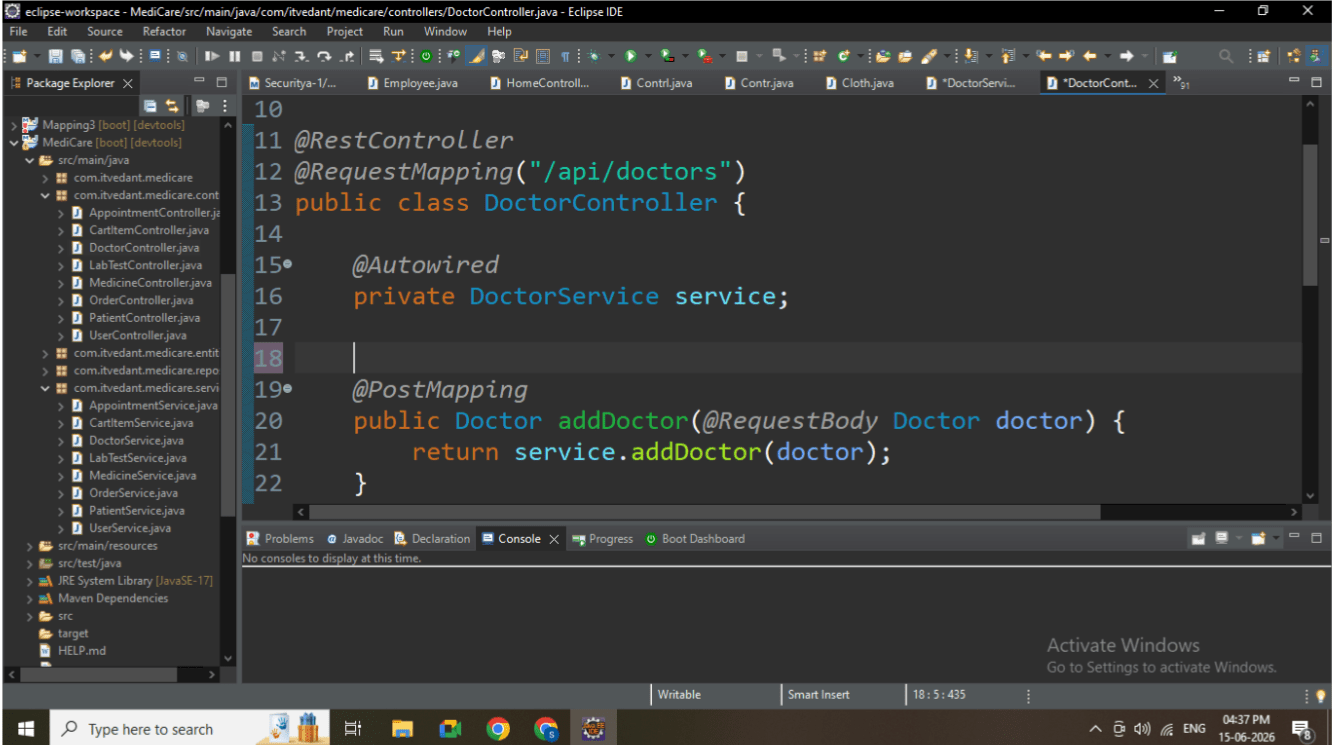
Controller Layer Implementation
Controller acts as an interface between frontend and service layer.
Responsibilities:
Accept HTTP requests
Pass data to service layer
Return response to client
5
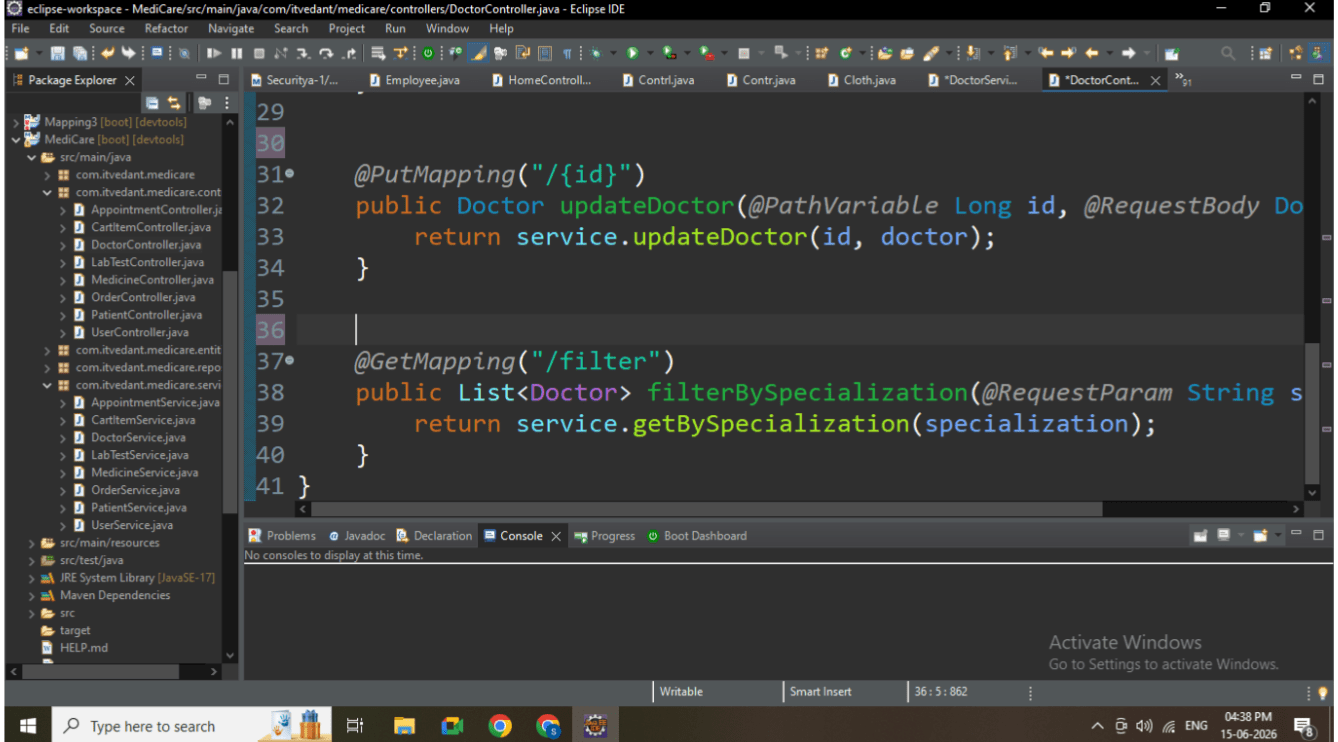
API Endpoints
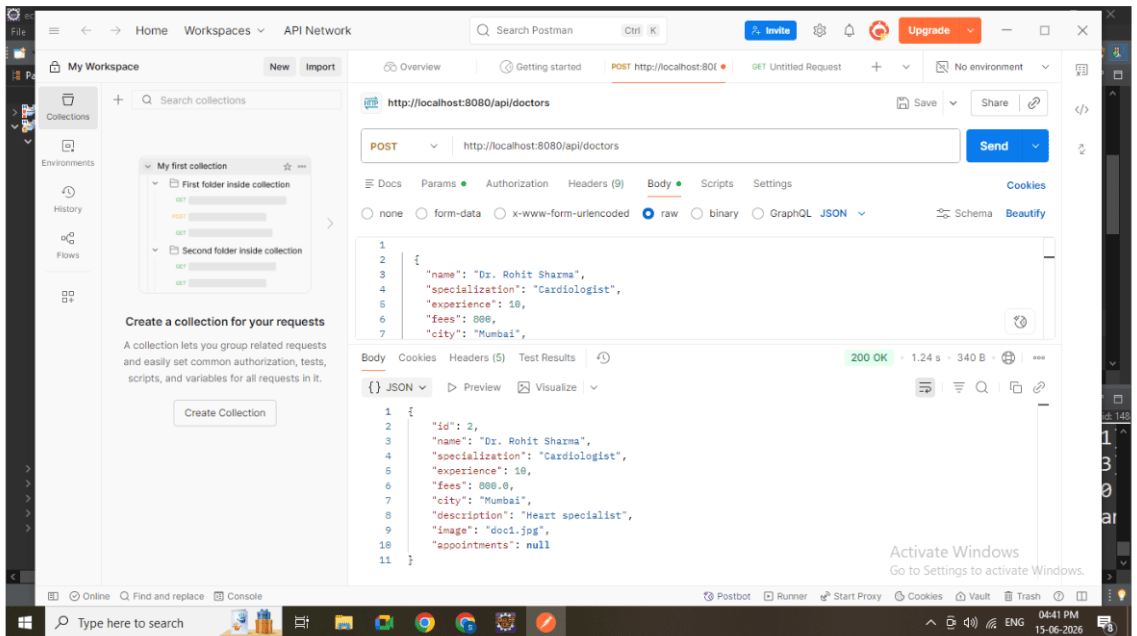
1. Add Doctor
POST /api/doctors
Used by: Admin panel form
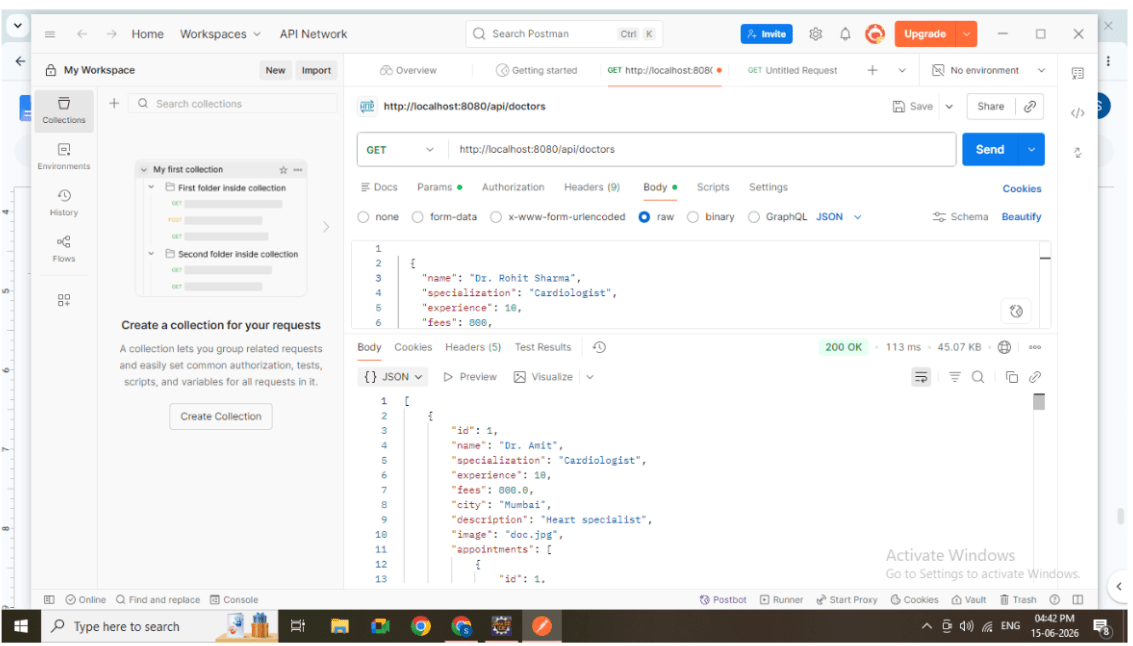
2. Get All Doctors
GET /api/doctors
Used by: Doctor listing page
3. Update Doctor
PUT /api/doctors/{id}
Used by: Edit doctor feature
4. Filter Doctors
GET /api/doctors/filter?specialization=Cardiologist
Used by: Search / filter dropdown
6
Run Application
Start Spring Boot application
Ensure APIs are accessible
Application running
7
Test all APIs:
POST (Add)
GET (All)
PUT (Update)
GET (Filter)
Great job!
Understanding importance of service layer
Applying real-world business logic
Handling validation and error scenarios
Building APIs for frontend consumption
Writing scalable backend code
Checkpoint
By Content ITV