














Content ITV PRO
This is Itvedant Content department
Framework Design
Utilities & Config Management
Learning Outcome
4
Implement configuration files (e.g., properties, JSON) for flexibility
3
Manage test data and configuration separately from test scripts
2
Learn how to create reusable utility functions for common tasks
1
Understand the role of utilities in automation frameworks
5
Improve code reusability and reduce duplication in frameworks
Recall
To understand Utilities & Config Management, you need to revise the topics like
Object-Oriented Programming (OOP) concepts (reusability, classes, methods)
Basics of Selenium WebDriver (common actions and driver handling)
File handling concepts (reading/writing files)
Test automation framework basics
Understanding of different environments (QA, UAT, Production)
Basics of configuration files (properties, JSON, YAML)
Code reusability and modular design principles
Think of an automation framework like running a hotel:
Utilities = Hotel Staff Tools
Utilities are like helpers used by staff for repeated tasks:
Housekeeping tools → cleaning rooms (like reusable functions)
Reception desk support → check-in/check-out handling
Billing calculator → payment calculations
Staff don’t create new tools every time—they reuse the same ones.
Similarly, utilities are common reusable methods used across tests.
Config Management = Hotel Settings Book
Configuration files are like a hotel rule/settings book:
Instead of changing everything manually, staff just refer to the book.
Room prices (test data)
Wi-Fi settings (URLs)
Staff rules for different branches (QA, UAT, Prod environments)
Similarly, config files store environment-specific settings outside the code.
Utilities = reusable helpers (tools)
Config = centralized settings (rule book)
Why are Utilities and Configuration Management important?
To avoid code duplication by creating reusable utility functions
To keep test scripts clean, simple, and focused on test logic
To separate test data and configuration from automation code
To enable easy maintenance when application or environment changes
To support multiple environments like QA, UAT, and Production
To improve framework flexibility and scalability
To make updates faster by changing values in one central place
To build a structured and professional automation framework
What are Utilities ?
Examples:
Browser setup and teardown
Wait handling
Screenshot capture
Reading/writing Excel or JSON data
Purpose: To avoid repetition and keep test scripts clean.
Utilities are reusable helper functions or classes in an automation framework that perform common operations across test scripts.
Utilities in Project Setup (utils package)
Purpose:
To store reusable common functions used across the framework.
Common Utility Classes:
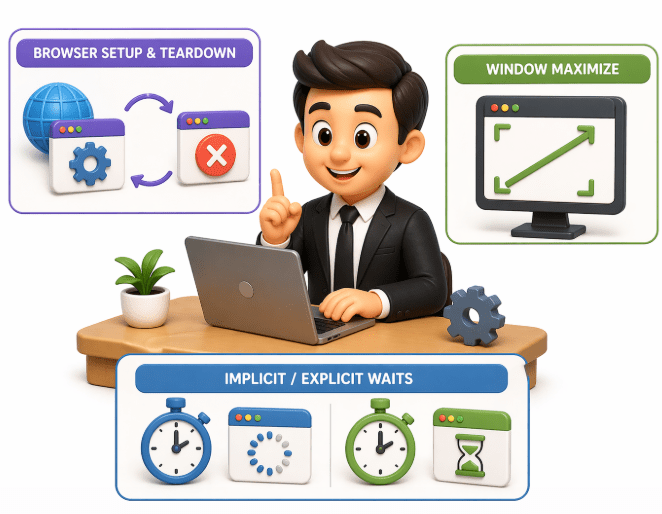
Browser setup & teardown
Window maximize
Implicit/explicit waits
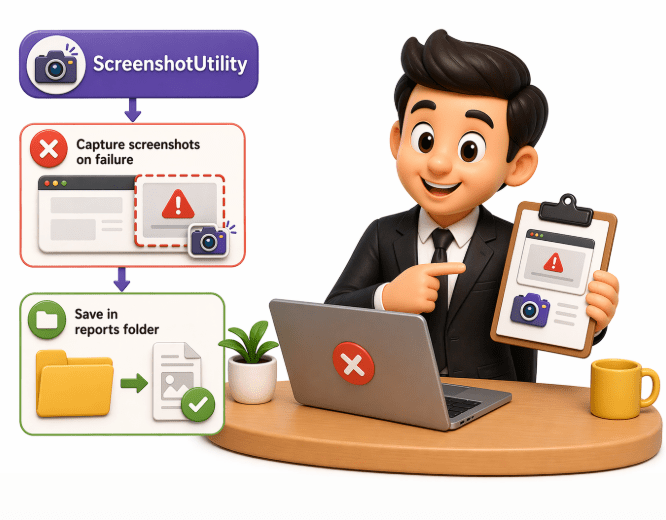
Capture screenshots on failure
Save in reports folder
What is Configuration Management?
Configuration Management is the process of storing and managing environment settings and test data externally instead of hardcoding them in scripts.
Examples:
URL of application
Browser type
Username/password
Environment details (QA, UAT, Prod)
Usually stored in files like:
config.properties
JSON
YAML
Purpose:
To make the framework flexible and easy to maintain.
Configuration Management Project Setup
Location:
src/main/resources/config.properties
Example config.properties:
browser=chrome
url=https://example.com
username=admin
password=admin123
timeout=10
Purpose:
Stores environment and application settings outside code
Config Reader Utility
Example:
public class ConfigReader
{
 Properties prop;
public ConfigReader() {
       FileInputStream fis = new FileInputStream("config.properties");
       prop = new Properties();
       prop.load(fis);
   }
   public String getBrowser() {
       return prop.getProperty("browser");
   }
   public String getUrl() {
       return prop.getProperty("url");
   }
}
Config Reader Utility
Usage in Test:
ConfigReader config = new ConfigReader();
driver.get(config.getUrl());
Benefits:
No hardcoding in scripts
Easy environment switching (QA/UAT/Prod)
Centralized configuration control
Flexible framework
AutomationFramework/
│
├── src/test/java
│ ├── tests/
│ ├── pages/
│ └── utils/
│
├── src/main/resources
│ ├── config.properties
│ ├── testdata.json
│
├── drivers/
├── reports/
└── pom.xml
Real Project Flow
Step 1:
Read config → browser + URL
Step 2 :
Launch browser using WebDriverUtility
Step 3:
Execute test using Page Objects
Use utilities for waits, screenshots, etc.
Step 5:
Generate reports
Step 4 :
Summary
4
3
2
1
WebElements represent HTML elements on a web page in Selenium.
5
Check element states: displayed, enabled, selected.
Perform actions: click, type, clear, submit.
1
Utilities provide reusable functions for common automation tasks.
2
They handle actions like waits, screenshots, and browser setup efficiently.
3
Test data and configuration are managed separately from test scripts.
4
Configuration files (properties/JSON) improve flexibility of the framework.
This approach reduces duplication and enhances reusability, maintainability, and scalability.
Quiz
What is stored in Configuration Management files?
A. Only test scripts
B. UI locators only
C. Environment settings like URL and browser
D. Only test reports
Quiz - Answer
What is stored in Configuration Management files?
A. Only test scripts
B. UI locators only
D. Only test reports
C. Environment settings like URL and browser
By Content ITV