












Content ITV PRO
This is Itvedant Content department
Learning Outcome
5
Connect a leaked key to immediate action.
4
Apply safe key storage with .env files.
3
Recognize the core key security rules.
2
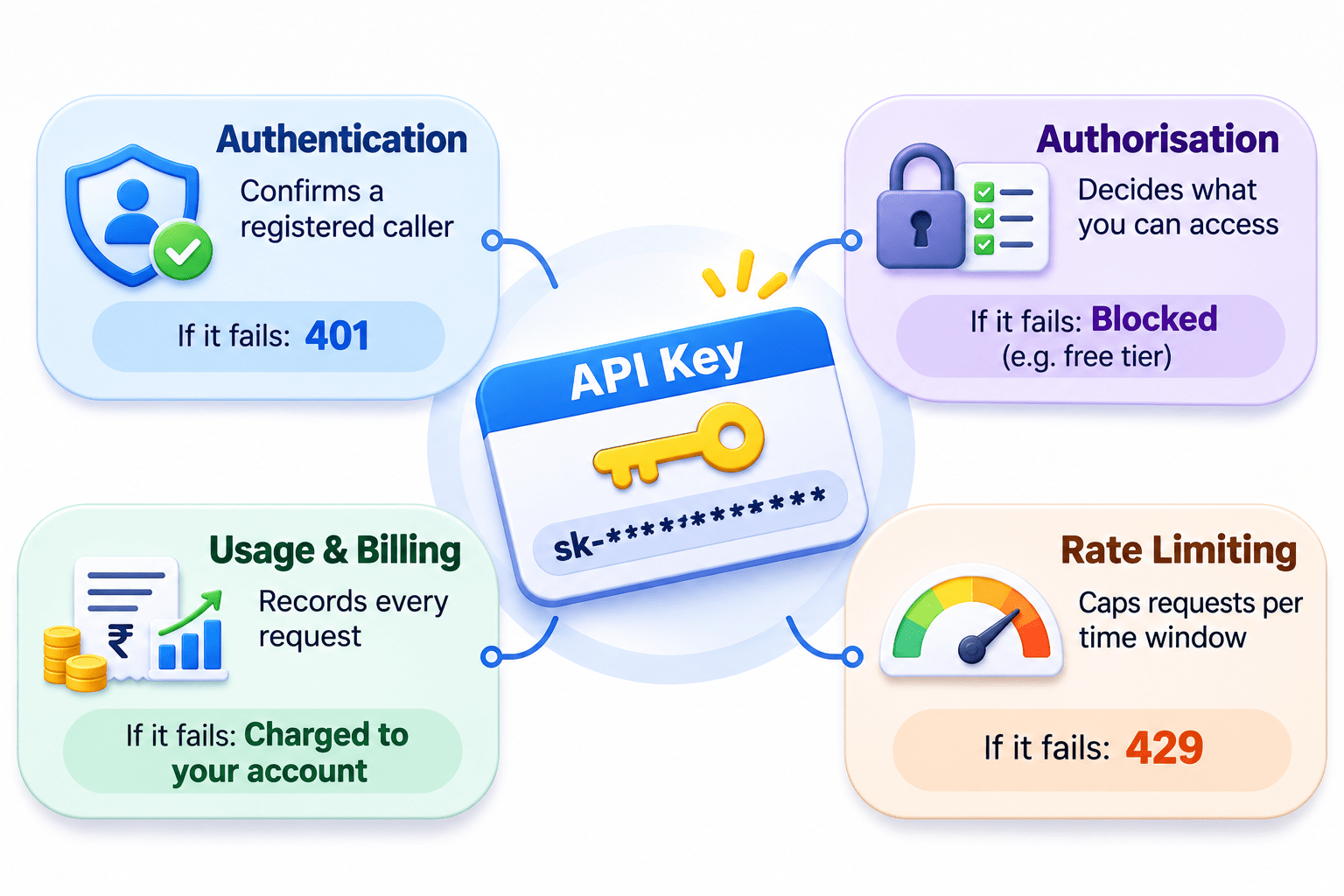
Identify the four purposes of an API key.
1
Understand what an API key is.
The Hotel Key Card
At check-in,
you show ID once and get a key card.
It opens only your room, logs every swipe, and charges meals to your bill.
Lose it, and reception deactivates it. Whoever holds it is treated as you.
Core idea: an API key is that card.
Transition to Technical Concept: Think About It
A stranger orders dinner with it. Who gets the bill?
You leave your key card on the lobby table.
Expected Answer: You. The system trusts whoever holds the card, just like a leaked API key.
Exactly! So what is this key, and how do we protect it?
What is an API Key?
A unique, secret string that identifies who’s calling, e.g. sk- followed by dozens of characters.
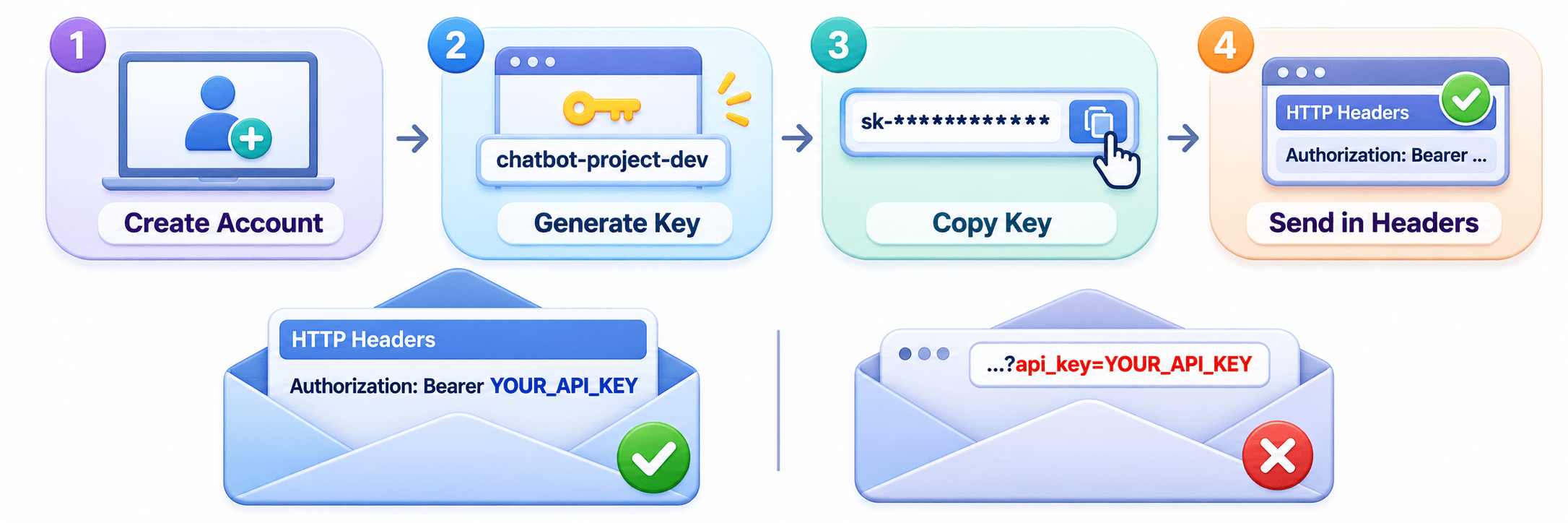
Getting and Sending an API Key
Code:
Authorization: Bearer YOUR_API_KEYKeeping API Keys Secure
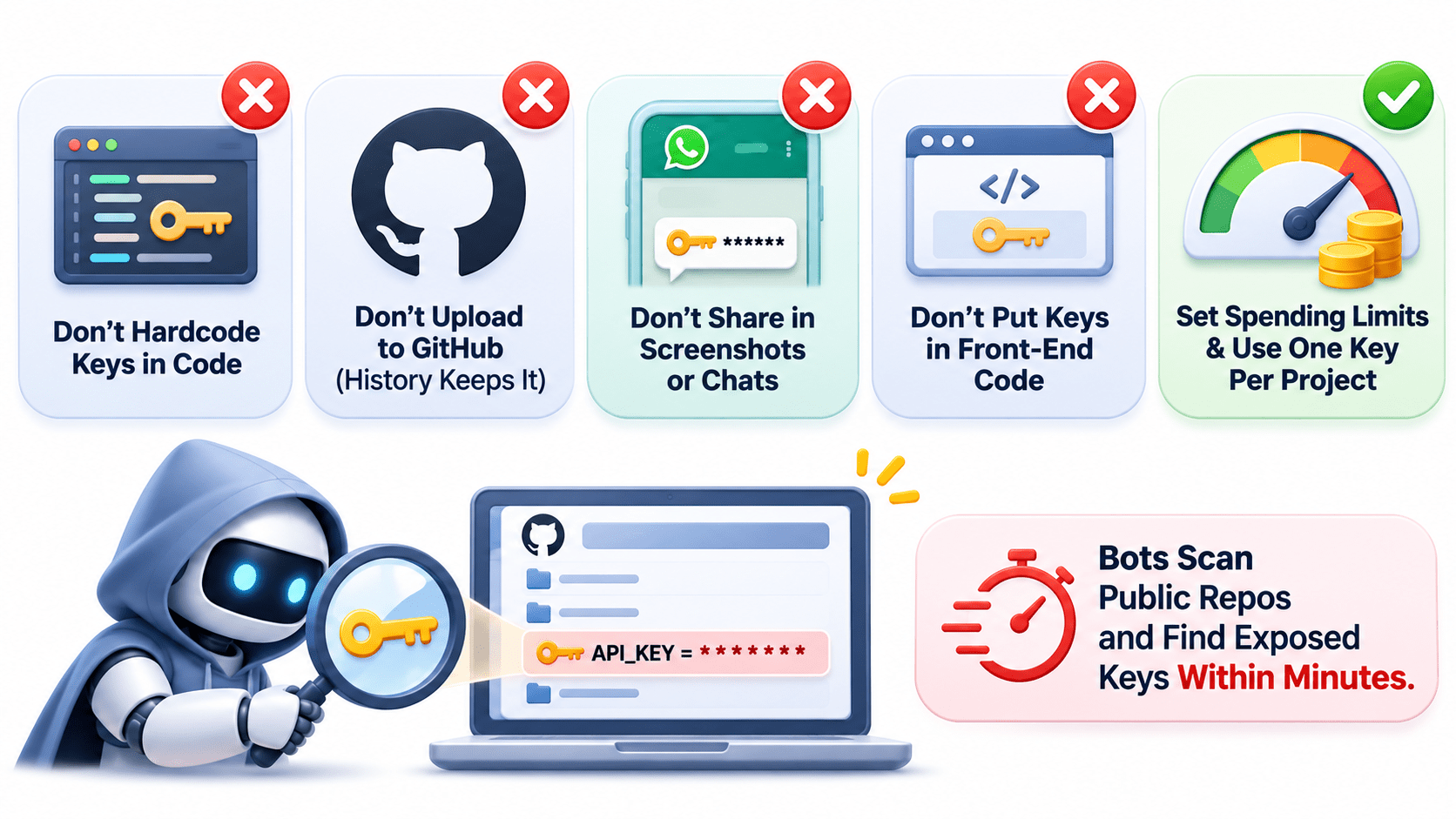
Key Point: Bots scan public repos and find exposed keys within minutes.
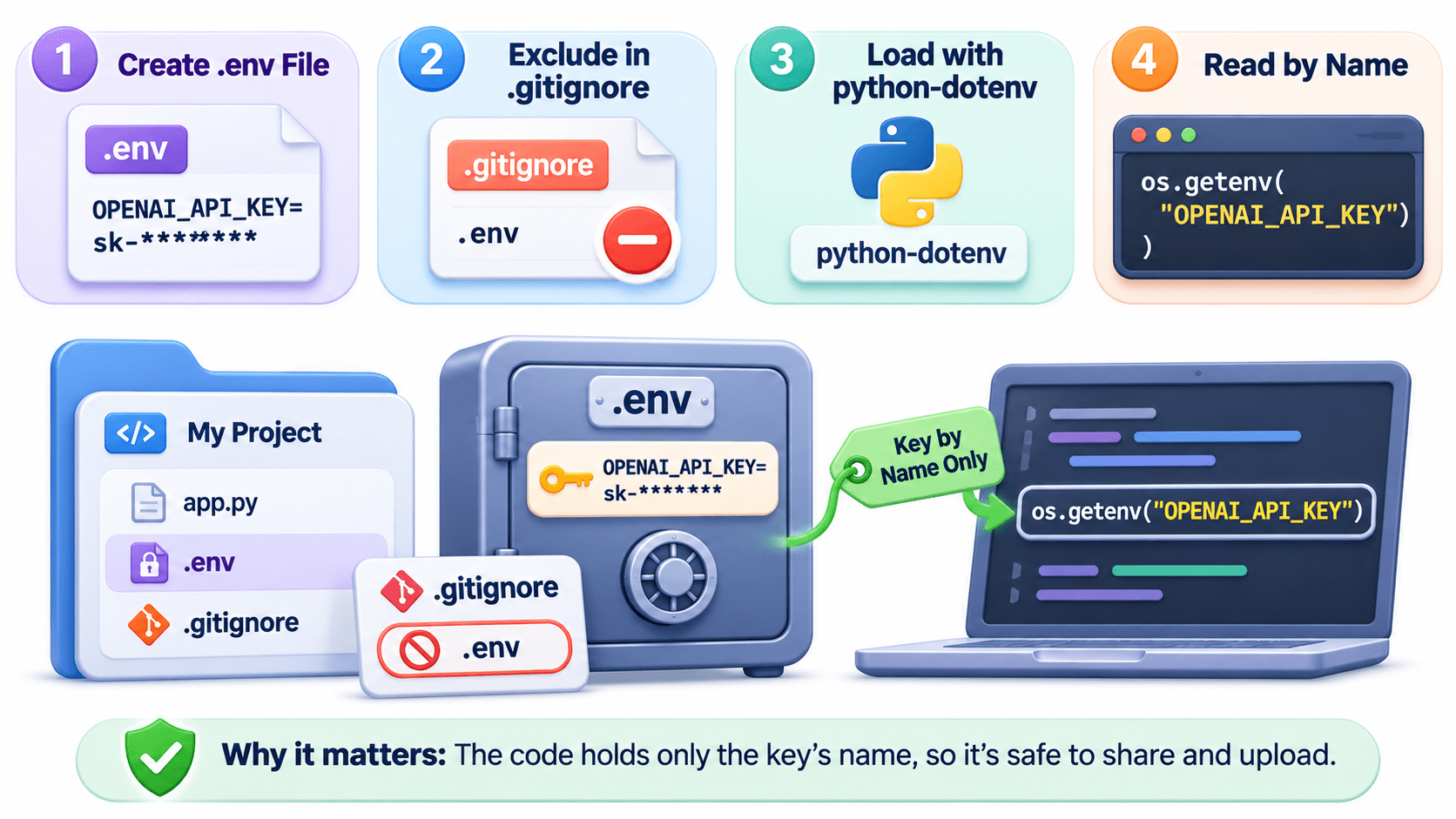
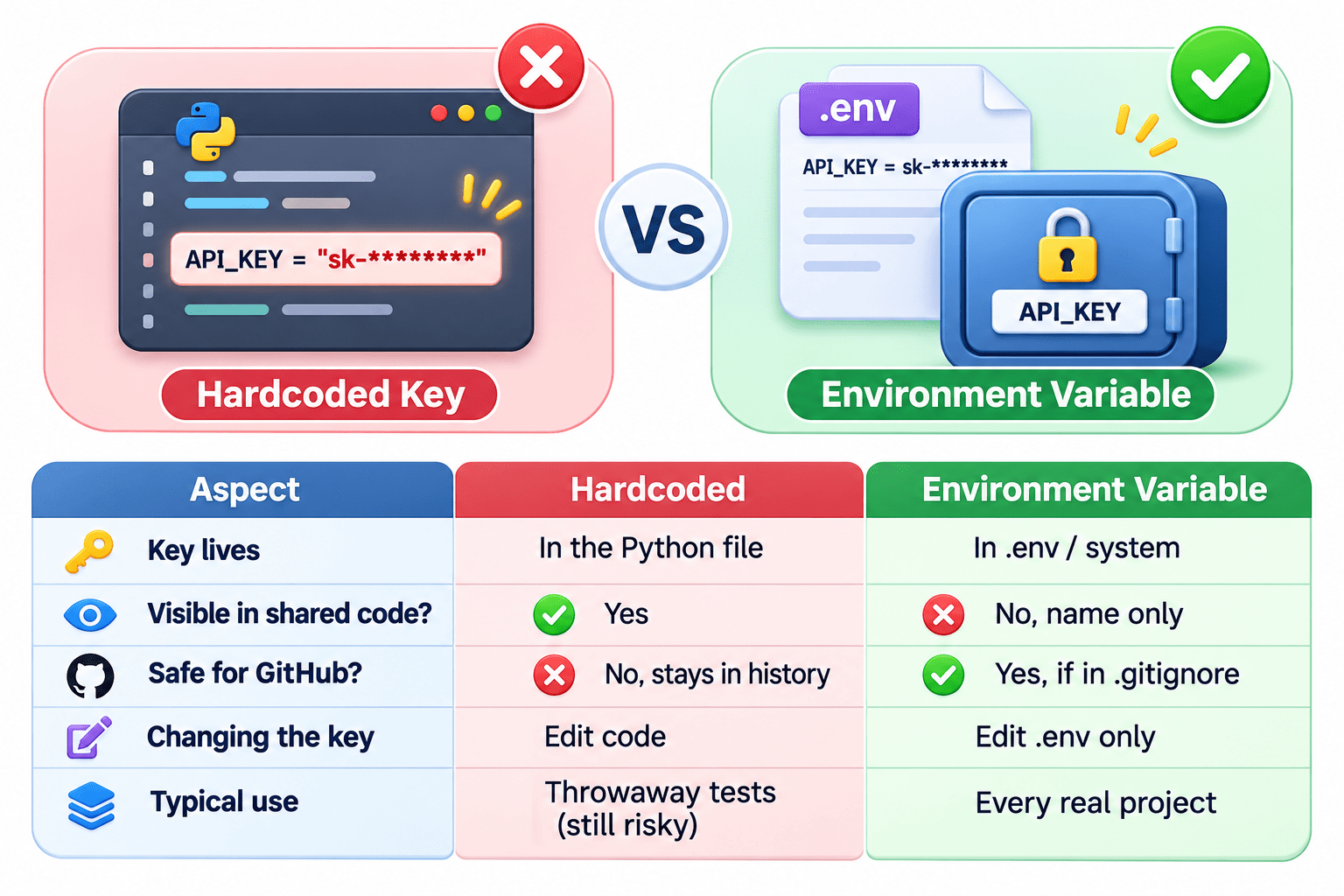
Core Mechanism: Storing Keys in Environment Variables
Code:
os.getenv("OPENAI_API_KEY")Why it matters: The code holds only the key’s name, so it’s safe to share and upload.
Hardcoded Key vs Environment Variable (Comparison)
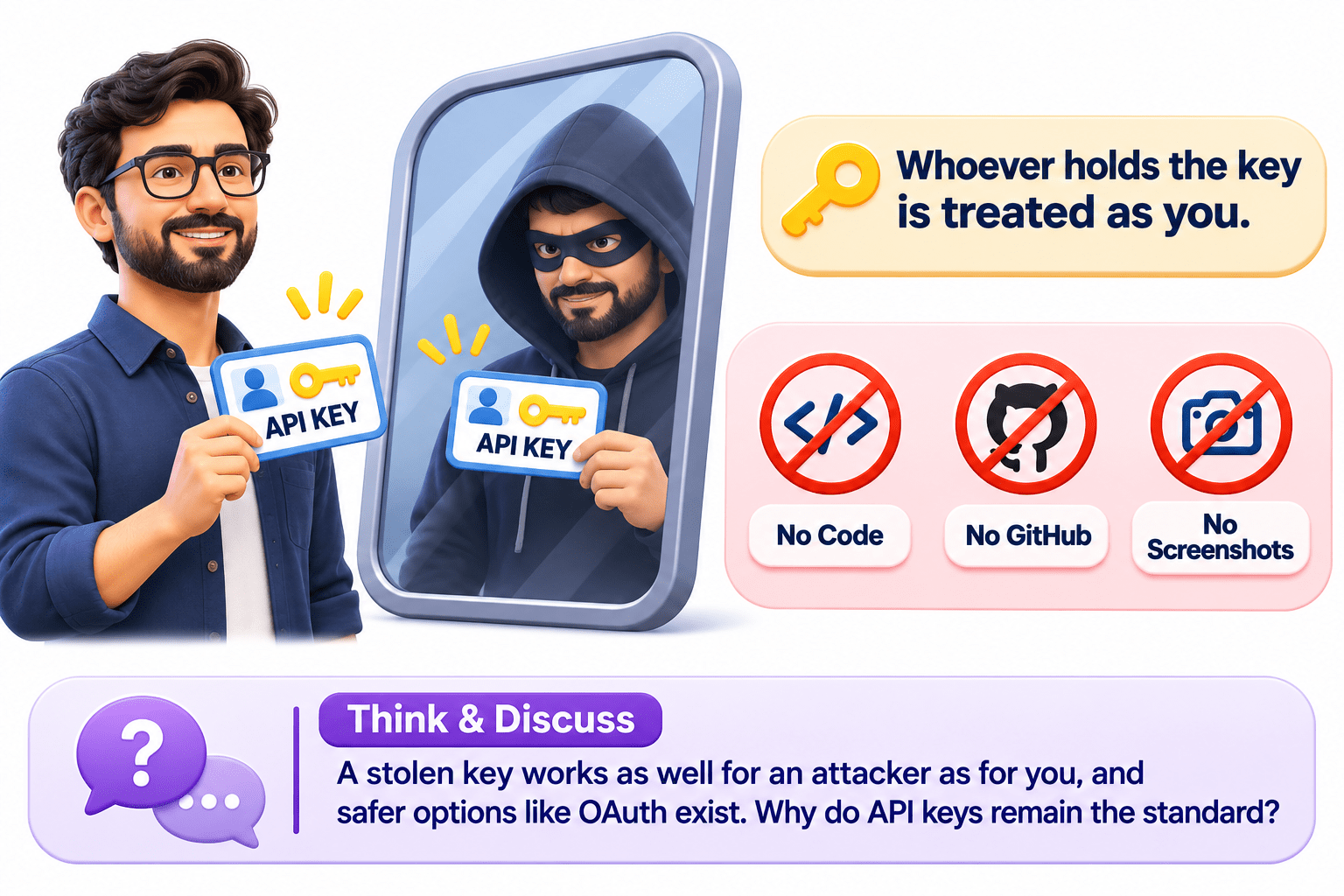
A Simple Way to Remember
Think & Discuss: A stolen key works as well for an attacker as for you, and safer options like OAuth exist. Why do API keys remain the standard?
Whoever holds the key is treated as you. Keep it out of code, GitHub, and screenshots.
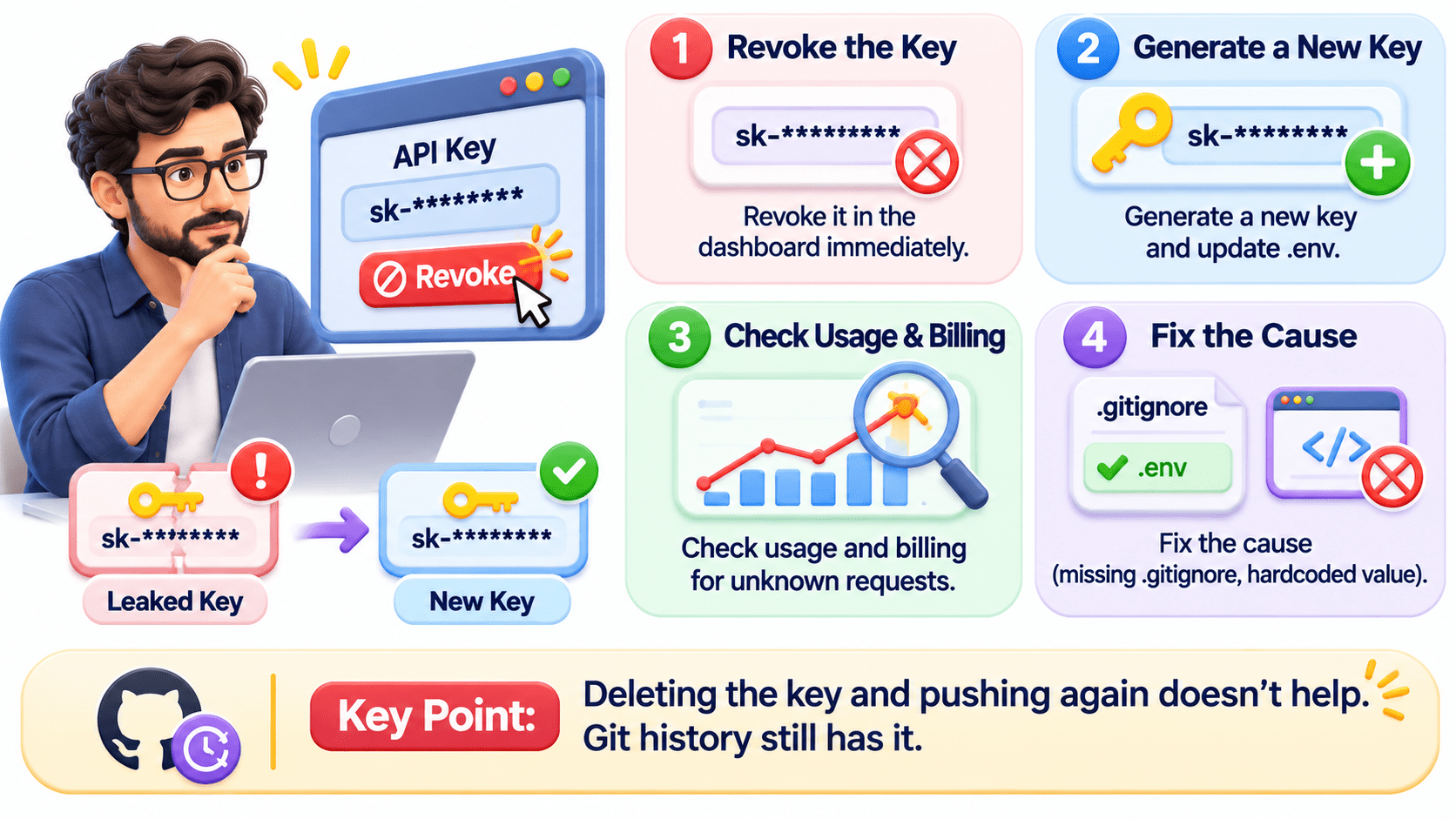
What to Do If a Key Leaks
Key Point: Deleting the key and pushing again doesn’t help. Git history still has it.
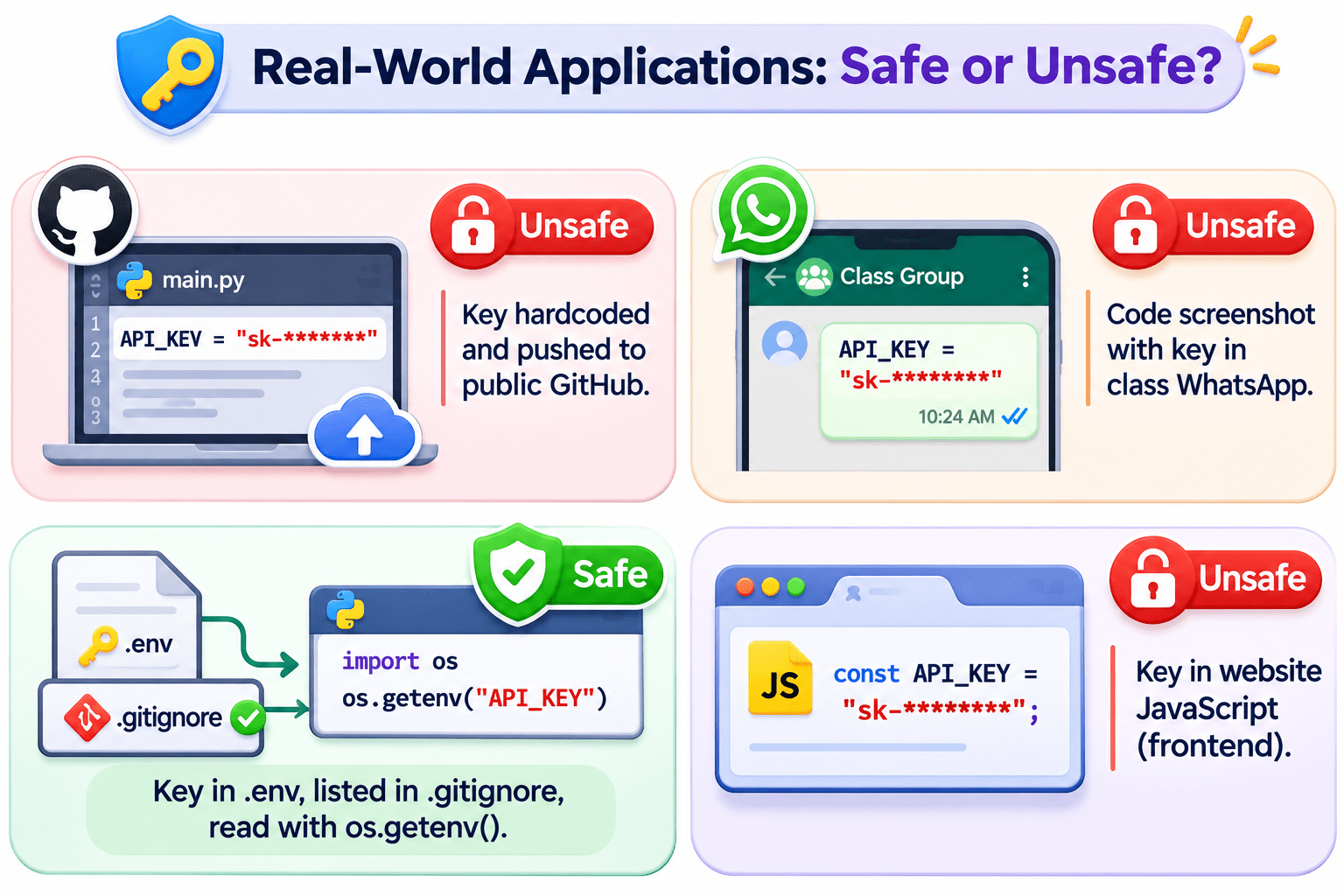
Real-World Applications: Safe or Unsafe?
Summary
5
If a key leaks, revoke it first.
4
Store keys in .env and exclude it with .gitignore.
3
Never hardcode, upload, screenshot, or expose keys.
2
It handles auth, access, billing, and rate limits.
1
An API key is a secret string proving who calls.
Quiz
A key was pushed to GitHub, then deleted in a new commit. What should you do next?
A. Nothing, it’s deleted
B. Make the repo private
C. Revoke and regenerate the key
D. Rename the file
Quiz-Answer
A key was pushed to GitHub, then deleted in a new commit. What should you do next?
A. Nothing, it’s deleted
B. Make the repo private
C. Revoke and regenerate the key
D. Rename the file
By Content ITV