

















Gleb Bahmutov PRO
JavaScript ninja, image processing expert, software quality fanatic
C / C++ / C# / Java / CoffeeScript / JavaScript / Node / Angular / Vue / Cycle.js / functional programming / testing
🌎 🔥 350.org 🌎 🔥 citizensclimatelobby.org 🌎 🔥
A typical Mercari US Cypress E2E test
image source: https://www.popularmechanics.com/culture/g2759/starship-uss-enterprise-ranked/
Computer, one cup of hot tea
Computer, ????, and three glasses
Now we wait...
Wait some more...
Pretty good
result after 90 seconds!
Q: How does AI know how to answer this?
A: It was trained. A lot.
Hmm, how do I ...
Not a greenfield project
Computer, browse the acme.co website and write 5 tests.
– Lazy me
test('addition', () => {
  expect(sum(2, 3), '2+3').to.equal(sum(2, 3))
})
This is a bad test.
Do NOT trust your app to be correct
test('addition', () => {
  expect(sum(2, 3), '2+3').to.equal(5)
})AI needs to "know" your app
Prompt:
- create a "Completes a todo" end-to-end Cypress test
- visit the base url
- confirm the application has finished loading its data
- enter a todo with random text
- confirm the same text is visible in the list of todos
Context:
- the application is hosted at "staging.acme.co"
- the application finishes loading when the "body" element has the class "loaded"
- user can enter new todos using an input element with class "new-todo"
- list of todo items has class "todo-list". Each item has class "todo"
- completed todo items have class "completed"
Prompt:
- create a "Completes a todo" end-to-end Cypress test
- visit the base url
- confirm the application has finished loading its data
- enter a todo with random text
- confirm the same text is visible in the list of todos
Context:
- the application is hosted at "staging.acme.co"
- the application finishes loading when the "body" element has the class "loaded"
- user can enter new todos using an input element with class "new-todo"
- list of todo items has class "todo-list". Each item has class "todo"
- completed todo items have class "completed"
Prompt:
- create a "Completes a todo" end-to-end Cypress test
- visit the base url
- confirm the application has finished loading its data
- enter a todo with random text
- confirm the same text is visible in the list of todos
Context:
- the application is hosted at "staging.acme.co"
- the application finishes loading when the "body" element has the class "loaded"
- user can enter new todos using an input element with class "new-todo"
- list of todo items has class "todo-list". Each item has class "todo"
- completed todo items have class "completed"
Prompt:
- create a "Completes a todo" end-to-end Cypress test
- visit the base url
- confirm the application has finished loading its data
- enter a todo with random text
- confirm the same text is visible in the list of todos
Context:
- the application is hosted at "staging.acme.co"
- the application finishes loading when the "body" element has the class "loaded"
- user can enter new todos using an input element with class "new-todo"
- list of todo items has class "todo-list". Each item has class "todo"
- completed todo items have class "completed"
Prompt:
- create a "Completes a todo" end-to-end Cypress test
- visit the base url
- confirm the application has finished loading its data
- enter a todo with random text
- confirm the same text is visible in the list of todos
Context:
- the application is hosted at "staging.acme.co"
- the application finishes loading when the "body" element has the class "loaded"
- user can enter new todos using an input element with class "new-todo"
- list of todo items has class "todo-list". Each item has class "todo"
- completed todo items have class "completed"
Context:
- the application is hosted at "staging.acme.co"
- the application finishes loading when the "body" element has the class "loaded"
- user can enter new todos using an input element with class "new-todo"
- list of todo items has class "todo-list". Each item has class "todo"
- completed todo items have class "completed"
institutional knowledge (in your head)
Computer, read the source code / design docs and find out!
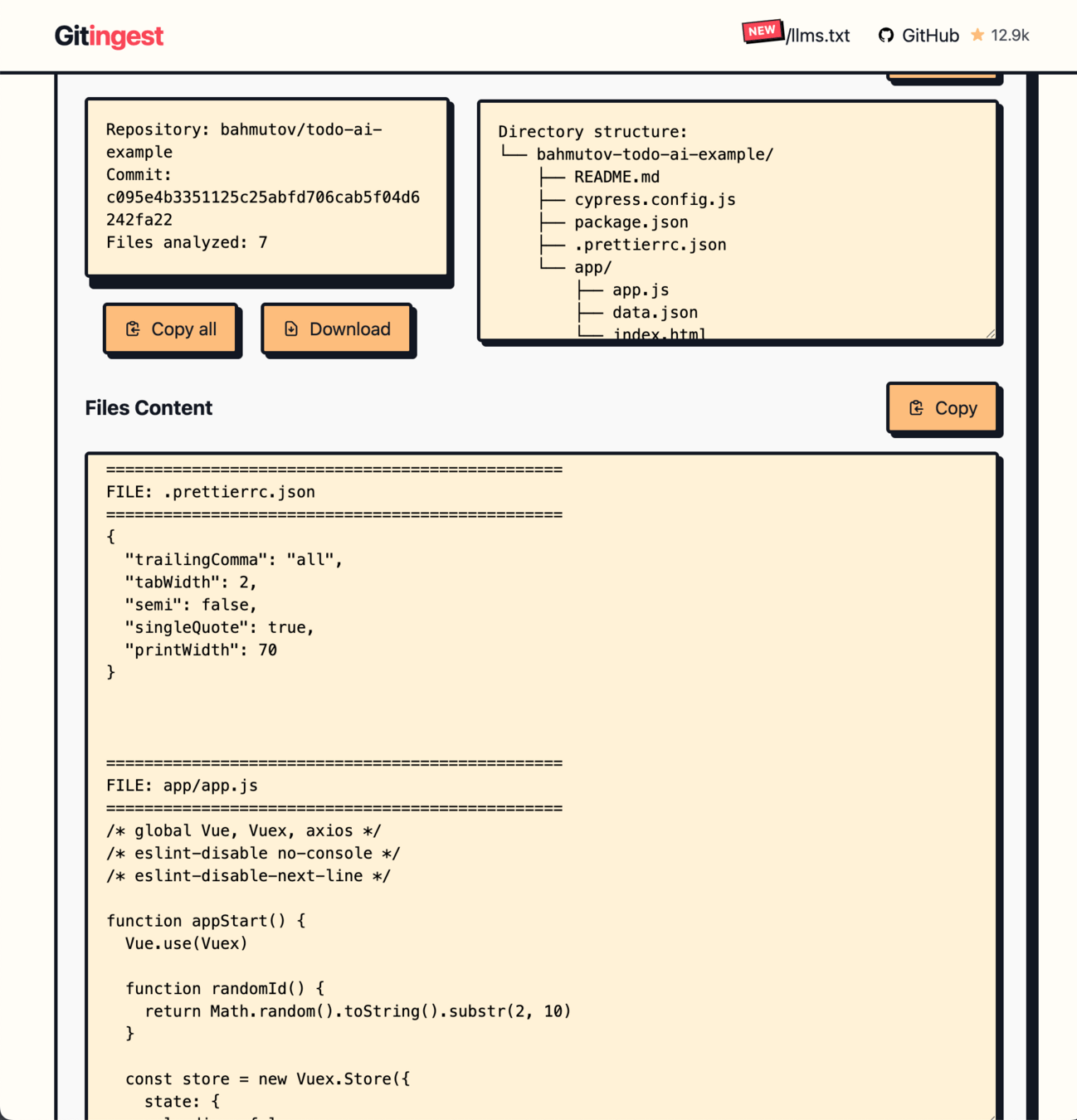
Copy the entire repo source code
and include with your prompt...
Copy the entire repo source code
and include with your prompt...
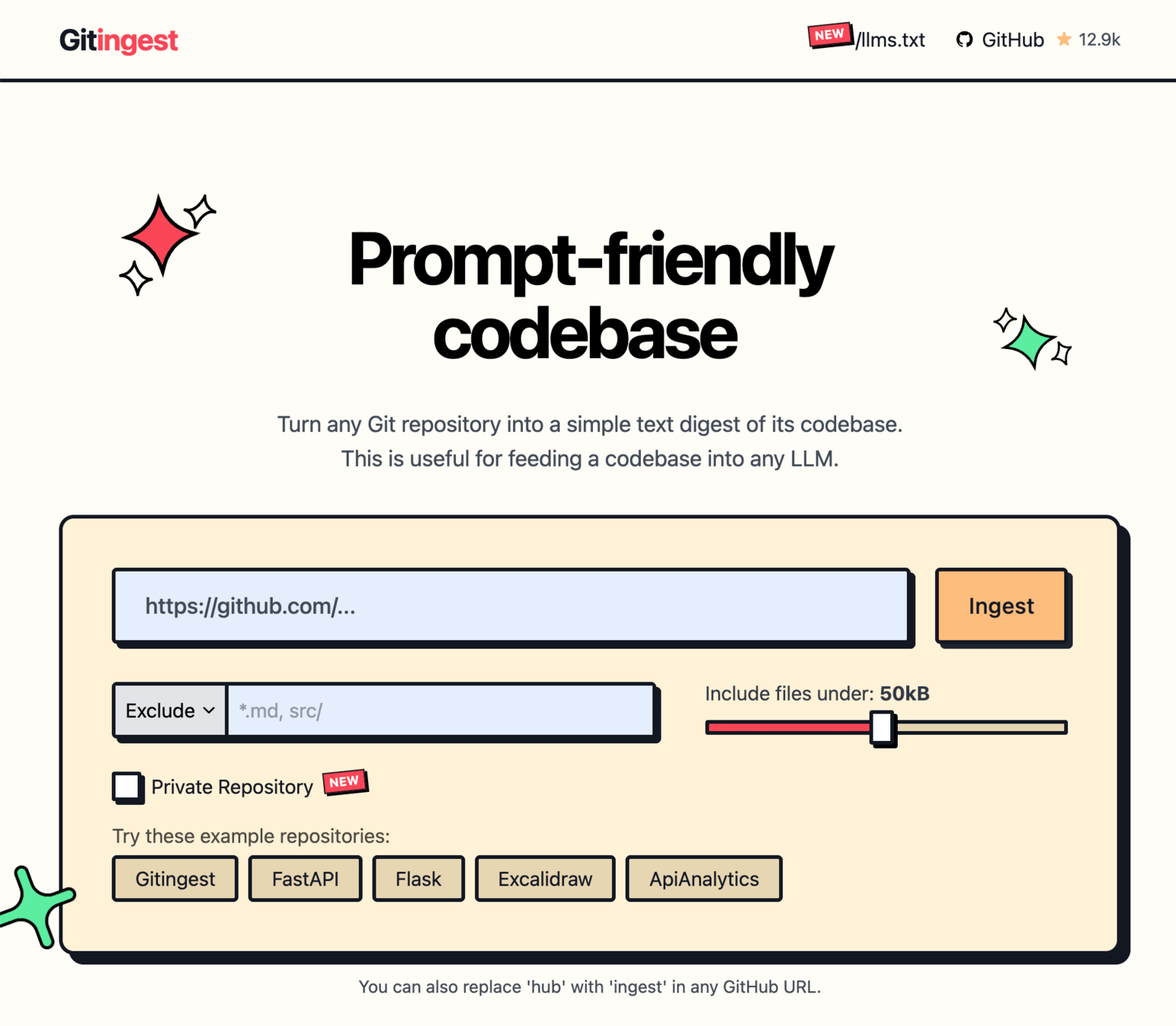
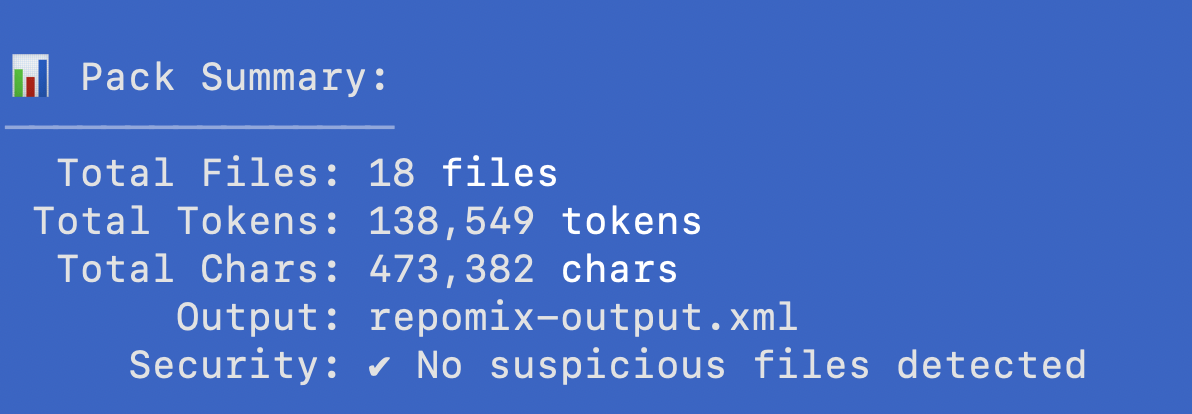
$ npx repomix path/to/directory
$ npx repomix --remote bahmutov/todo-ai-exampleThe larger the context ...
the longer we wait 🕰️
and pay more 💰
Prompt 1
+
Lots of context
"Thinking"
Prompt 2
+
Lots of context
"Thinking"
Prompt 3
+
Lots of context
"Thinking"
Prompt 4
+
Lots of context
"Thinking"
Prompt 2
+
Lots of context
"Thinking"
Prompt 3
+
Lots of context
"Thinking"
Prompt 4
+
Lots of context
"Thinking"
Prompt 1
+
Lots of context
"Thinking"
Review
context
time
Slow
Complex
Likely to 🚨
context
time
Simple
Fast
Likely ✅
Slow
Complex
Likely to 🚨
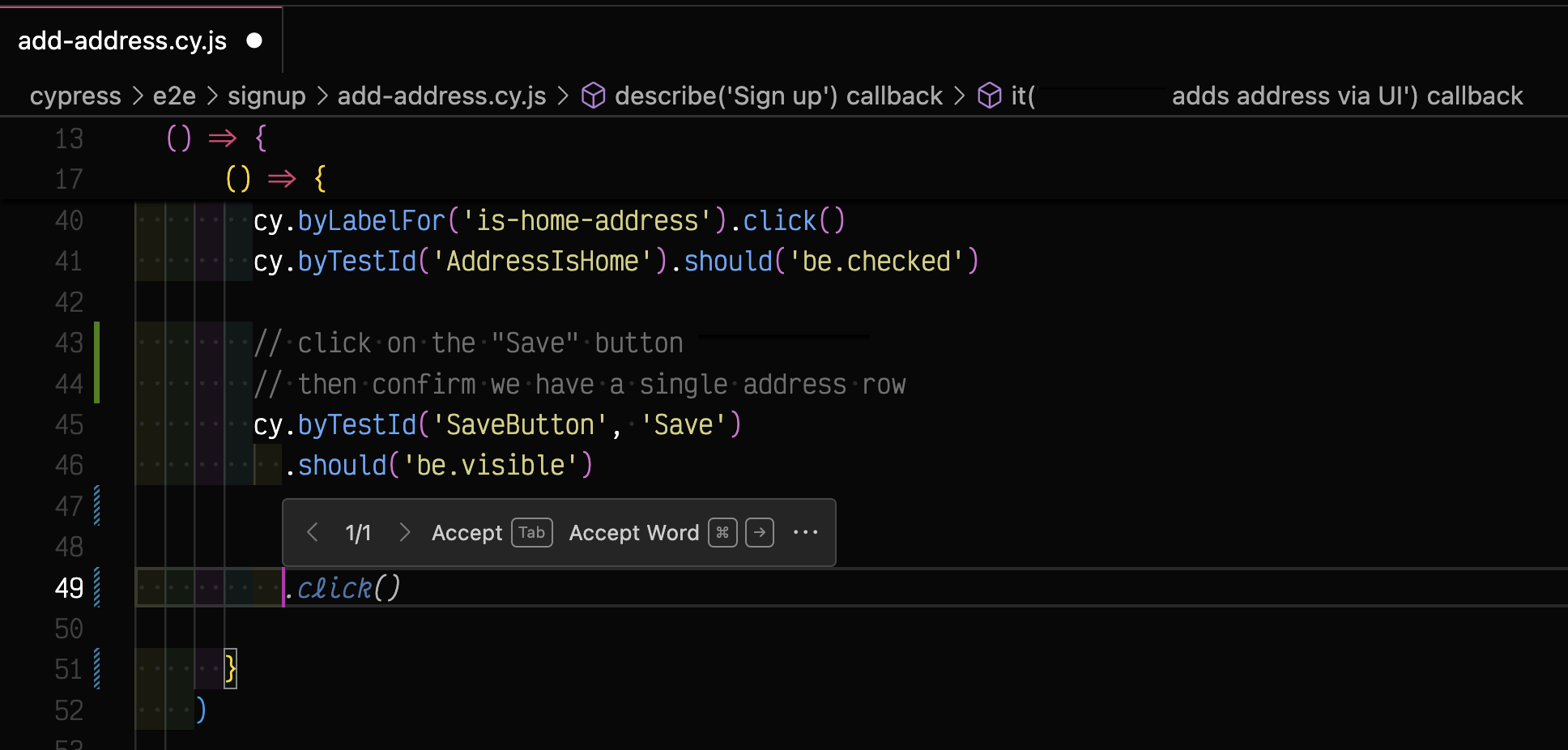
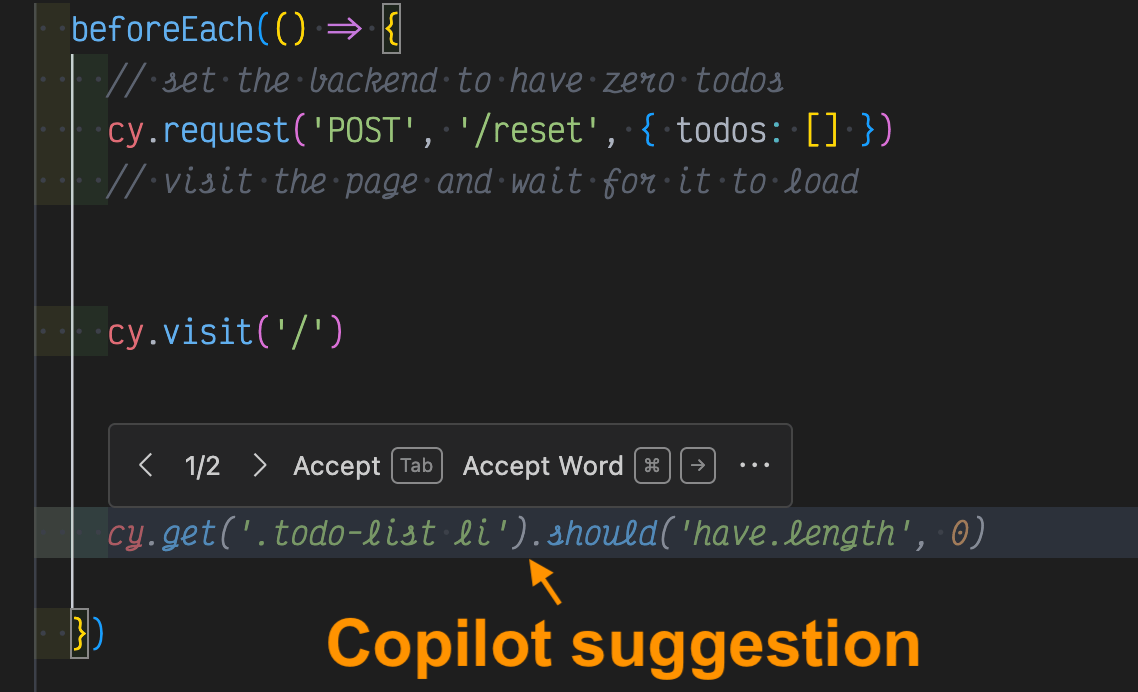
Copilot inline suggestion
speed up coding 👍👍👍
comments give Copilot
all the context
"Build RAG Using Chroma DB" https://glebbahmutov.com/blog/build-rag-using-chroma-db/
📝 "Build RAG Using Chroma DB" https://glebbahmutov.com/blog/build-rag-using-chroma-db/
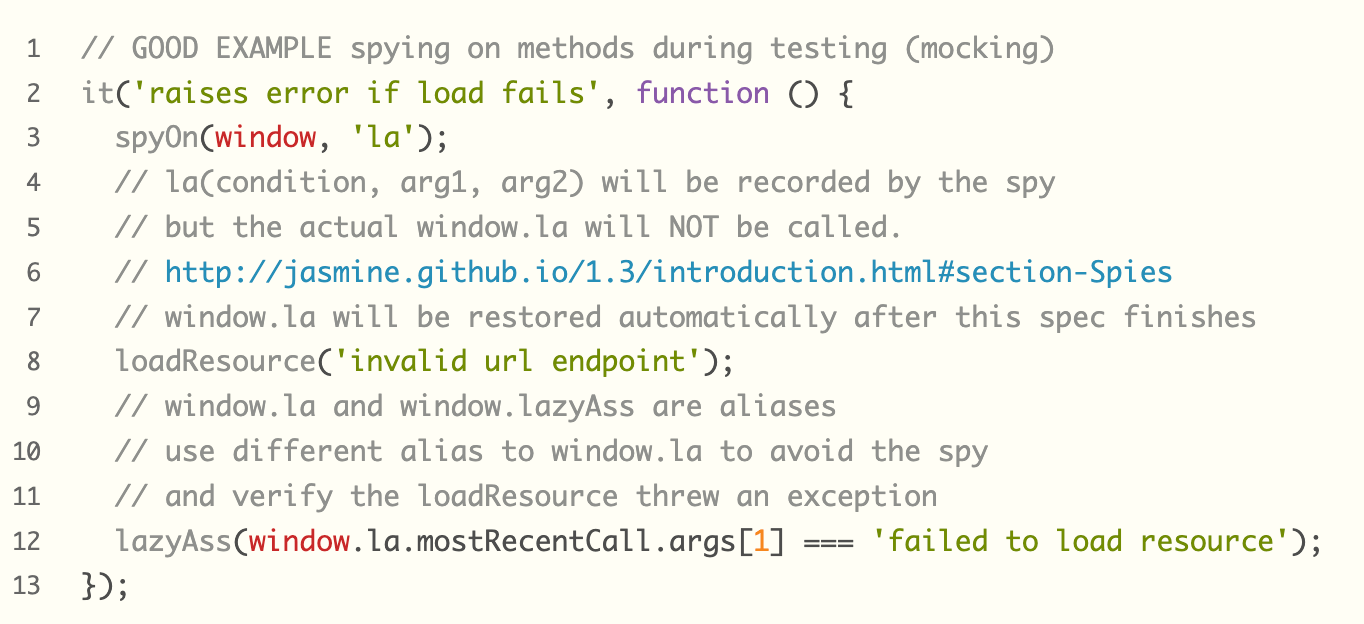
it('changes the label after the click', () => {
  cy.visit('/')
  // get the initial label text and store it
  cy.get('#foo')
    .invoke('text')
    .as('initialText')

  // click the button
  cy.get('#bar').click()

  // verify the label text has changed
  cy.get('#foo')
    .invoke('text')
    .then((newText) => {
      cy.get('@initialText').then((initialText) => {
        expect(newText).to.not.equal(initialText)
      })
    })
})"Build RAG Using Chroma DB" https://glebbahmutov.com/blog/build-rag-using-chroma-db/
it('changes the label after the click', () => {
  cy.visit('/')
  // get the initial label text and store it
  cy.get('#foo')
    .invoke('text')
    .as('initialText')

  // click the button
  cy.get('#bar').click()

  // verify the label text has changed
  cy.get('#foo')
    .invoke('text')
    .then((newText) => {
      cy.get('@initialText').then((initialText) => {
        expect(newText).to.not.equal(initialText)
      })
    })
})
Subtle timing issue when we get the text
"Build RAG Using Chroma DB" https://glebbahmutov.com/blog/build-rag-using-chroma-db/
it('changes the label after the click', () => {
  cy.visit('/')
  // get the initial label text and store it
  cy.get('#foo')
    .invoke('text')
    .as('initialText')

  // click the button
  cy.get('#bar').click()

  // verify the label text has changed
})
cy.get('#output')
.invoke('text')
.then((text) => {
cy.get('#change').click()
cy.get('#output').should('not.have.text', text)
})retrieved
code example
it('changes the label after the click', () => {
  cy.visit('/')
  // get the initial label text and store it
  cy.get('#foo')
    .invoke('text')
    .as('initialText')

  // click the button
  cy.get('#bar').click()

  // verify the label text has changed
})
cy.get('#output')
.invoke('text')
.then((text) => {
cy.get('#change').click()
cy.get('#output').should('not.have.text', text)
})it('changes the label after the click', () => {
cy.visit('/')
// verify the label text has changed
cy.get('#foo')
.invoke('text')
.then((oldText) => {
// click the button
cy.get('#bar').click()
cy.get('#foo').should('not.have.text', oldText)
})
})(you still need good examples!)
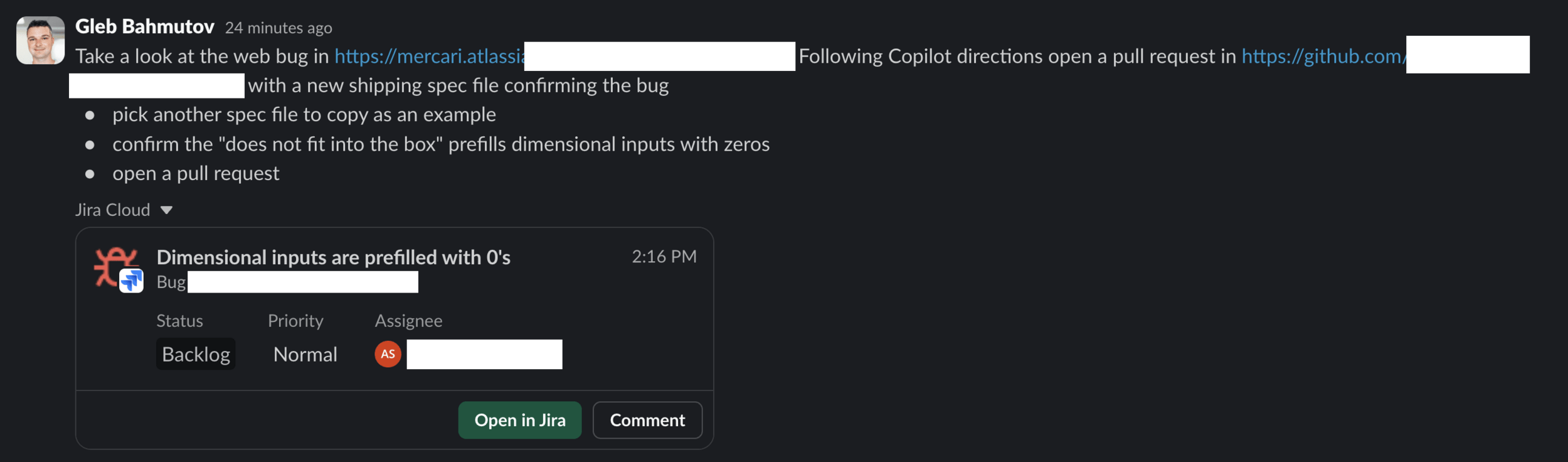
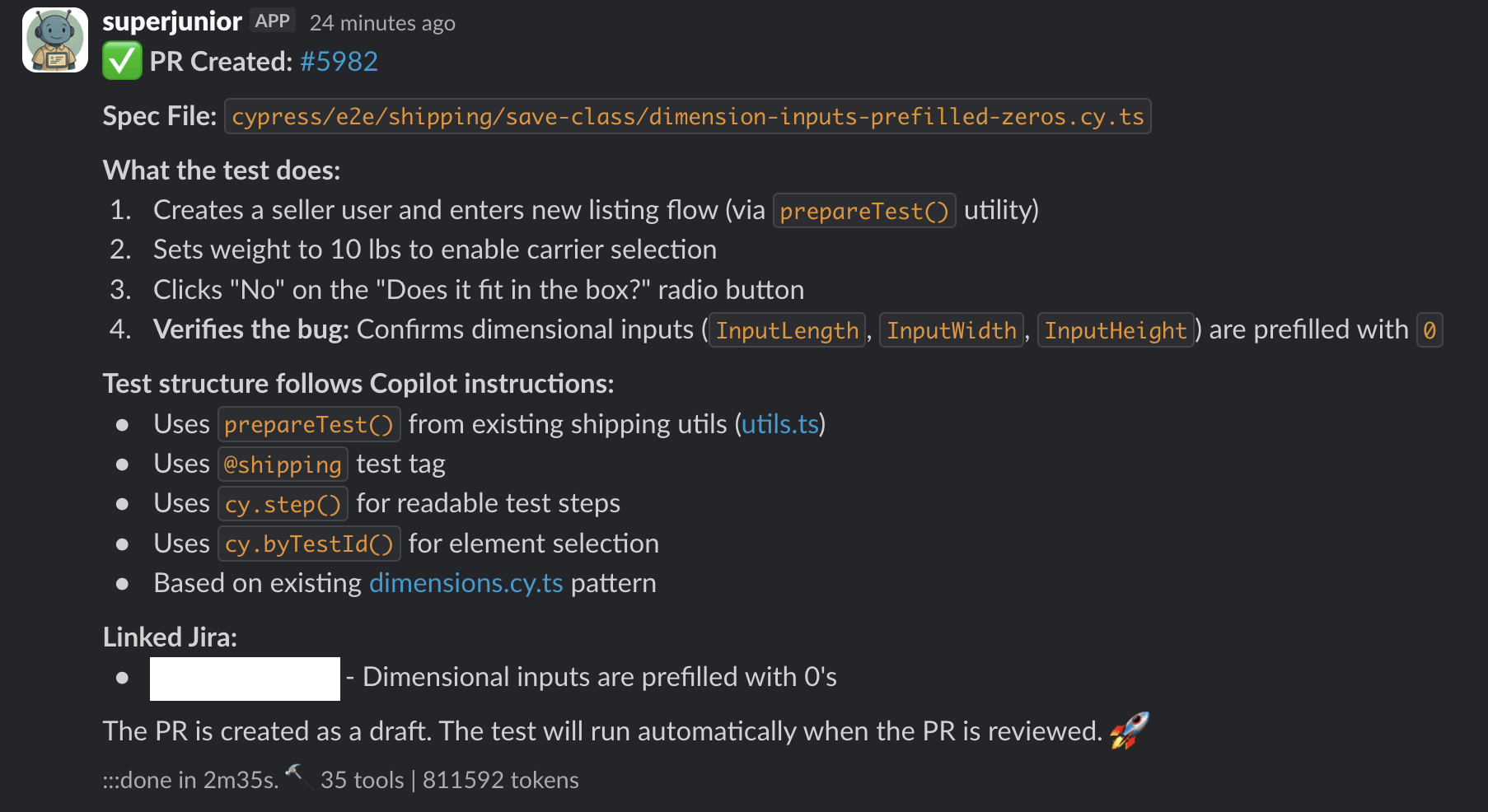
Triaging a failed Cypress test at Mercari US
Triaging a failed Cypress test at Mercari US
Ask AI agent to fix it via Slack interface
Large Language Models
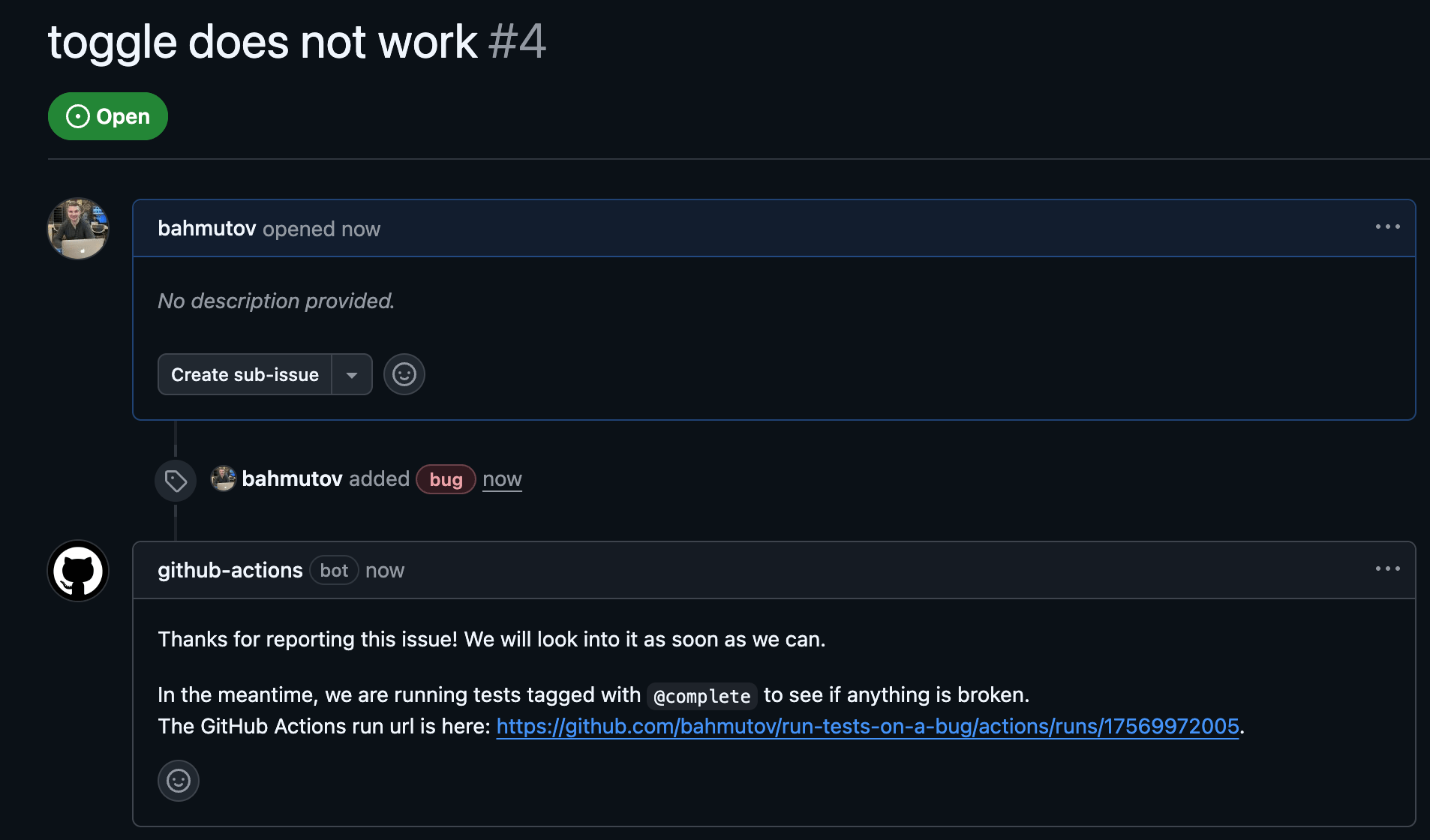
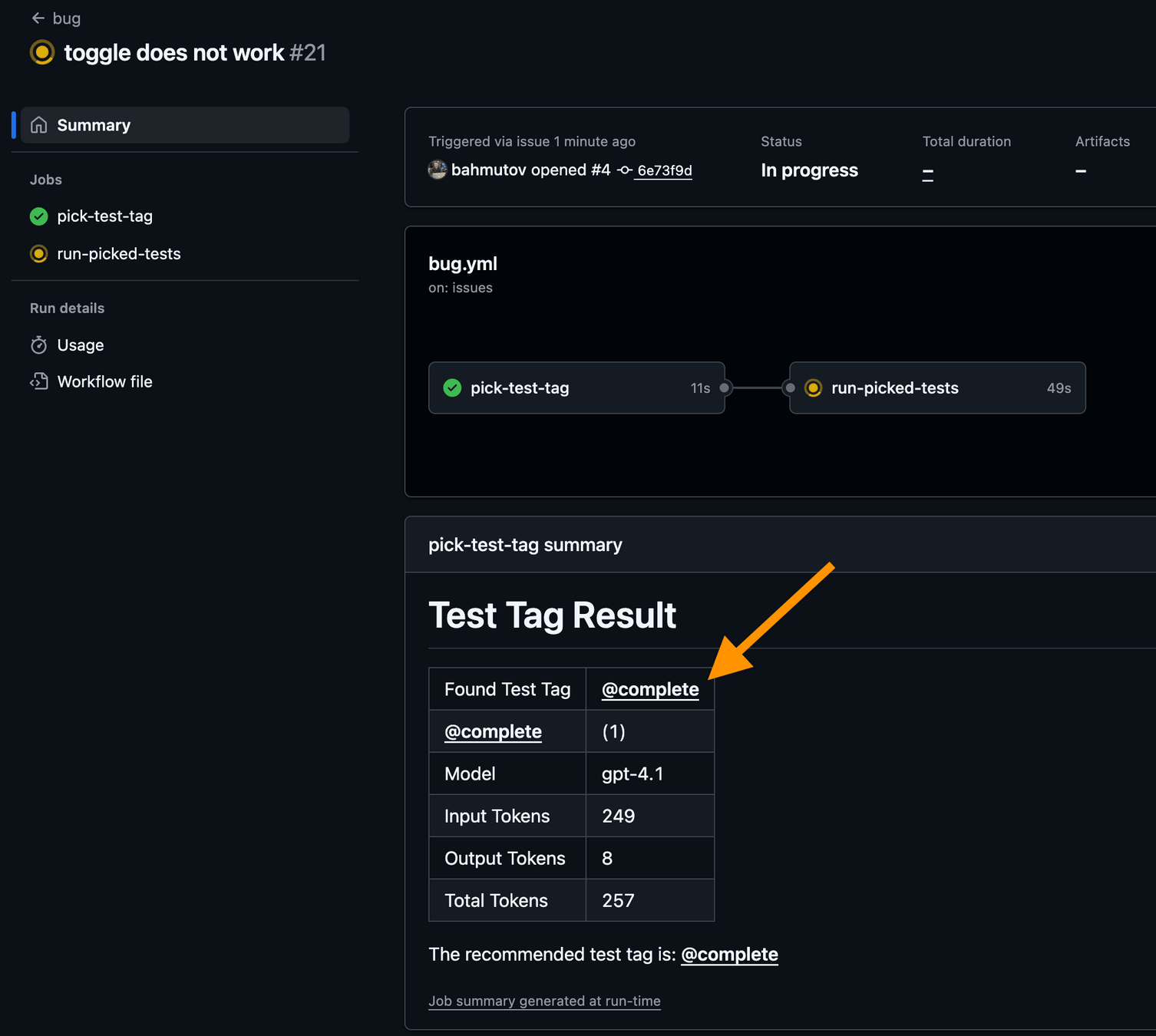
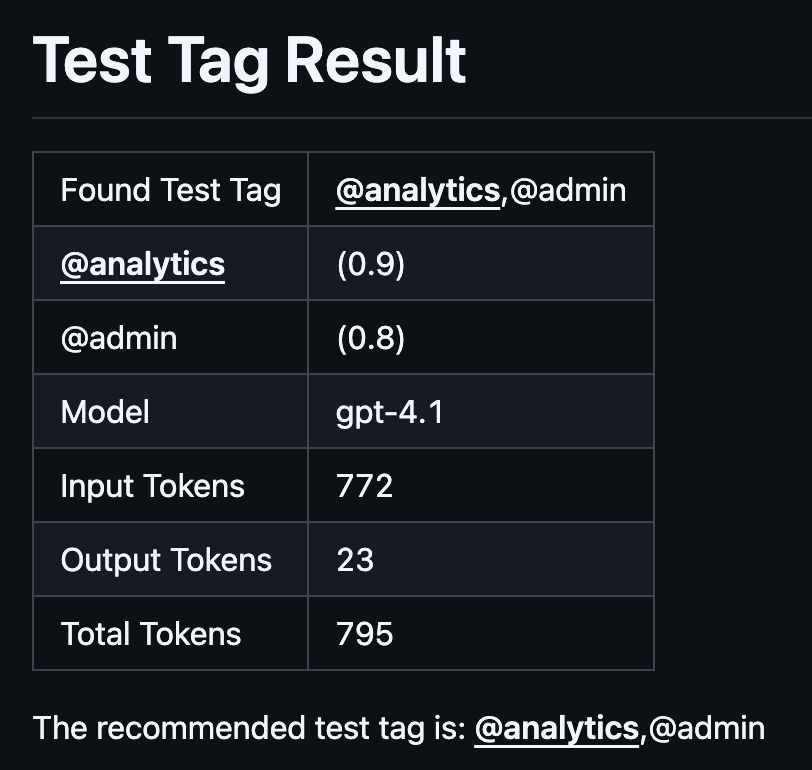
"AI Picks Tests To Run On A Bug"
https://glebbahmutov.com/blog/ai-picks-tests-to-run-on-a-bug/
cypress/e2e/app-spec.js (15 tests)
└─ TodoMVC - React
  ├─ adds 4 todos [@smoke, @add]
  ├─ When page is initially opened
  │ └─ should focus on the todo input field
  ├─ No Todos
  │ └─ should hide #main and #footer [@misc]
  ├─ New Todo [@add]
  │ ├─ should allow me to add todo items
  │ ├─ adds items
  ...
/**
* These are valid test tags used in our test cases,
* plus their descriptions
*/
const TEST_TAGS = {
'@smoke': 'Smoke tests - a small set of tests to check the main features',
'@misc': 'Miscellaneous unimportant tests',
'@add': 'Tests related to adding new todo items to the list',
'@edit': 'Tests related to editing existing todo items in the list',
'@routing':
'Tests related to routing between different views and pages in the app',
...
}"AI Picks Tests To Run On A Bug"
https://glebbahmutov.com/blog/ai-picks-tests-to-run-on-a-bug/
context
time
Simple
Async
✅ is optional
Simple
Fast
Likely ✅
Slow
Complex
Likely to 🚨
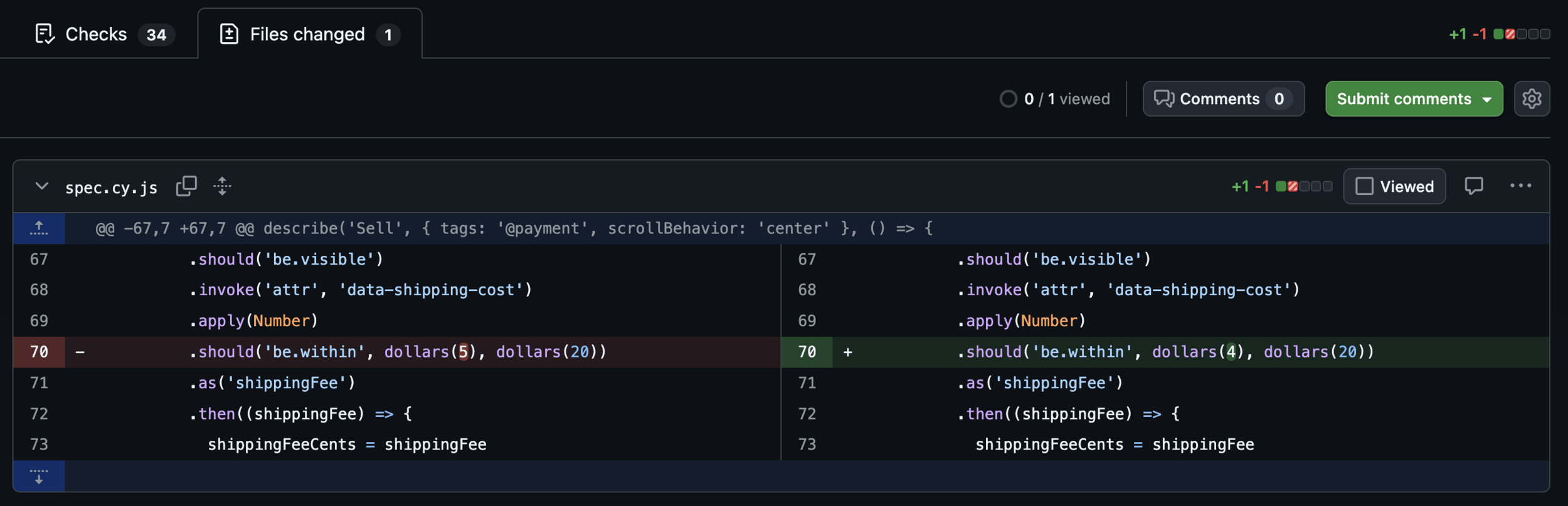
When performing a code review:

- confirm that there are no hard-coded magic numbers.
  Prefer using named constants.
- do not allow unreachable code
- check each HTML element that shows any unique application data,
  like prices, values, names, address, etc to have a `data-testid`
  attribute to be used in end-to-end tests. If the attribute is missing,
  add a `data-testid` attribute with a meaningful value.
  Also add `data-testid` attributes to the top level forms, pages,
  large components.
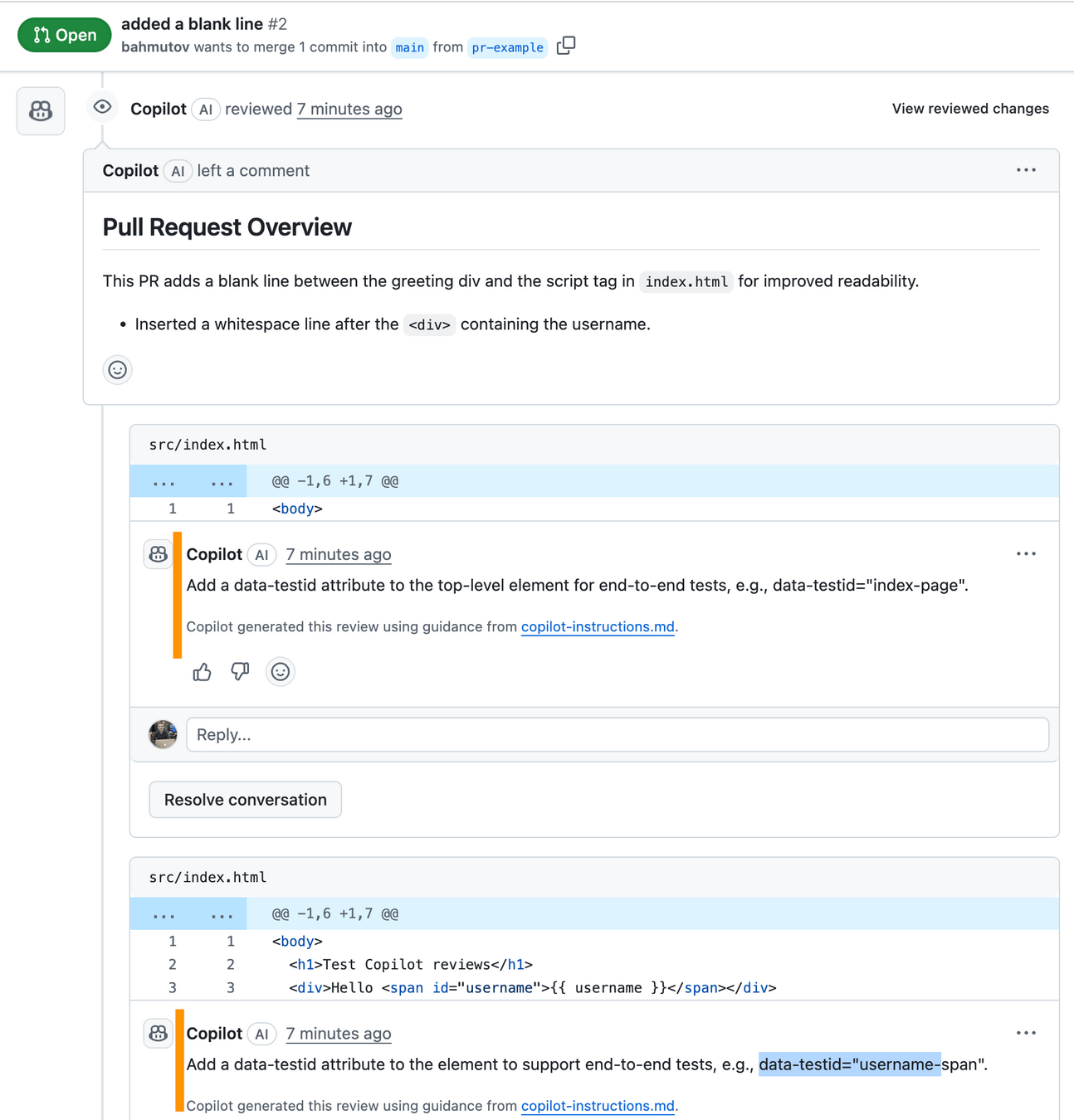
copilot-instructions.md
Copilot review can detect page elements without “data-testid” attributes and even suggest good attribute names
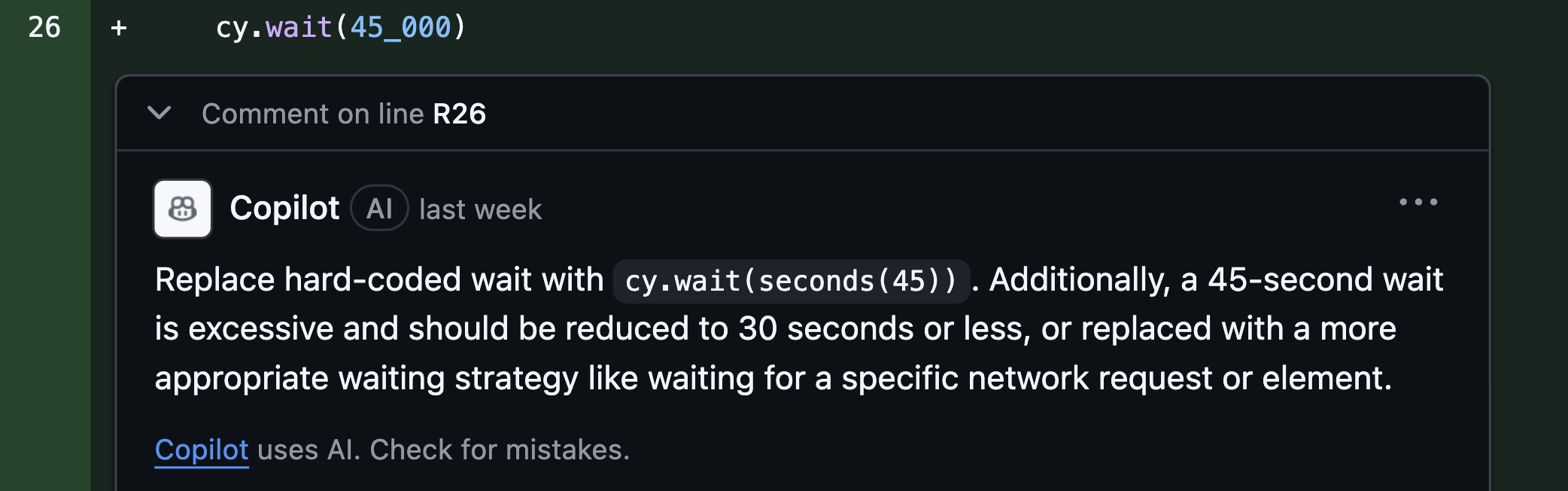
// ANTI-PATTERN: hardcoded wait
cy.wait(45_000)
import { defineConfig } from 'eslint/config'
import pluginCypress from 'eslint-plugin-cypress'
export default defineConfig([
{
plugins: {
cypress: pluginCypress,
},
rules: {
'cypress/no-unnecessary-waiting': 'warn',
},
},
])cypress-io/eslint-plugin-cypress
eslint.config.js
What if I want to warn on waits longer than 30 seconds?!
When performing a code review, if the modified spec file has `cy.wait(n)` call, suggest replacing it with `cy.wait(seconds(n/1000))` value. Also suggest changing it if the duration is longer than 30 seconds.copilot-instructions.md
Instead of starting each prompt with:
Look through the entire codebase / app specs and do X
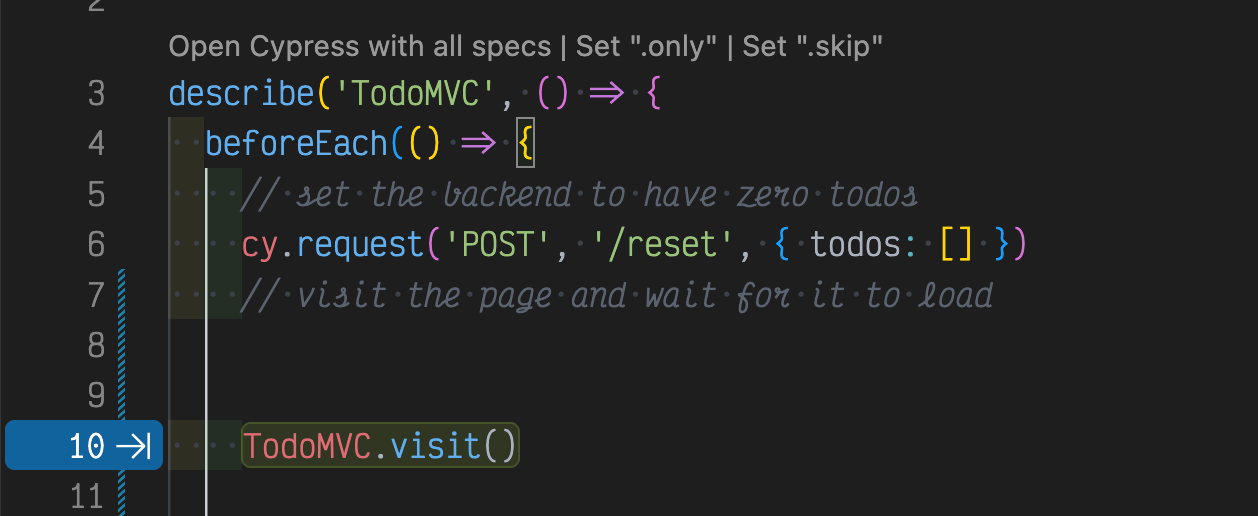
## Use the TodoMVC page object

Preferred way is to use the TodoMVC page object from `cypress/e2e/todomvc.po.js`

```js
import { TodoMVC } from './todomvc.po'
// inside the test or beforeEach hook
TodoMVC.visit()
```

## Reset the backend

Test can reset the backend data to zero todos state using the following commands

```js
cy.request('POST', '/reset', { todos: [] })
```

## Application loaded

Test can confirm the application has finished loading

```js
cy.get('body.loaded')
```

## Set the backend data

You can set the backend to have specific todos before visiting the app. Let's set 2 todos. Each todo must have an `id`, `title`, and `completed` status.

```js
cy.request('POST', '/reset', {
  todos: [
    { id: '1', title: 'learn testing', completed: false },
    { id: '2', title: 'learn cypress', completed: false },
  ],
})
```

Preferably, use the page object method

```js
import { TodoMVC } from './todomvc.po'
// inside the test or beforeEach hook
TodoMVC.reset([
  { id: '1', title: 'learn testing', completed: false },
  { id: '2', title: 'learn cypress', completed: false },
])
```
copilot-instructions.md
Tip: adding a new tool or dependency - update the agent instructions file
Without AI instructions 👎
With AI instructions ✅
Voice prompt
📝 blog post "Good examples" https://glebbahmutov.com/blog/good-examples/
Sept 14, 2014
## Use the TodoMVC page object

Preferred way is to use the TodoMVC page object from `cypress/e2e/todomvc.po.js`

```js
import { TodoMVC } from './todomvc.po'
// inside the test or beforeEach hook
TodoMVC.visit()
```

## Reset the backend

Test can reset the backend data to zero todos state using the following commands

```js
cy.request('POST', '/reset', { todos: [] })
```

## Application loaded

Test can confirm the application has finished loading

```js
cy.get('body.loaded')
```

## Set the backend data

You can set the backend to have specific todos before visiting the app. Let's set 2 todos. Each todo must have an `id`, `title`, and `completed` status.

```js
cy.request('POST', '/reset', {
  todos: [
    { id: '1', title: 'learn testing', completed: false },
    { id: '2', title: 'learn cypress', completed: false },
  ],
})
```

Preferably, use the page object method

```js
import { TodoMVC } from './todomvc.po'
// inside the test or beforeEach hook
TodoMVC.reset([
  { id: '1', title: 'learn testing', completed: false },
  { id: '2', title: 'learn cypress', completed: false },
])
```
copilot-instructions.md
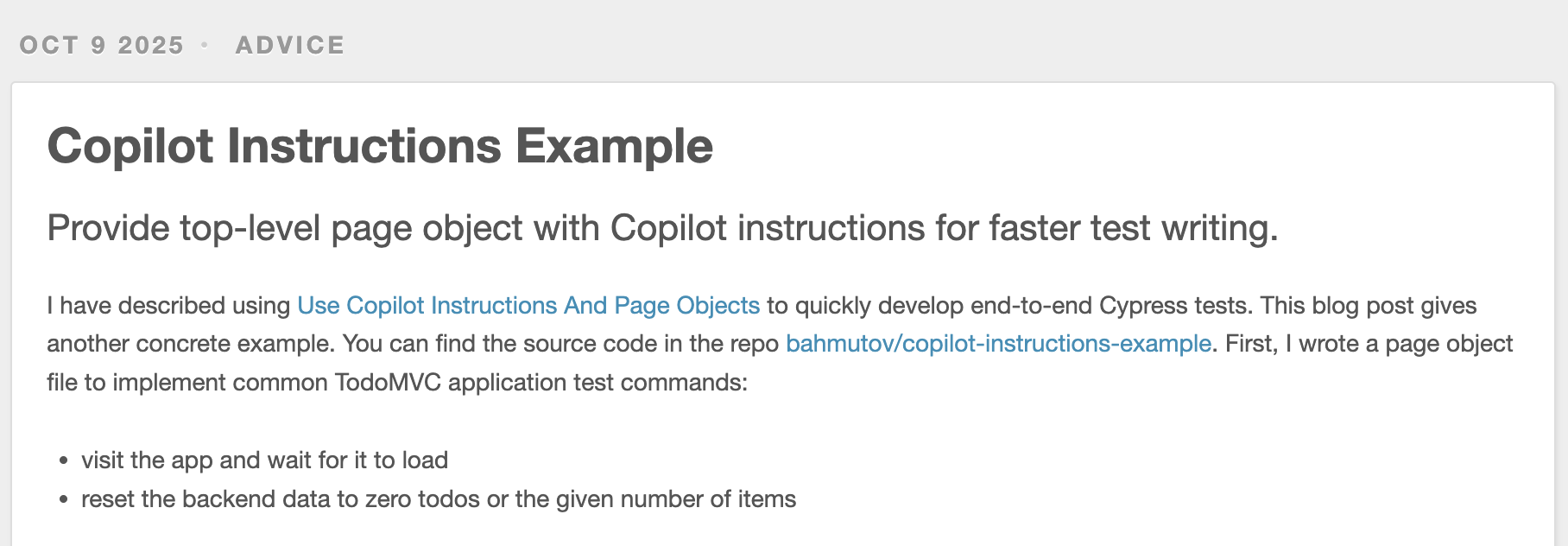
📝 blog post "Copilot Instructions Example" https://glebbahmutov.com/blog/copilot-instructions-example/
Oct 9, 2025
examples
Small simple steps following a plan
"prompt: assemble Millennium Falcon"
time
app
complexity
understanding how everything works
time
app
complexity
understanding how everything works if AI codes
Thank You 🙏
By Gleb Bahmutov
Modern AI coding assistants like GitHub Copilot and Cursor promise easy test automation; just prompt the assistant to write a test, and watch it work. I found the day-to-day experience much different. In this talk, I will show which tasks AI is suitable for, how to collect relevant context for each prompt, and how to guide the AI to code better end-to-end tests. Presented at MaineJS meetup.