PayFlow Jenkins Setup & Pipeline Configuration

Business Scenario
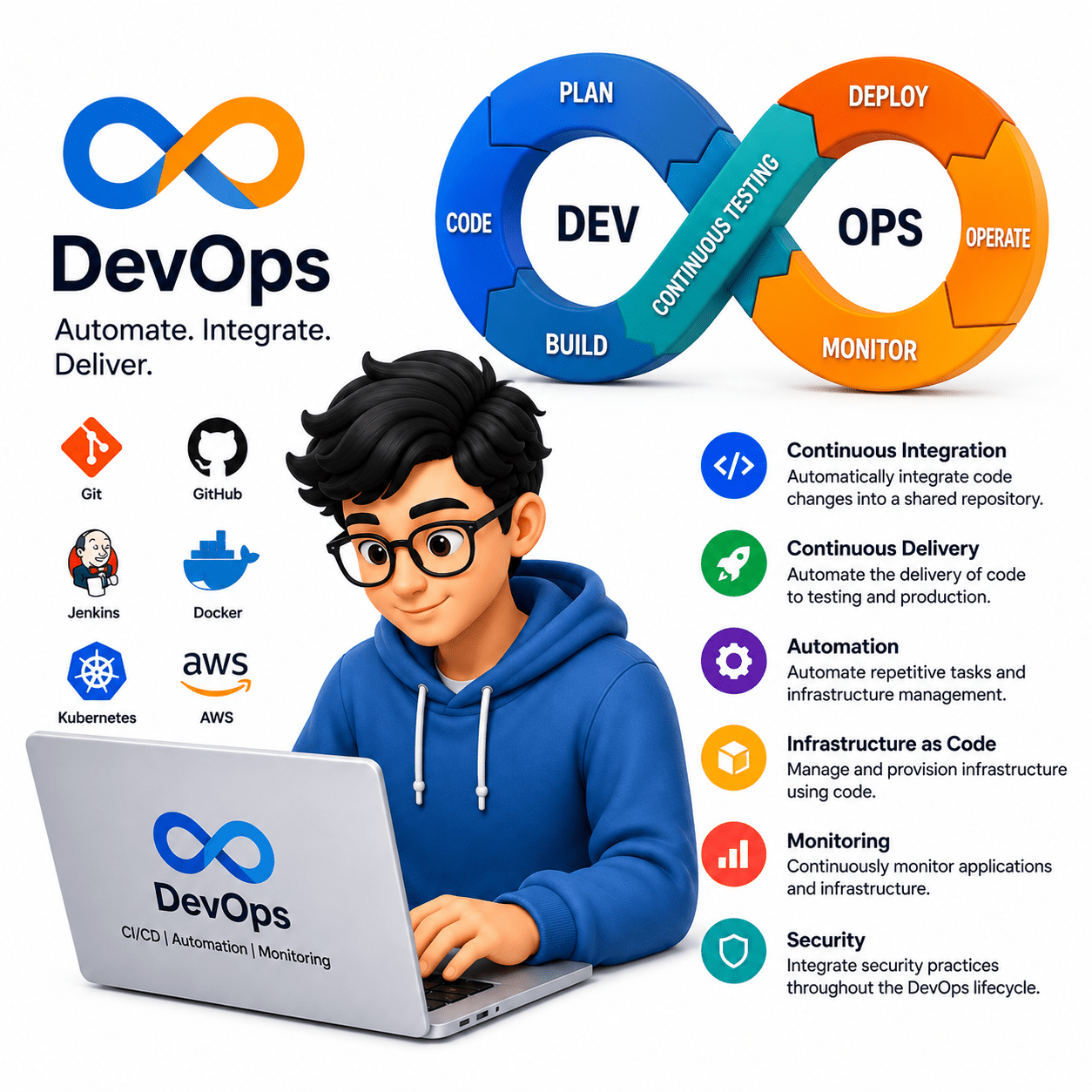
Welcome back to the PayFlow Project. In the previous lab, you learned the basics of the CI/CD pipeline and how it automates software delivery. As a DevOps QA Engineer, your next task is to learn Jenkins, one of the most popular Continuous Integration tools. As your QA Manager, I want you to understand how Jenkins automates the build process, executes automation tests, and provides quick feedback after every code change. In this lab, you will install and configure Jenkins, complete its initial setup, and explore the Jenkins dashboard. You will then create your first Pipeline job, connect Jenkins with the PayFlow GitHub repository,

Pre-Lab Preparation
- Install and configure Jenkins
- Create first pipeline job
- Connect Jenkins with GitHub
- Run initial build
git pull origin branchName
Git Pull
Install and Configure Jenkins
and run your first build. By the end of this lab, you will have a working Jenkins environment that is ready to support Continuous Integration and future automation testing activities in the PayFlow project.
What is Jenkins?
Jenkins is an open-source Continuous Integration and Continuous Delivery (CI/CD) automation server that helps automate software development tasks such as building applications, executing automated tests, and deploying software. It integrates with various DevOps tools like GitHub, Maven, Selenium, Docker, and Kubernetes, making software delivery faster and more reliable.
Understand Jenkins and Its Architecture
1
Key Features of Jenkins
-
Open Source
-
Cross-Platform Support
-
Plugin-Based Architecture
-
Easy GitHub Integration
-
Pipeline as Code
-
Distributed Build Support
-
Automated Build Scheduling
Jenkins Architecture
The Jenkins architecture consists of:
1. Jenkins Controller (Master)
-
Controls the Jenkins environment.
-
Manages jobs and pipelines.
-
Assigns tasks to agents.
2. Jenkins Agent (Node)
-
Executes build jobs.
-
Runs automation tests.
-
Reports results back to the controller.
How Jenkins Works
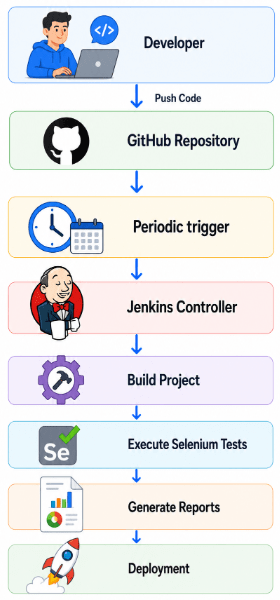
Jenkins Architecture Diagram
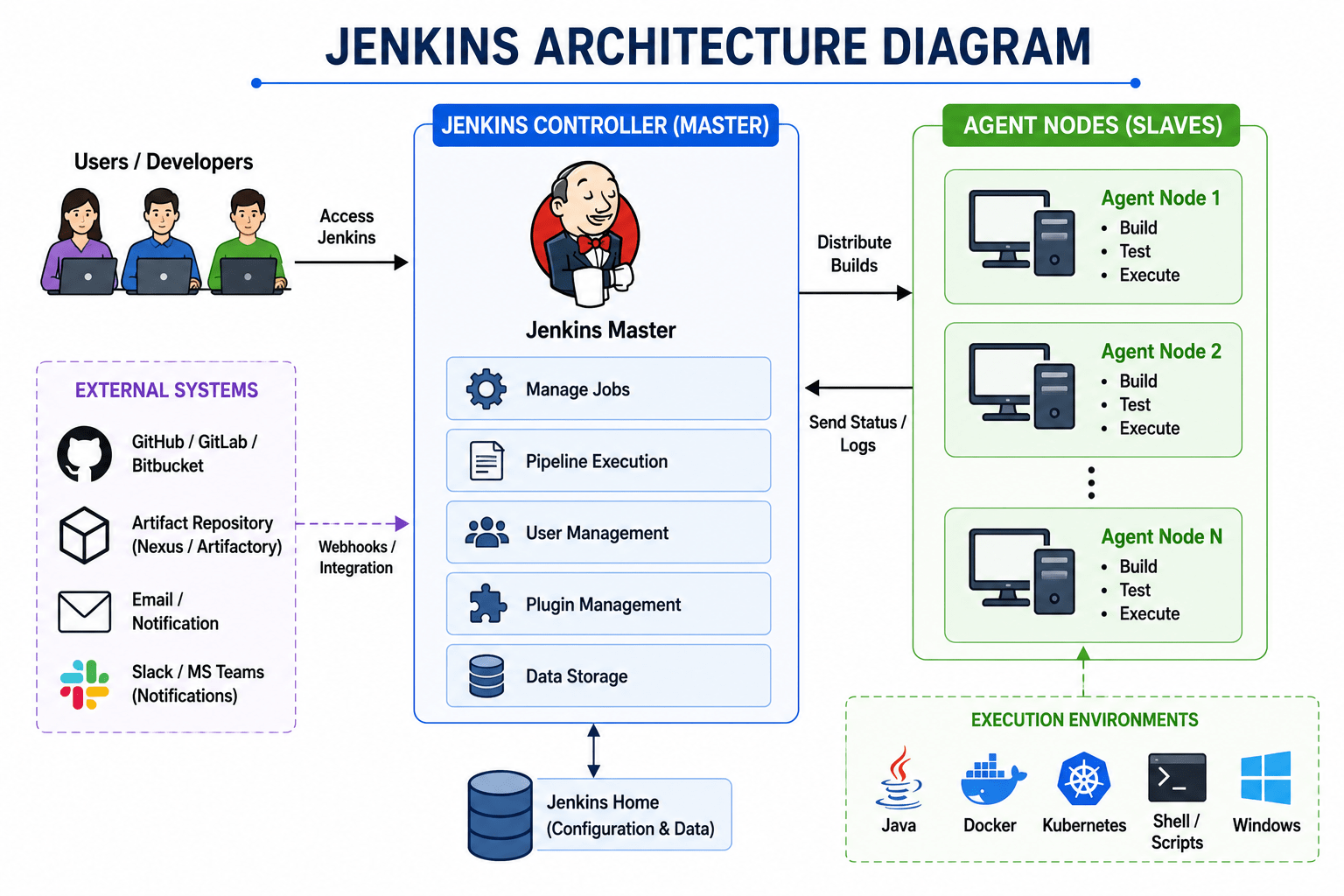
Jenkins Official Dashboard
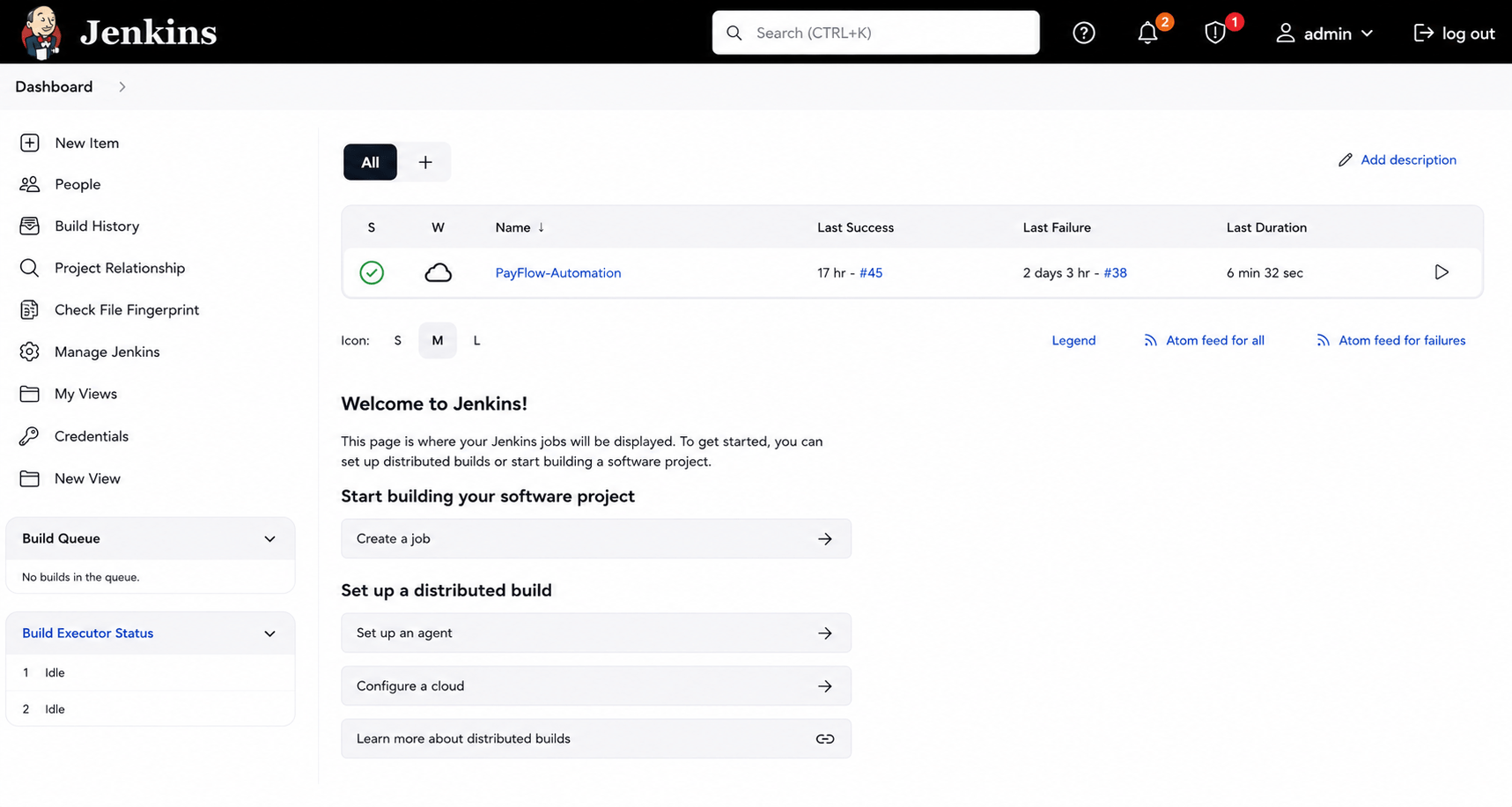
What is Jenkins Installation?
Jenkins installation is the process of installing Jenkins on your computer so you can automate software build, testing, and deployment tasks.
Download and Install Jenkins
2
How to Install Jenkins?
Download Jenkins from the official website.
Screenshot of a Continuous Delivery workflow.
Understand the Role of QA in CI/CD
3
What is the Role of QA in CI/CD?
QA engineers are responsible for ensuring software quality at every stage of the CI/CD pipeline by integrating automated testing into the development process.
Responsibilities of a DevOps QA Engineer
-
Develop automation test scripts.
-
Integrate Selenium tests into Jenkins.
-
Monitor pipeline execution.
-
Analyze failed builds.
-
Validate test reports.
-
Report defects.
-
Collaborate with developers and DevOps engineers.
How QA Works in the CI/CD Pipeline
Developer Commits Code
         │
         ▼
 Jenkins Starts Build
         │
         ▼
 QA Automation Executes
         │
         ▼
  Generate Reports
         │
         ▼
  QA Reviews Results
         │
         ▼
   Approve Build
Example
A developer adds a new UPI payment feature. Jenkins automatically starts the build, Selenium executes regression tests, and generates a test report. If all tests pass, the build is marked as SUCCESS.
Task 2 - Design the PayFlow CI/CD Pipeline Workflow
Identify Pipeline Stages
1
What are Pipeline Stages?
Pipeline stages are individual phases within a CI/CD pipeline. Each stage performs a specific activity that contributes to delivering high-quality software.
Major Pipeline Stages
1. Source Stage
-
Developers write code.
-
Source code is stored in GitHub.
-
Every periodic triggers the pipeline.
2. Build Stage
-
Source code is compiled.
-
Dependencies are downloaded.
-
Build artifacts are generated.
Tool: Maven
3. Test Stage
Automation tests are executed.
Tool: Selenium
4. Deploy Stage
The application is deployed to:
-
Development Environment
-
QA Environment
-
Staging Environment
-
Production Environment
5. Monitor Stage
After deployment:
-
Logs are collected.
-
Performance is monitored.
-
Failures are detected.
-
Alerts are generated.
Pipeline Stage Diagram
Source
  │
  ▼
Build
  │
  ▼
Test
  │
  ▼
Deploy
  │
  ▼
Monitor
Example
GitHub → Jenkins → Maven → Selenium → QA Server → ProductionDesign the PayFlow CI/CD Pipeline
2
What is Pipeline Design?
Pipeline design is the process of planning the complete workflow that software follows from source code to deployment.
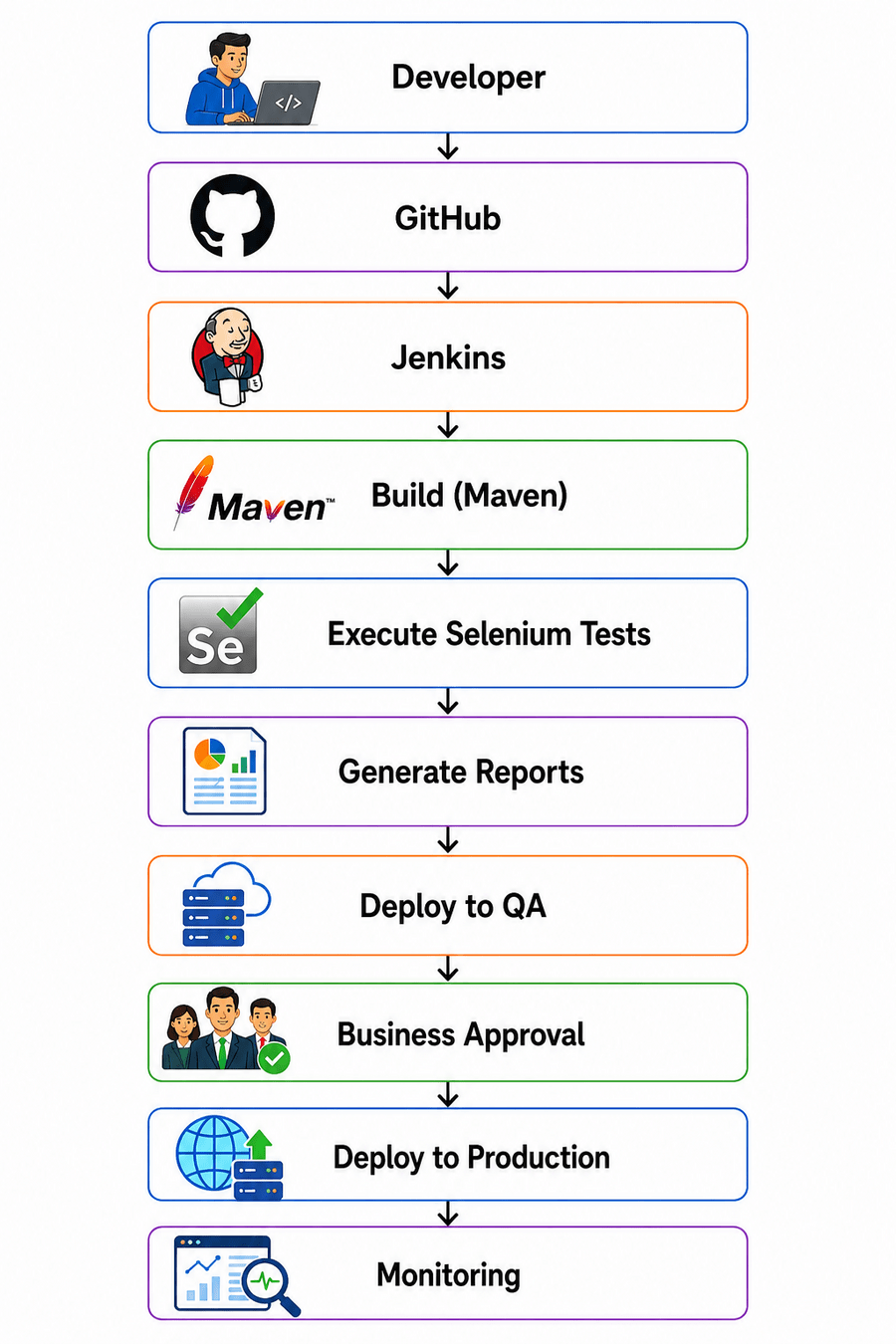
How to Design the PayFlow Pipeline
The PayFlow pipeline includes:
-
Code Commit
-
Source Control (GitHub)
-
Jenkins Trigger
-
Build using Maven
-
Execute Selenium Tests
-
Generate Reports
-
Deploy to QA
-
Manual Approval
-
Production Deployment
-
Monitoring
Pipeline Design
Example
Design the PayFlow pipeline for the Online Payment module.
Understand Artifact Flow Between Pipeline Stages
3
Examples:
-
JAR File
-
WAR File
-
ZIP Package
-
Test Report
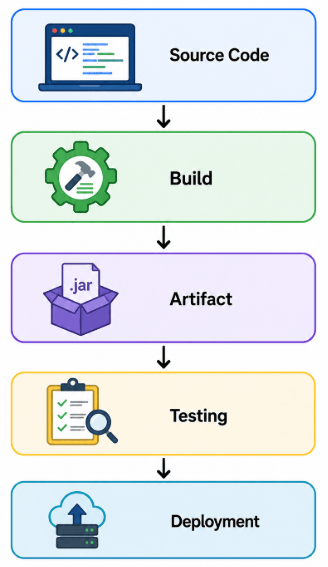
What is an Artifact?
An artifact is the output produced after a successful build. It is the deployable package that moves through the pipeline.
How Does Artifact Flow Work?
Task 3 :Define Pipeline Periodic triggers and Pipeline Stages
Understand Pipeline Periodic Triggers
1
What are Pipeline periodic Triggers?
A Pipeline Trigger is an event that starts the CI/CD pipeline automatically. For example, when a developer uploads new code to GitHub, the pipeline automatically begins the build and testing process. This reduces manual effort and helps detect issues early.
Types of Pipeline Triggers
1. Periodic Trigger
The pipeline runs automatically at a predefined date and time.
Example: Regression tests run every night at 12:00 AM.
2. Manual Trigger
A user manually starts the pipeline from the CI/CD tool.
Example: A QA engineer manually triggers a regression pipeline before a production release.
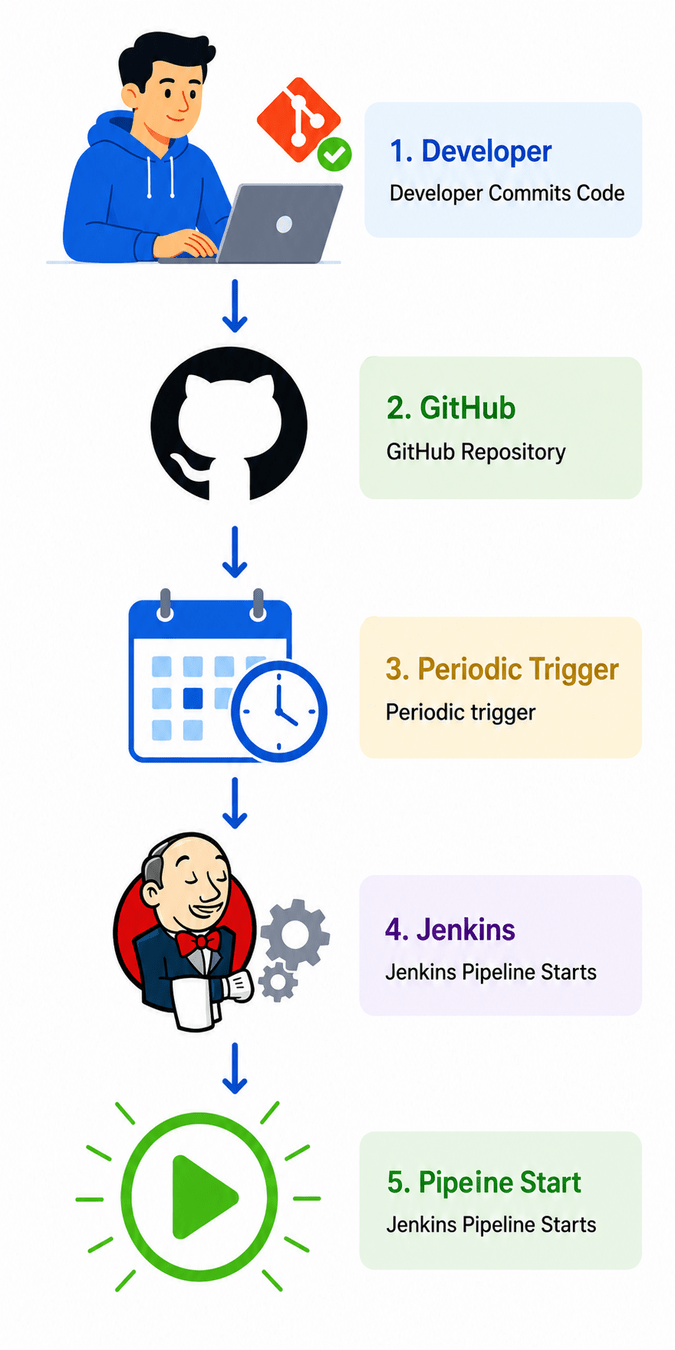
Example (PayFlow)
A developer fixes a bug in the UPI Payment Module and pushes the changes to GitHub.
Periodic trigger will get trigger according to it schedule.
Jenkins automatically starts:
-
Build
-
Automated Testing
-
Report Generation
Configure Manual and Automatic Triggers
2
What are Manual and Automatic Triggers?
Manual Trigger
A manual trigger starts the pipeline only when a user clicks the Build Now or Run Pipeline option.
Automatic Trigger
An automatic trigger starts the pipeline without human intervention whenever predefined conditions are met.
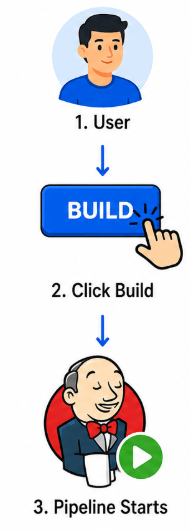
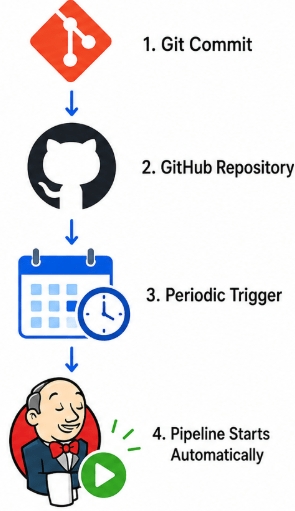
Manual Trigger
Automation Trigger
Example
-
A developer commits new code → at schedule time periodic trigger get trigger then Jenkins automatically starts the pipeline.
-
Before production deployment, the QA Manager manually triggers a final regression pipeline.
Screenshot
Jenkins "Build Now" Button
Understand the Build Stage
3
What is the Build Stage?
Typical activities include:
The Build Stage converts source code into executable files that can be tested and deployed.
-
Downloading dependencies.
-
Compiling source code.
-
Packaging the application.
-
Generating build artifacts.
How Does the Build Stage Work?
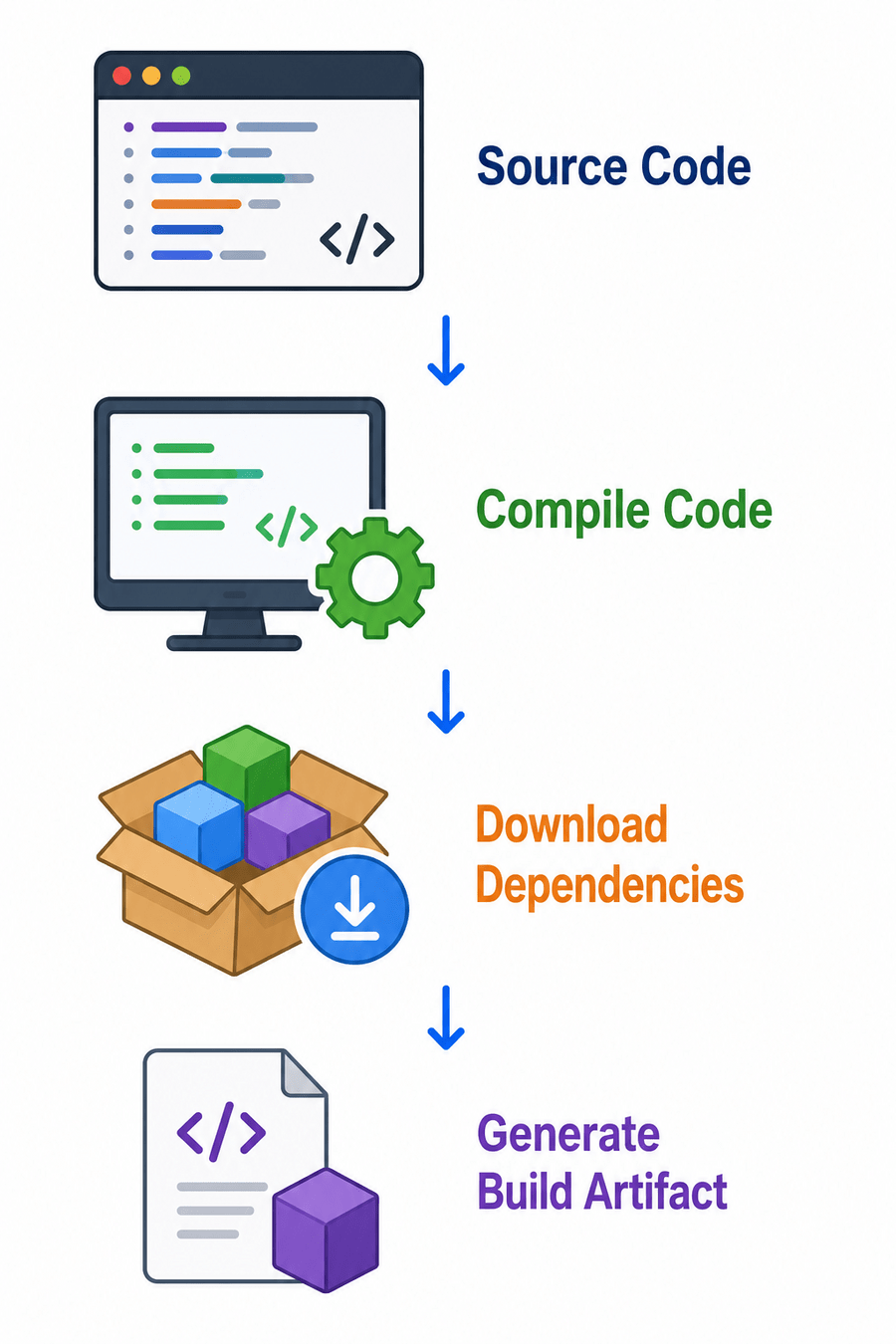
Example (PayFlow Project)
Maven compiles the PayFlow application and generates:
payflow.jar
This JAR file is passed to the testing stage.
Screenshot
Maven Build Success
Jenkins Console Output
Understand the Test Stage
4
What is the Test Stage?
The Test Stage executes automated test cases to verify that the application functions correctly after every build.
Example
The Payment Module build completes successfully.
Selenium automatically executes:
-
Login Test
-
Payment Test
-
Transaction Validation Test
A report is generated showing passed and failed test cases.
Screenshot
Selenium Test Execution Report
Jenkins Test Result Dashboard
Understand the Deployment
5
What is the Deployment Stage?
The Deployment Stage transfers the validated application to different environments such as Development, QA, Staging, or Production.
Example
After successful testing:
-
PayFlow is deployed to the QA environment.
-
QA validates payment functionality.
-
After approval, the application is deployed to Production.
-
Monitoring tools track transaction success rates and application health.
Task 4: Plan Automation Steps in the CI/CD Pipeline
Identify Automation Activities in the CI/CD Pipeline
1
What are Automation Activities?
Automation activities are tasks performed automatically by DevOps tools without requiring manual intervention. These activities help ensure faster software delivery, consistent execution, and improved software quality.
Common Automation Activities
-
Source Code Checkout
-
Application Build
-
Dependency Download
-
Unit Test Execution
-
Selenium Automation Testing
-
Report Generation
-
Artifact Creation
-
Deployment
-
Monitoring
How Does Automation Work?
Whenever a developer commits code:
-
Jenkins detects the code change.
-
Source code is downloaded from GitHub.
-
Maven builds the project.
-
Selenium executes automated test cases.
-
Reports are generated.
-
The application is deployed automatically.
Example (PayFlow)
A developer modifies the Payment Confirmation Module.
The pipeline automatically:
-
Downloads the latest code.
-
Builds the application.
-
Executes Selenium tests.
-
Generates reports.
-
Deploys the application to the QA environment.
Screenshot
Automation Workflow
Good Job!!
Congratulations! You have successfully completed the PayFlow CI/CD Pipeline Design Overview lab.
In this lab, you gained a solid understanding of how a CI/CD pipeline automates the software delivery process in a DevOps environment. You learned the fundamentals of Continuous Integration (CI) and Continuous Delivery (CD), understood the workflow and key stages of a CI/CD pipeline, and designed a complete pipeline for the PayFlow project. You also explored different pipeline triggers, identified the responsibilities of each pipeline stage, planned automation activities such as build and test execution, analyzed pipeline reports, and mapped the end-to-end automation workflow. Additionally, you understood the critical role of a DevOps QA Engineer in integrating automated testing, ensuring software quality, and supporting reliable and efficient software releases through continuous automation and collaboration.
Checkpoint
Git Push
- Install and configure Jenkins
- Create first pipeline job
- Connect Jenkins with GitHub
- Run initial build
Next-Lab Preparation
git push origin branchName