Google Ads Remarketing


Set Up Ads Remarketing Campaigns


Learning Outcome
6
Optimize with tracking & bidding
5
Structure campaigns effectively
4
Track key user actions
3
Install & verify global tag
2
Manage remarketing audiences
1
Set up remarketing in Google Ads
Creating Remarketing Audiences in Google Ads

Use Audience Manager & set duration (7–30 days) based on sales cycle
Installing Google Ads Tag (Global Site Tag)
Add the Global Site Tag (gtag.js) to your website's header through
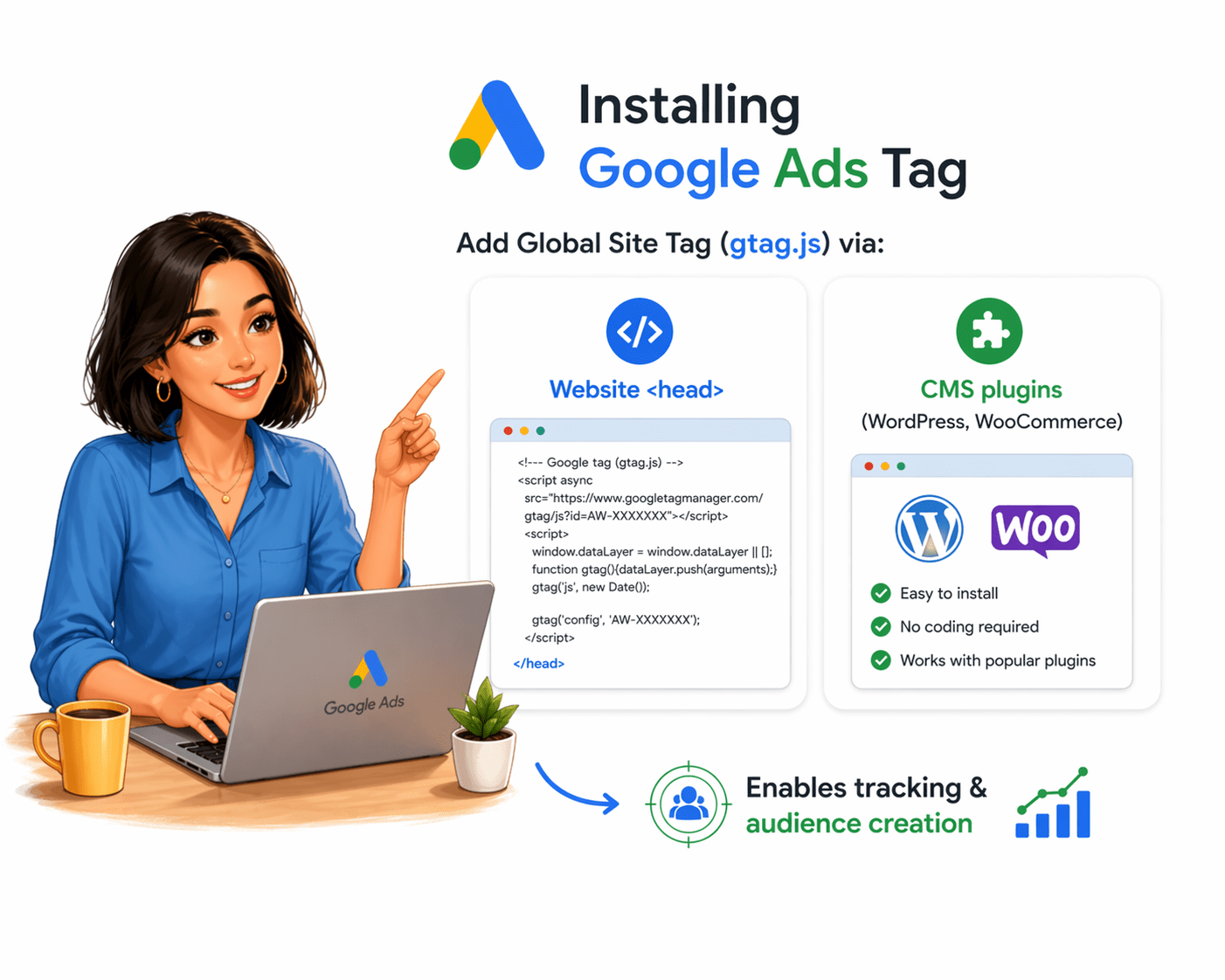
This essential tracking code enables all remarketing functionality and audience building on your website
Tracking Key Events

After installation, track these key events that help measure intent and conversions:
These events provide insights into customer behavior and allow you to build more accurate remarketing lists.
Campaign Structure & Targeting

Tracking & Optimization
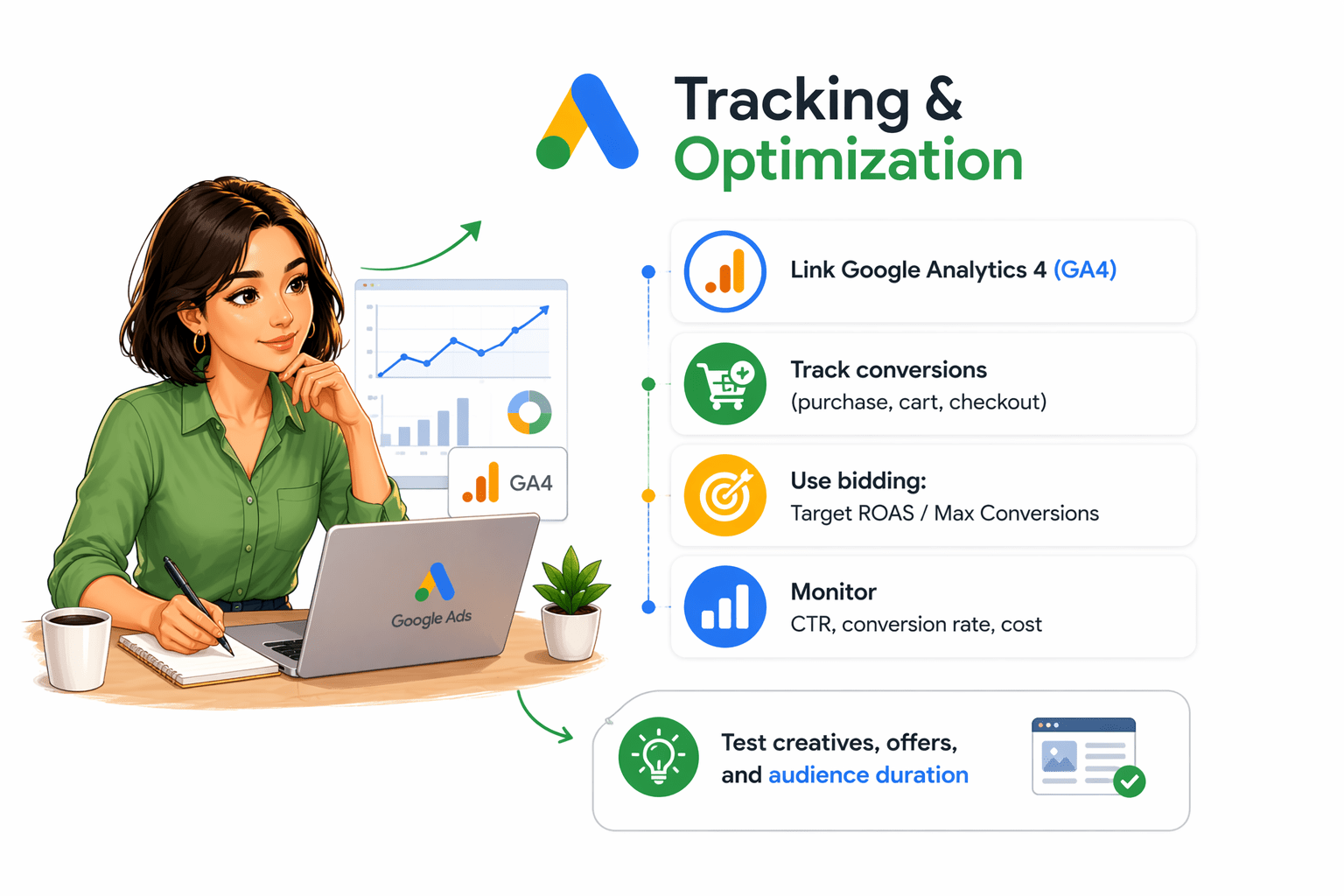
Test creatives, offers, and audience duration

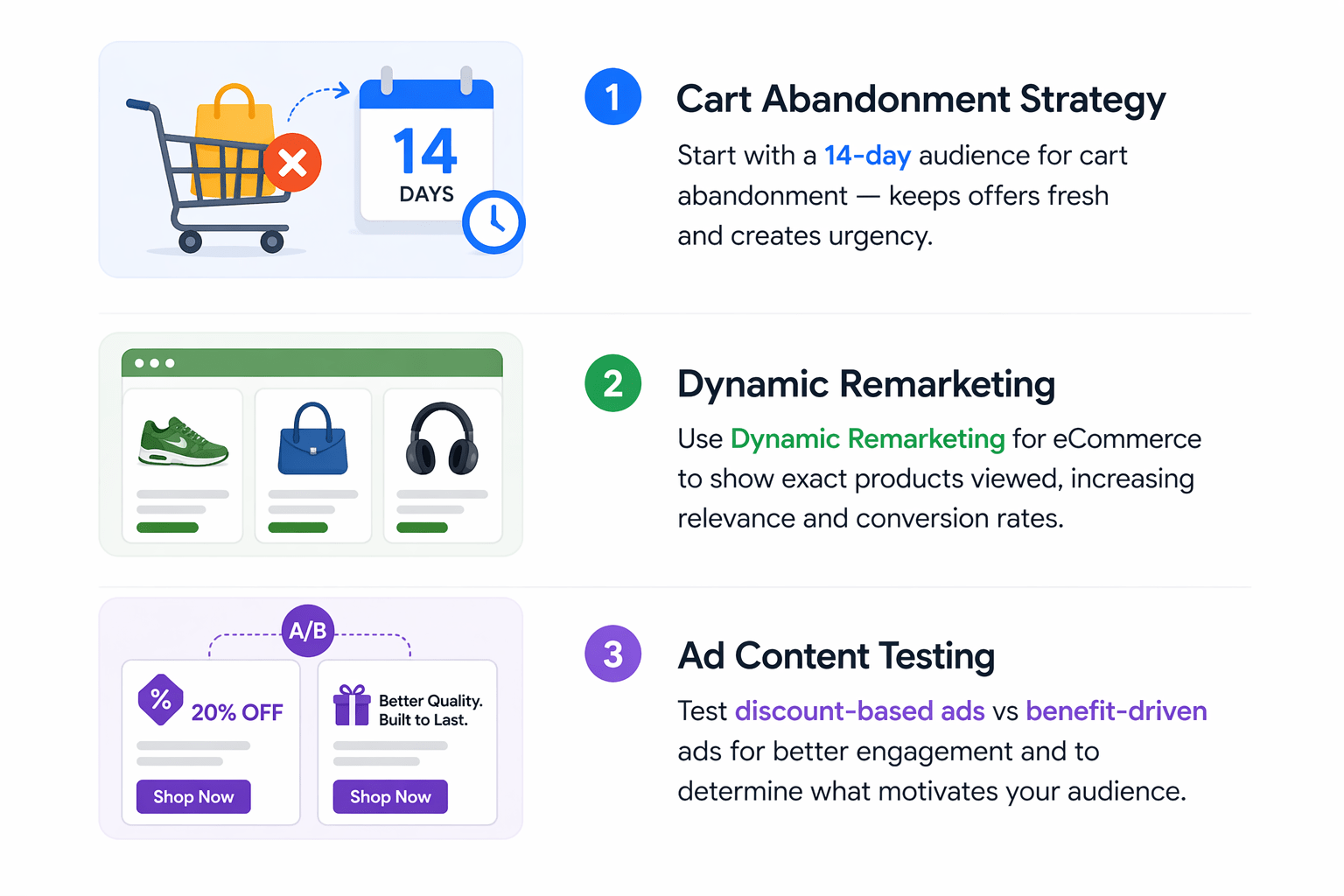
Pro Tips for Remarketing Success
Summary
5
Structure campaigns with targeting
4
Track events (visits, cart, purchase)
3
Install Google Ads tracking tag
2
Create audiences from user behavior
1
Build complete remarketing campaigns
Quiz
Which of the following is an example of a remarketing event?
A. Website loading speed
B. User clicking “Add to Cart”
C. Server uptime
D. Ad impressions

Quiz-Answer
Which of the following is an example of a remarketing event?
A. Website loading speed
B. User clicking “Add to Cart”
C. Server uptime
D. Ad impressions
