Introduction to K8s and it's Concept


Concepts: Pods, Nodes, Services, Deployments, ReplicaSets

Learning Outcome
4
Understand how these components work together for scalability
3
Describe how Services enable stable communication
2
Explain how ReplicaSet and Deployment maintain desired state
1
Identify the role of Nodes and Pods in a cluster
Topic Name-Recall(Slide3)
Hook/Story/Analogy(Slide 4)
Transition from Analogy to Technical Concept(Slide 5)
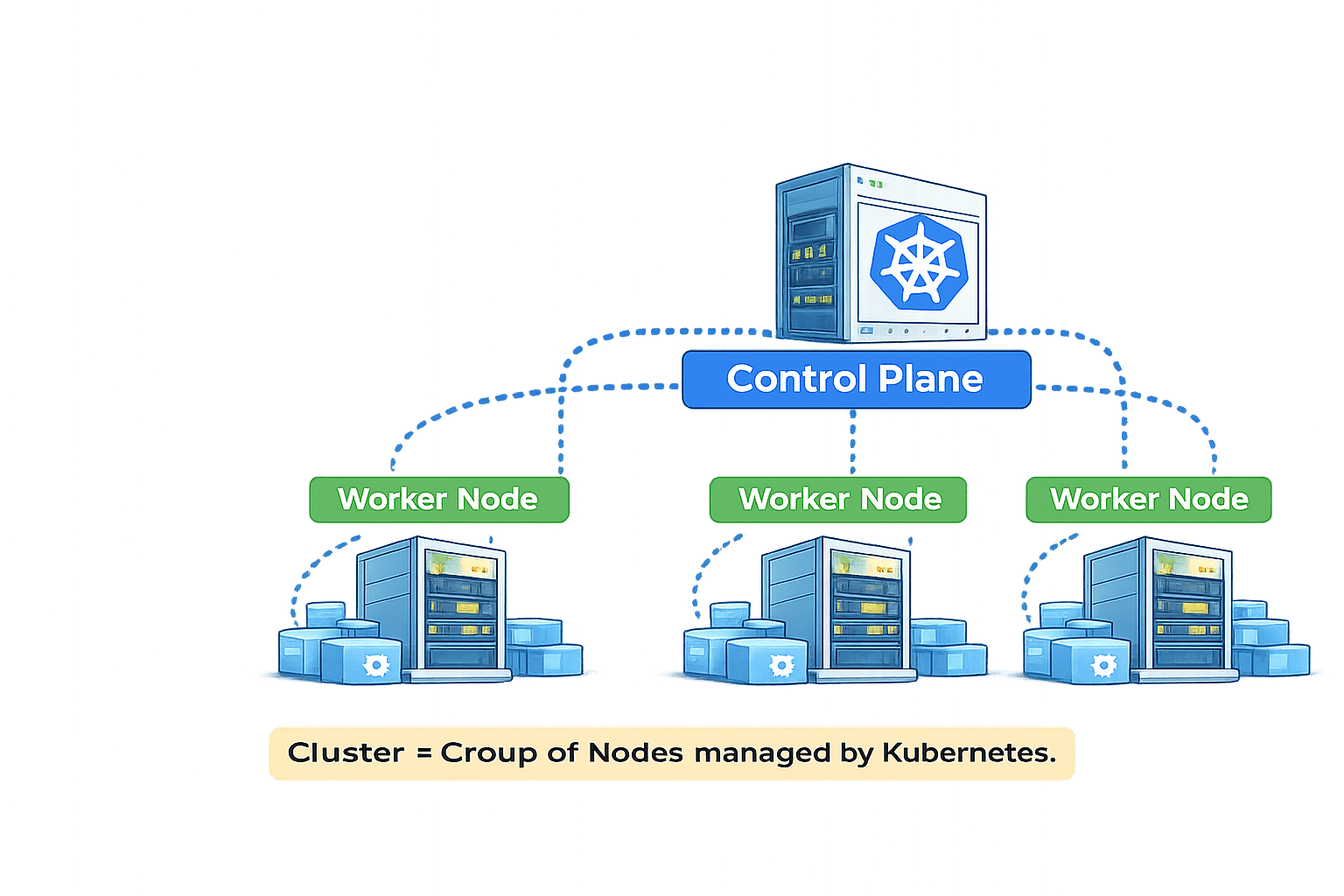
What is Clustering in Kubernetes?
Clustering means multiple machines (Nodes) working together as one single system
Instead of running application on one single server,
We distribute workload across multiple Nodes
Cluster = Group of Nodes managed by Kubernetes
In Kubernetes:
A Cluster consists of:
-
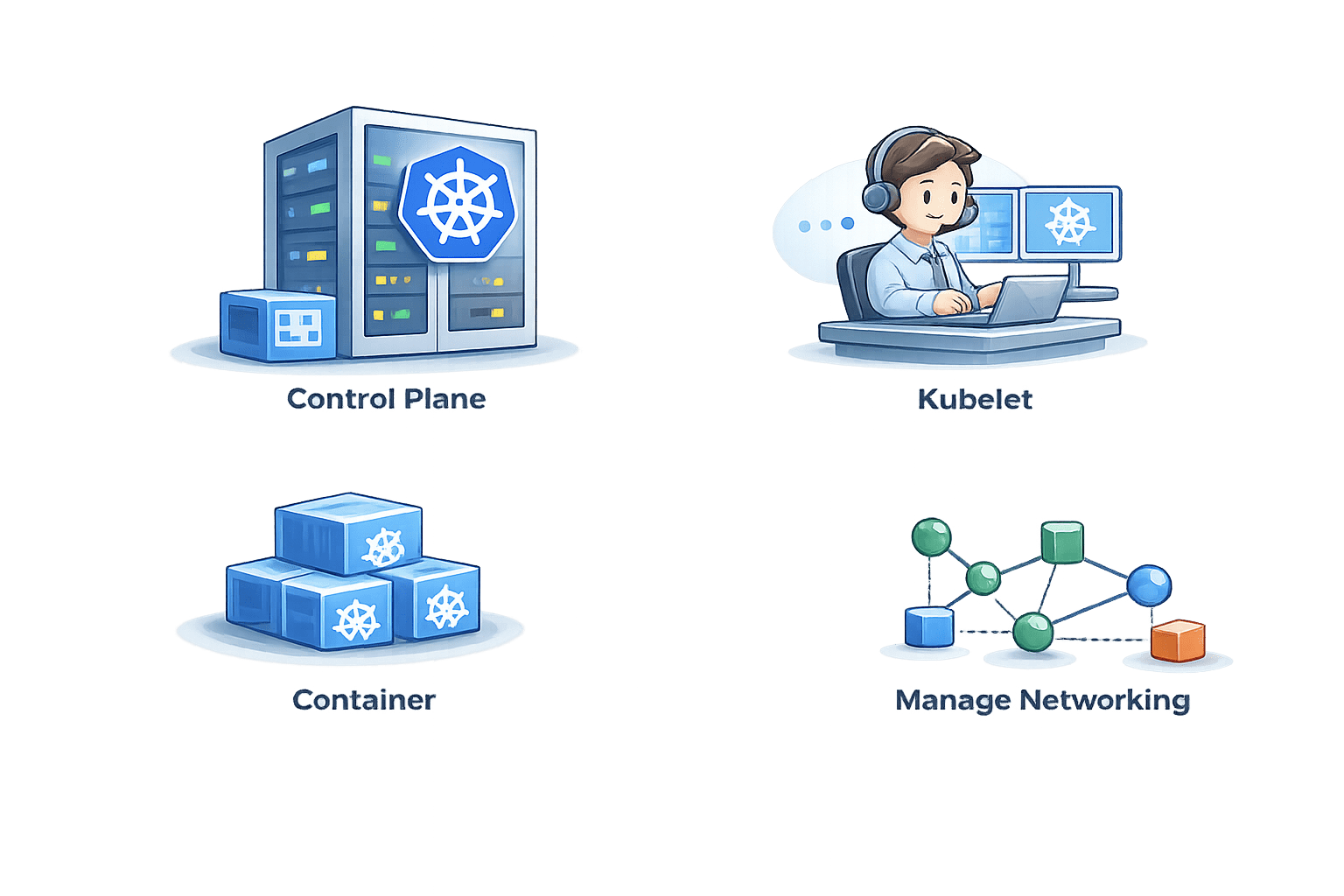
Control Plane
-
Multiple Worker Nodes
How clustering works in Kubernetes:
Nodes join a Cluster
Multiple computer(Nodes) join a cluster
1
Control Plane manages all Nodes
Control Plane manages and oversees all Nodes
2
Scheduler Places Pods
Scheduler decides On which Node Pod should run
3
Pods Rescheduled on failure
If one Node fails:
Pods are rescheduled on another Node
4
Traffic is Distributed
Traffic is evenly balanced across Pods on all Nodes
5
How clustering works in Kubernetes:
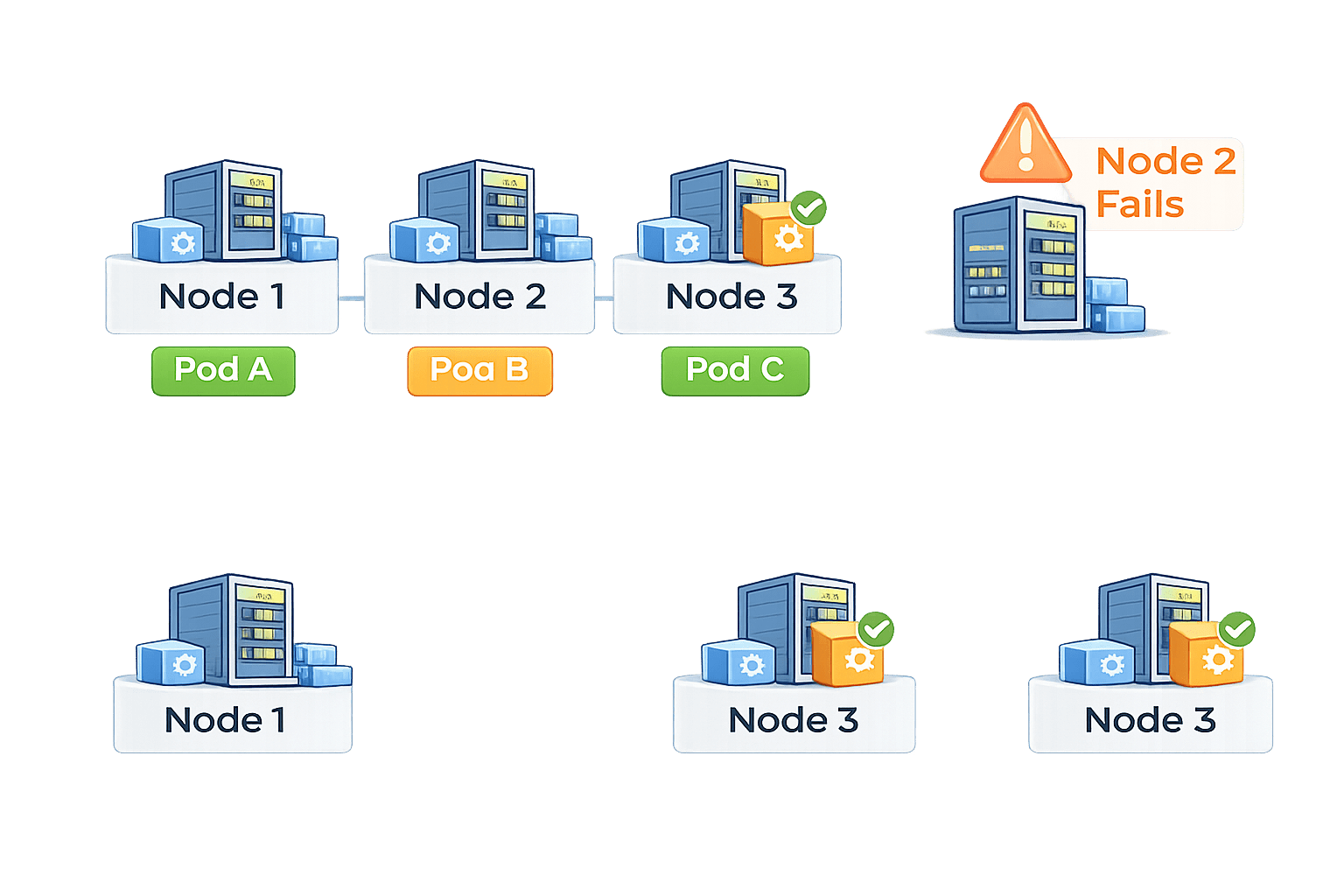
Example:
Pod A
Cluster ensures application remains available
Pod A
Pod B
Pod B
Pod C
If Node 2 fails
-
Pod B is recreated on Node 1 or Node 3
What is a Node?
A Node is a worker machine in Kubernetes
It can be :
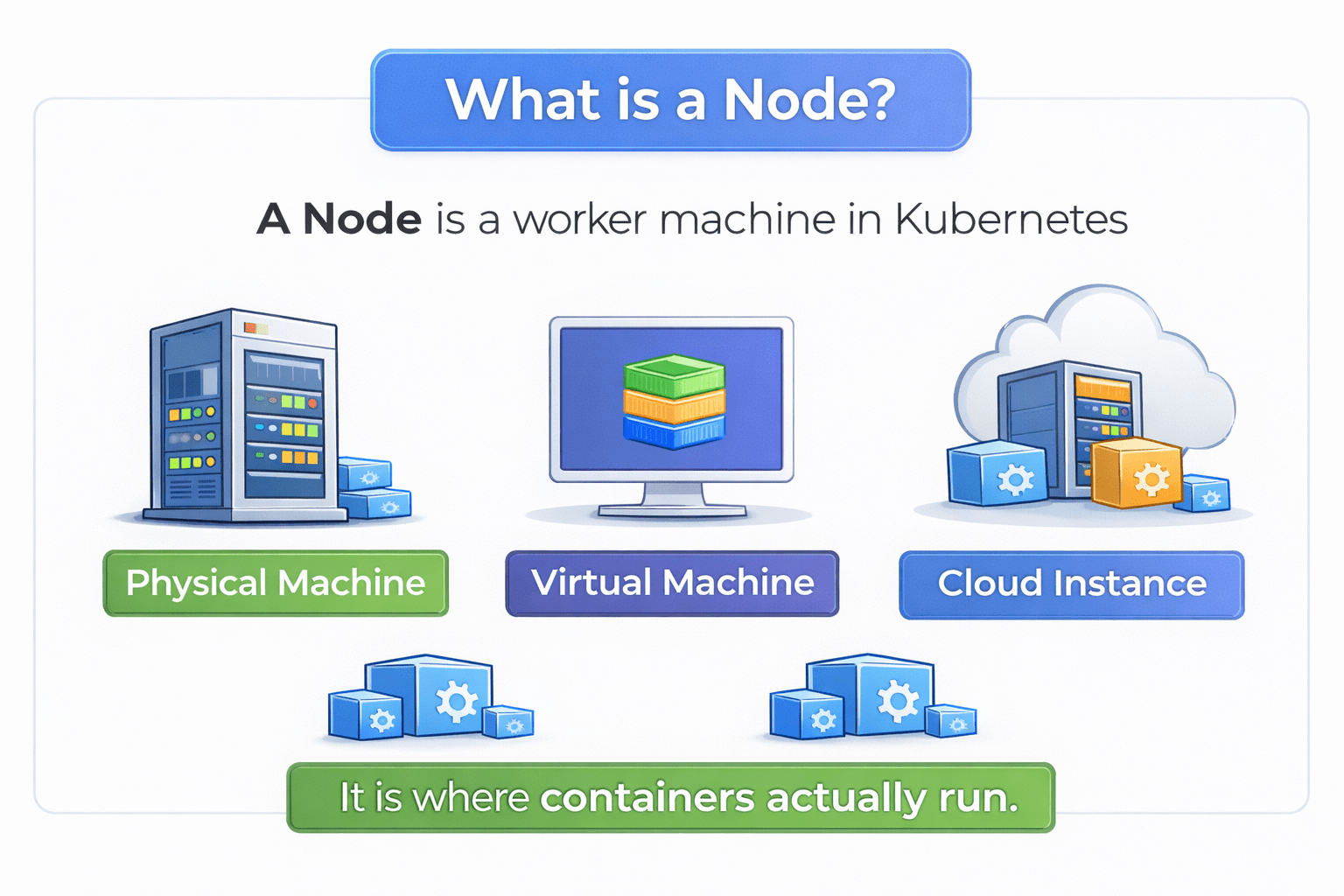
Physical Machine
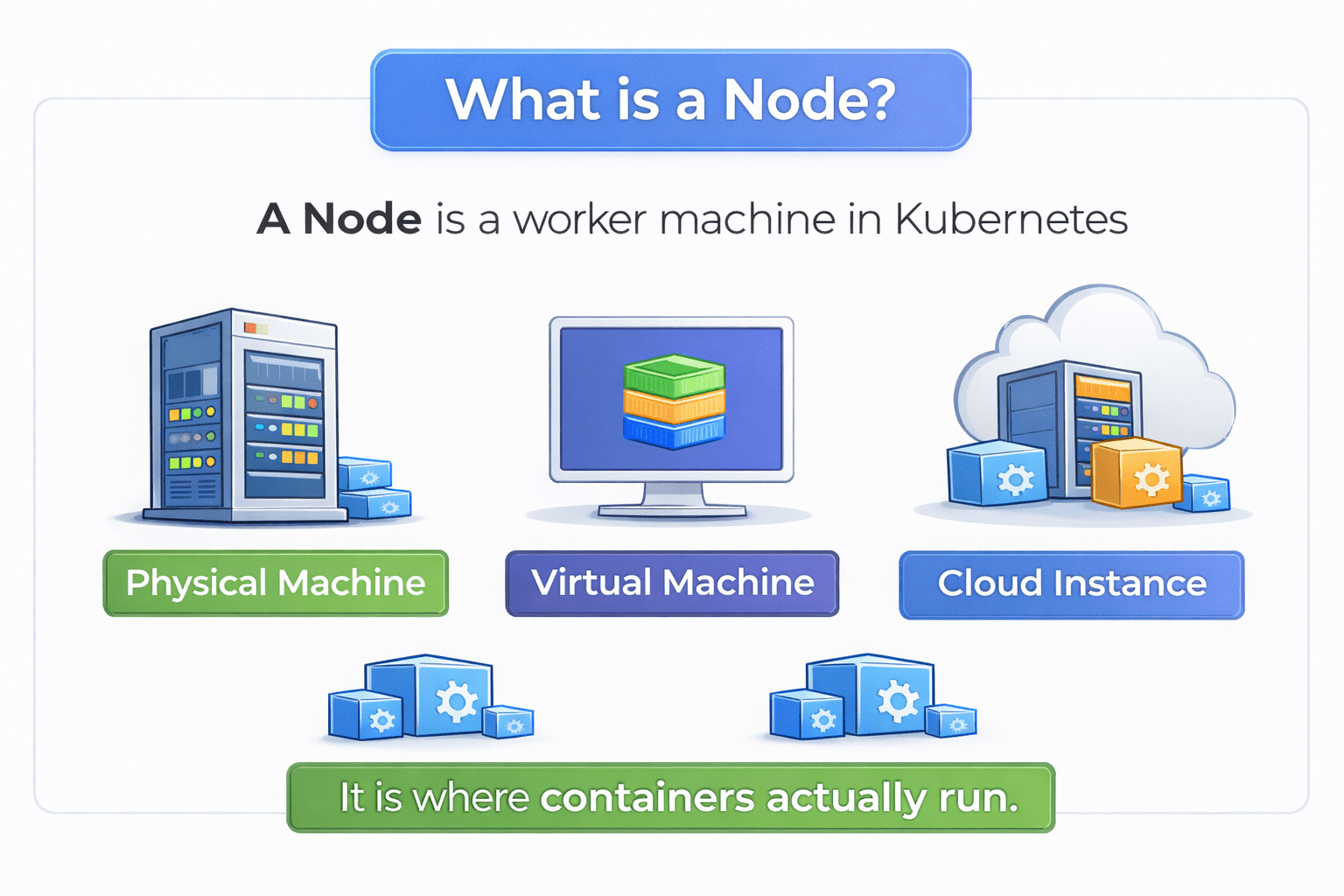
Virtual Machine
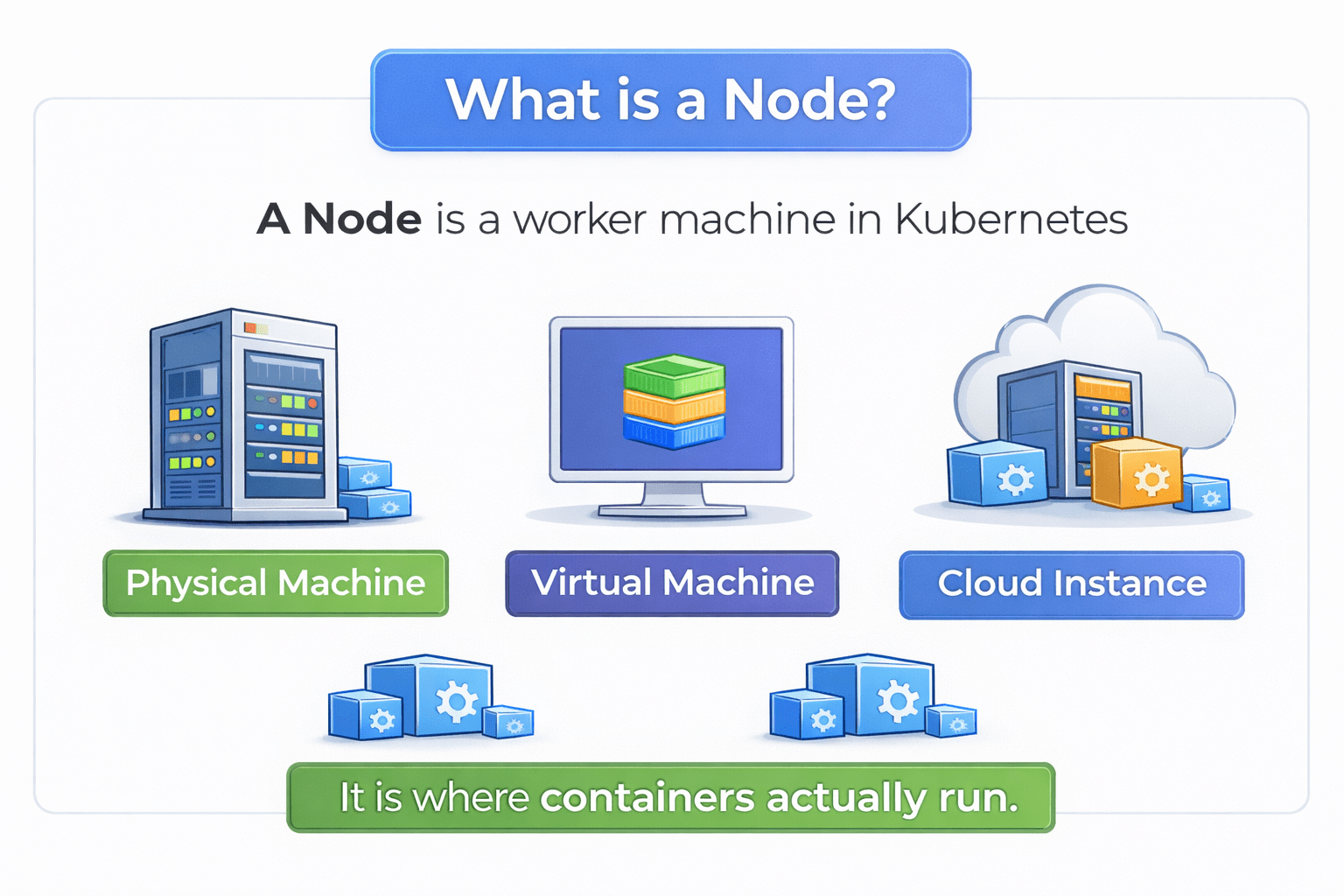
Cloud Instance
It is where containers actually run
What is a Node?
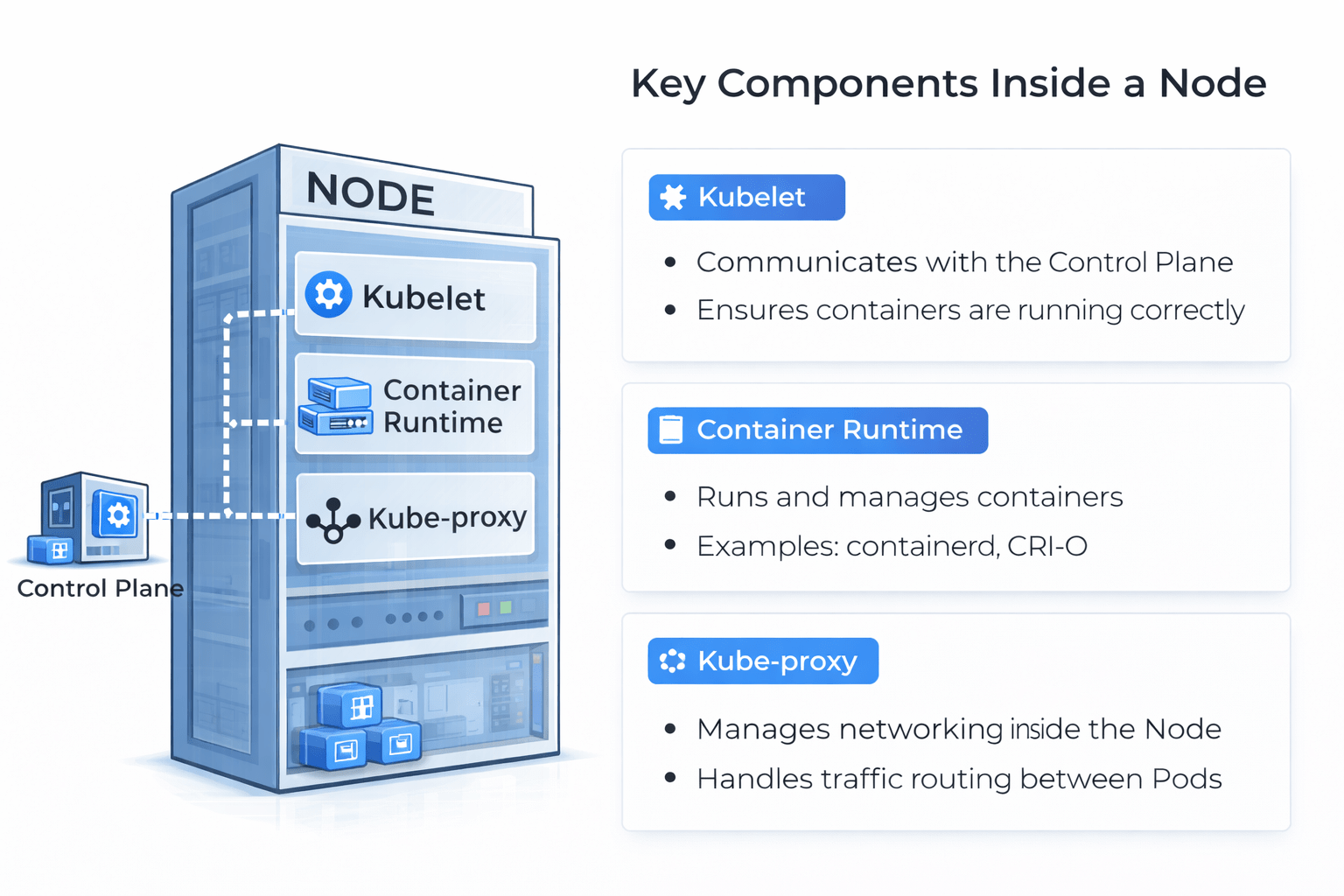
Kubelet
- Communicates with Control Plane
- Ensures containers are running correctly
Container Runtime
- Runs and manage containers
- Example: containerd , CRI-O
Kube-proxy
- Manage networking inside the node
- Handles traffic routing between Pods
How Node works?
Control Panel
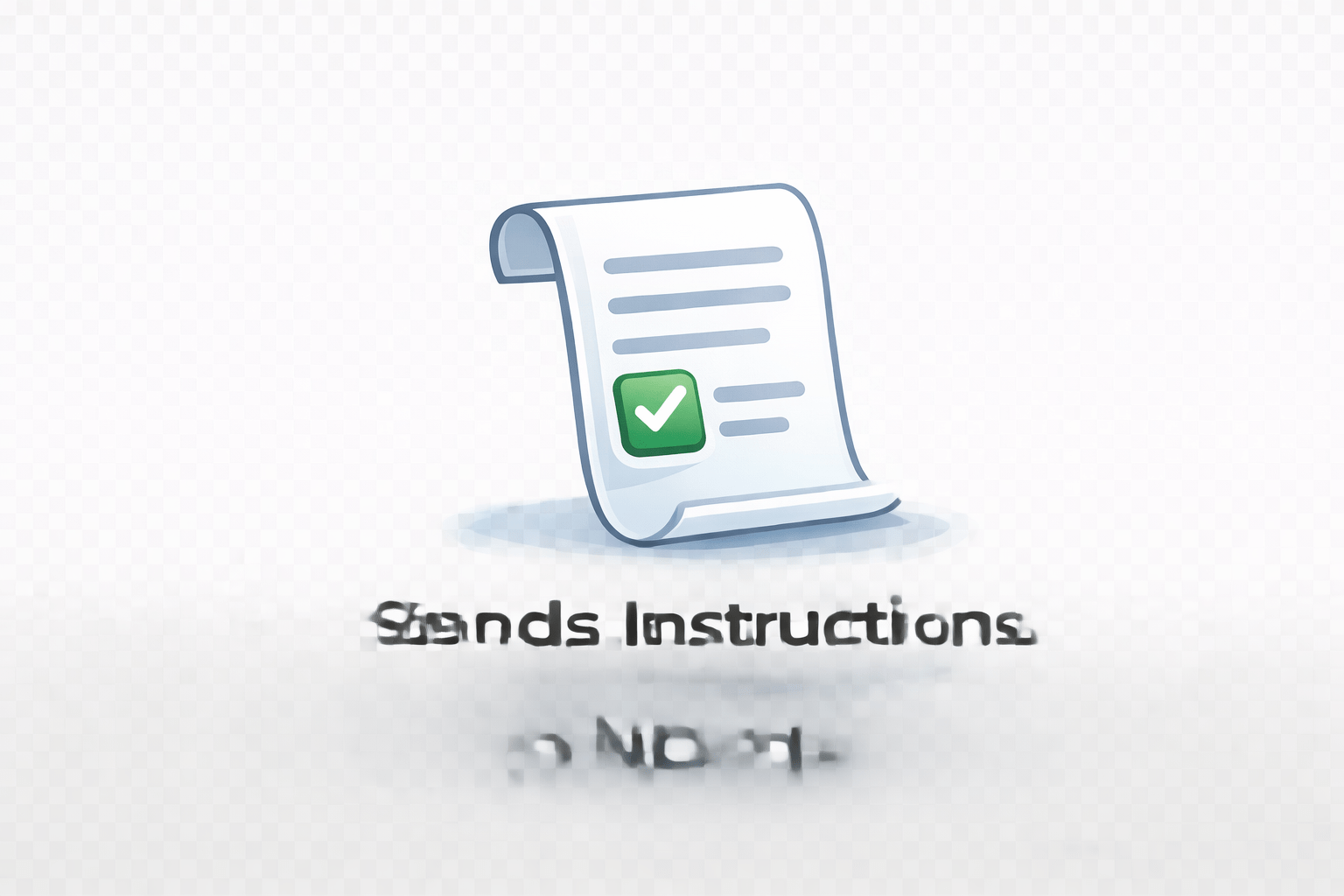
Sends Instructions to Node
1
Node
Kubelet
Receive Instructions
2
Container Runtime
Pulls image and runs container
3
Kube-proxy
Manages networking
4
How Node works?
Node = Execution environment
If Node fails:
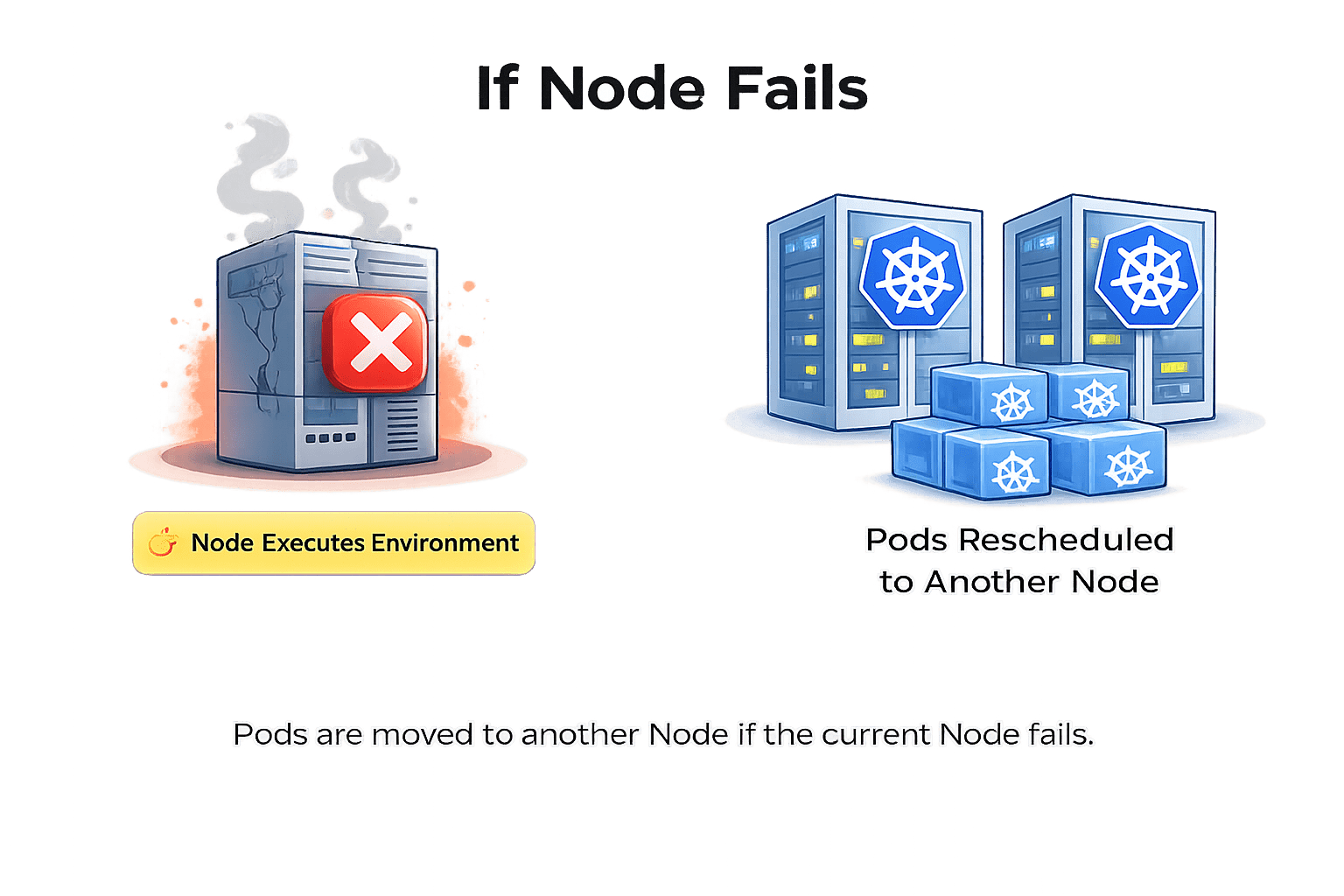
Pods rescheduled to another Node
What is a Pod?
Pod is the smallest deployable unit in Kubernetes wrapping around one or more containers
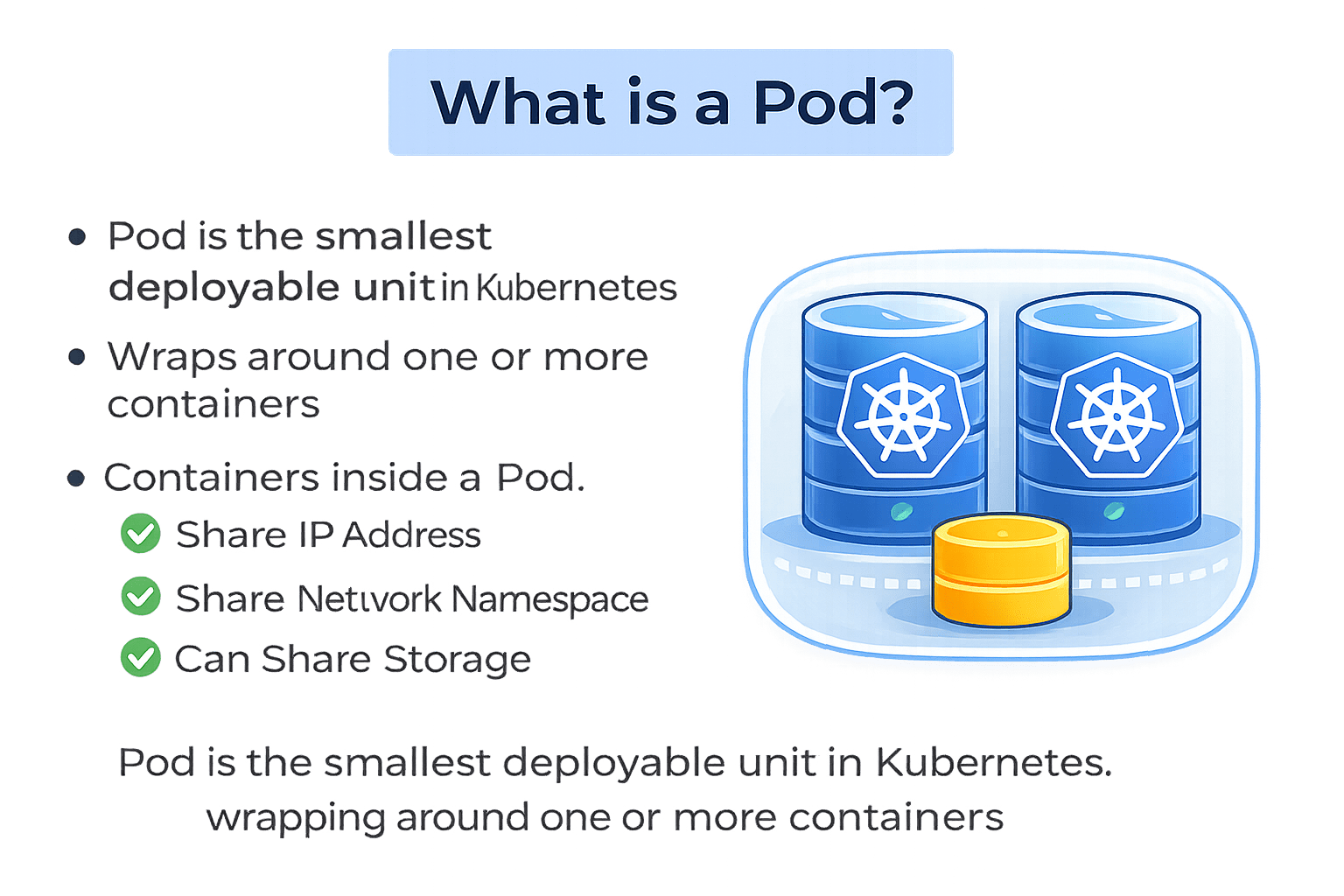
Containers inside a Pod:
Share the same IP address
Share the same network namespace
Can share storage using Volumes
What is a Pod?
Important understanding:
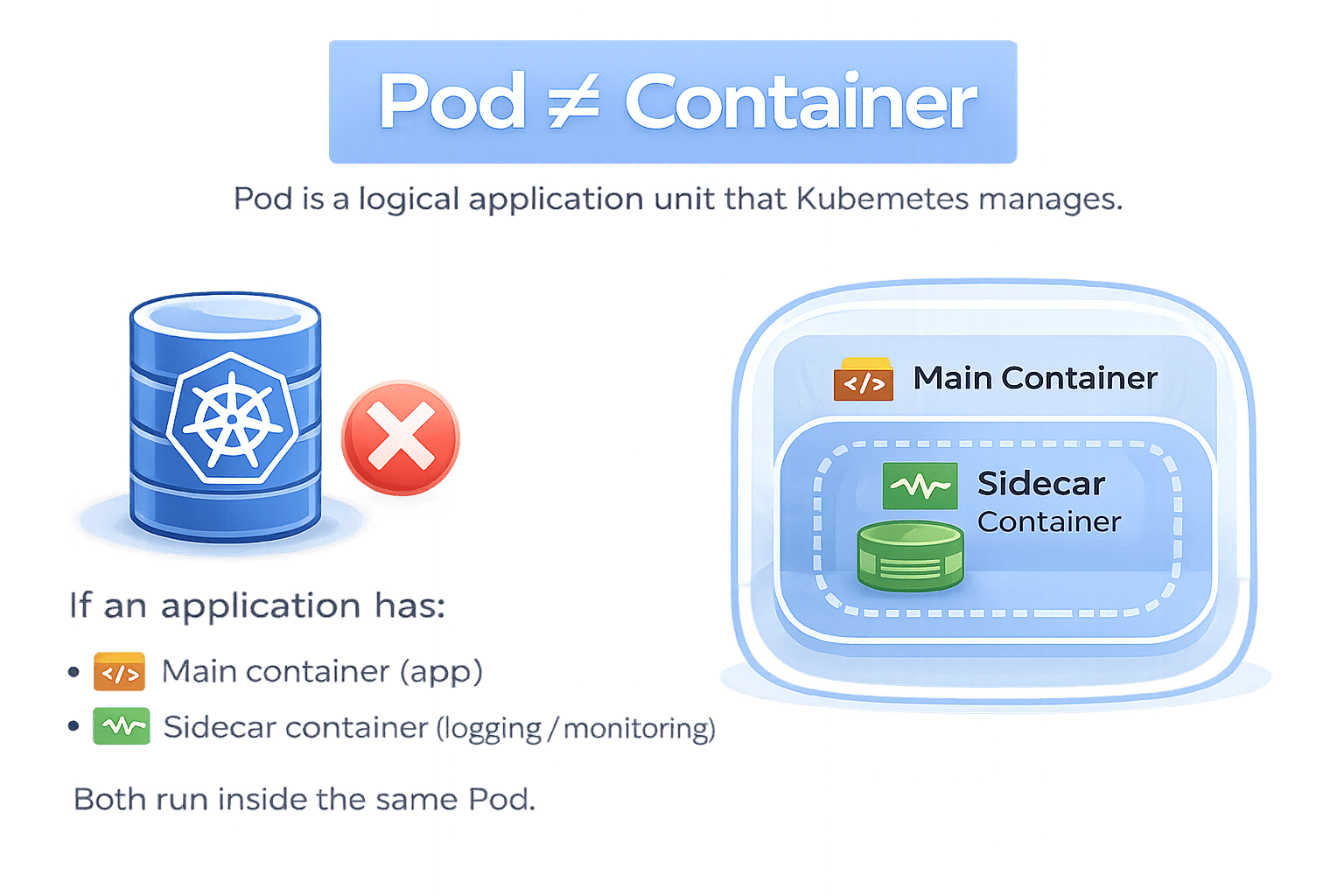
Pod is NOT equal to container.
Pod is a logical application unit that Kubernetes manages.
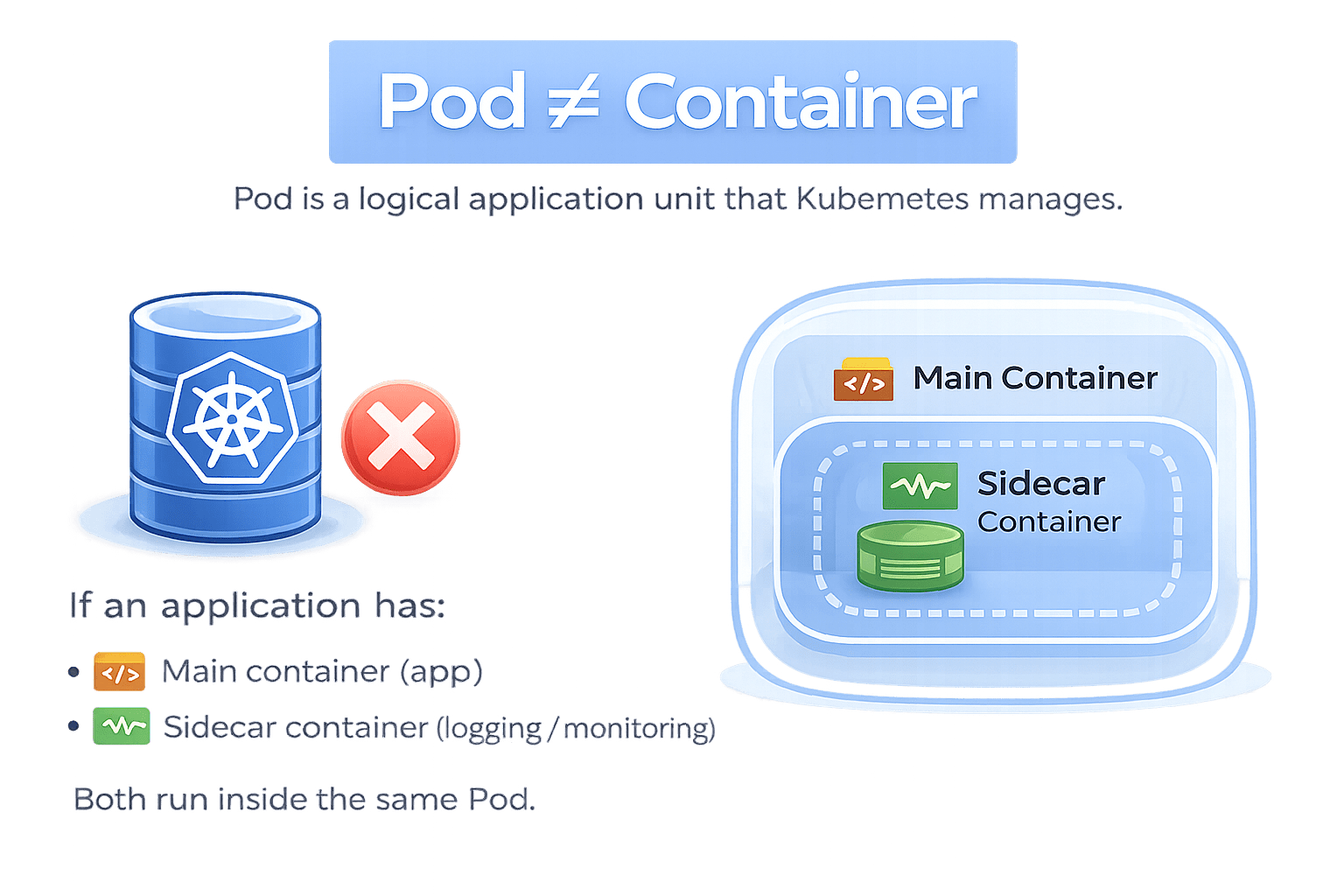
If your application has:
-
Main container (app)
-
Sidecar container (logging / monitoring)
Both run inside the same Pod
How Pod works:
Scheduler
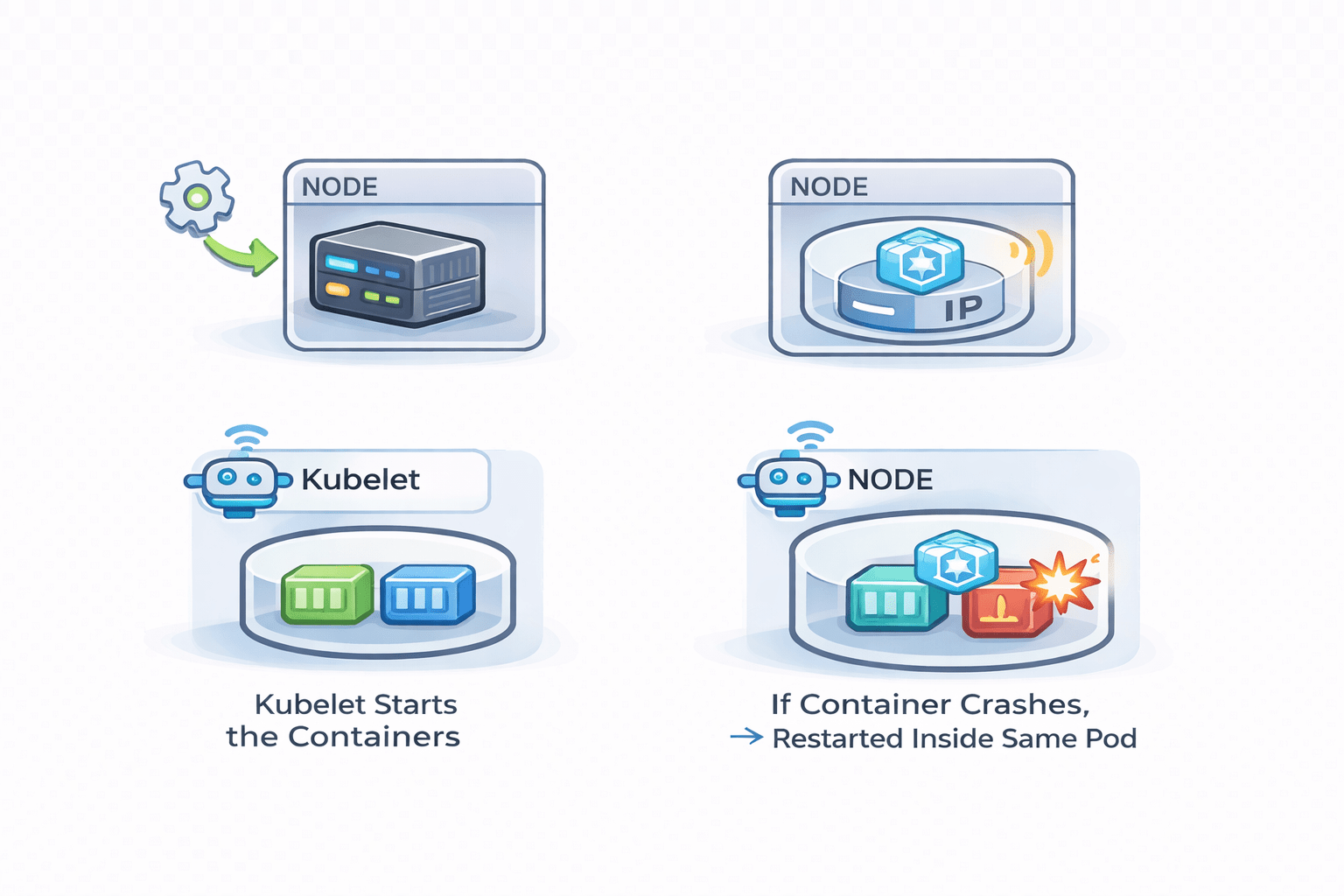
Assigns Pod to a Node
Pods
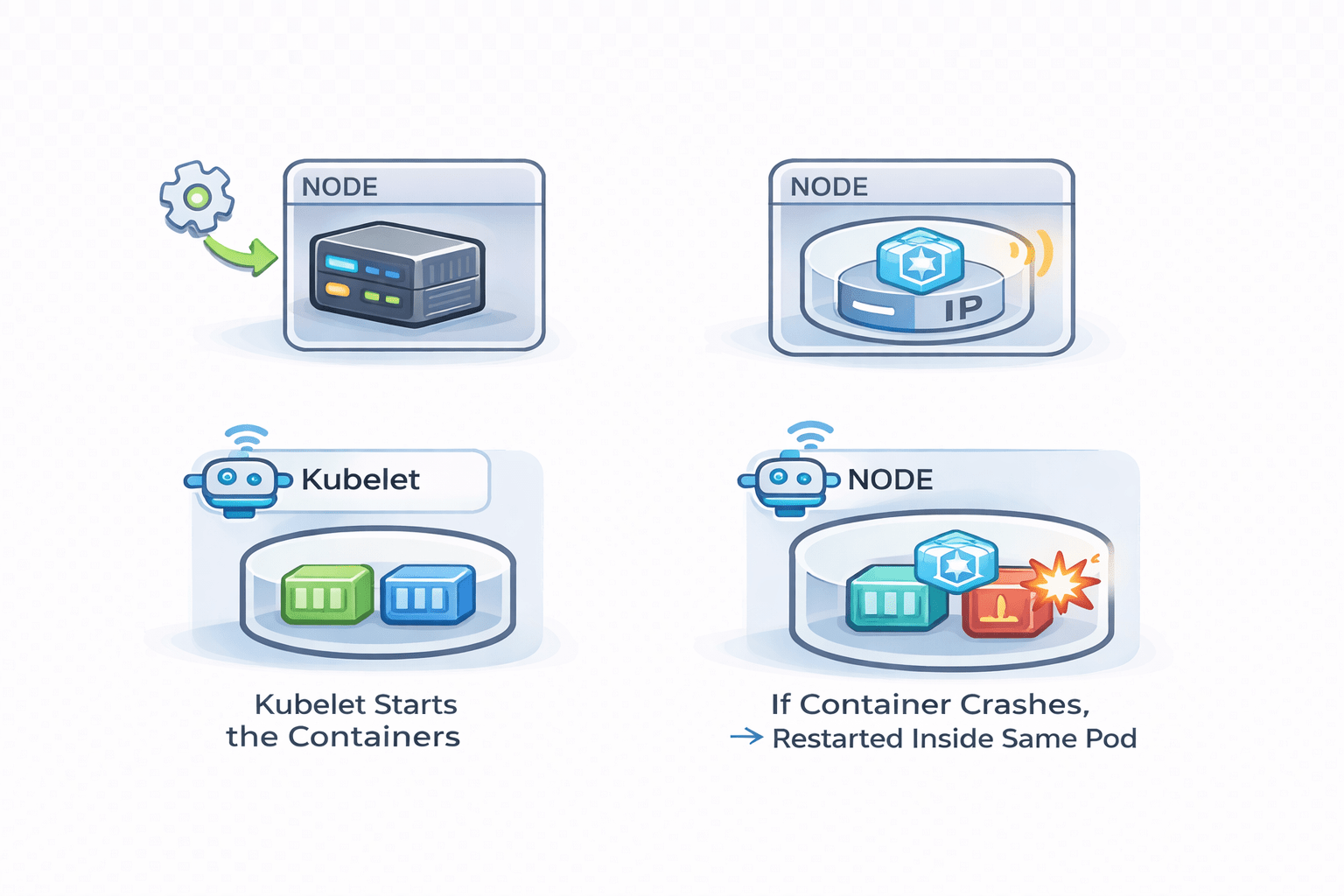
Gets a unique IP inside the cluster
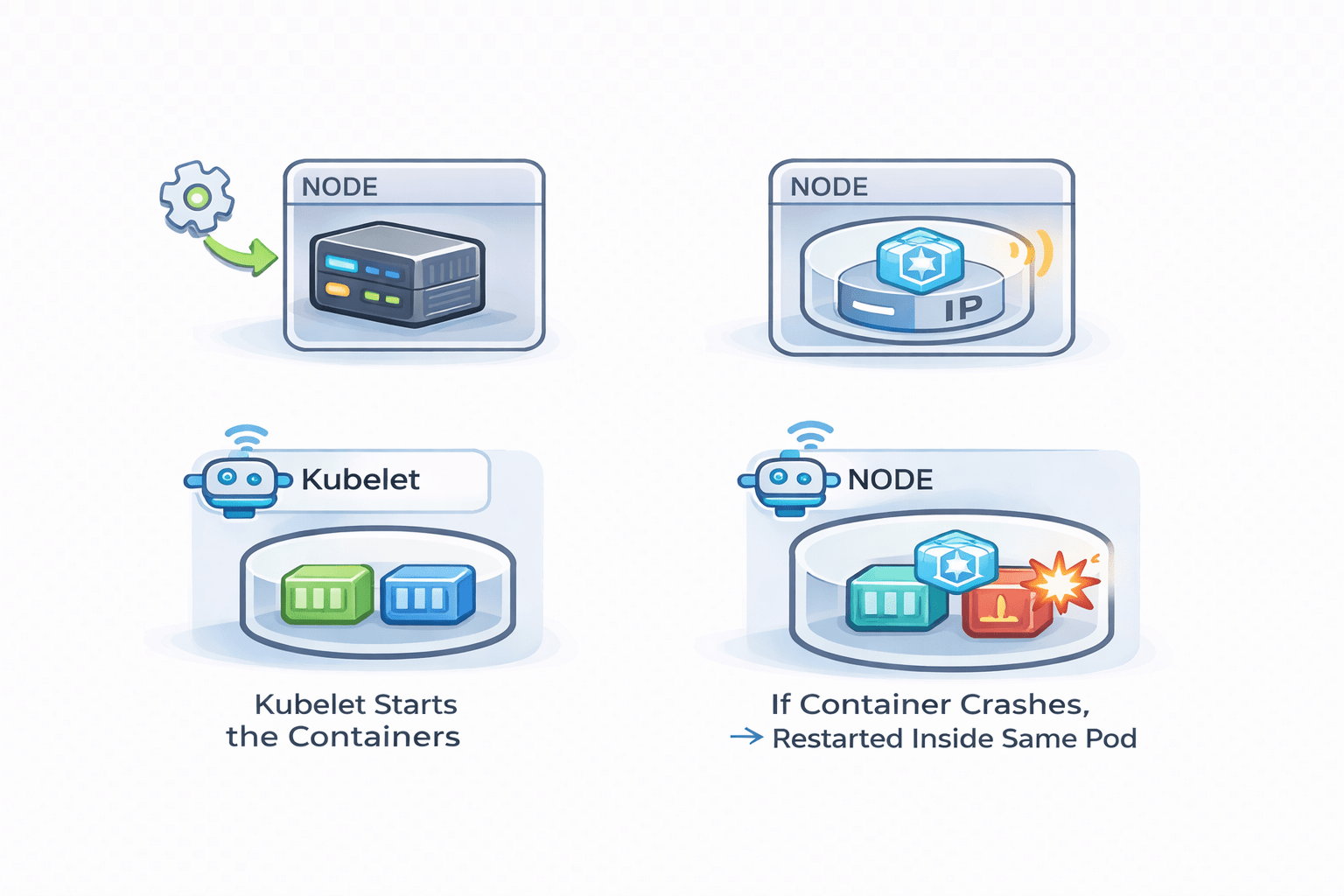
Kubelet
Starts the containers
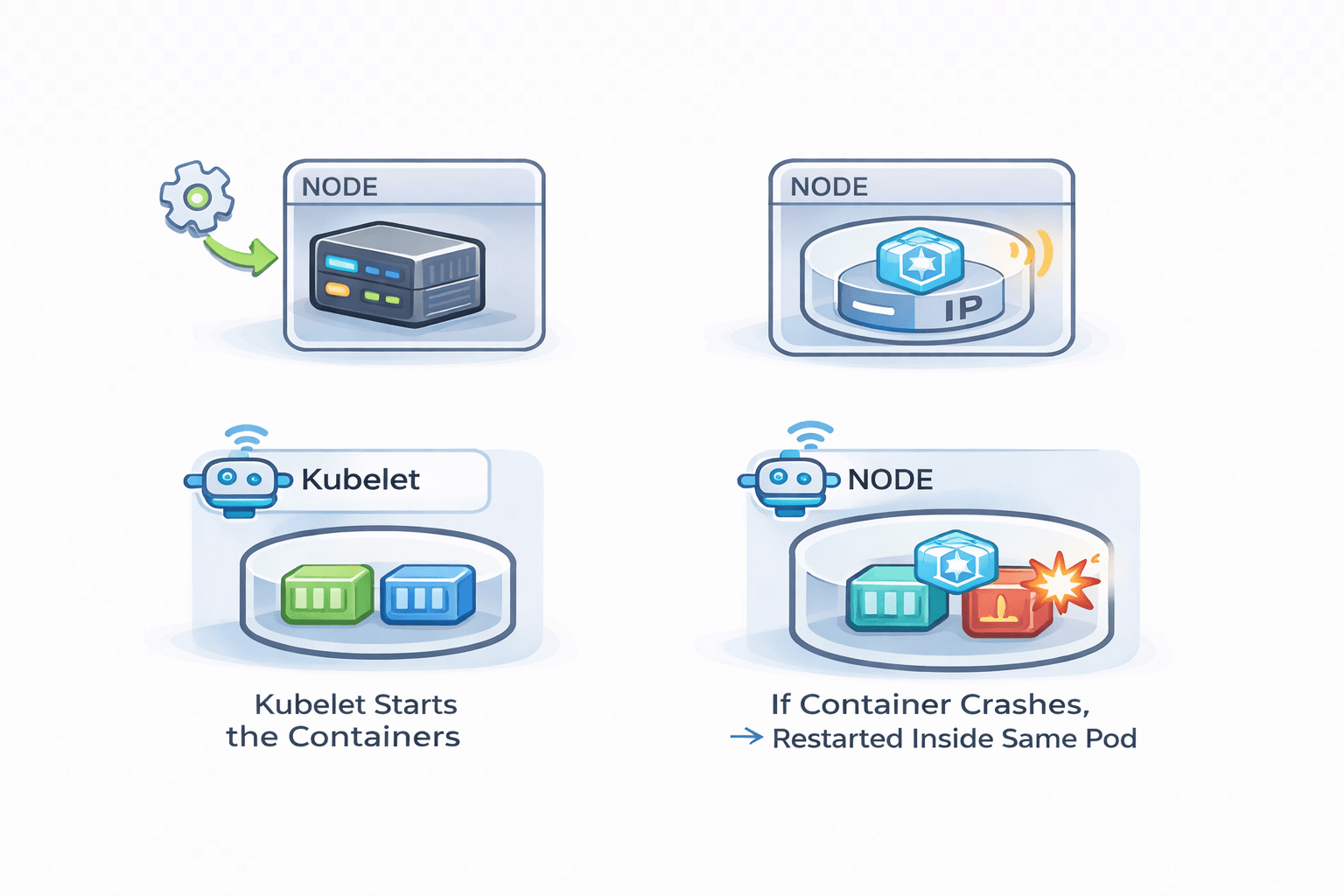
If Container Crashes
It restarted inside same Pod

Important Concept:
Pods are Temporary
What is a ReplicaSet?
ReplicaSet is a controller that ensures:
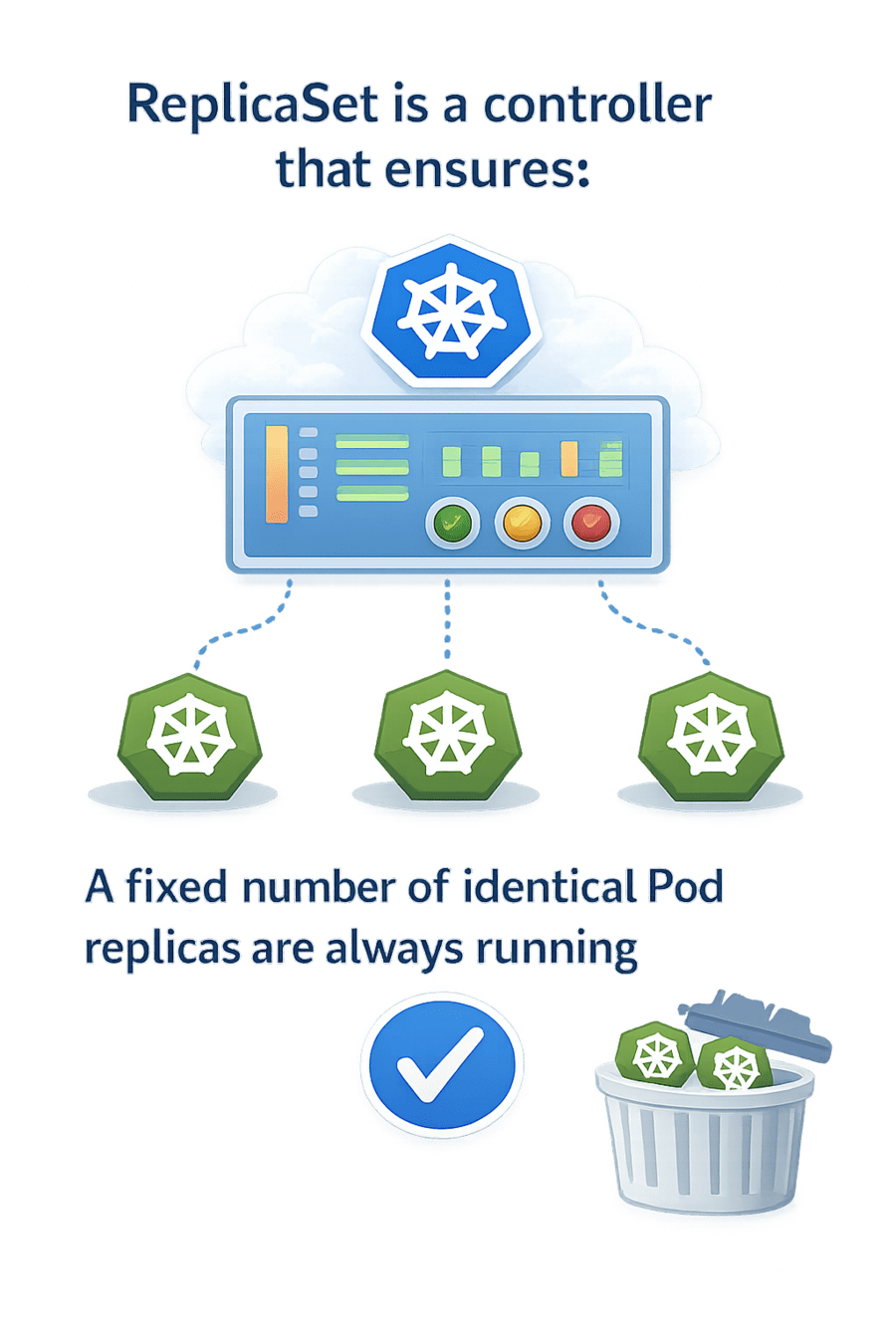
A fixed number of identical Pod replicas are always running
What is a ReplicaSet?
Example
It always maintains the correct number
- If you define replicas: 3
ReplicaSet ensures:
-
Exactly 3 Pods exist at all times
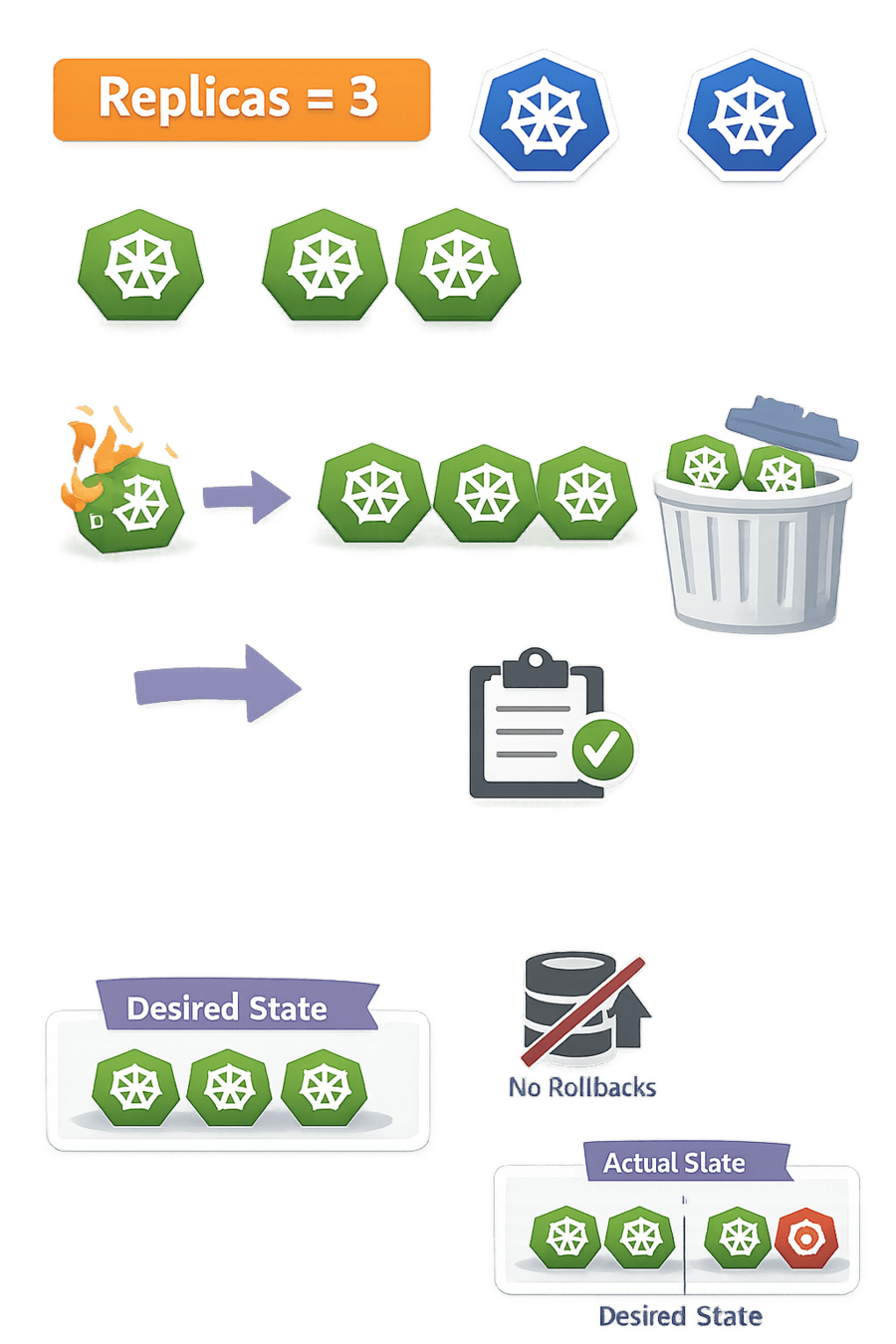
If Pod Crashes
It creates a new one
If Extra Pod Exist
It Removes them
Why is ReplicaSet Important?
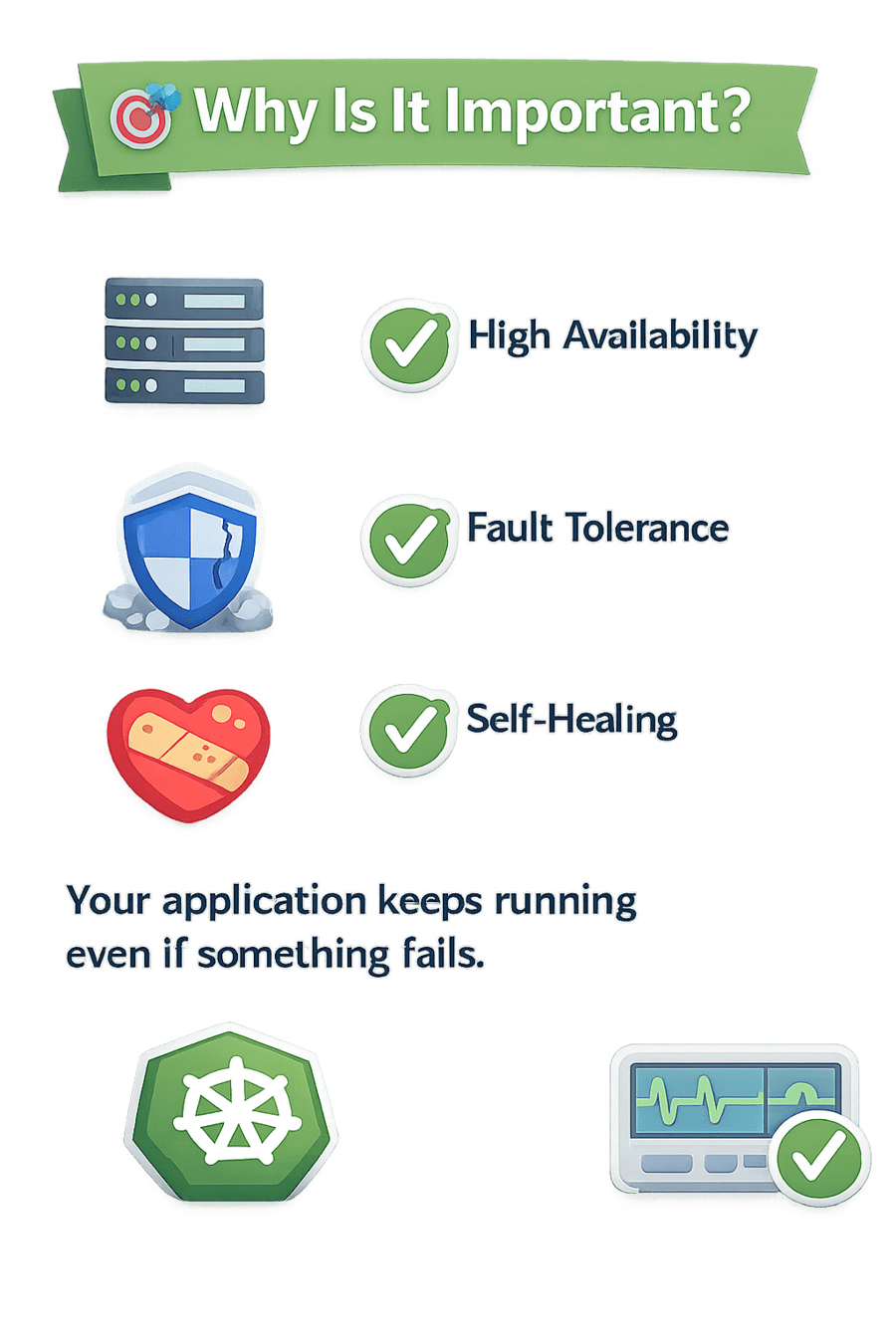
High availability
Fault tolerance
Self-healing
Differentiate Between Labels and Selectors
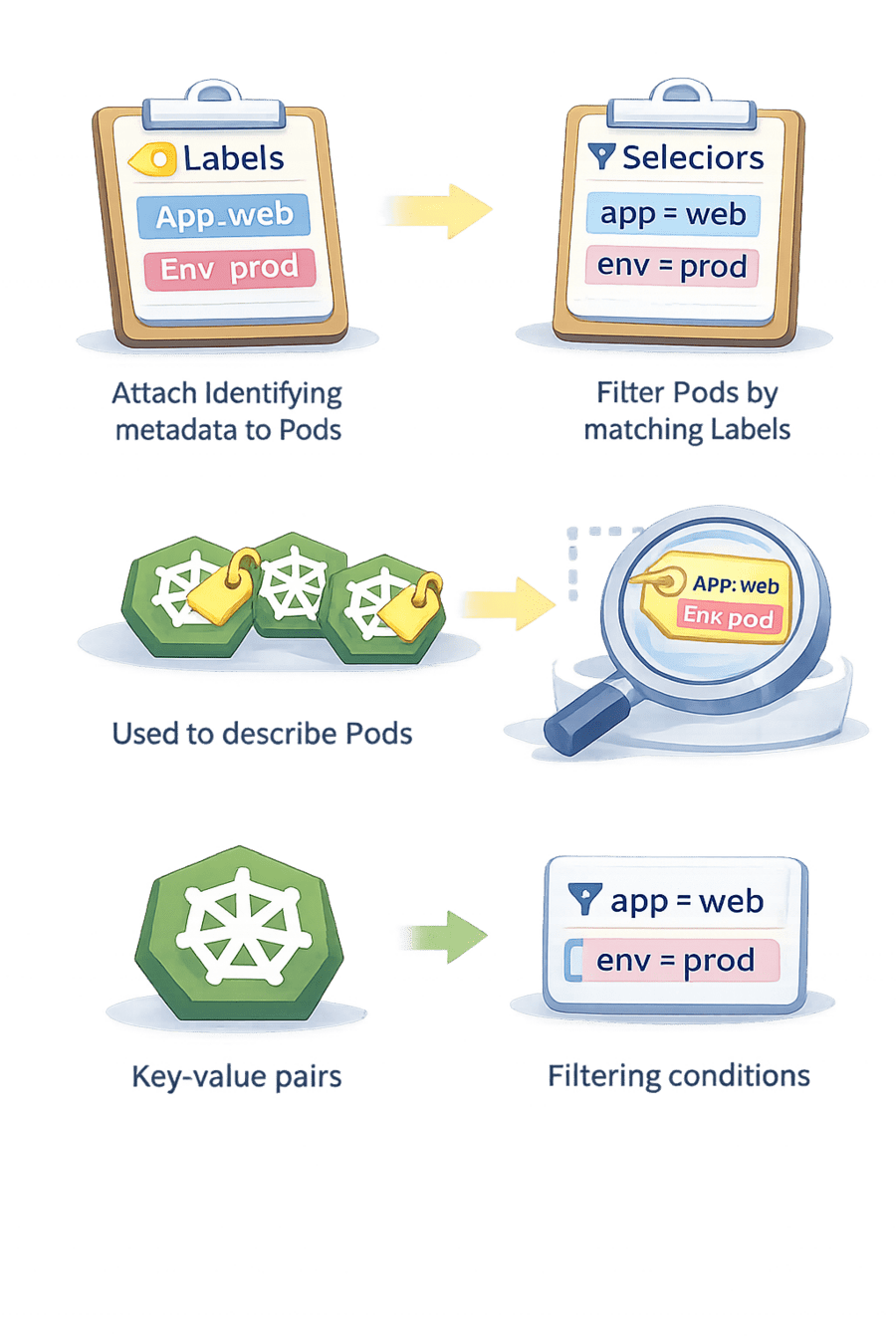
Attach Identifying metadata to pods
Use to describe Pods
They are Key-value Pair
Filter Pods by matching label
Use to Find Pods by label
They are used for Filtering Conditions
Labels
Selectors
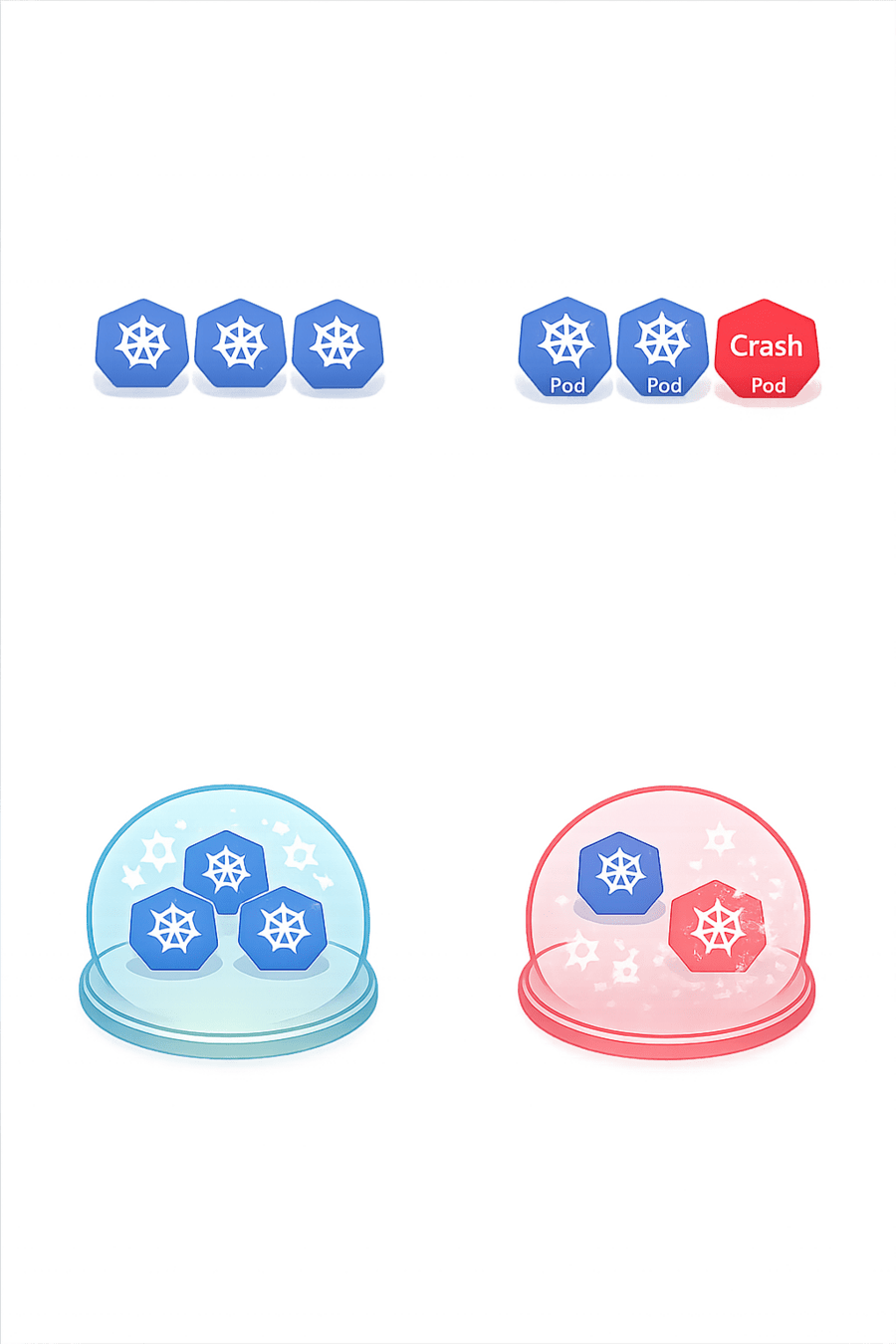
How Does ReplicaSet Work?
Actual State
Running Pods

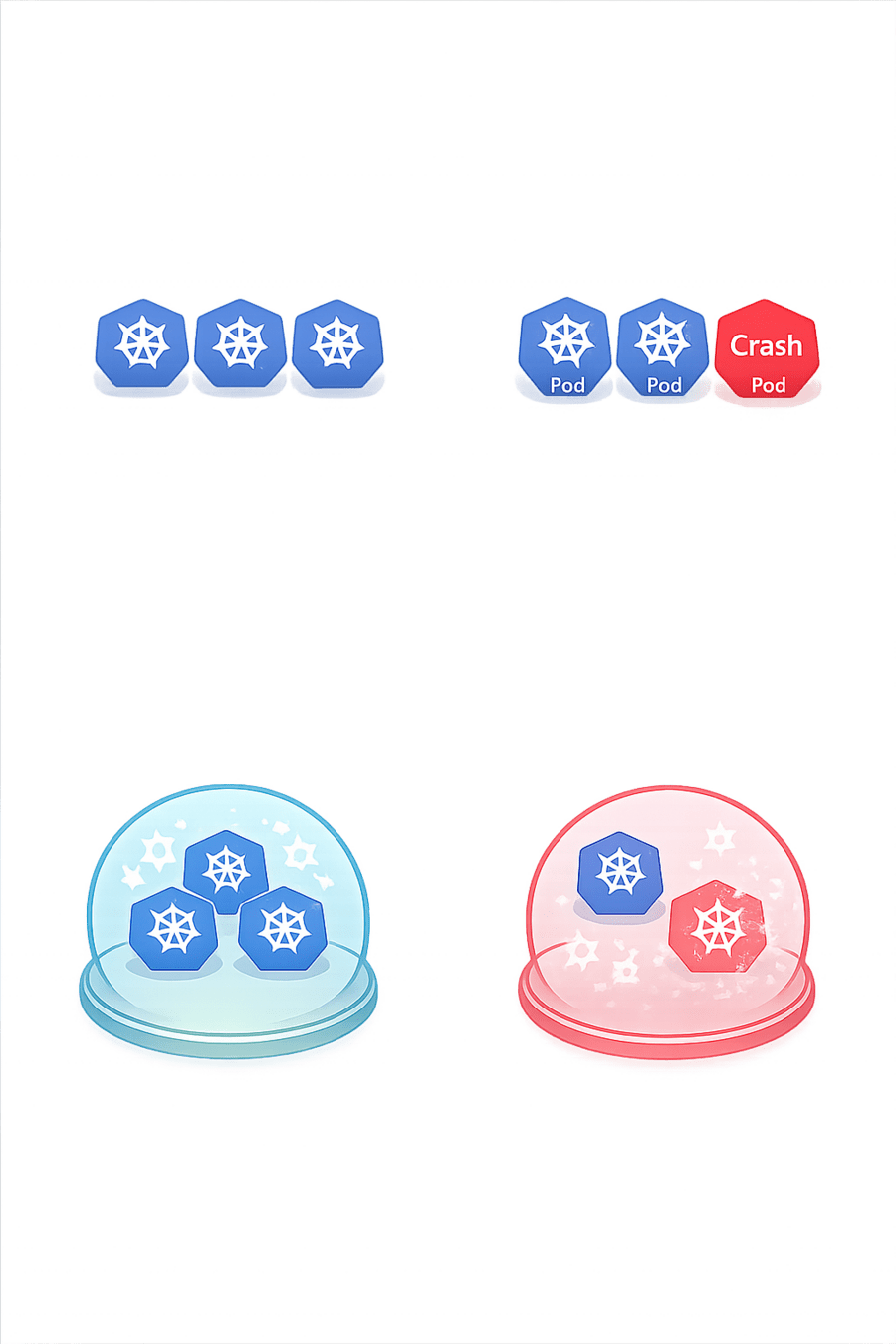
Desired State
3 Pods
Replicaset
Fixes to match Desire state
Adds Pods
Remove Crash Pods
Core Concepts (.....Slide N-3)
Summary
5
Build strong branding
4
Use different marketing channels
3
Target the right audience
2
Create and communicate value
1
Understand customer needs
Quiz
Which platform is mainly used for professional networking and B2B marketing ?
A. Facebook
B. Instagram
C. LinkedIn
D. Snapchat

Quiz-Answer
Which platform is mainly used for professional networking and B2B marketing ?
A. Facebook
B. Instagram
C. LinkedIn
D. Snapchat
