Extract System Information Using Enumeration Techniques

Business Scenario
Welcome!
You are working as a Cyber Security Analyst at SecureXit. During a security assessment, your task is to perform enumeration to gather information about users, shared resources, network services, and other exposed details within a target network. Using various enumeration techniques and tools, you will collect and analyze information to better understand the target environment and help identify potential security weaknesses.


Pre-Lab Preparation
Topic : Enumeration and Vulnerability Assessment
1) Enumeration techniques.
2) Identifying vulnerabilities.
Task 1: Setup
1
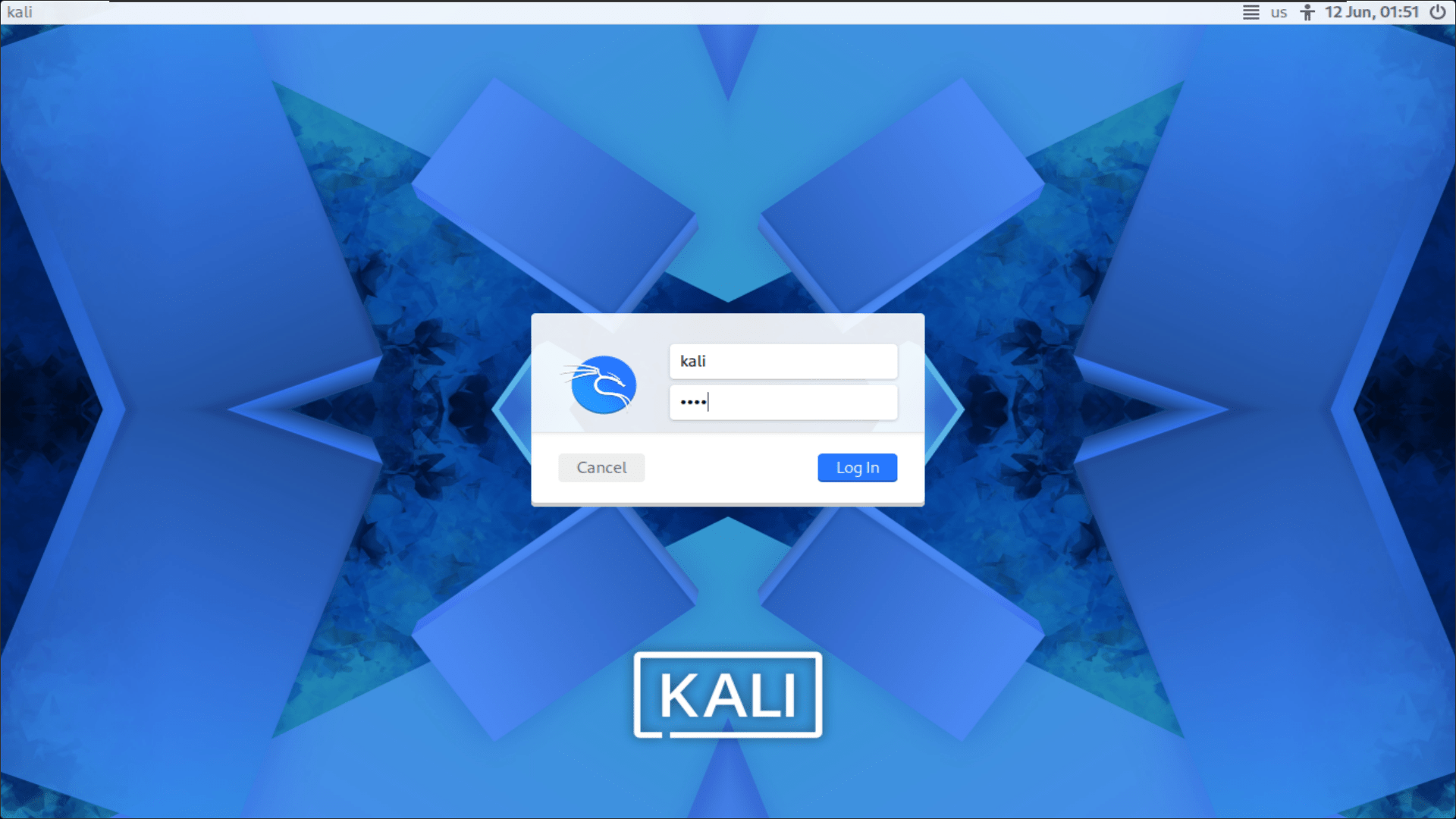
Start the Kali Linux virtual machine and log in using the username kali and the password kali.
2
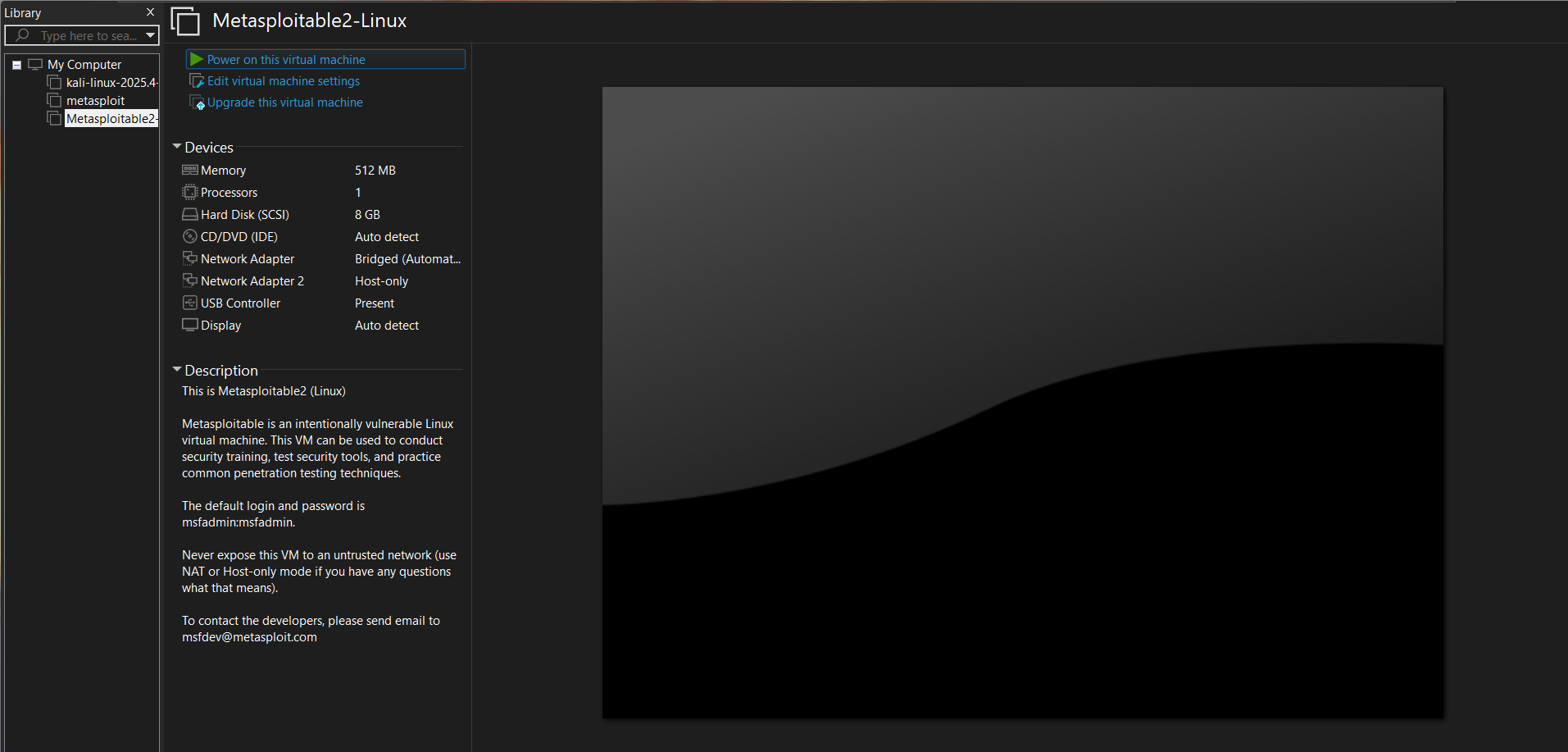
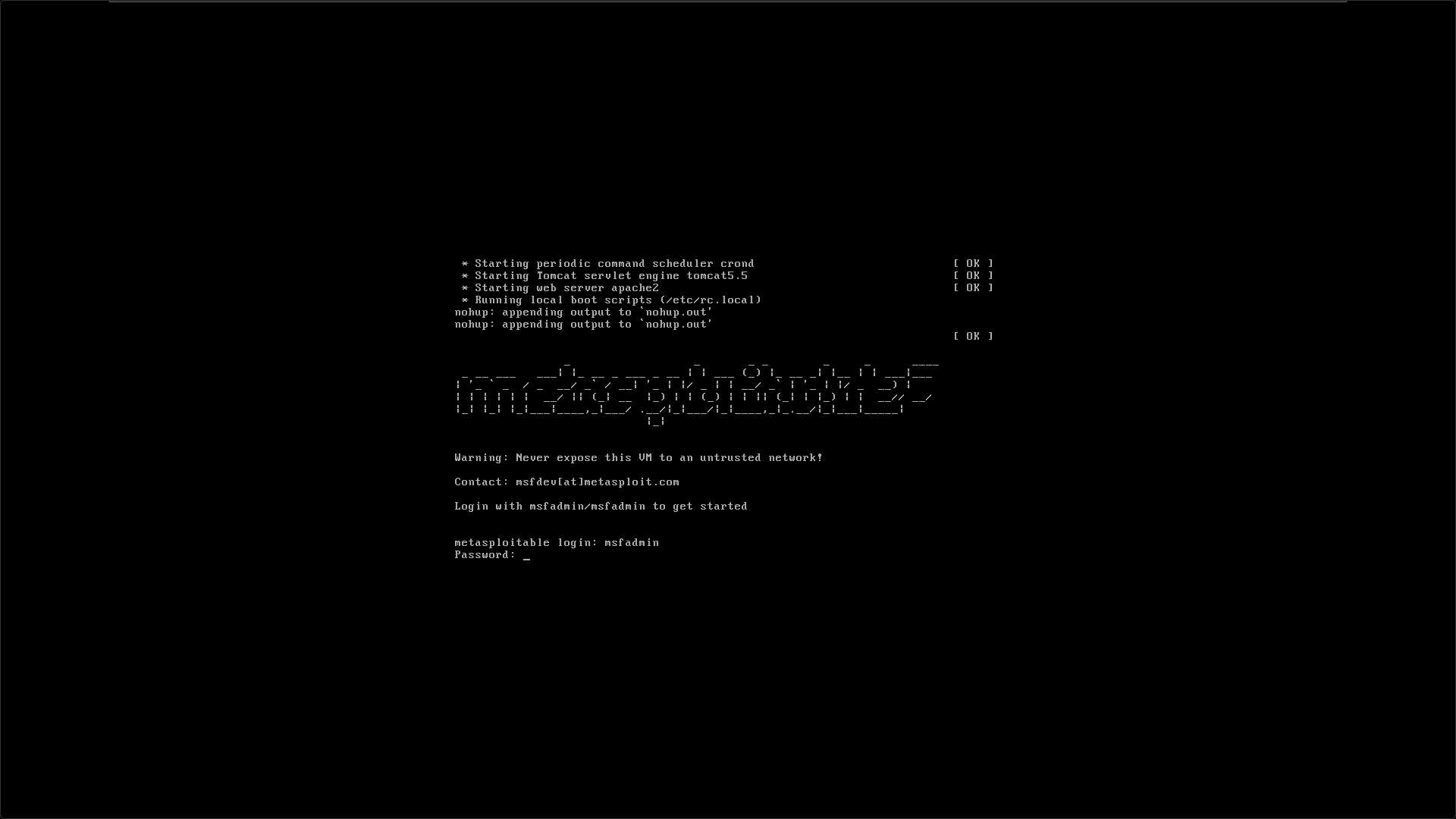
Start the Metasploitable 2 virtual machine and log in using the username msfadmin and the password msfadmin.
3
Run the ifconfig command on Metasploitable 2 systems and verify network connectivity by sending a ping from one machine to the other. Ensure that both systems receive successful replies.
ifconfig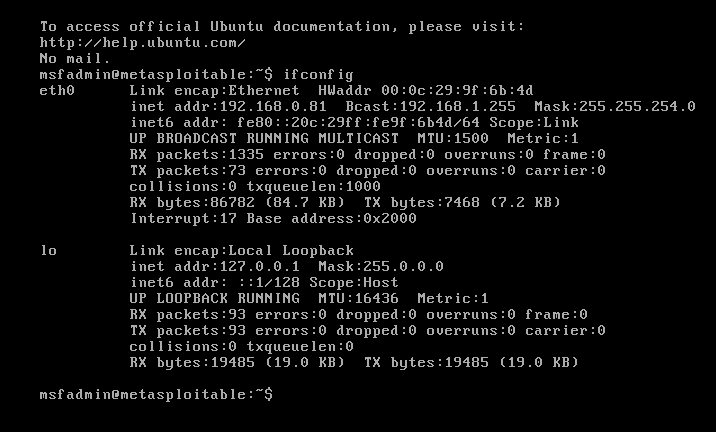
ping 192.168.0.81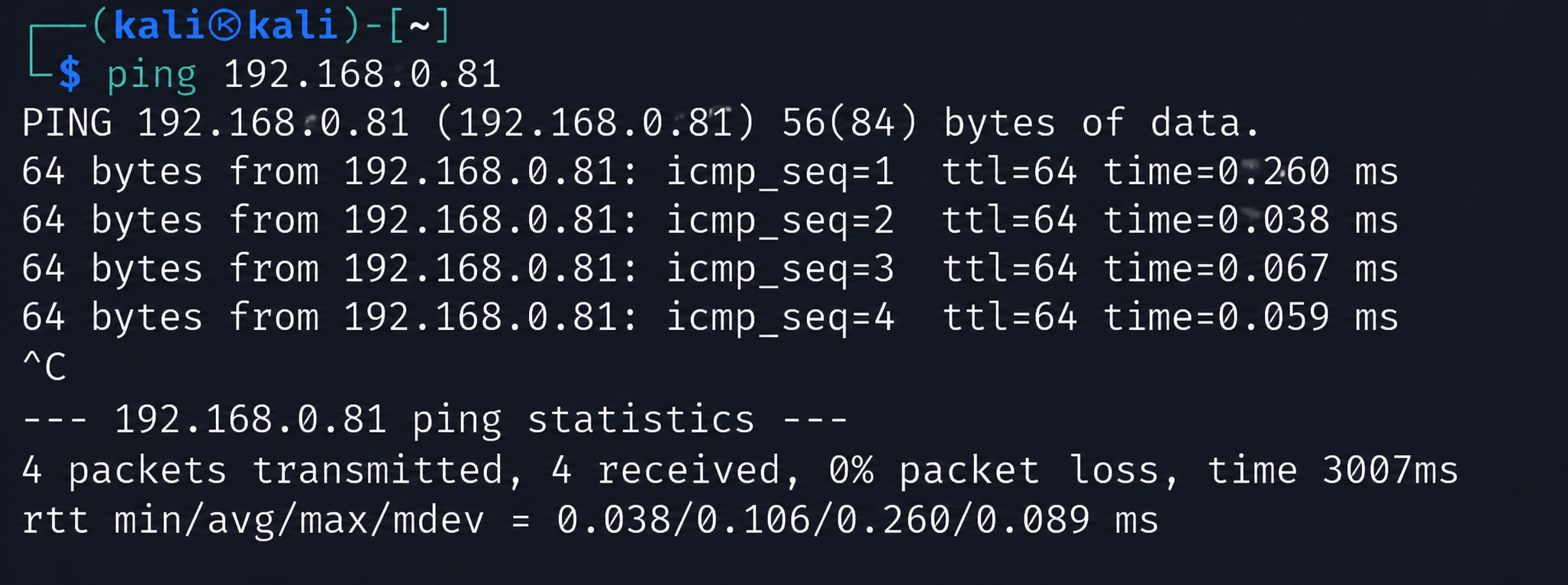
Task 2: Identifying Hosts and Open Ports
1
On the Kali Linux system, run the following command to discover all active hosts on your network:
netdiscover -r 192.168.0.81/24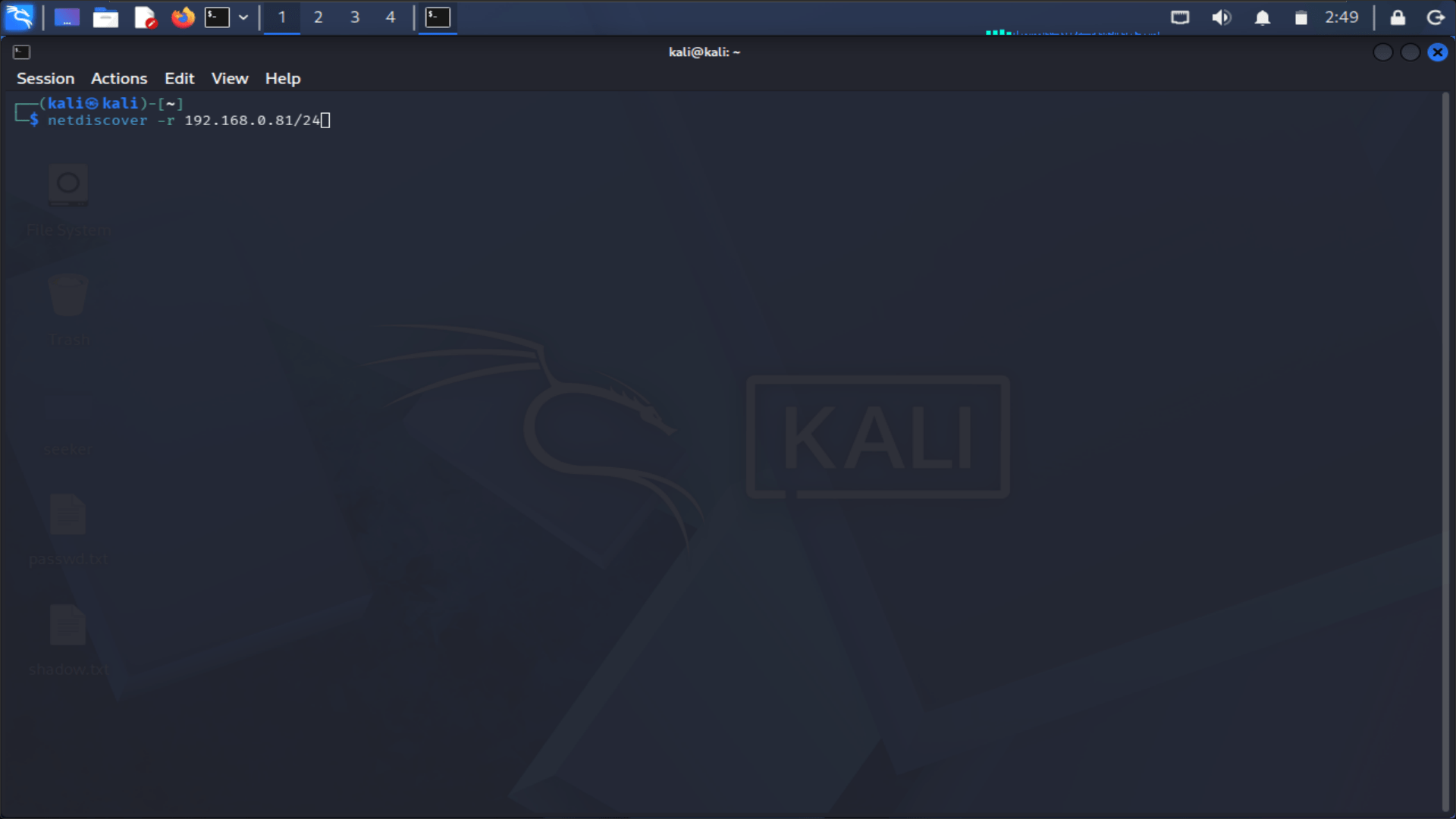
- Replace the subnet shown above with the subnet that matches your system's network configuration. In most cases, this can be determined using the first three octets of your IP address, as illustrated in the previous example.
- The scan will display all devices currently detected on the network. One of the discovered hosts should be the Metasploitable 2 virtual machine.
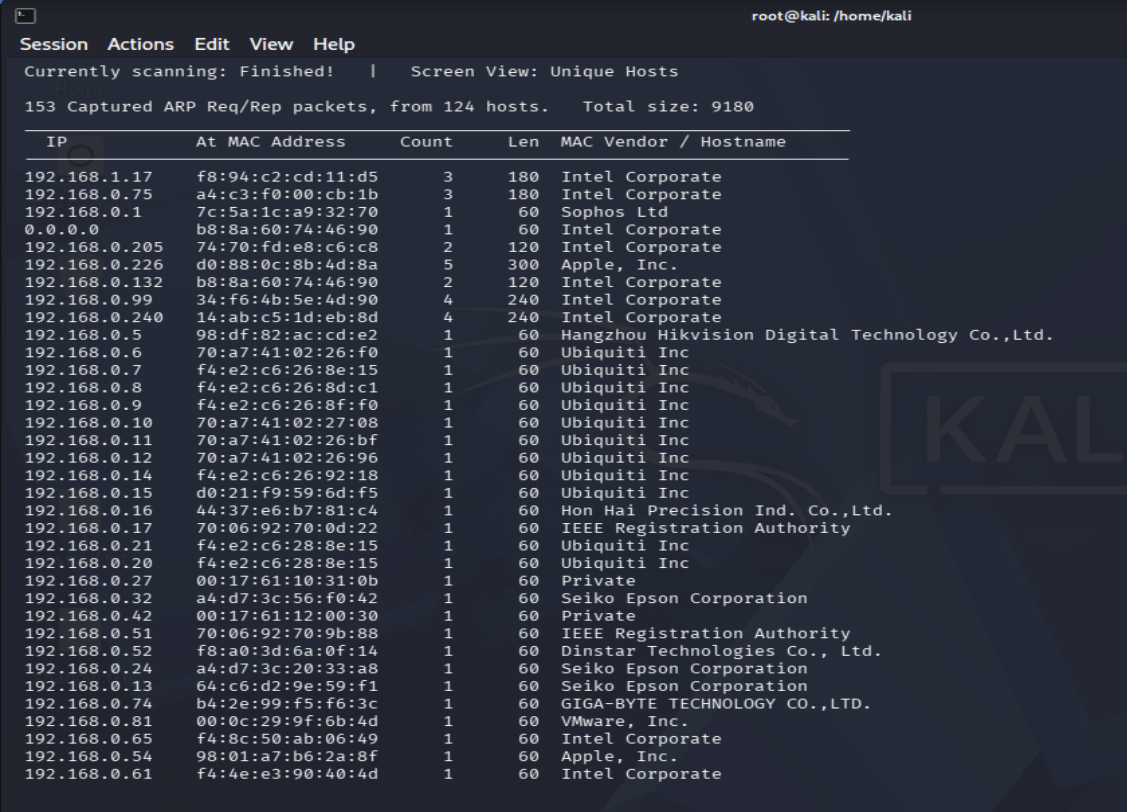
To stop the scan and return to the terminal, press Ctrl+C.
2
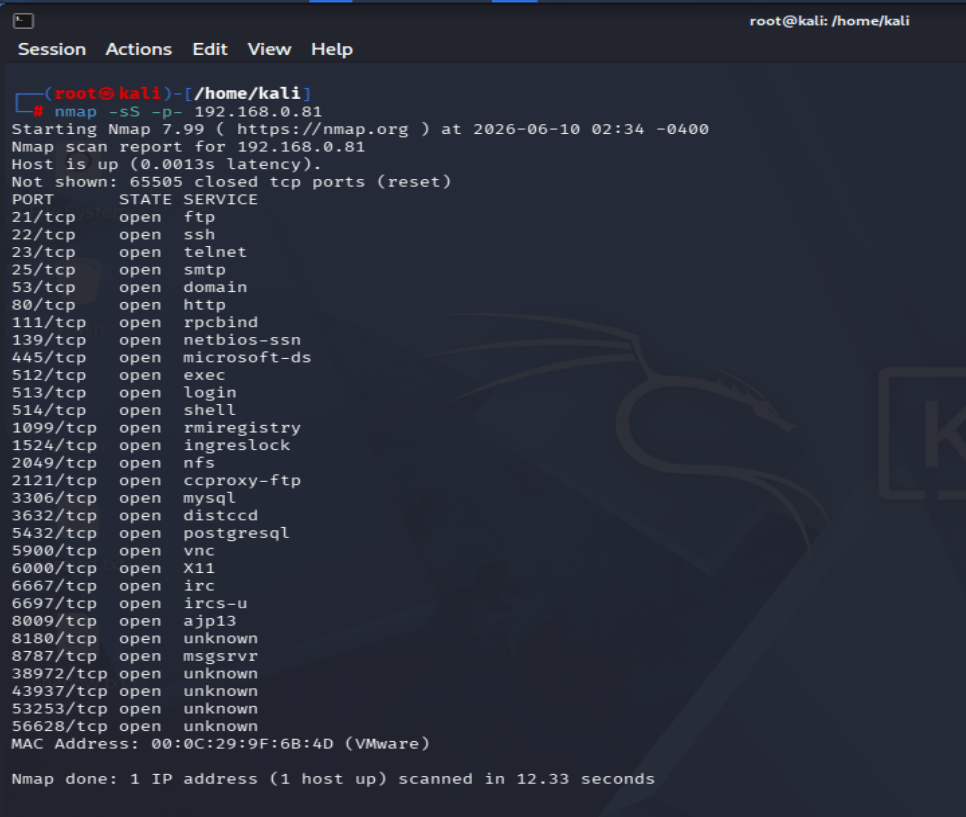
Run the following command to scan all 65,536 TCP ports on the target system.
nmap -sS -p- 192.168.0.81This scan performs a rapid search for open TCP ports on the target host. While it efficiently identifies open ports, it does not provide information about the versions of the services running on those ports.
3
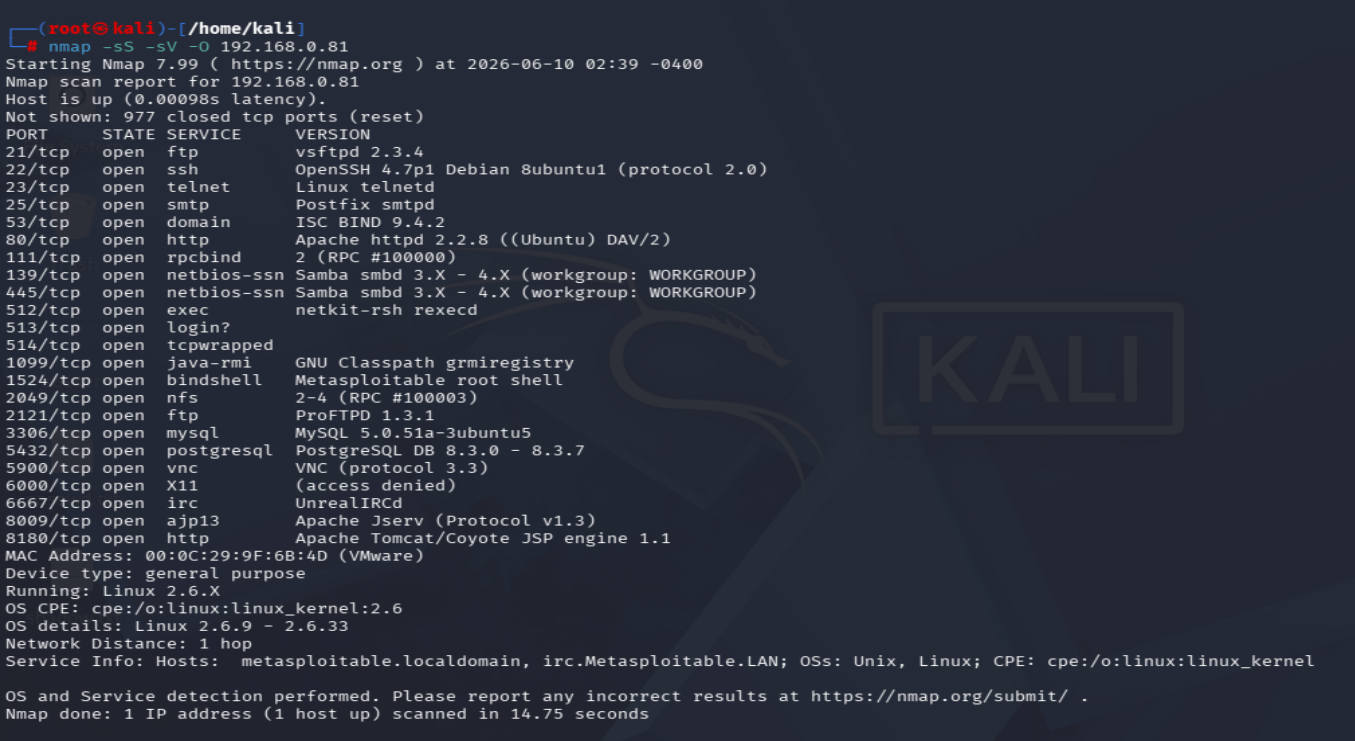
Run the following command to scan the 1,000 most common ports on the target system while also performing service version detection and operating system identification.
nmap -sS -sV -O 192.168.0.81This scan identifies many of the services running on the target host and attempts to determine their version numbers. It also performs OS detection to estimate the operating system in use.
4
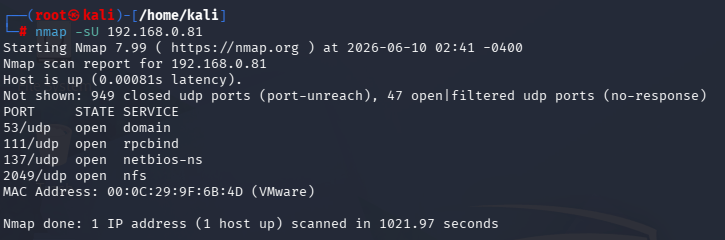
Run the following command to scan the UDP ports on the target system.
nmap -sU 192.168.98.134-
UDP scans generally take longer to complete than TCP scans. The process may take approximately 15 minutes, so you can leave it running and continue working in a separate terminal window.
-
Once the scan is complete, it will identify several UDP-based services that are active on the target system.
Task 3: Enumerating User with rpcclient
1
Enumerating Users with rpcclient
User accounts can also be enumerated through null sessions using the rpcclient utility.
a
Run the following command:
rpcclient -U "" 172.16.1.190When prompted for a password, simply press Enter.
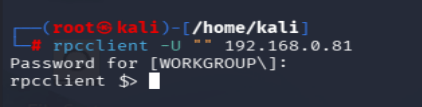
After connecting successfully, an rpcclient $> prompt will appear. At the prompt, execute the following command:
querydominfoThis command displays domain information, including the total number of user accounts present on the target system.
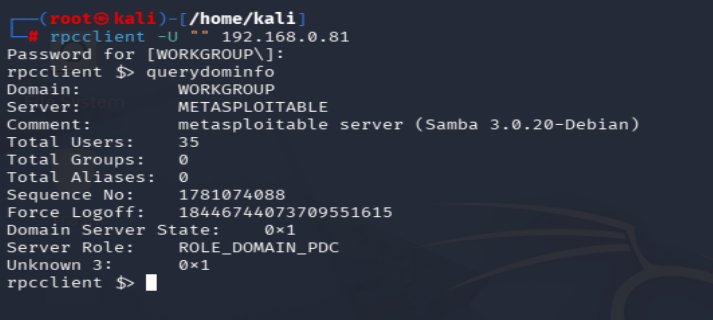
In this example, the output indicates that there are 35 users configured on the system.
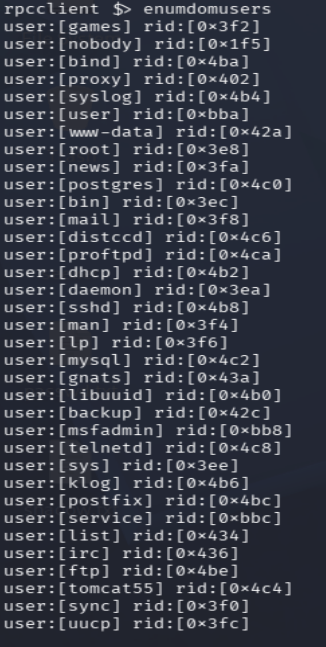
Run the following command to display all 35 user accounts:
enumdomusersThis command shows every user account along with its corresponding Relative Identifier (RID) number, as illustrated below.
b
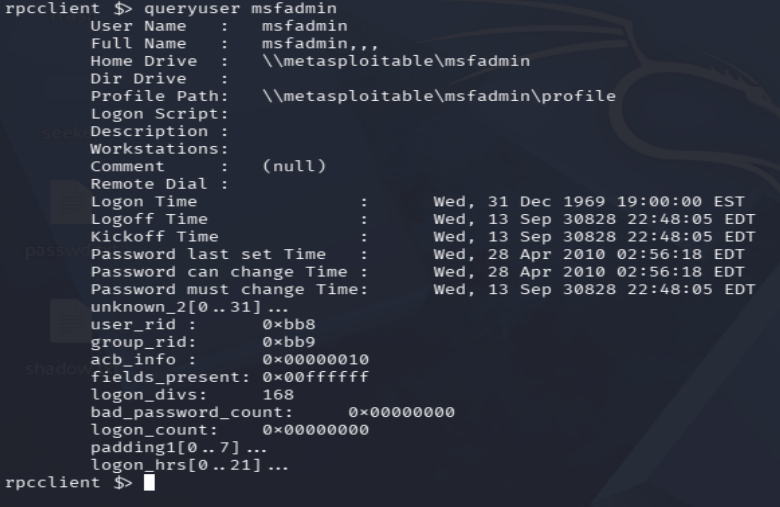
Run the following command to retrieve additional details about the "msfadmin" account:
queryuser msfadminThis command displays information about the user's account, including the profile path and other relevant details, as shown below.
c
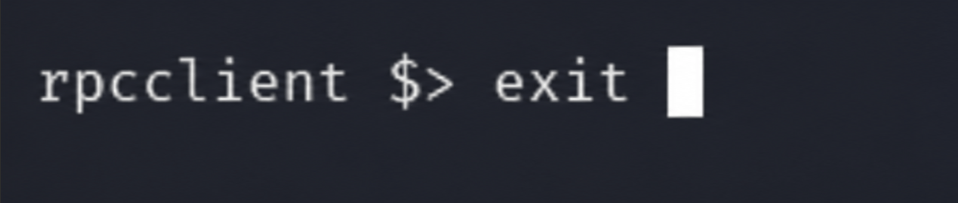
Execute exit command to exit rpcclient
2
Enumerating with enum4linux
enum4linux is a Perl-based utility that leverages tools such as smbclient, rpcclient, net, and nmblookup to automatically gather enumeration data from a target system.
a
Run the following command to view the available options for enum4linux:
enum4linux --help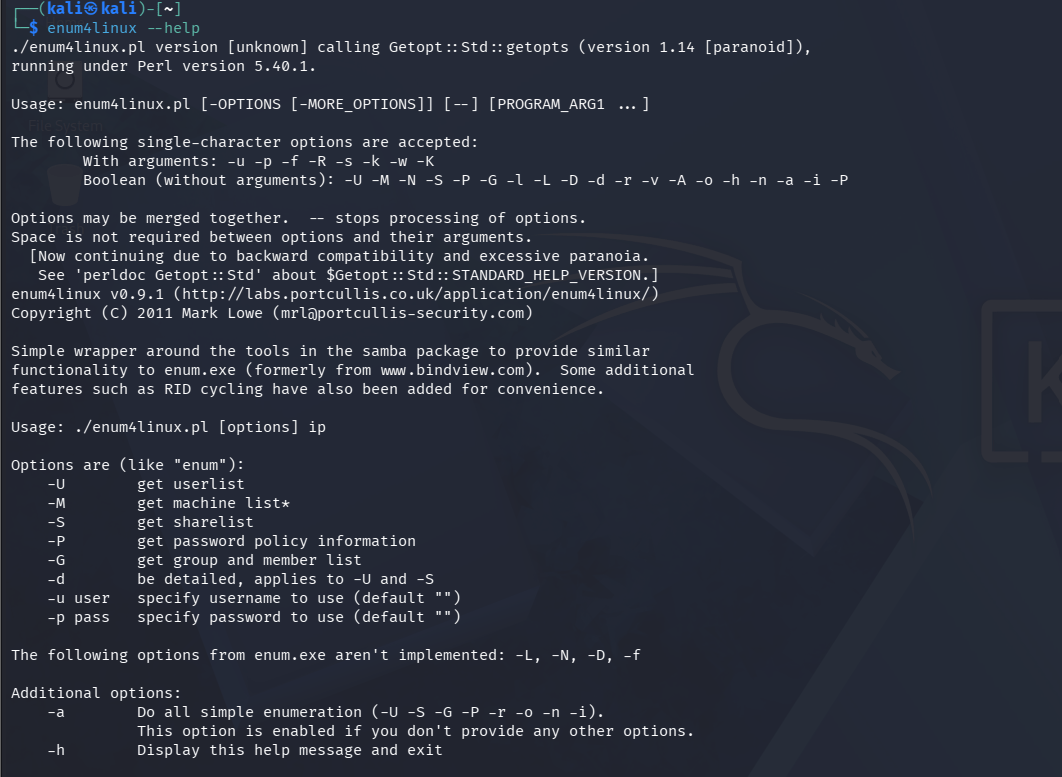
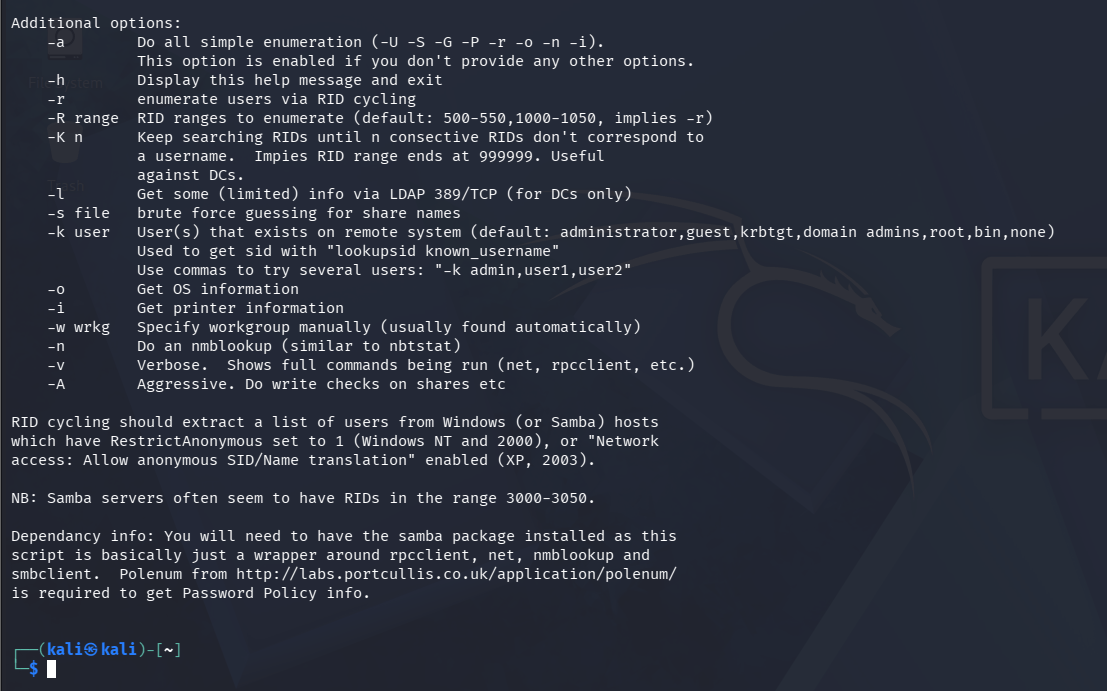
If no options are specified, the tool executes all available enumeration checks. Use the following command to enumerate the target:
b
enum4linux 192.168.0.81The command generates a large amount of output. Initially, it displays several lists of usernames, similar to the information obtained earlier using other enumeration tools.
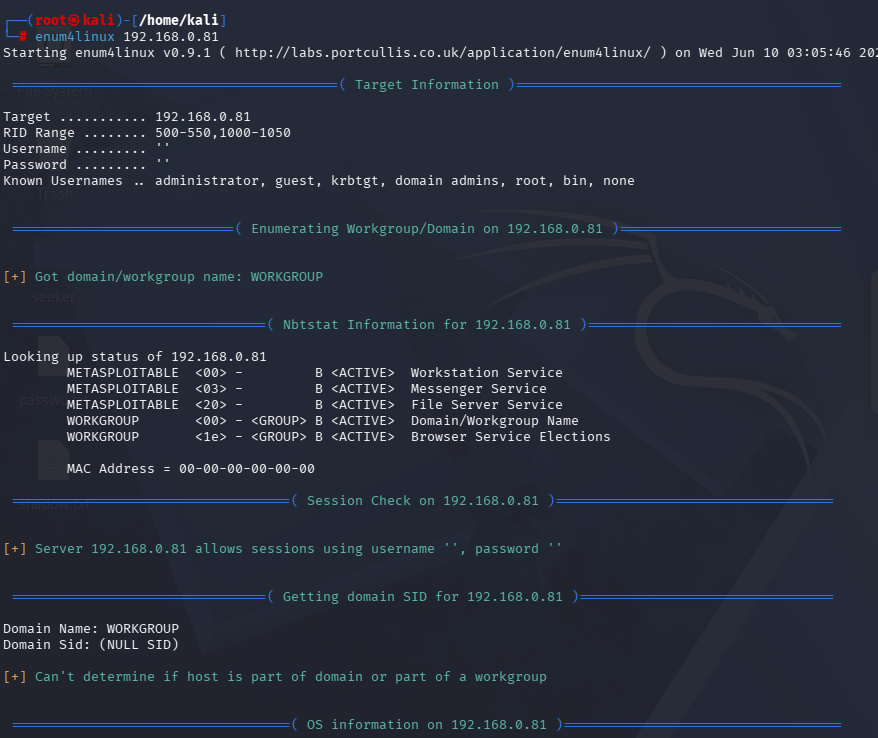
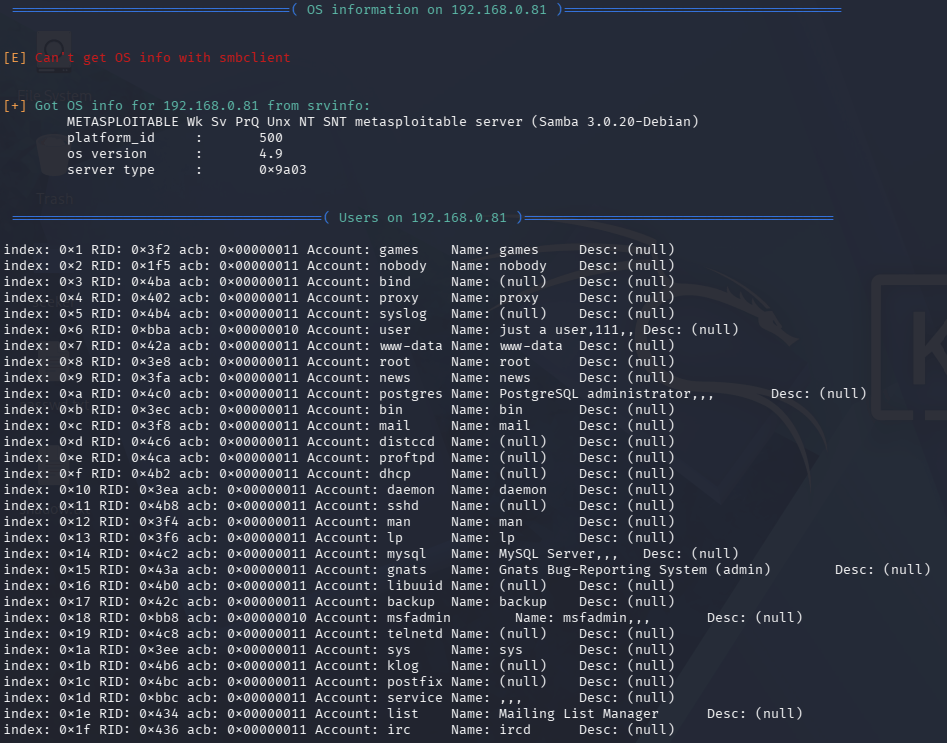
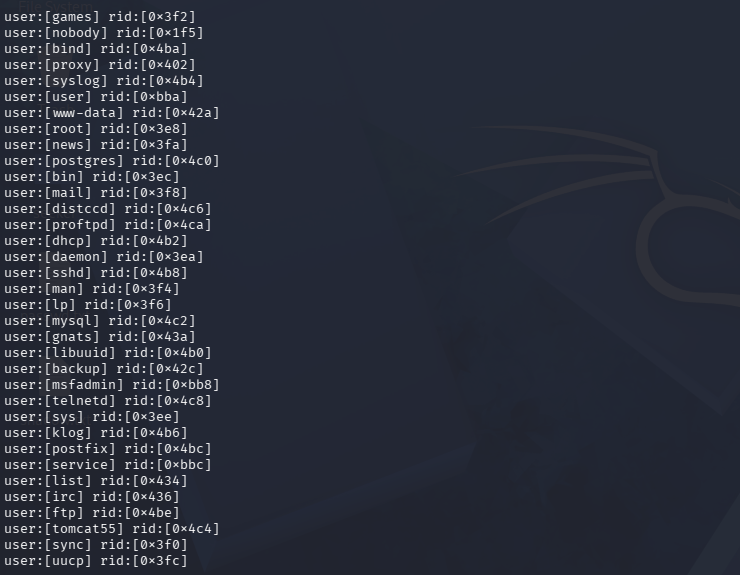
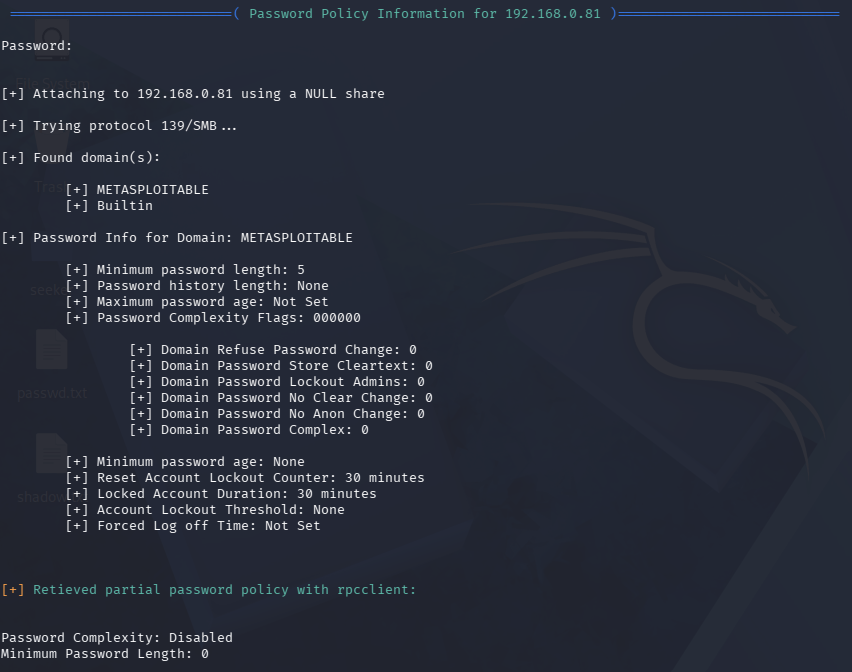
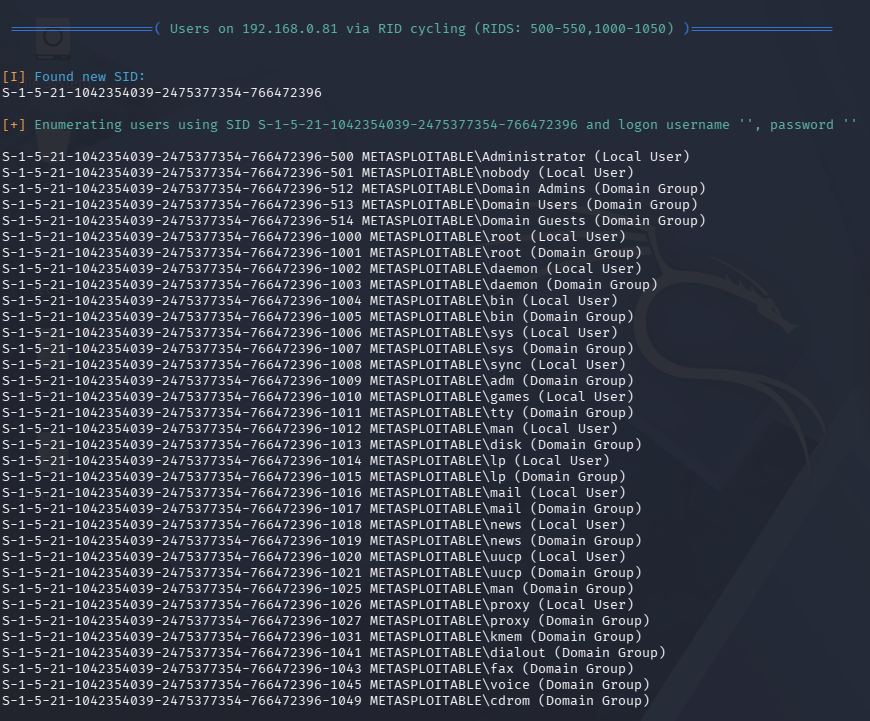

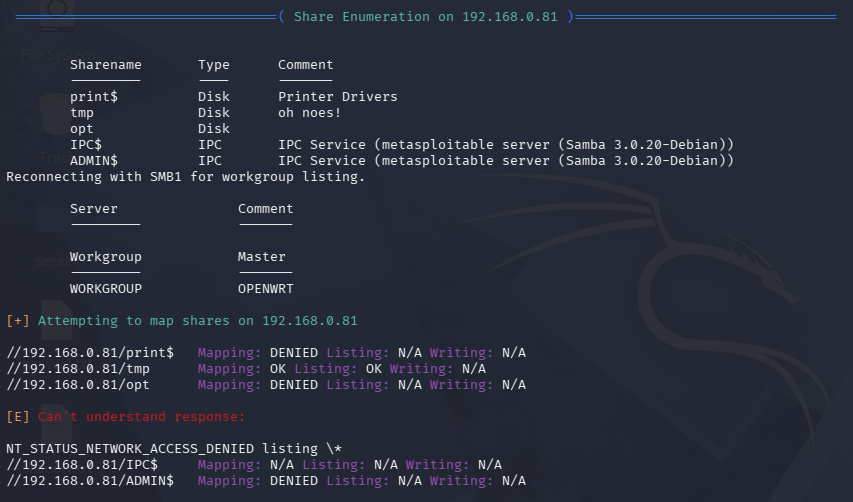
Next, a Share Enumeration section appears, indicating that the /tmp directory is shared, as shown below. The output includes a warning of "oh noes!" because /tmp is world-writable. This suggests that scripts could potentially be uploaded to that directory and executed.
Task 4: Enumerating using dig, nslookup, whois on website
1
Enumerating using dig
Run the following command:
dig itvedant.com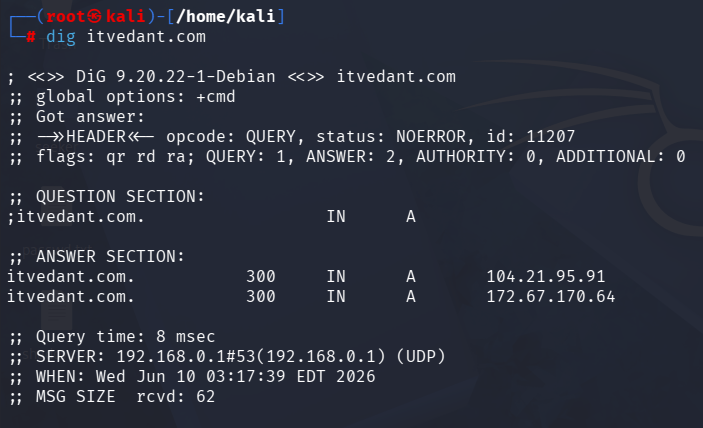
2
Enumerating website nslookup
Run the following command:
nslookup www.itvedant.com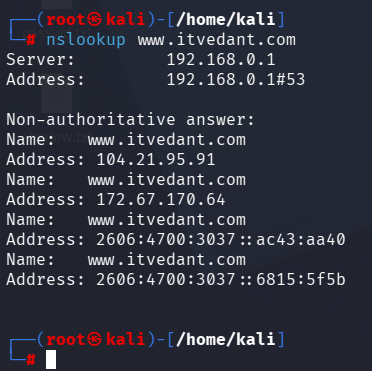
3
Enumerating using Whois
Run the following command:
whois itvedant.com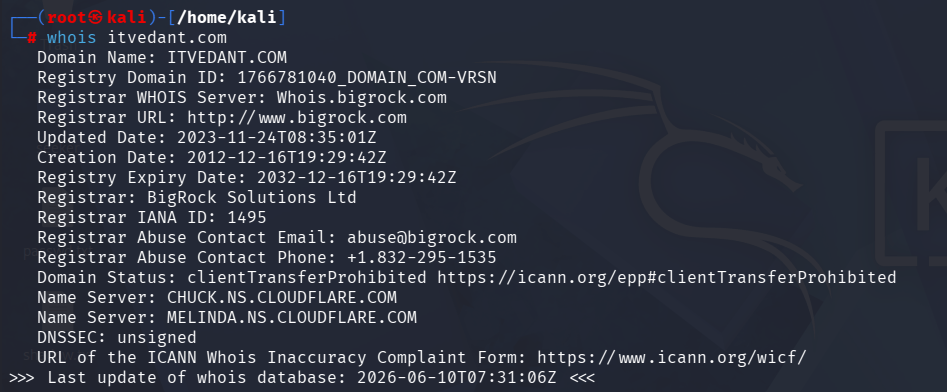
Great job!
You have successfully completed your lab on Extracting System Information Using Enumeration Techniques.
In this lab, you have: Discovered Active Hosts, Identified Open TCP/UDP Ports, Performed Service and OS Enumeration, Enumerated Users and Shared Resources, Gathered Information using rpcclient and enum4linux, and Conducted DNS and Domain Enumeration using dig, nslookup, and whois.
You are now ready to move to the next stage of Vulnerability Assessment and Security Testing.
Checkpoint
Next-Lab Preparation
Topic : Enumeration and Vulnerability Assessment
1) Enumeration techniques.
2) Identifying vulnerabilities.