

Writing to and Reading from Files
File Handling and Exception Handling


Learning Outcome
5
Connect try-except with the with statement.
4
Apply the right read or write method to real tasks.
3
Recognize why catching specific errors matters.
2
Identify the common errors file operations raise.
1
Understand how Python reads and writes file data.
The Courier
A courier delivers parcels,

Sometimes a whole sack, sometimes one letter.
Some addresses don’t exist; some buildings are locked.
A panicked courier abandons the van. A trained one returns the parcel with a note and keeps going.
Expected Answer: The panicked courier. Without error handling, one failed operation crashes the whole program.
Exactly! But before training the courier, let’s look at the normal delivery work: reading and writing.

A program opens “marks.csv”, but the file name has a typo. It stops instantly and shows a technical error. Which courier is this?
Reading Data from a File

read() returns the whole file as one string; read(100) reads only 100 characters.
readline() reads one line, including its \n, and returns an empty string at the end.
Reading Data from a File
readlines() returns all lines as a list, each still ending in \n.
for line in f: reads one line at a time and holds only that line in memory.
Why it matters: Use read() for small files. For large files, loop line by line so a 5 GB file never loads into memory at once.
Code:
for line in f:Clean Data and the File Pointer

-
Lines read from a file carry a trailing \n. line.strip() removes it along with extra spaces.
-
Every read method moves an invisible file pointer forward.
-
Once read() reaches the end, calling it again returns an empty string, because nothing is left.
-
f.seek(0) moves the pointer back to the start so you can read again.
Code: line.strip()
Writing Data to a File

- write() writes one string and returns the number of characters written.
- writelines() writes a list of strings one after another.
- Neither adds newlines, so put \n yourself, e.g. f.write("Rahul\n").
- Both accept only strings. f.write(95) raises a TypeError; use str(95) or "\n".join(items).
Core Mechanism: What Can Go Wrong?
File operations depend on things outside the program’s control: folders, permissions, and file contents.
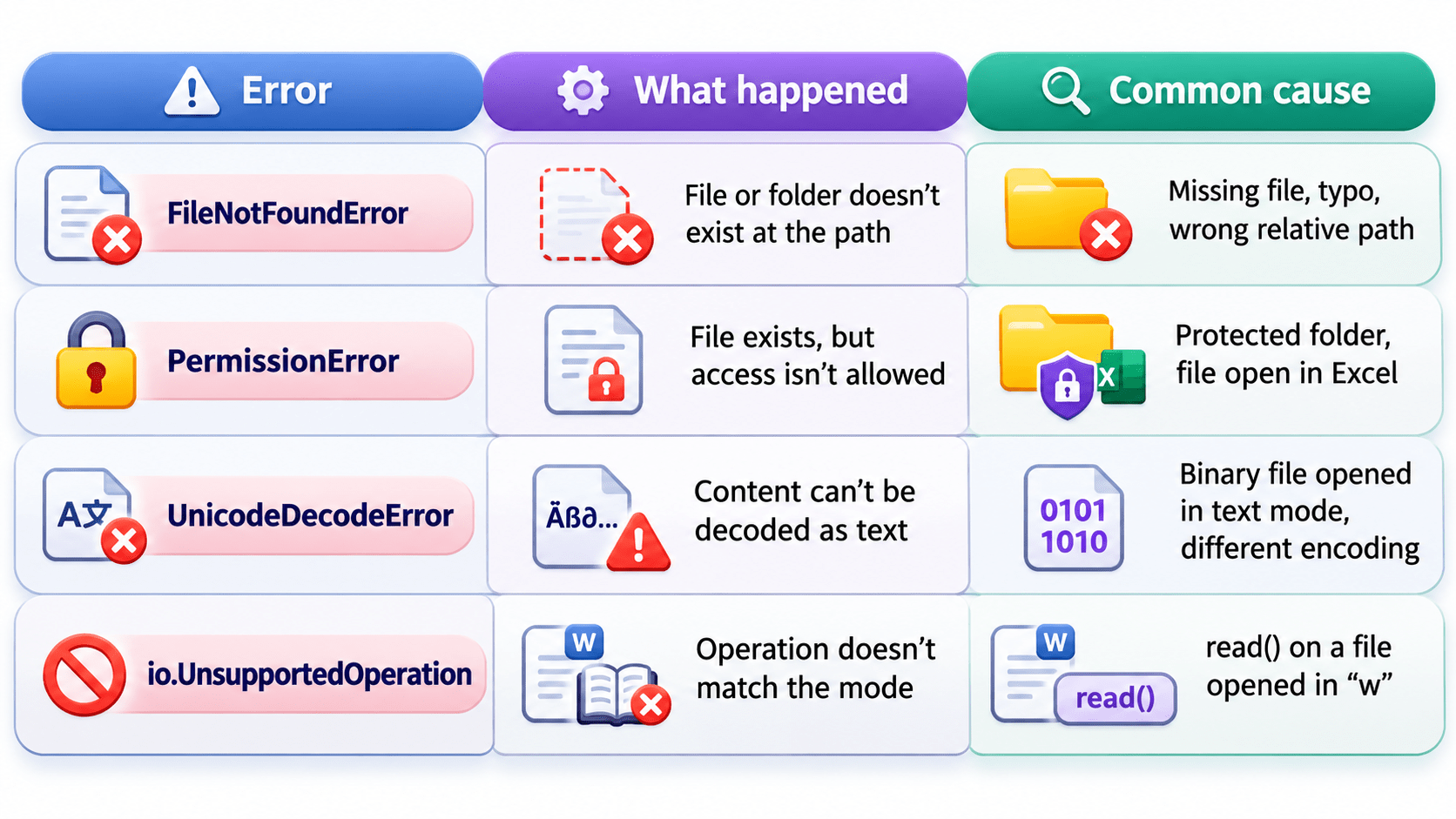
Key Points: Without error handling, any of these stops the program with a technical error message.
Basic Error Handling with try and except
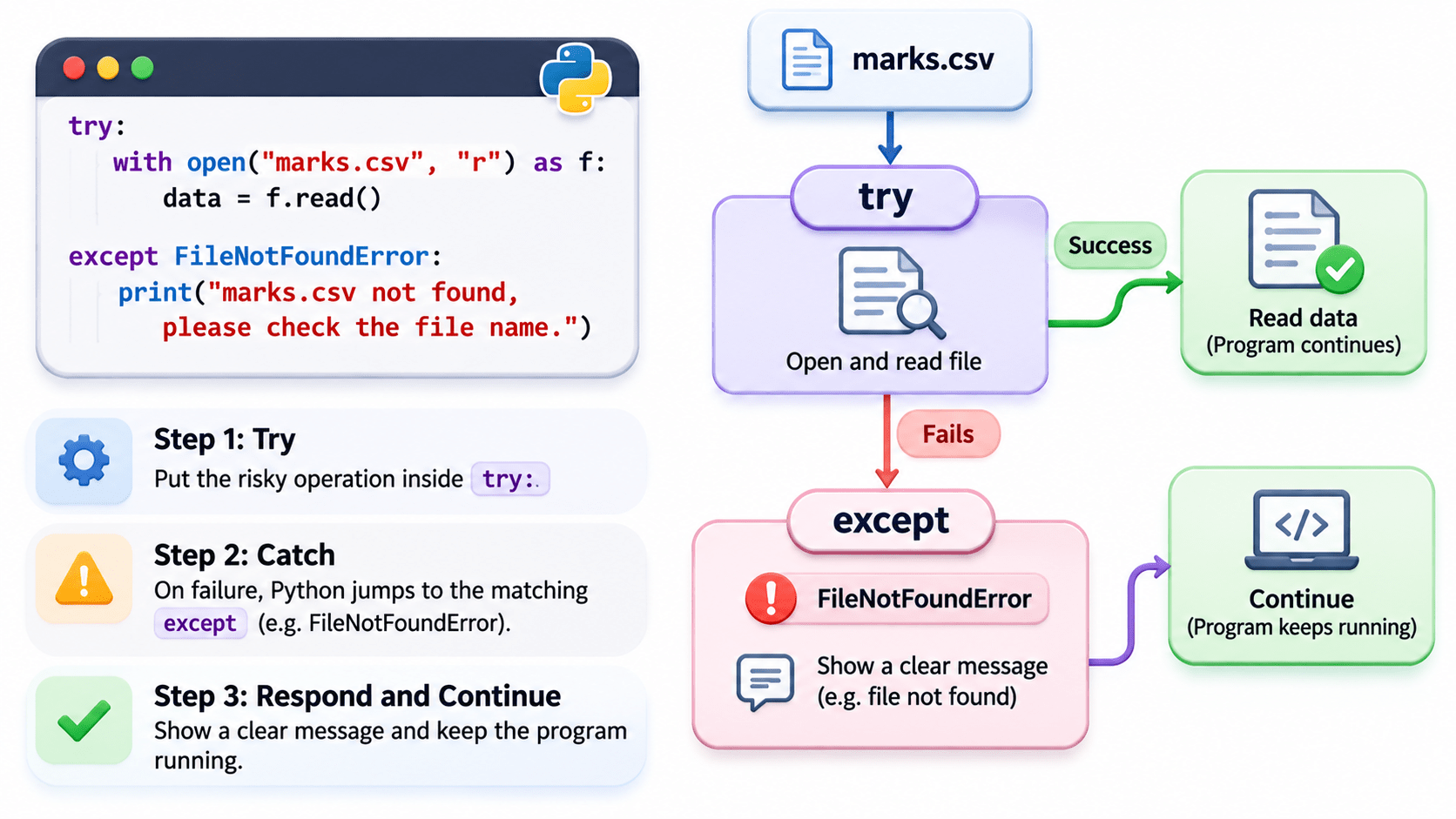
- Step 1: Try – put the risky operation inside try:.
- Step 2: Catch – on failure, Python jumps to the matching except, e.g. except FileNotFoundError:.
- Step 3: Respond and continue – show a clear message and keep the program running.
- Multiple except blocks are allowed; Python runs the first one that matches.
- Place with open(...) inside try. The with statement closes files but doesn’t stop open() from failing, so they work together. (else, finally, and raising your own errors are covered next topic.)
Code:
try:
    with open("marks.csv", "r") as f:
        data = f.read()
except FileNotFoundError:
    print("marks.csv not found, please check the file name.")
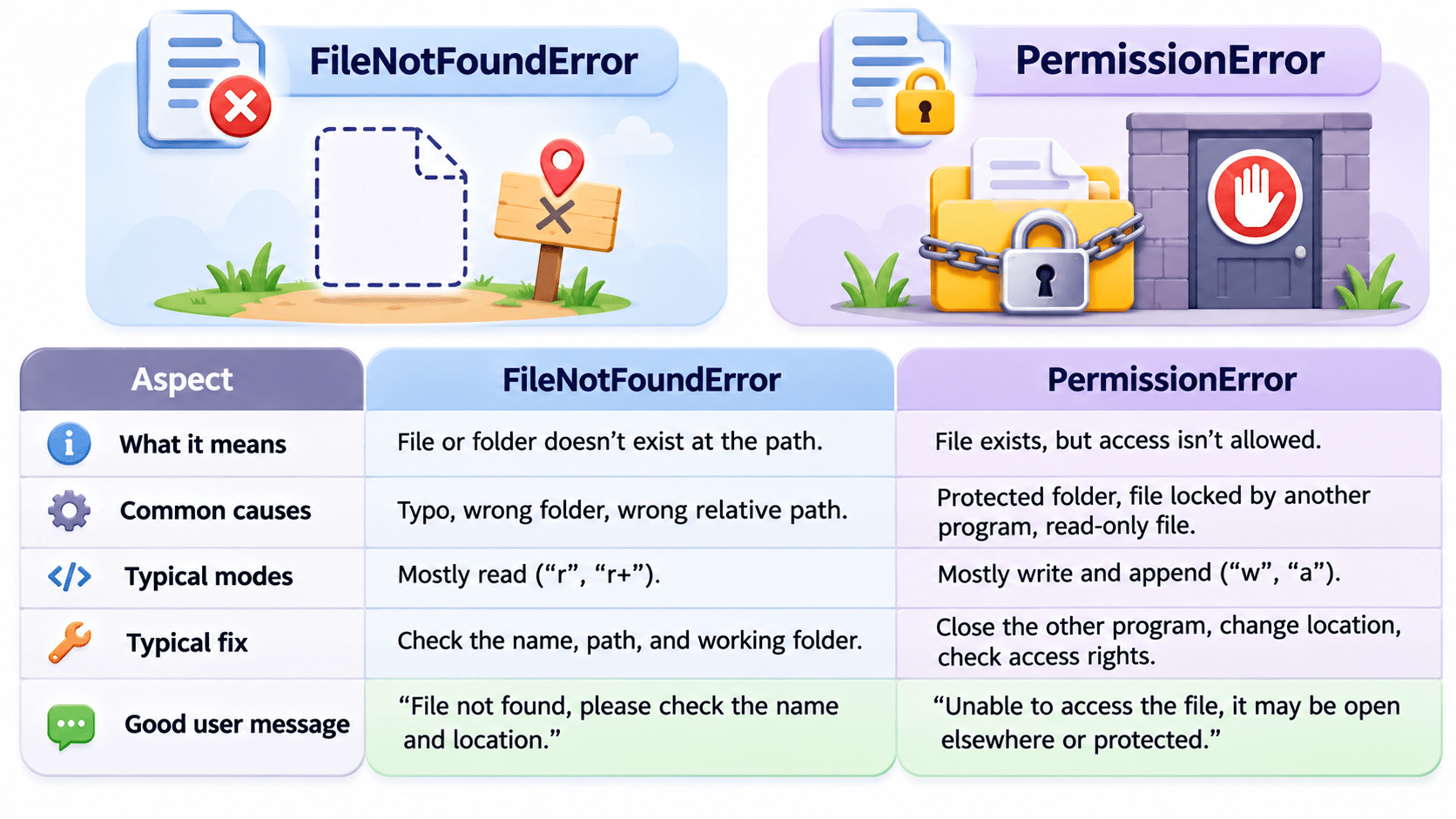
FileNotFoundError vs PermissionError (Comparison)
A Simple Way to Remember
A Simple Way to Remember
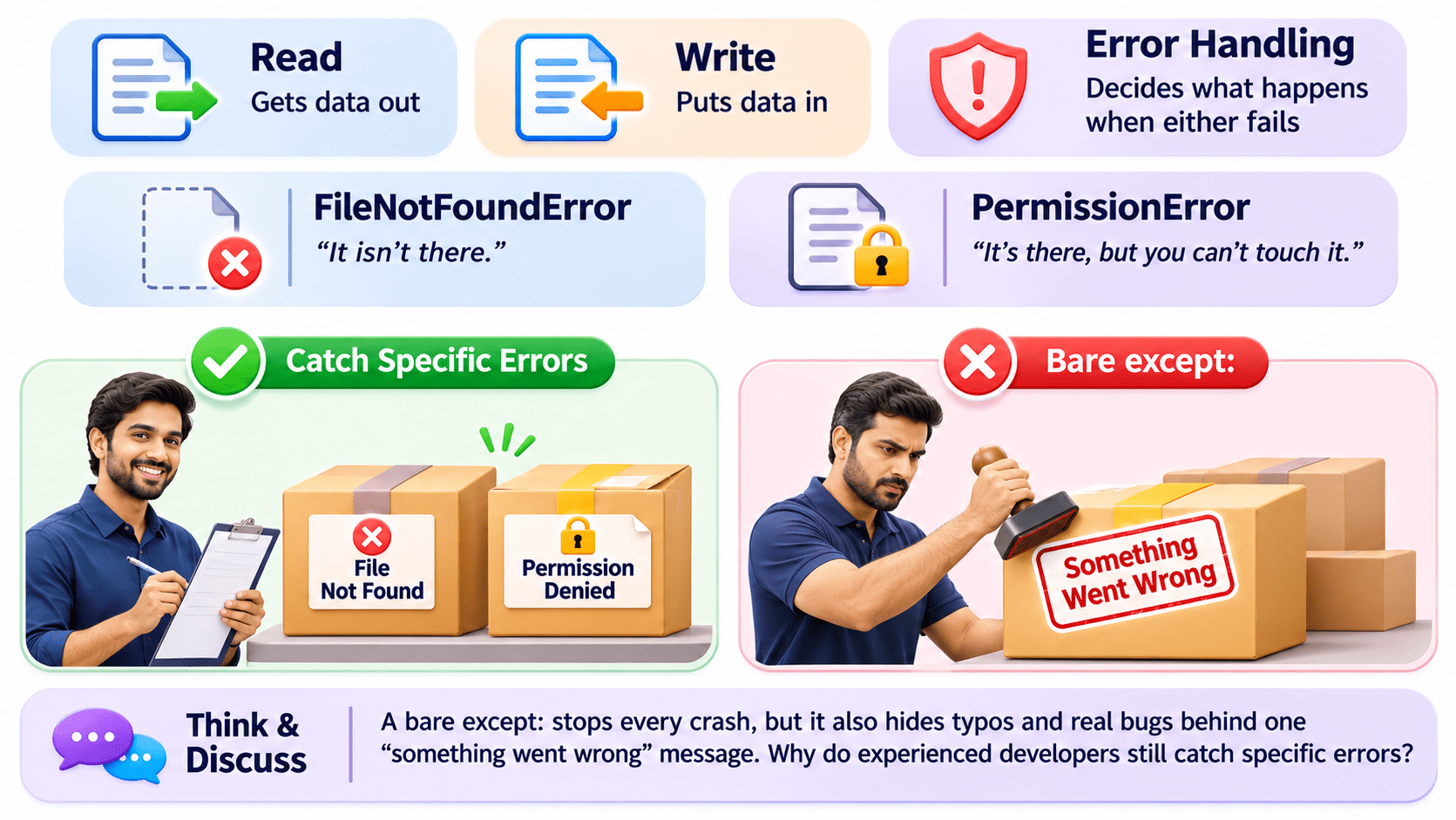
Think & Discuss: A bare except: stops every crash, but it also hides typos and real bugs behind one “something went wrong” message. Why do experienced developers still catch specific errors?

Real-World Applications: FileNotFoundError or PermissionError?
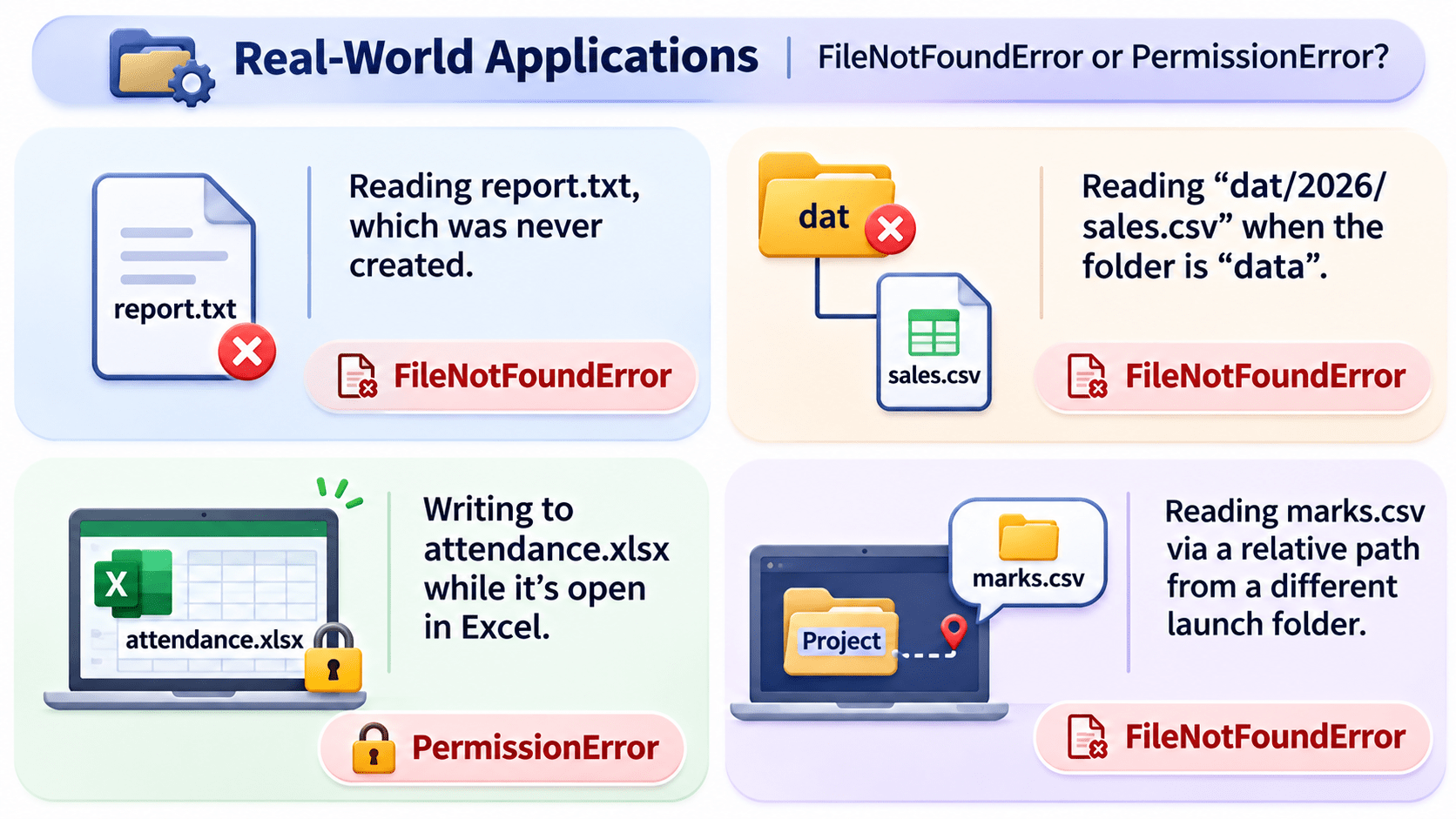
Reading “dat/2026/sales.csv” when the folder is “data” → FileNotFoundError, because the path points nowhere.
Reading report.txt, which was never created → FileNotFoundError, because the file doesn’t exist.
Real-World Applications: FileNotFoundError or PermissionError?
Reading marks.csv via a relative path from a different launch folder → FileNotFoundError, because relative paths resolve from where the program runs.
Writing to attendance.xlsx while it’s open in Excel → PermissionError, because the file is locked.
Summary
5
Pair try-except with with for safe file code.
4
write() takes only strings and never adds \n.
3
FileNotFoundError and PermissionError are the most common.
2
FileNotFoundError and PermissionError are the most common.
1
read(), readlines(), and looping pull data out.
Quiz
Which approach best scans a 5 GB log file?
A. read()
B. readlines()
C. for line in f:
D. writelines()

Quiz-Answer
Which approach best scans a 5 GB log file?
A. read()
B. readlines()
C. for line in f:
D. writelines()