

Testing, Monitoring and Scaling
Testing and Debugging Zaps

Learning Outcome
4
Apply a five-step debugging method.
3
Recognize Zap History run statuses.
2
Identify the five checks before going live.
1
Understand testing vs debugging.
5
Connect fixes to replay and autoreplay.

“Imagine you ordered a parcel, but it hasn't arrived yet. Instead of placing another order, you open the courier tracking page to check what went wrong.
- You see the updates:

Picked Up

Reached Hub
Out for Delivery


“Imagine you ordered a parcel, but it hasn't arrived yet. Instead of placing another order, you open the courier tracking page to check what went wrong.
- You see the updates:
Picked Up
Reached Hub
Out for Delivery
And suddenly, Address Not Found!


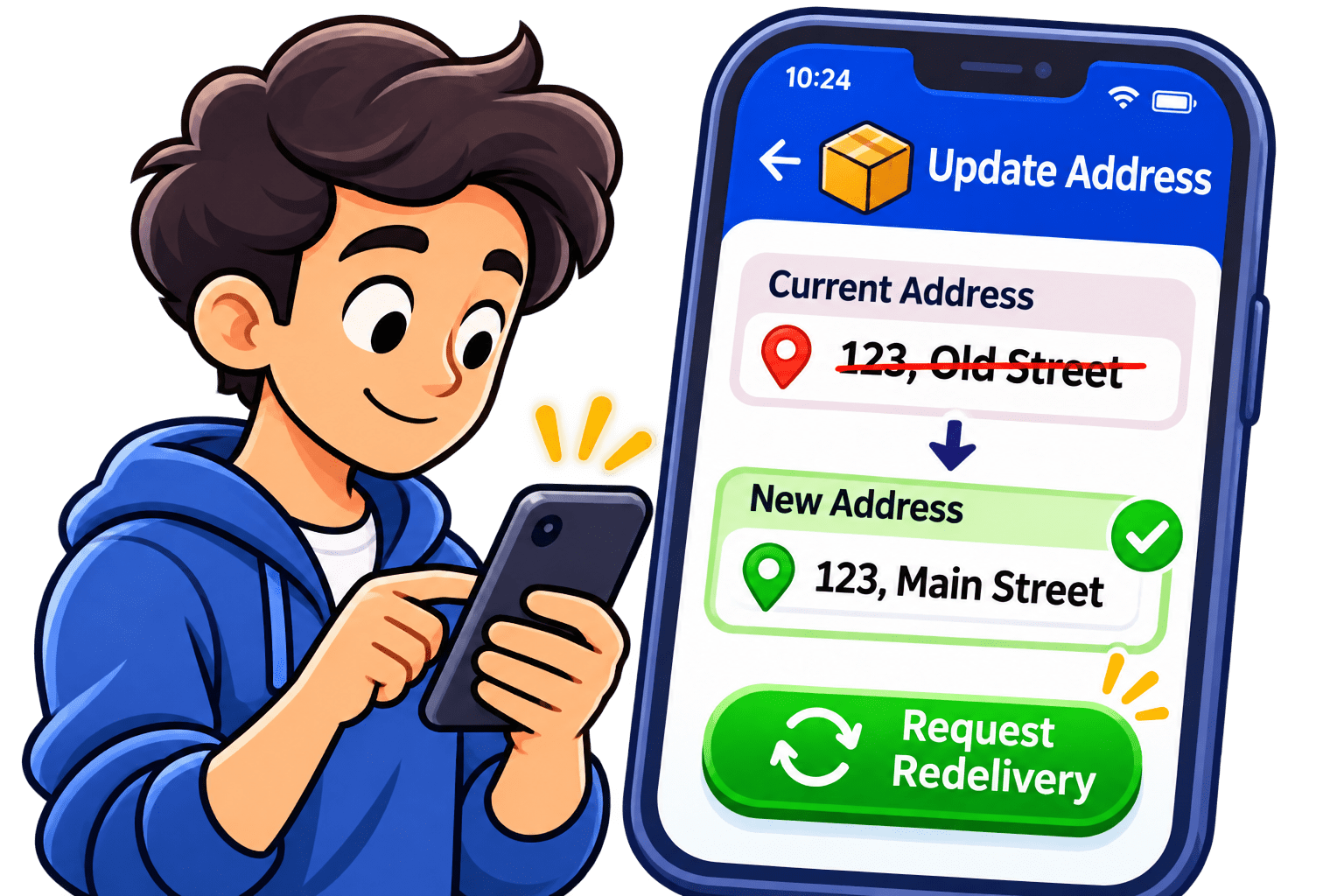
You correct the address and request redelivery. You don't place a new order; you simply fix the issue and try again.
“Now, imagine that every step of your automation passed its editor test. Everything looked perfect!
But three weeks later, you notice that welcome emails have suddenly stopped going out.

Think about it: Where would you look to find out what went wrong?

You would check the Zap History, just like checking a courier's tracking page.
Think about it: Where would you look to find out what went wrong?
But wouldn't it be better if we could reduce the chances of such failures in the first place?

Let's explore how to test our automation properly before relying on it.”
What are Testing and Debugging?

Testing
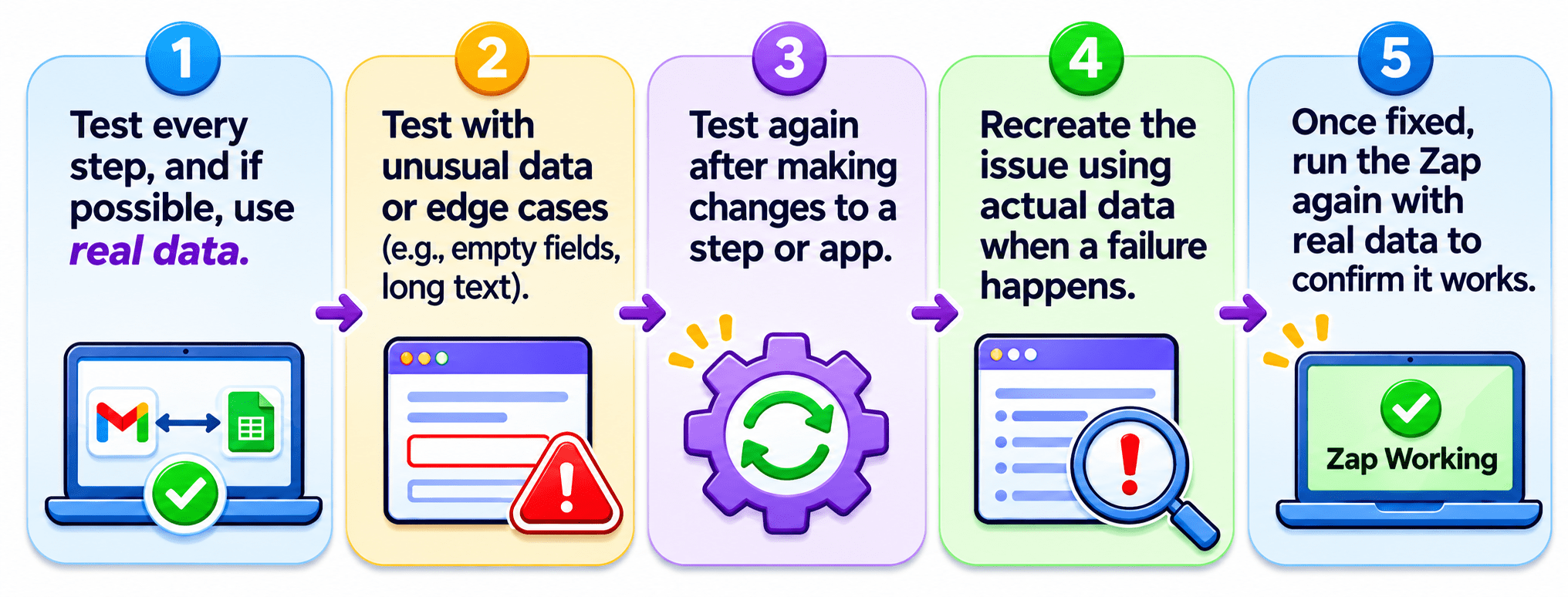
Checking a Zap works before going live, including with unusual data.
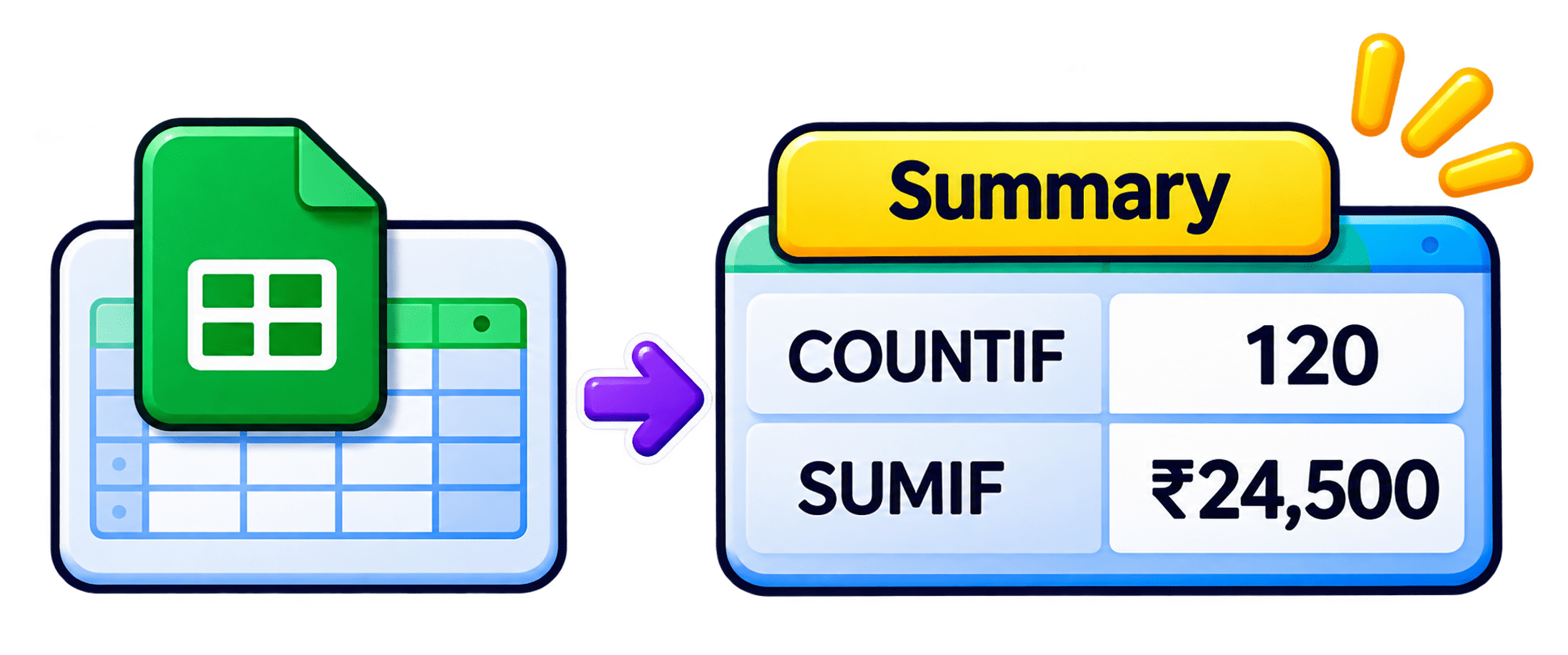
Scheduled Search

Scheduled Search
Debugging
Finding and fixing the cause after a failure in real use.

Testing a Zap Before It Goes Live
Reading Zap History
Cause
Example
Fix
Expired connection
Missing required data
What Makes a Report Useful
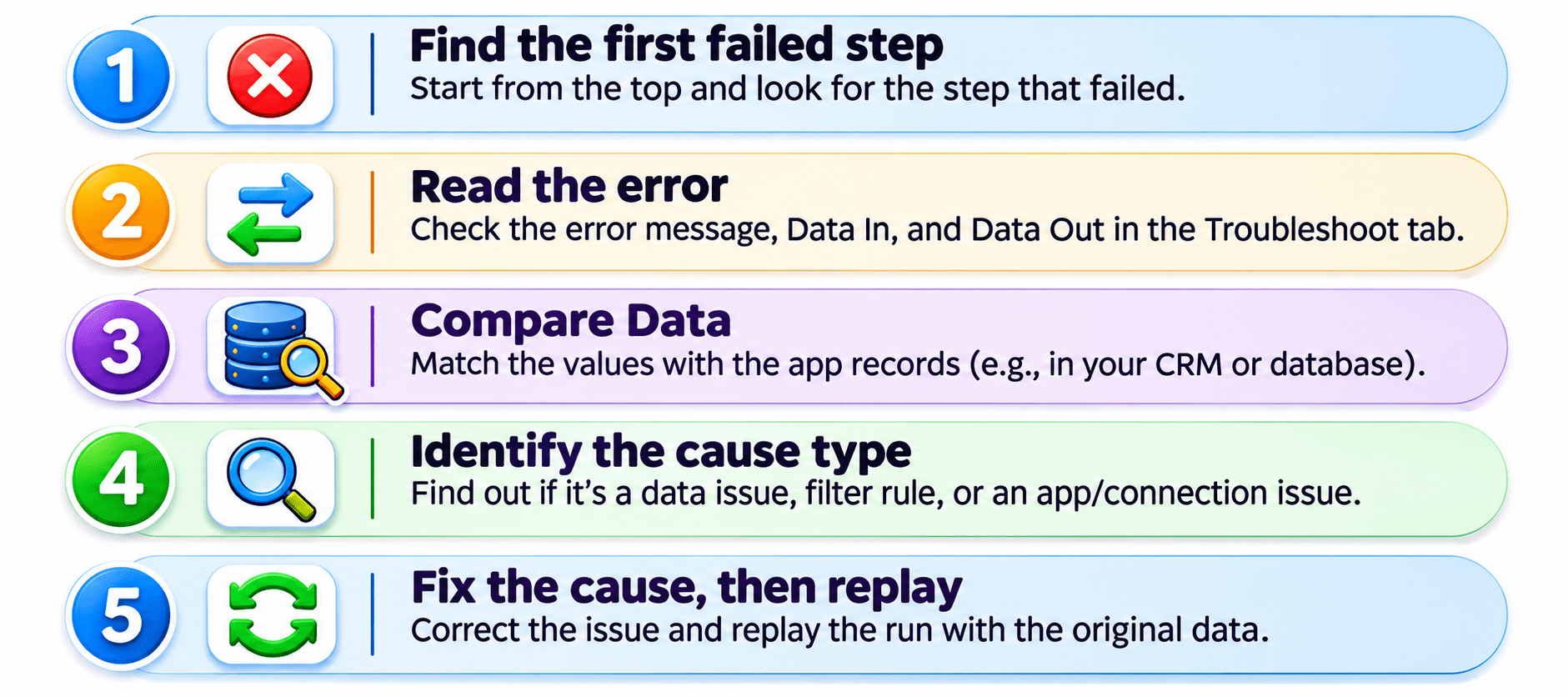
Common Causes of Errors
Status
Every step completed
Filter stopped it on purpose
Stopped deliberately, e.g. search found nothing
A step failed, so debug it
Success

Filtered

Halted
Errored
Meaning
Scheduled Search vs Digest
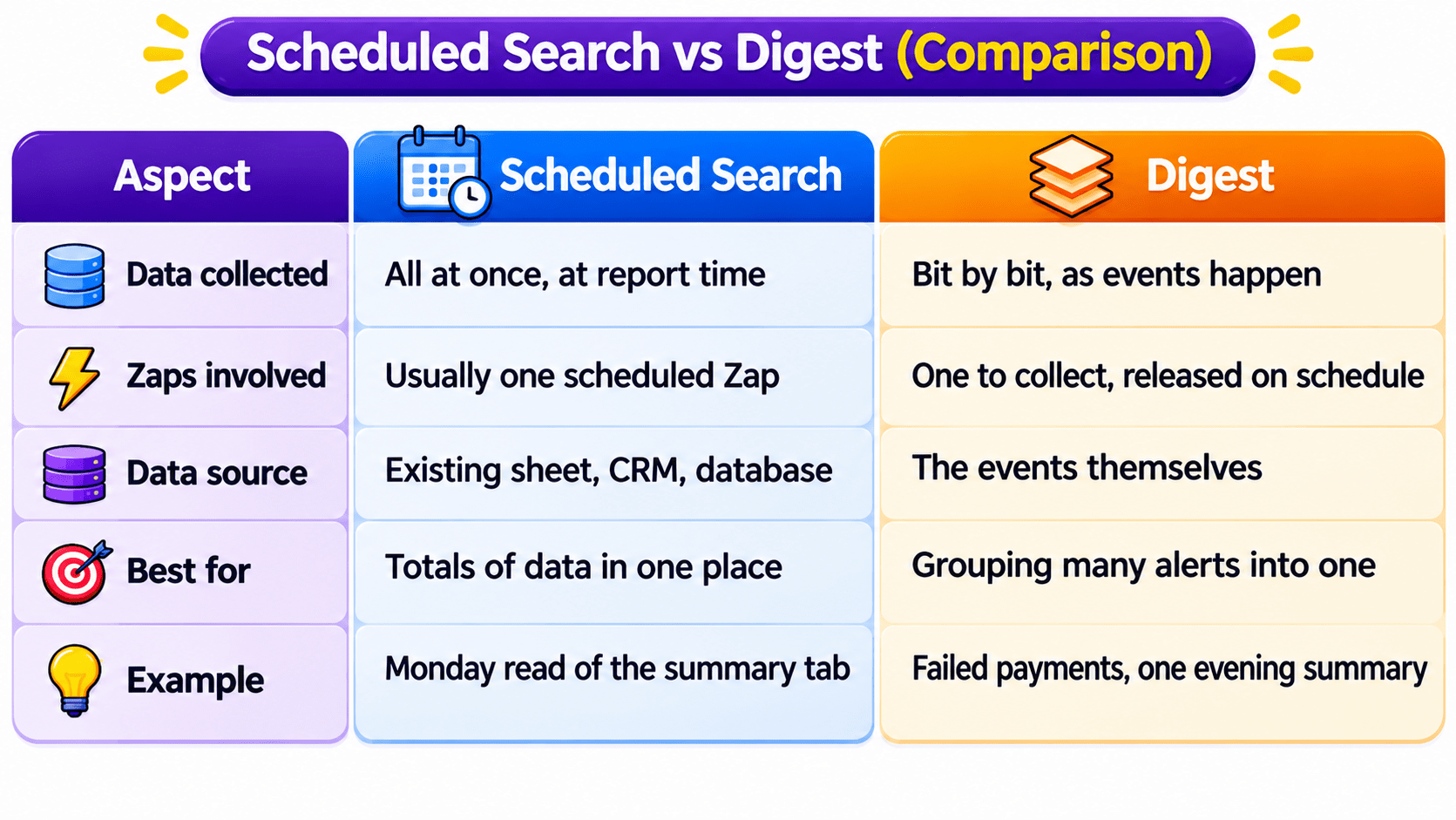
Real-World Applications: Scheduled Search or Digest?
Failed payments sent as one 7 PM message
Google reviews collected and sent each Friday
Last month’s fee total from the accounts sheet
Monday enrolment totals from the summary tab
Real-World Applications: Scheduled Search or Digest?
Failed payments sent as one 7 PM message
Google reviews collected and sent each Friday
Last month’s fee total from the accounts sheet
Monday enrolment totals from the summary tab
Digest
Scheduled Search
Summary
4
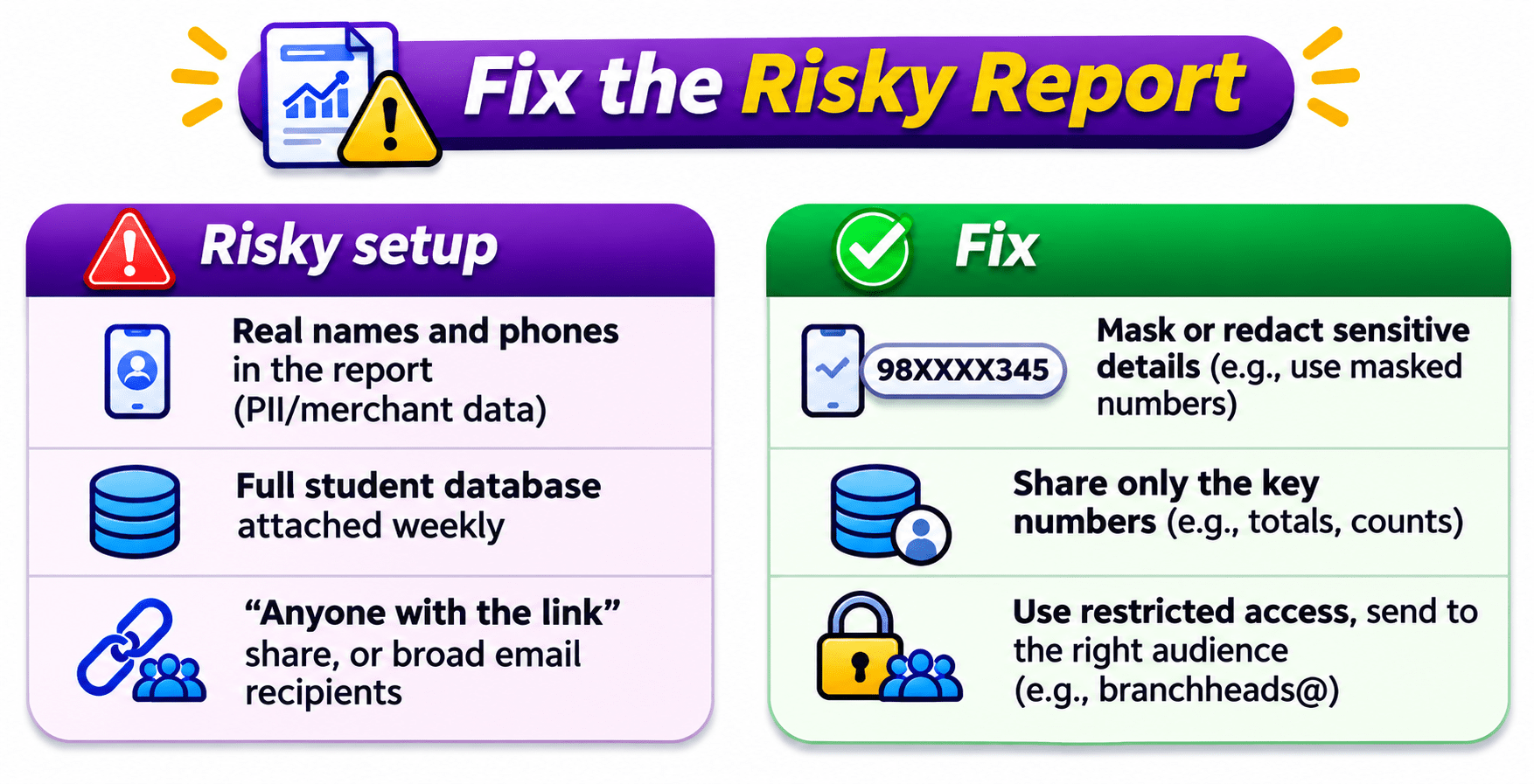
Share only with those who need it, minimally and masked.
3
Useful reports lead with key numbers and flag exceptions.
2
1
5
Prefer restricted links and role-based recipients.
Search data that sits in one place; digest data that arrives in pieces.
Reports flow through schedule, gather, summarise, format, and deliver.
Quiz
What is the safest way to share a weekly fee report?
A. Attach the full Excel file
B. Use an “Anyone with the link” sheet
C. Send a restricted sheet link to branchheads@
D. Post it in #general

What is the safest way to share a weekly fee report?
A. Attach the full Excel file
B. Use an “Anyone with the link” sheet
C. Send a restricted sheet link to branchheads@
D. Post it in #general
Quiz-Answer